Index Manuals FANUC Series 30i/300i/300is-MODEL A. Machining Center System. User's manual (B-63944EN/03)
|
|
|
12.SETTING AND DISPLAYING DATA OPERATION B-63944EN/03
- 1876 -
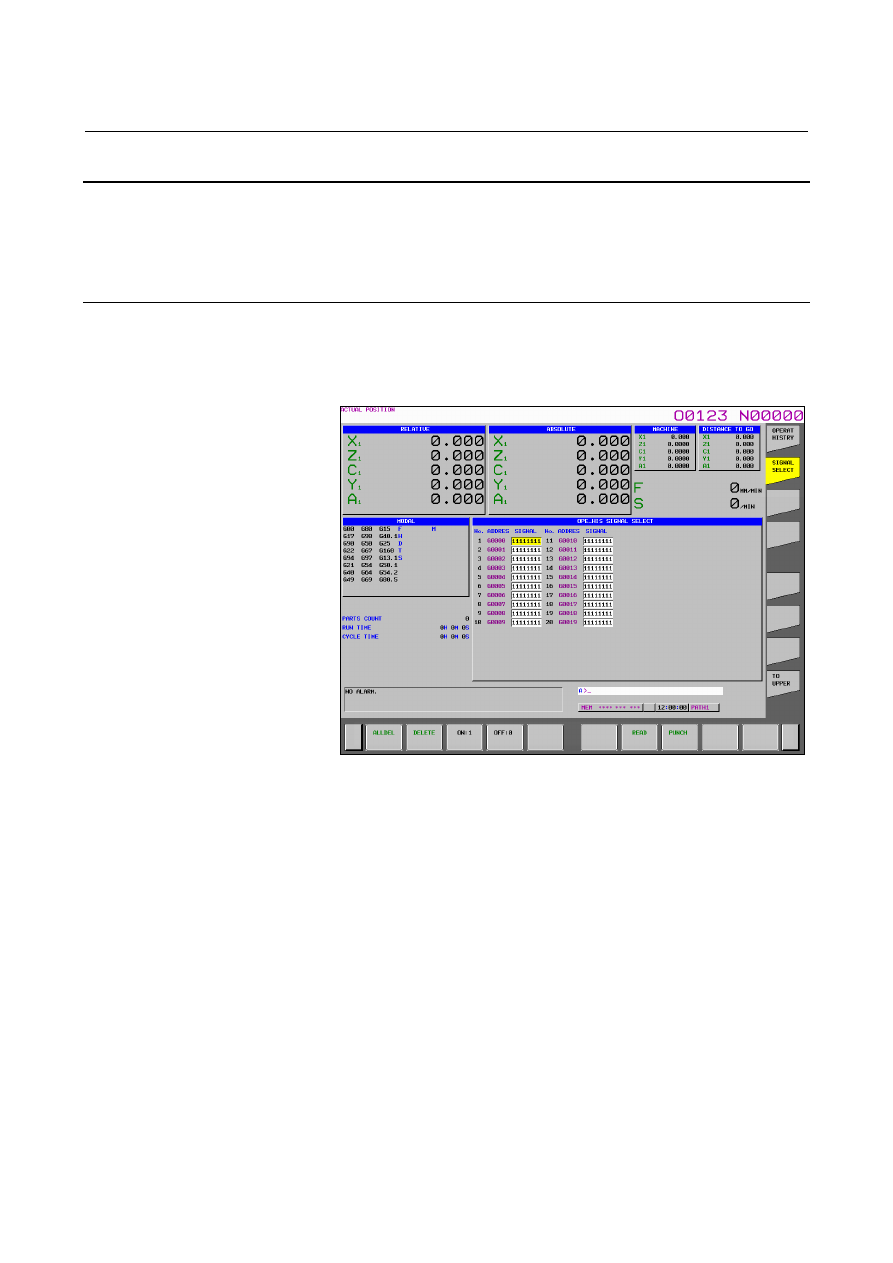
Clearing data individually 1 Display the operation history signal selection screen. 2 Move the cursor to the data to be cleared. 3 Press horizontal soft key [DELETE]. 4 Press horizontal soft key [EXEC].
Clearing all data 1 Display the operation history signal selection screen. 2 Press horizontal soft key [ALLDEL]. 3 Press horizontal soft key [EXEC].
Fig. 12.4.30.4 (a) Operation history signal selection screen
B-63944EN/03 OPERATION 12.SETTING AND DISPLAYING DATA
- 1877 - 12.4.30.5 Outputting all history data
Procedure 1 Make an output device ready for output. 2 Set the EDIT mode. 3
Press function key .
4 Press vertical soft key [NEXT PAGE] several times until vertical 5 Press vertical soft key [OPERAT HISTRY], then press newly 7 Press horizontal soft key [PUNCH]. 8
Enter a file name, and press horizontal soft key [EXEC].
Output format History data is output as an ASCII file in the following format: keys
After "MDI", "path-number_", "key-data", and "input-time" are MDI 01_A 12:23:34
MDI 02_<CAN> 12:23:34
MDI 02_[SOFT HF1] 12:23:35
MDI P_<RESET> 12:34:56
Power on MDI 01_<RESET> 12:34:56
2 I/O signals
After "DI/DO", "PMC-number_", "signal-address_bit-status", DI/DO 1_F0002.2_on 12:34:56 After "Alarm", "path-number_", "type", "alarm-number", |