FANUC Series 30i/300i/300is-MODEL A. Machining Center System. User's manual - page 238
12.SETTING AND DISPLAYING DATA
OPERATION
B-63944EN/03
- 1860 -
12.4.30.1
Alarm history
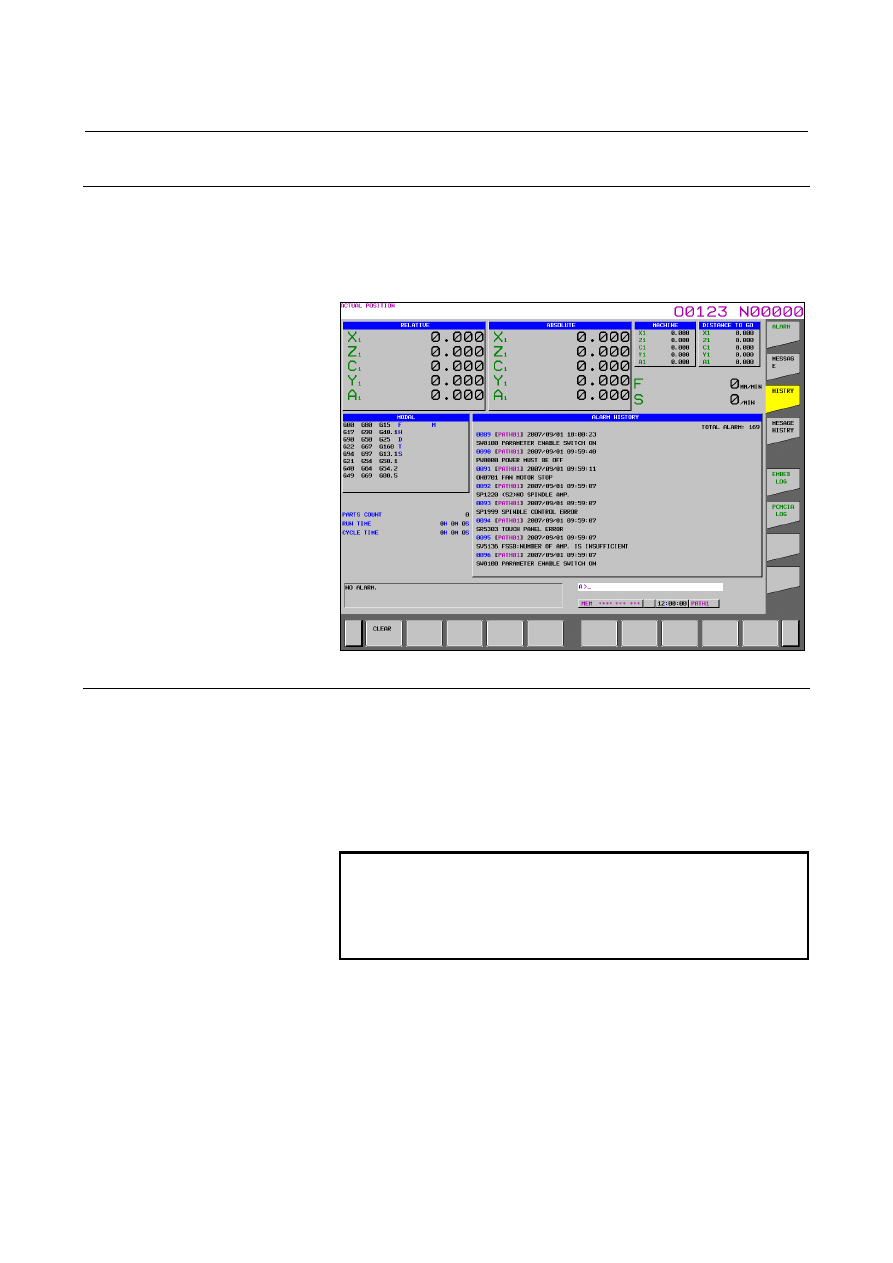
From all history data recorded, only alarm history is extracted and
displayed on the screen. Note that when the amount of history data
exceeds the storage capacity, history data is automatically erased in
order from the oldest history data.
Fig. 12.4.30.1 (a) Alarm history screen
Screen display
Issued alarms are displayed sequentially from the latest alarm.
The following information is displayed for each alarm:
•
Path name (only when multipath operation is performed)
•
Time and date of alarm occurrence
•
Type and number of the alarm
•
Alarm
message
NOTE
To record also external alarm and macro alarm
messages as history data, set bit 3 (EAH) of
parameter No. 3112 to 1, and at the same time set
bit 7 (HAL) of parameter No. 3196 to 0.
When a name such as a path name, axis name, or spindle name has
been changed after the issuance of an alarm, a newly assigned name is
displayed on the alarm history screen.
When modal O data that is a program name is output, only the first
five characters are output.