FANUC Series 30i/300i/300is-MODEL A. Machining Center System. User's manual - page 222
12.SETTING AND DISPLAYING DATA
OPERATION
B-63944EN/03
- 1732 -
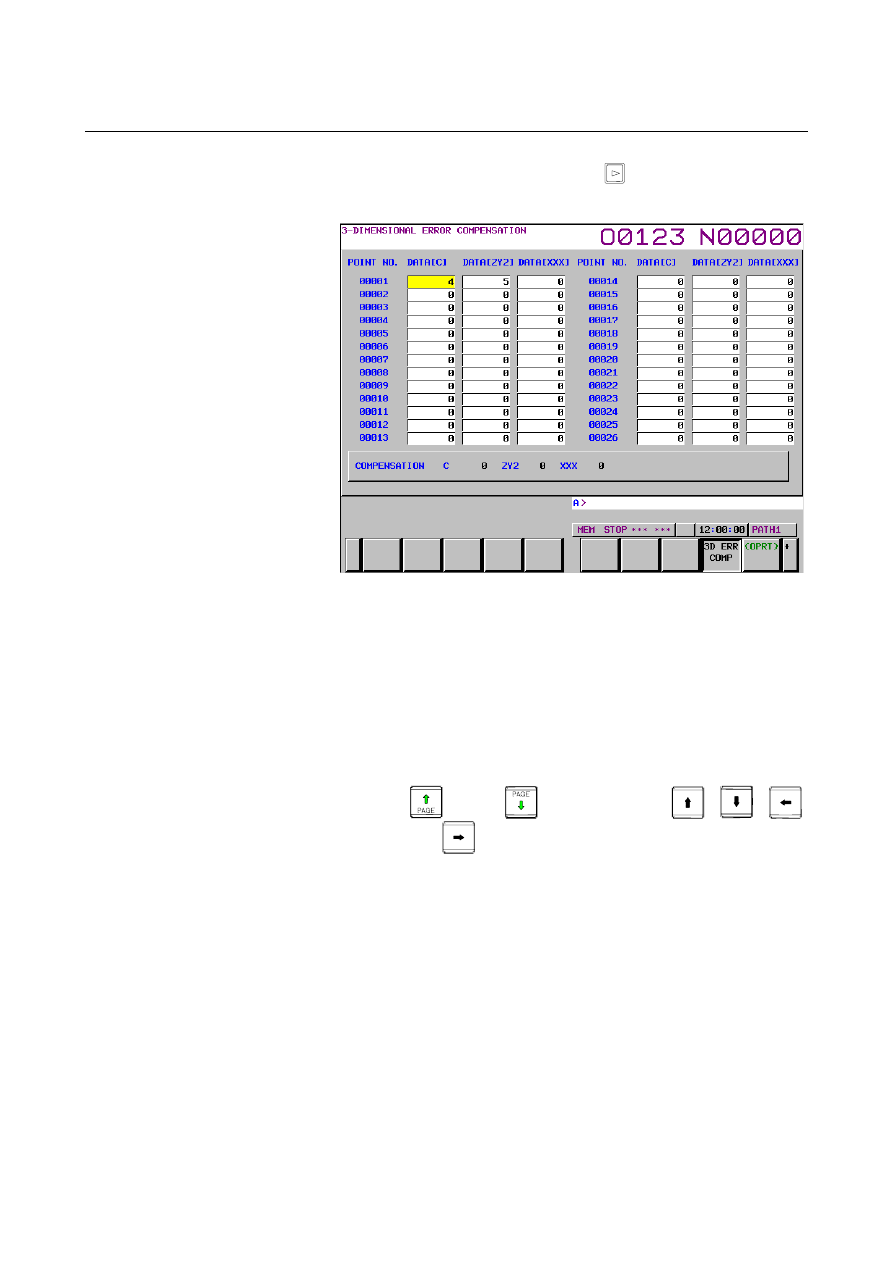
3 Press the continuous menu key
several times, then press
chapter selection soft key [3D ERR COMP]. The following
screen appears:
Fig. 12.4.3 (a) 3-DIMENSIONAL ERROR COMPENSATION screen
(10.4-inch)
4 Move the cursor to the position of the compensation point
number you want to set using either of the following methods:
•
Select the MDI mode.
•
Set bit 0 (PWE) of parameter No. 8900 to 1.
•
Enter a compensation point number and press soft key [NO.
SRH].
•
Move the cursor to the compensation point number or
compensation axis you want to set by pressing page keys
and/or
, and cursor keys
,
,
,
and
.
5 Enter compensation data in detection units. The valid data
range is from -128 to 127.