FANUC Series 30i/300i/300is-MODEL A. Machining Center System. User's manual - page 220
12.SETTING AND DISPLAYING DATA
OPERATION
B-63944EN/03
- 1716 -
12.3.29
Displaying and Setting Workpiece Setting Error
Compensation Data (15-inch Display Unit)
An amount of error used in workpiece setting error compensation can
be
set on the workpiece setting error screen.
The workpiece setting error screen is displayed as follows:
1
Press function key
.
2
Press vertical soft key [WORK SET ER].
The workpiece setting error screen appears.
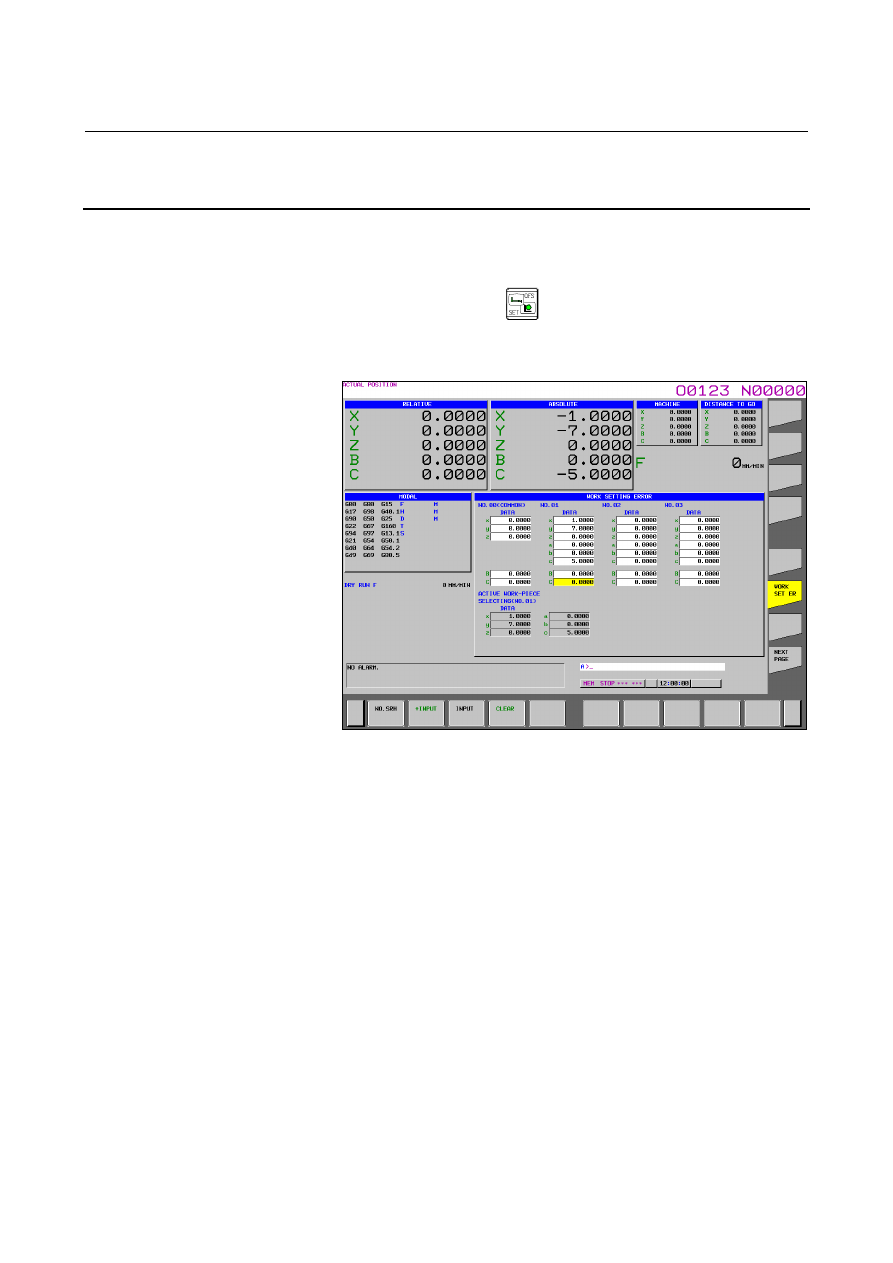
Fig. 12.3.29 (a)
Workpiece setting error screen (15-inch)
Up to 7 sets (No. 01 to No. 07) of different amounts of workpiece
setting error can be specified. In addition, it is possible to specify an
amount of error (No. 00 (COMMON)) to be added to an error in the 7
sets in common.
The X-direction error
∆
x, Y-direction error
∆
y, and Z-direction error
∆
z are specified, respectively, in the x, y, and z fields. The rotational
errors
∆
a,
∆
b, and
∆
c are specified, respectively, in the a, b, and c
fields.
Table rotation axis positions 1 and 2 are specified in the fields under
the a, b, and c fields (C and B in the figure).
Rotation axis names specified in parameter Nos. 19681 and 19686 are
displayed in the axis name fields.
Table rotation axis positions 1 and 2 are specified for rotation axes.
No position must be specified for axes (including virtual axes) other
than table rotation axes. So, no such item is displayed for setting.
Table rotation axis position setting items are displayed under the
following conditions.