FANUC Series 30i/300i/300is-MODEL A. Machining Center System. User's manual - page 135
3.MANUAL OPERATION
OPERATION
B-63944EN/03
- 1036 -
3.4
MANUAL HANDLE FEED
In the handle mode, the tool can be minutely moved by rotating the
manual pulse generator on the machine operator's panel. Select the
axis along which the tool is to be moved with the handle feed axis
selection switches.
The minimum distance the tool is moved when the manual pulse
generator is rotated by one graduation is equal to the least input
increment. One of four types of magnifiers selected with the manual
handle feed move distance select signal can be applied. With bit 2
(HNT) of parameter No. 7103, the minimum distance can be further
10 times greater.
The number of manual pulse generators depends on the option as
follows:
•
Control on 1 manual handle: Up to 1
•
Control on 2 or 3 manual handles:
Up to 3 (Up to three manual pulse generators can be moved at a
time.)
•
Control on 2 to 5 manual handles:
Up to 5 (Up to five manual pulse generators can be moved at a
time.)
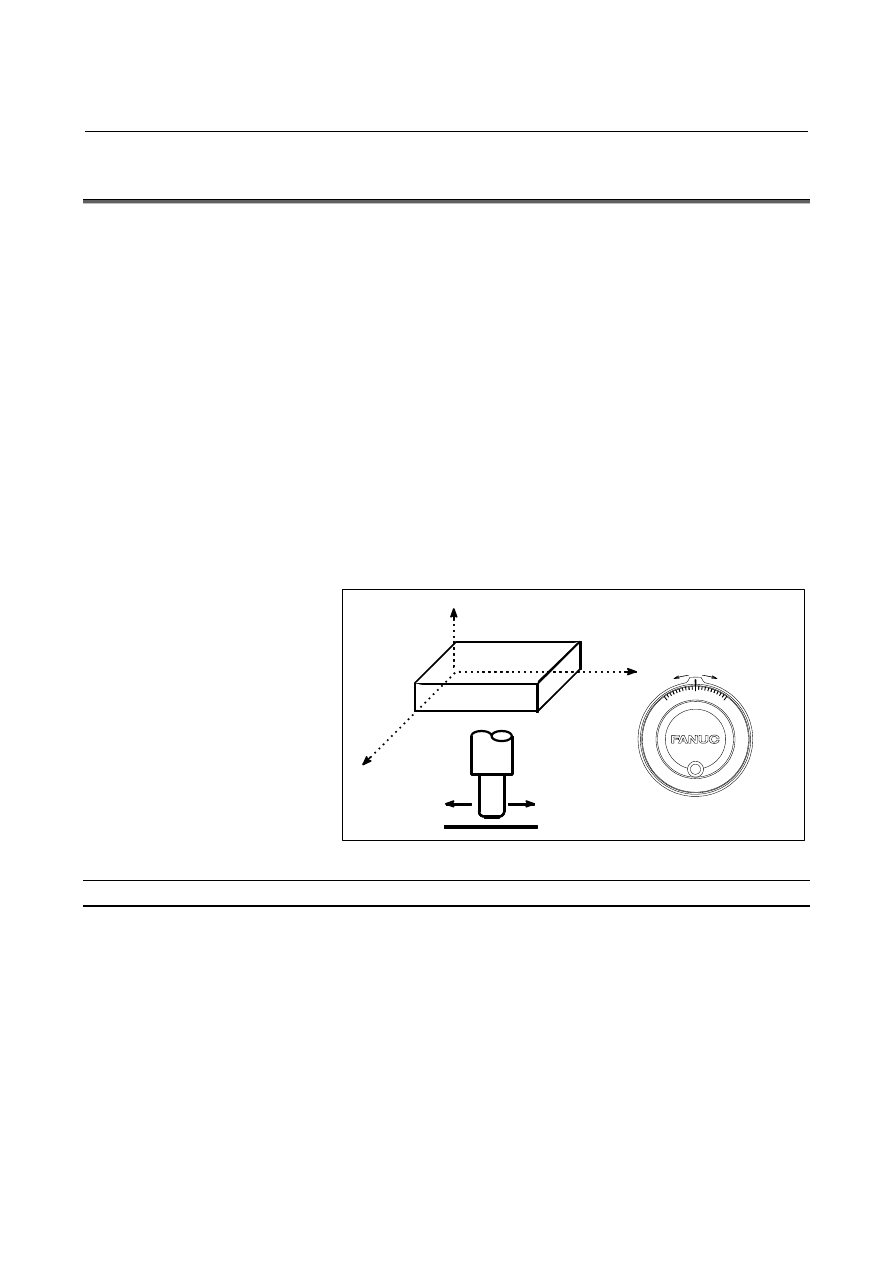
Manual pulse generator
Z
X
Y
Fig. 3.4 (a) Manual handle feed
Procedure for manual handle feed
Procedure
1
Press the handle switch, one of the mode selection switches.
2
Select the axis along which the tool is to be moved by pressing a
handle feed axis selection switch.
3
Select the magnification for the distance the tool is to be moved
by pressing a handle feed magnification switch. The minimum
distance the tool is moved when the manual pulse generator is
rotated by one graduation is equal to the least input increment.
4 Move the tool along the selected axis by rotating the handle.
Rotating the handle 360 degrees moves the tool the distance
equivalent to 100 graduations.
The above is an example. Refer to the appropriate manual provided by
the machine tool builder for the actual operations.