Boeing 737 - 600/700/800/900. Operations Manual (1997 year) - page 61
Flight Management, Navigation -
FMC Preflight
Boeing 737 Operations Manual
[Option - FMC U10.4A]
• Update 10.4A (U10.4A)
[Option - FMC U10.5]
• Update 10.5 (U10.5)
4
INDEX
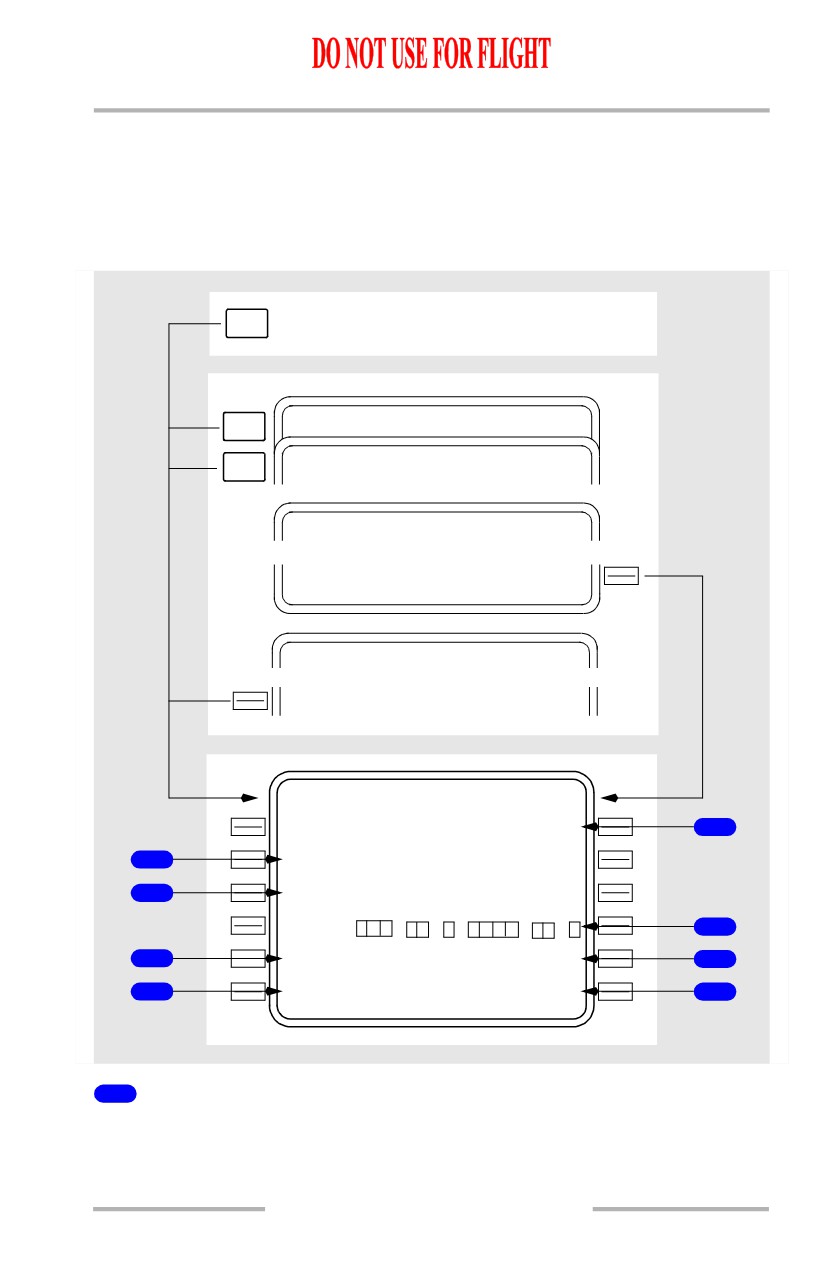
Push - displays the INIT/REF INDEX page.
5
Engine Rating (ENG RATING)
Displays the engine thrust stored in the FMC performance database (e.g., 20K,
22K, 24K, 26K or 27K).
6
ACTIVE Date Range
Displays the effectivity date range for the active navigation database.
Database activation is accomplished by pushing the proper date range prompt to
copy that date into the scratchpad. The scratchpad date may then be transferred to
the ACTIVE database line. The previous active date moves down to the inactive
date line.
The ACTIVE label appears above the active navigation database date. No label
appears above the inactive navigation database date. The navigation database date
can be changed only on the ground. Changing the navigation database removes all
previously entered route data.
When an active database expires in flight, the expired database continues to be
used until the active date is changed after landing.
7
Inactive Date Range
Displays the effectivity date range for the inactive navigation database.
8
Supplemental Data (SUPP DATA)
Displays the effective date of supplemental data. Blank if supplemental database
is empty.
9
Position Initialization (POS INIT)
Push - displays the POS INIT page.
11.40.8
Flight Management, Navigation -
FMC Preflight
Boeing 737 Operations Manual
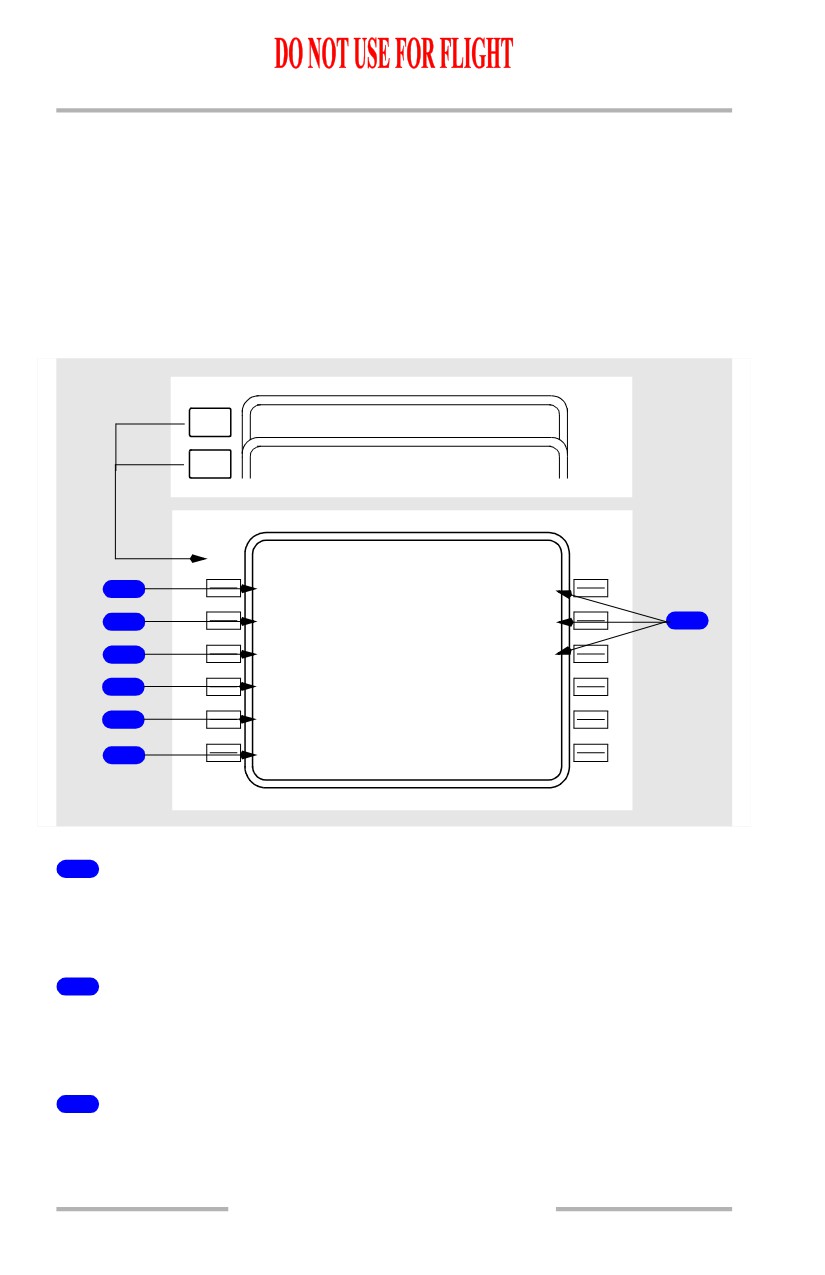
Position Initialization Page 1/3
The position initialization page 1/3 allows airplane present position entry for IRS
alignment and FMC initialization. The same page is used to enter/update the
magnetic heading for an IRS which is in the ATT mode. There are three POS
pages.
INIT
Inertial position not entered
REF
PREV
PO S REF
2 / 3
PAGE
NEXT
PO S SHIFT
3 / 3
PAGE
IDE NT
POS INIT>
INIT/ REF INDEX
<P
O
S
PO S INIT
1 / 3
L A S T P O S
N4
7
`
32.4
W122`18.6
5
R E F A I R P O R T
1
--
-
-
G A T E
2
---
-
-
S
E
T I R S P O S
`
`
6
G M T - M O N /
D
Y
S E T I R S H D G
3
1432.2z
11 / 2 0
---`
7
- - - - - - - -
-
-
- - - - - - - - - - - - - -
4
<INDE X
ROUTE>
8
1
Reference Airport (REF AIRPORT)
The reference airport entry allows entry of the current airport for display of the
airport latitude/longitude.
Optional entry.
11.40.9
Flight Management, Navigation -
FMC Preflight
Boeing 737 Operations Manual
Valid entries are ICAO four letter airport identifiers.
Displays the latitude and longitude of the reference airport.
Removes previous GATE entry.
Entry blanks at lift-off.
2
GATE
The gate entry allows further refinement of the latitude/longitude position.
Optional entry after the reference airport is entered.
Valid entry is a gate number at the reference airport.
Displays the latitude and longitude of the reference airport gate from
the
navigation database.
Changes to dashes when a new reference airport is entered.
Entry blanks at lift-off.
3
GMT - Month/Day (GMT - MON/DY)
[Option - With GPS]
Displays GPS time and date. If the GPS time is not valid, GMT starts at 0000.0Z
when the FMC is first powered. MON/DY is blank. Manually enter the correct
GMT.
4
INDEX
Push - displays the INIT/REF INDEX page.
5
Last Position (LAST POS)
Displays the last FMC computed position.
6
Set IRS Position (SET IRS POS)
The set inertial position entry is required to initialize the IRS. Select the most
accurate latitude/longitude for the initialization. A displayed latitude/longitude
can be selected or a manual entry can be used.
If an entry is not made before the IRS finishes the initial alignment, the scratchpad
message ENTER IRS POS is displayed.
Failure of the manually entered position to pass the IRS internal check displays
the scratchpad message ENTER IRS POS.
Enter airplane position latitude and longitude.
Box prompts are displayed when either IRS is in the ALIGN mode and IRS
present position has not been entered.
11.40.10
Flight Management, Navigation -
FMC Preflight
Boeing 737 Operations Manual
Blanks when the IRS transitions from the alignment to the navigation mode.
7
Set IRS Heading (SET IRS HDG)
Enter/update magnetic heading for any IRS which is in ATT mode. Line blanks
when IRS not in ATT mode.
8
ROUTE
Push - displays the ROUTE page.
11.40.11
Flight Management, Navigation -
FMC Preflight
Boeing 737 Operations Manual
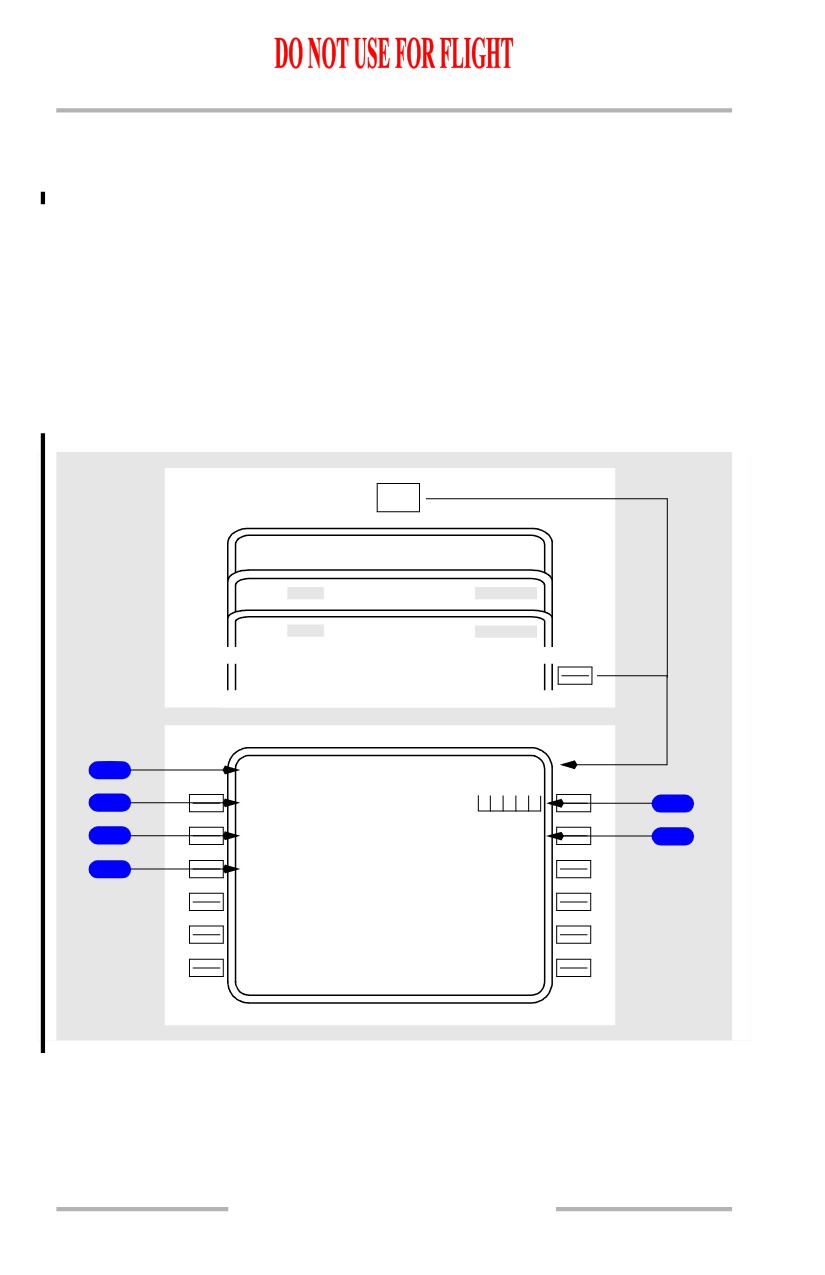
Position Reference Page 2/3
[Option - With GPS]
Position reference page 2 displays the airplane positions as calculated by the
FMC, IRS, GPS, and radio navigation receivers.
This page displays latitude/longitude. All position displays are in actual latitude
and longitude, as calculated by the respective system. Ground speed is displayed
for the FMC and each IRS.
[Option - With GPS]
NEXT
PO S SHIFT
3 / 3
PAGE
NEXT
PO S INIT
1 / 3
PAGE
PO S REF
2 / 3
F M C
P O S
G S
1
N47`32.4 W122`18.6
1K T
I R
S
L
2
N47`32.4 W122`18.7
2K T
5
I R
S
R
3
N47`32.4 W122`18.6
3K T
G P
S
L
6
N47`32.4 W122`18.6
G P
S
R
7
N47
`32.
3
W
122`
18.5
R A D I O
4
N47
`32.
4
W
122`18.7
1
FMC Position (FMC POS)
Displays the FMC calculated latitude/longitude.
Blank if FMC position is invalid.
2
IRS L
Displays the latitude/longitude position as determined by the left IRS.
Blank if IRS position is invalid.
3
IRS R
Displays the latitude/longitude position as determined by the right IRS.
Blank if IRS position is invalid.
11.40.12
Flight Management, Navigation -
FMC Preflight
Boeing 737 Operations Manual
4
RADIO
Displays the latitude/longitude position as determined by the navigation radios.
Blank if on the ground or if radio position is invalid in flight.
5
Groundspeed (GS)
Displays the ground speed for FMC and IRS.
Blank if ground speed of related system is invalid.
6
GPS L
[Option - With GPS]
Displays the latitude/longitude position as determined by the left GPS.
Blank if GPS position is invalid.
7
GPS R
[Option - With GPS]
Displays the latitude/longitude position as determined by the right GPS.
Blank if GPS position is invalid.
11.40.13
Flight Management, Navigation -
FMC Preflight
Boeing 737 Operations Manual
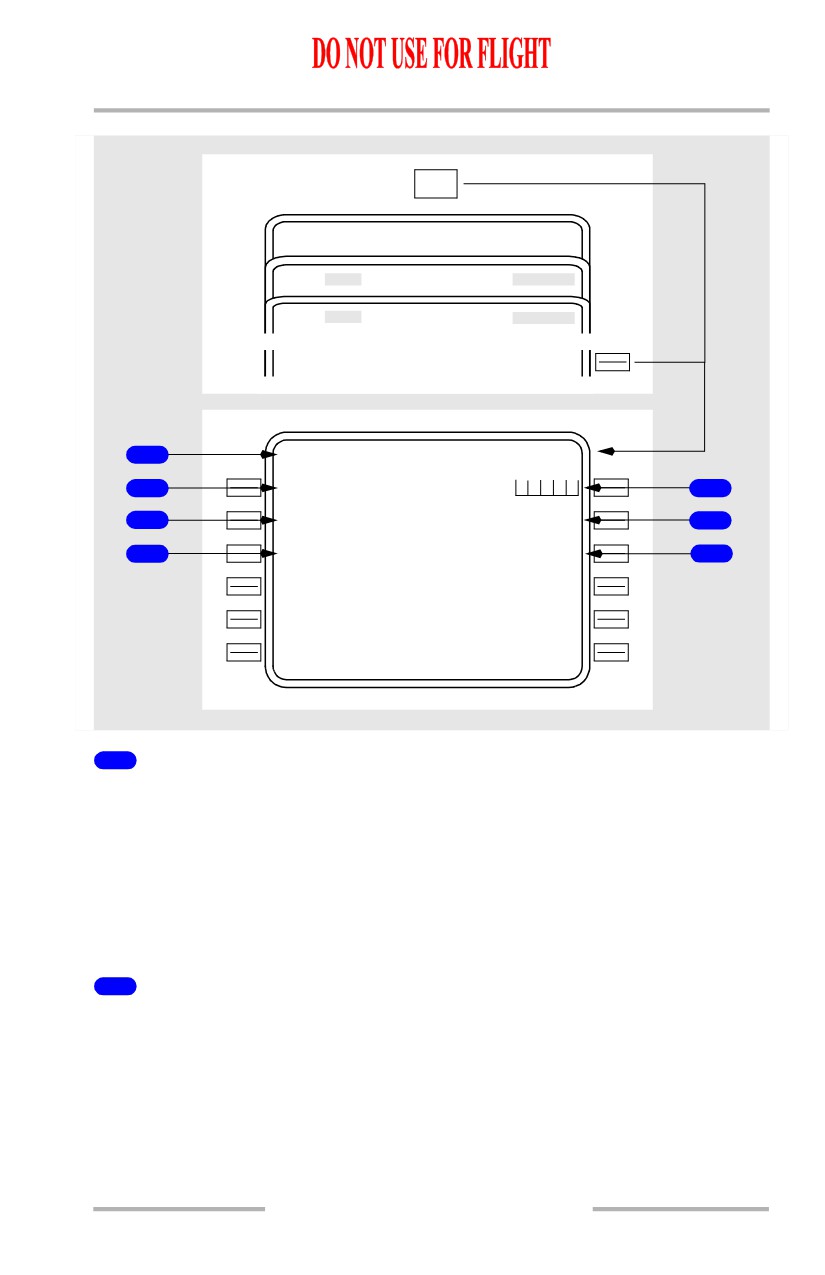
Route Page 1/X
The route is entered and displayed in air traffic control format.
[Option - FMC U10.3 and later]
The first route page displays origin and destination data. Route segments are
displayed on subsequent route pages.
Individual portions of the route may be manually entered by the flight crew. An
pre-defined route may be loaded using the CO ROUTE line. CO ROUTE entries
must correspond to a company defined route in the navigation database.
[Option - With company data link]
The route may also be uplinked.
[Option - FMC U10.3 and later with flight number entry]
RTE
PO S INIT
1 / 3
A
R
RIVALS
D
E
PARTURES
R
O
UTE>
1
RT E
1 / 2
O R I G I N
D E S T
2
---
-
-
5
C O R O U T E
F L T N O .
3
----
-
-
--------
6
R U N W A Y
4
---
-
-
- - - - - - - -
-
-
- - - - - - - - - - - - - -
11.40.14
Flight Management, Navigation -
FMC Preflight
Boeing 737 Operations Manual
[Option - FMC U10.3 and later, with flight number entry and company data link]
RTE
PO S INIT
1 / 3
A
R
RIVALS
D
E
PARTURES
R
O
UTE>
1
RT E
1 / 2
O R I G I N
D E S T
2
---
-
-
5
C O R O U T E
F L T N O .
3
---
-
-
--------
6
R U N W A Y
F L T P L A N
4
---
-
-
REQUEST>
7
- - - - - - - -
-
-
- - - - - - - - - - - - - -
1
Page Title
The word ACT appears to the left of the title when the route has been activated
and executed.
The word MOD appears to the left of the normal title when the route is modified
and the change is not executed.
Multiple route pages are indicated by the page sequence number to the right of the
title.
2
ORIGIN
Enter the ICAO airport identifier for the origin.
An entry is required for route activation.
Valid entries must be in the navigation database.
[Option - FMC U10.3 and later]
Entry is allowed for all phases of flight. Entry of a new origin erases the previous
route.
11.40.15
Flight Management, Navigation -
FMC Preflight
Boeing 737 Operations Manual
New entries on an active route display MOD in the route title.
Enables direct selection of departure and arrival procedures for the origin airport.
Automatically entered as part of a company route.
3
Company Route (CO ROUTE)
A company route can be called from the navigation database by entering the route
identifier. The data provided with a company route can include origin and
destination airports, departure runway, SID, and STAR, and the route of flight. All
company route data is automatically entered when the route identifier is entered.
An entry is optional for activation of the route.
Enter a company route identifier.
Valid entry is any crew entered company route name. If the name is not contained
in the NAV database, the scratchpad message NOT IN DATA BASE is displayed.
Entry of a new company route replaces the previous route.
Inflight entry is inhibited for the active route.
4
RUNWAY
Line title does not display until after entry of origin airport.
Enter the desired runway for the origin airport.
An entry is optional for activation of the route.
Entries must be in the navigation database.
New entries on an active route display MOD in the route title.
Can be entered from the DEPARTURES page.
Deleted upon reaching the first waypoint.
5
Destination (DEST)
Enter the ICAO airport identifier for the destination of the route.
An entry is required for route activation.
Entries must be in the navigation database.
New entries on an active route display MOD in the route title.
Enables direct selection of arrival procedures for the destination airport.
Automatically entered as part of a company route.
Entry and execution of a new destination clears any runway and
runway
dependent approach procedure of the previous destination. If the active leg is part
of the affected procedure, then all subsequent (inactive) legs are cleared.
11.40.16
Flight Management, Navigation -
FMC Preflight
Boeing 737 Operations Manual
6
Flight Number (FLT NO.)
[Option - With flight number entry]
Enter the company flight number.
Entry is optional for activation of the route.
Limited to 8 characters.
Crew entered.
Flight number is included in the PROGRESS page title.
7
FLT PLAN REQUEST
[Option - With company data link]
Push - transmits a data link request for a flight plan route uplink
11.40.17
Flight Management, Navigation -
FMC Preflight
Boeing 737 Operations Manual
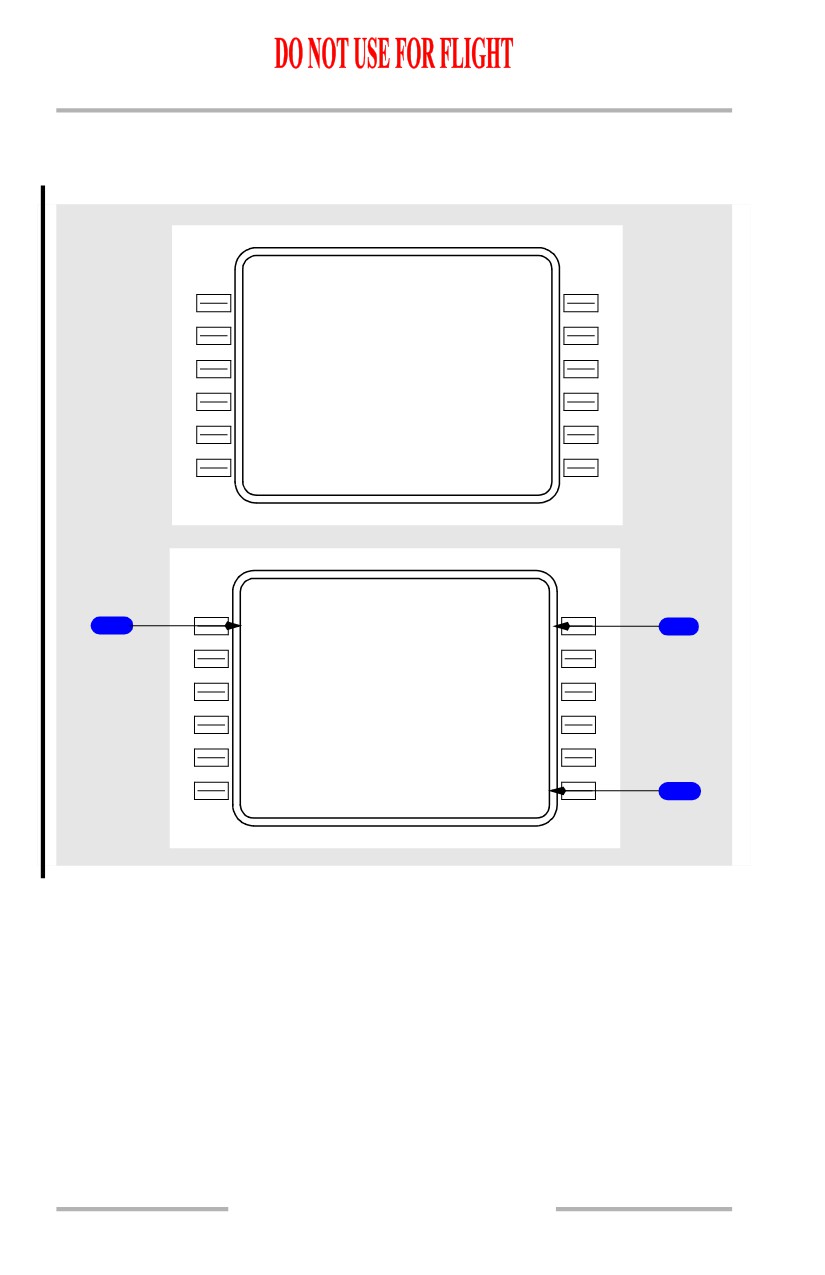
Route Pages 1/X and 2/X with Data Entries
[Option - FMC U10.3 and later]
[Option - With flight number entry]
RT E
1 / 3
O R I G I N
D E S T
KBF I
KMWH
C O R O U T E
F L T N O .
BFIMW H
430
R U N W A Y
1
3
R
- - - - - - - -
-
-
- - - - - - - - - - - - - -
ACTI VATE>
RT E
2 / 3
V I A
T O
1
LACRE3.VA MPS
VAMPS
2
V
2
ELN
V3
3
6
EPH
---
-
-
-----
- - - - - - - -
-
-
- - - - - - - - - - - - - -
ACTI VATE>
3
11.40.18
Flight Management, Navigation -
FMC Preflight
Boeing 737 Operations Manual
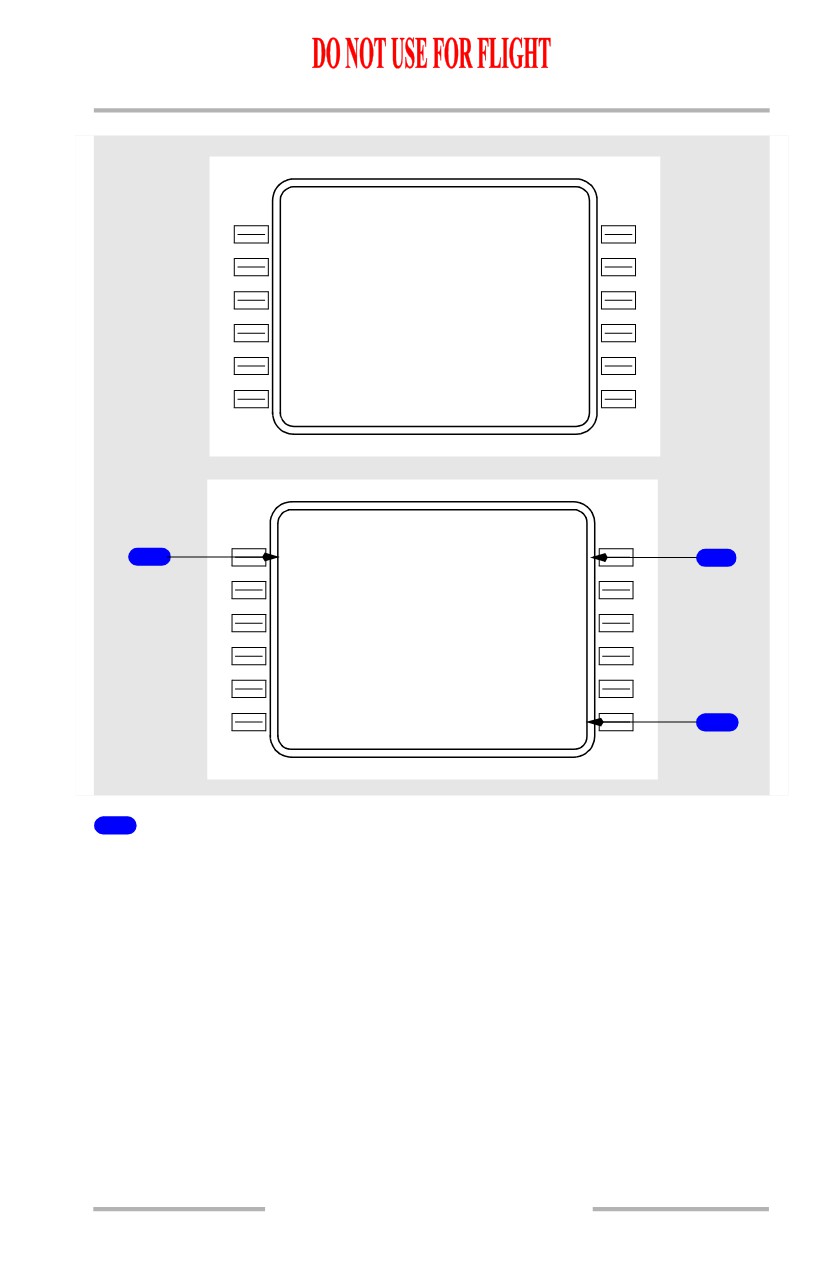
[Option - With flight number entry and company data link]
RT E
1 / 3
O R I G I N
D E S T
KBF I
KMWH
C O R O U T E
F L T N O .
BFIMW H
430
R U N W A Y
F L T P L A N
1
3
R
REQUEST>
- - - - - - - -
-
-
- - - - - - - - - - - - - -
ACTI VATE>
RT E
2 / 3
V I A
T O
1
LACRE3.VA MPS
VAMPS
2
V
2
ELN
V3
3
6
EPH
---
-
-
-----
- - - - - - - -
-
-
- - - - - - - - - - - - - -
ACTI VATE>
3
1
VIA
The VIA column displays the route segment to the waypoint or termination
displayed in the TO column. Enter the path which describes the route segment
between the previous waypoint and the segment termination.
Enter an airway in the VIA column and box prompts are displayed in the TO
column if the previous TO line contains a waypoint on the airway.
Valid entries can also include procedures or DIRECT. Procedures are normally
entered through selections on DEPARTURES and ARRIVALS pages. DIRECT is
normally entered as a result of entering a TO waypoint first.
Valid airways must:
• contain the fix entered in the TO waypoint, and
• contain the previous TO waypoint, or
Dashed prompts change to DIRECT if the TO waypoint is entered first.
11.40.19
Flight Management, Navigation -
FMC Preflight
Boeing 737 Operations Manual
Dash prompts appear for the first VIA beyond the end of the route.
Invalid VIA entries display the scratchpad entry INVALID ENTRY.
Invalid VIA entries are:
• airways and company routes which do not contain the TO waypoint of the
previous line
• airways or company routes that are not in the navigation database.
When entering airways, the beginning and ending waypoints determine if the
entry is valid. The route segment must contain the waypoint entered in the TO
position. The TO waypoint of the previous route segment must be the same as the
beginning point of the current route segment, or a route discontinuity is created
between the segments.
Entry of a SID or transition automatically enters the VIA and TO data for the route
segments of the SID. A SID automatically links to the next route segment when
the final SID waypoint is part of the route segment.
LACRE3.VAMPS is an example of a SID selection made on the DEPARTURES
page.
V2 is an example of airway entry.
2
TO
Enter the end point of the route segment specified by the VIA entry.
Entry of a waypoint in the TO column without first entering a VIA airway displays
DIRECT in the VIA column.
Box prompts indicate that an entry is required.
Valid waypoint entries for a DIRECT route segment are any valid waypoint, fix,
navaid, airport, or runway.
Valid waypoint entries for airways are waypoints or fixes on the airway.
Dash prompts appear on the first TO waypoint following the end of the route.
3
ACTIVATE
Pushing the ACTIVATE key arms the route for execution as the active route.
When the EXEC key is pushed, the route becomes the active route and the
ACTIVATE prompt is replaced with the next required preflight page prompt.
Push - prepares the selected route for execution as the active route.
Activation of a route is required for completion of the preflight.
Displayed on inactive route pages.
11.40.20
Flight Management, Navigation -
FMC Preflight
Boeing 737 Operations Manual
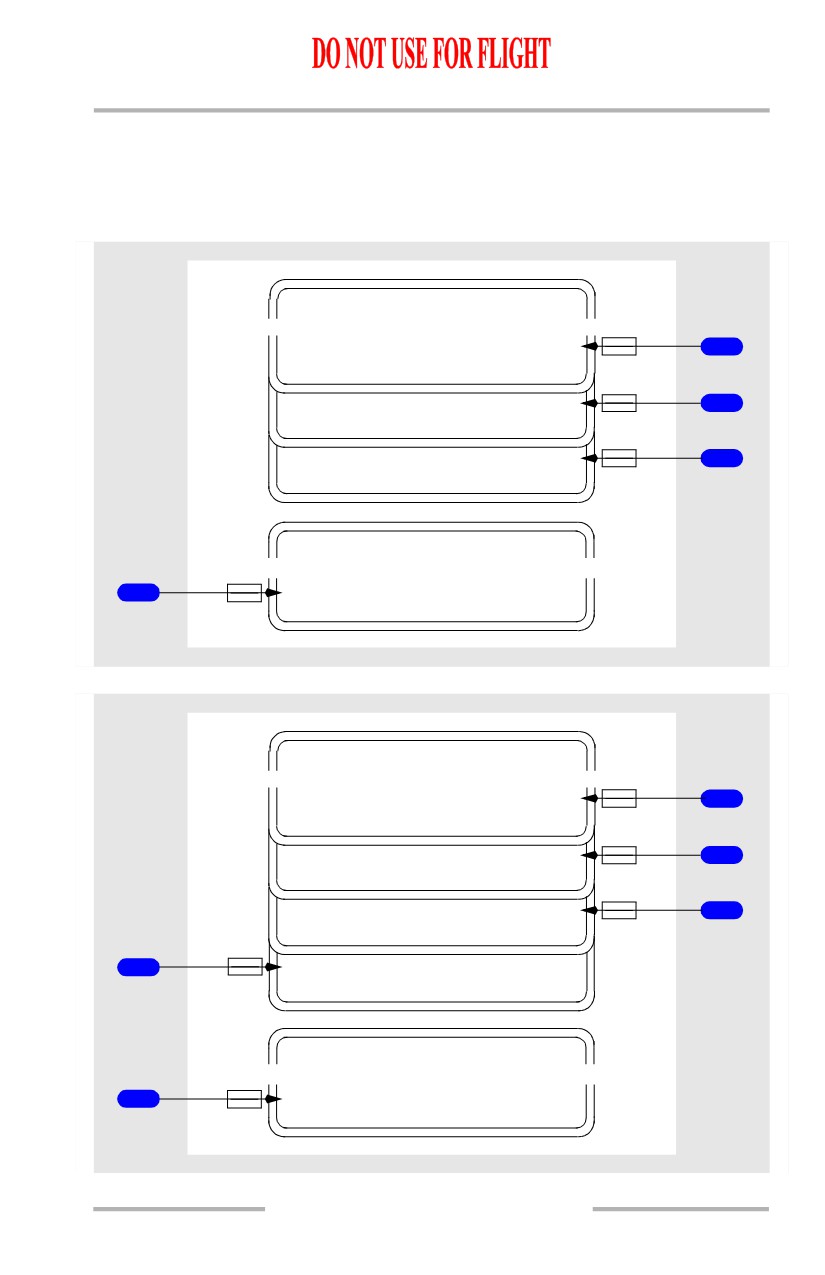
After route activation, the ACTIVATE prompt is replaced by:
• PERF INIT, when the required performance data is incomplete, or
• TAKEOFF when the required performance data is complete.
Additional Route Page Prompts for an Activated Route
ACT RT E
PERF INIT>
2
TAK EOFF>
3
OF FSET>
4
MOD RT E
1
<ERAS E
[Option - With alternate destination prediction]
ACT RT E
PERF INIT>
2
TAK EOFF>
3
OF FSET>
4
5
<ALTN DEST
MOD RT E
1
<ERAS E
11.40.21
Flight Management, Navigation -
FMC Preflight
Boeing 737 Operations Manual
1
ERASE
Push - removes all pending modifications.
Displayed only during modifications.
2
Performance Initialization (PERF INIT)
Push - displays PERF INIT page.
Displayed only on the ground when required entries on the PERF INIT page are
incomplete.
3
TAKEOFF
Push - displays TAKEOFF REF page 1/2.
Displayed only on the ground when all required entries on the PERF INIT page
are complete.
4
OFFSET
Push - displays LATERAL OFFSET page.
Displayed only in flight.
5
Alternate Destination (ALTN DEST)
[Option - With alternate destination prediction]
Push - displays ALTERNATE DESTS page 1/6.
11.40.22
Flight Management, Navigation -
FMC Preflight
Boeing 737 Operations Manual
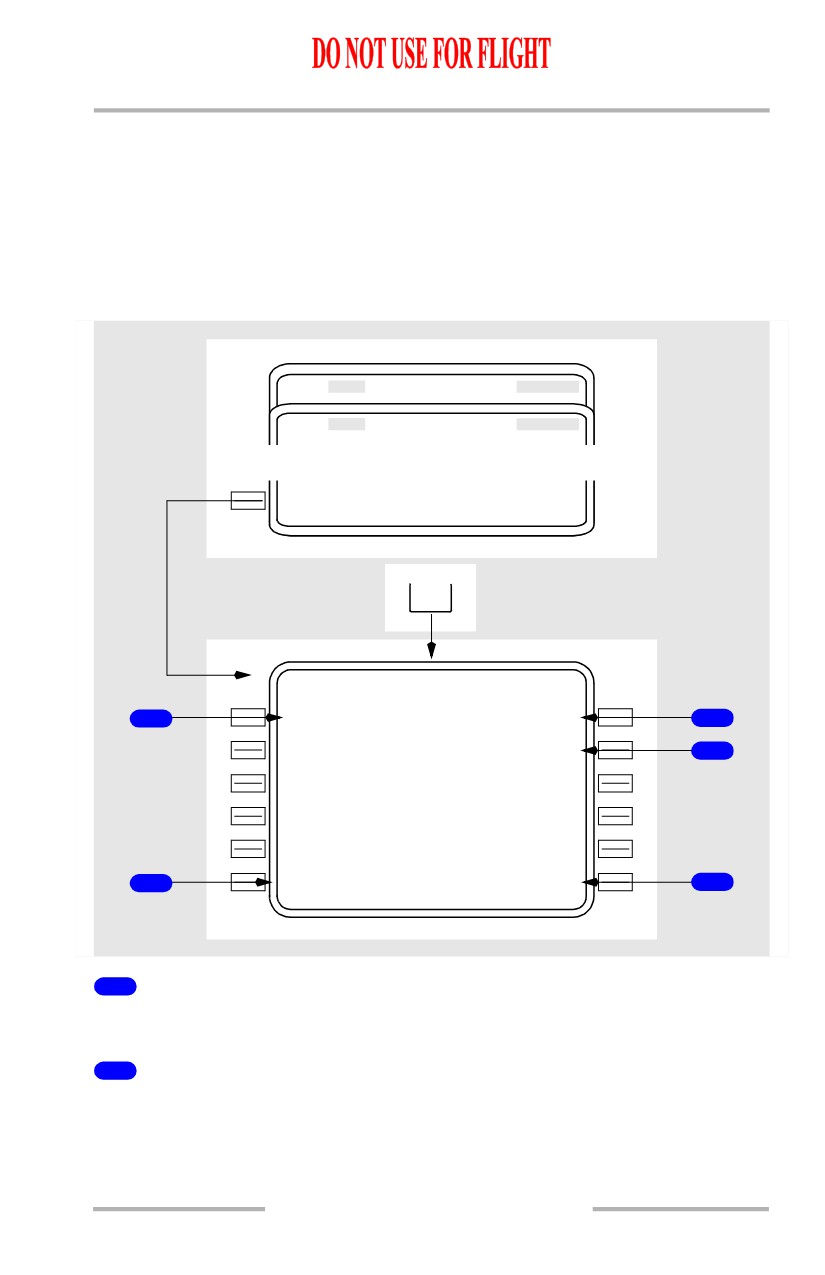
Departure/Arrival Index Page
The departure and arrival index page is used to select the departure or arrival page
for the origin and destination airports for each route. The index also allows
reference to departure or arrival information for any other airport in the navigation
database.
Departure and arrival prompts are available for the origin airport. Destination
airports have only arrival prompts.
A
R
RIVALS
D
E
PARTURES
<INDE X
DEP
ARR
DE
P
/
ARR INDEX
1 / 1
1
<DE P
KBFI
ARR>
3
KMW H
ARR>
4
DE
P
O
THER
ARR
2
<--
-
-
---->
5
1
Departure (DEP) - Origin
Push - displays the departure page for origin airport.
2
Departure (DEP) - OTHER
Displays the departure page for the airport entered into this line through the
scratchpad.
11.40.23
Flight Management, Navigation -
FMC Preflight
Boeing 737 Operations Manual
DEP prompt for OTHER allows display of departure information about airports
that are not an origin or destination. The displayed information can be viewed but
cannot be selected, because the airport is not on the route.
3
Arrival (ARR) - Origin
Push - displays the arrival page for origin airport. Origin airport arrivals selection
is used during a turn-back situation.
4
Arrival (ARR) - Destination
Push - displays the arrival page for destination airport.
5
Arrival (ARR) - OTHER
Displays the arrival page for the airport entered into this line through the
scratchpad.
ARR prompt for OTHER allows display of arrival information about airports that
are not an origin or destination. The displayed information can be viewed but
cannot be selected, because the airport is not on the route.
11.40.24
Flight Management, Navigation -
FMC Preflight
Boeing 737 Operations Manual
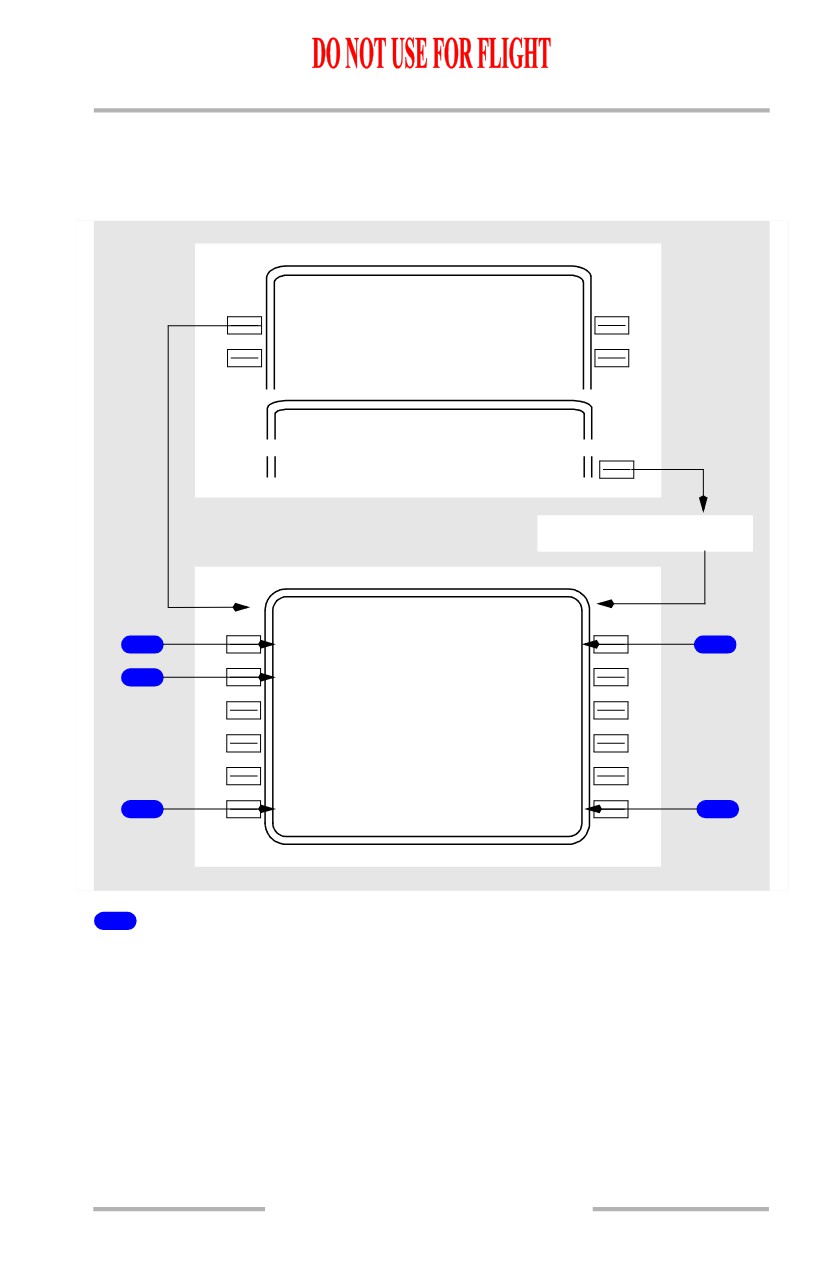
Departures Page
The departures page is used to select the departure runway, SID, and transition for
the route origin airport.
DE
P
/
ARR INDEX
<DE P
KBFI
ARR>
KMW H
ARR>
TAK EOFF REF
DEPAR TURE>
NO ROUTE ENTERED
KBFI DEPARTURES
S I D S
R U N W A Y S
1
LACRE3
<S EL>
<SEL>
13R
4
T R A N S
2
HUMP P
ORTI N
VAMP S
- - - - - - - -
-
-
- - - - - - - - - - - - - -
3
<ERAS E
ROUTE>
5
1
Standard Instrument Departures (SIDS)
Displays SIDS for the airport and runway selections.
[Option - With engine out SIDS]
Displays the engine-out SIDS for the airport and runway selections following the
last SID display line or on the first line if there are no SIDS for the departure
airport and runway.
Without the selection of a runway on the RTE page, the initial display contains all
of the information for the airport runways and SIDS. As selections are made,
incompatible options are removed. SID transitions are displayed after a SID is
selected.
11.40.25
Flight Management, Navigation -
FMC Preflight
Boeing 737 Operations Manual
2
Transitions (TRANS)
Displays transitions compatible with the selected SID.
3
ERASE/INDEX
Erase is displayed when a route modification is pending. INDEX is displayed
when no route modification is pending.
ERASE push - removes route modifications that are not executed and restores the
original route.
INDEX push - displays the DEP/ARR INDEX page.
4
RUNWAYS
Displays a list of runways for the selected airport.
The runway selected on the RTE page is displayed as <SEL> or <ACT> when this
page is displayed.
5
ROUTE
Push - displays the RTE page.
Selecting Options
Selecting an option displays
<SEL> inboard of the option, and a route
modification is created. When the modification is executed, the <SEL> becomes
<ACT>. Leaving the page and returning displays all options and the <SEL> or
<ACT> prompts.
11.40.26
Flight Management, Navigation -
FMC Preflight
Boeing 737 Operations Manual
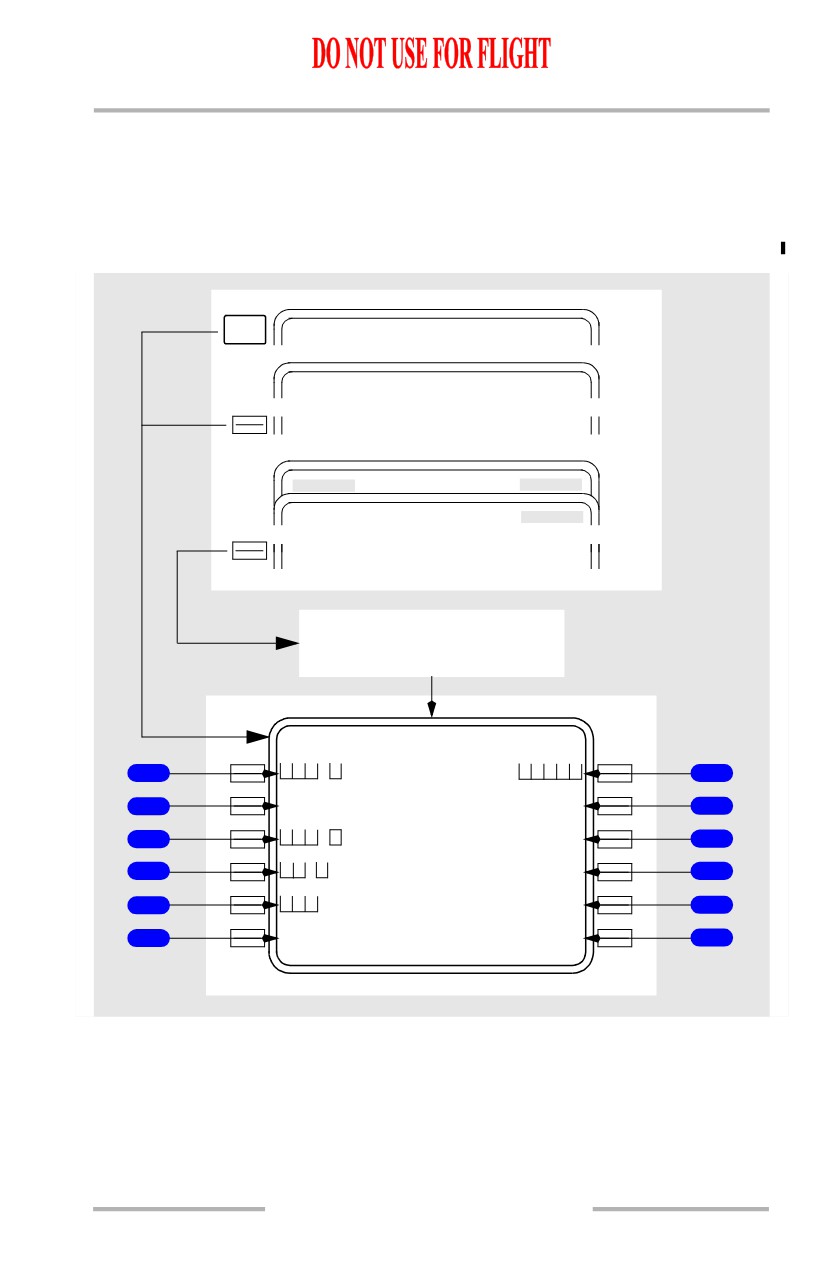
Performance Initialization Page
The performance initialization page allows the entry of airplane and route data to
initialize performance calculations. This information is required for VNAV
calculations.
[Option - FMC U10.1 and later]
NEXT
PAGE
PER F LIMITS
2 / 2
INIT/ REF INDEX
<PER F
RT E
TAK EOFF REF
<PERF INI T
On ground,
PERF INIT incomplete
PER F INIT
1 / 2
G W / C R Z
C
G
T R I P / C R Z A L T
1
/
8
0% FL190/
7
F U E L
C R Z W I N D
2
34
0
---` /---
8
Z F W
I S A D E V
3
---` F ---` C
9
R E S E R V E S
T / C O A T
4
---` F ---` C
10
C O S T I N D E X
T R A N S A L T
5
18000
11
--------
-
-
--------------
6
<INDE X
N1
LIMIT>
12
11.40.27