FANUC Series 30i/300i/300is-MODEL A. Machining Center System. User's manual - page 213
12.SETTING AND DISPLAYING DATA
OPERATION
B-63944EN/03
- 1660 -
4 To display or set real time custom macro variables of which
values are stored at power-off, press vertical soft key [PERM.
DATA].
5 Move the cursor to the number of a real time custom macro
variable you want to set using either of the following methods:
•
Enter the number of a real time custom macro variable and
press horizontal soft soft key [NO. SRH].
•
Move the cursor to the number of a real time custom macro
variable you want to set by pressing page keys
and/or
and cursor keys
,
,
, and/or
.
6 Enter
data.
Displaying and setting DI/DO variables
Procedure
For setting in byte units:
1
Press function key
.
2 Press vertical soft key [NEXT PAGE] several times and then
vertical soft key [R.TIME MACRO]. The screen shown below
appears.
3
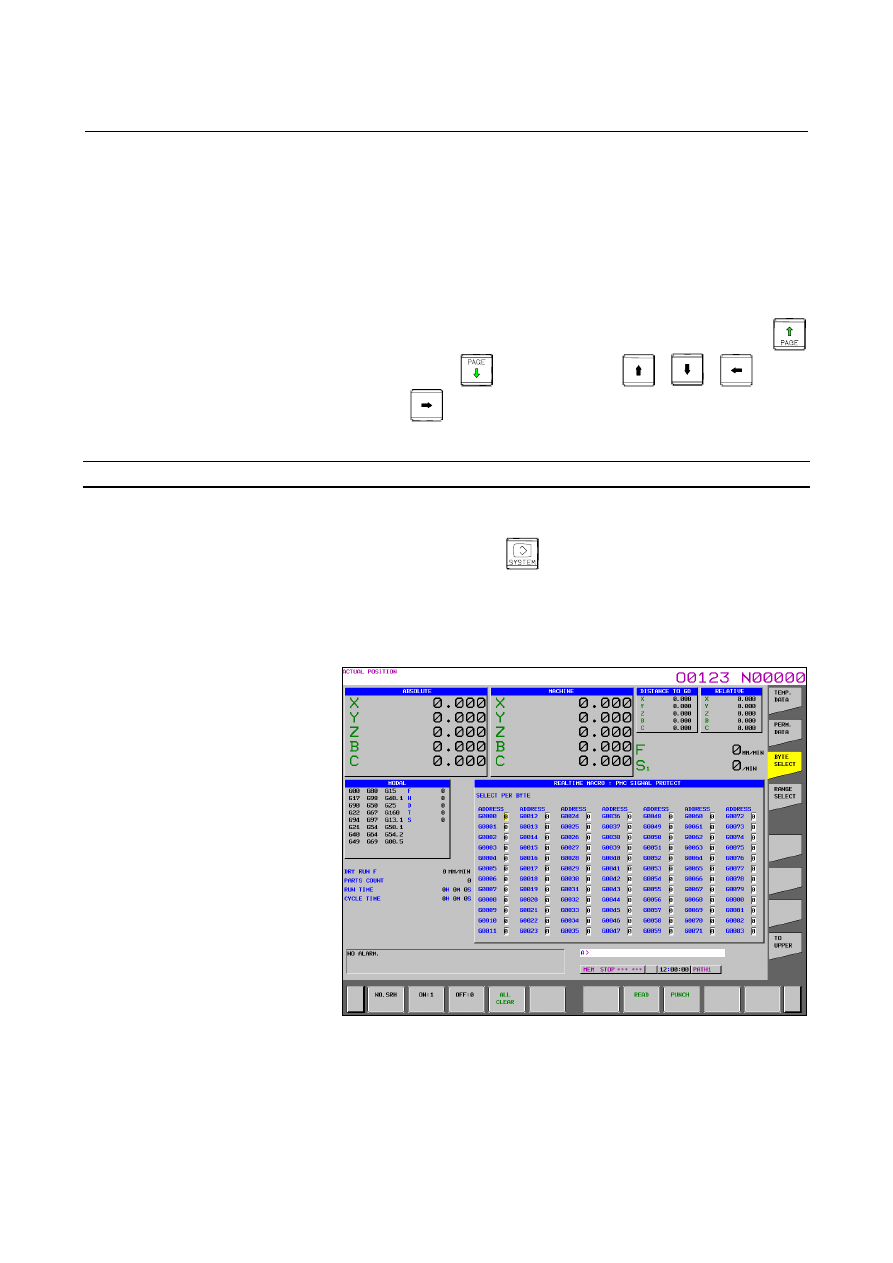
Press vertical soft key [BYTE SELECT]. The following screen
appears:
Fig. 12.3.22 (b) BYTE SELECT screen (15-inch)