Boeing 737 - 600/700/800/900. Operations Manual (1997 year) - page 66
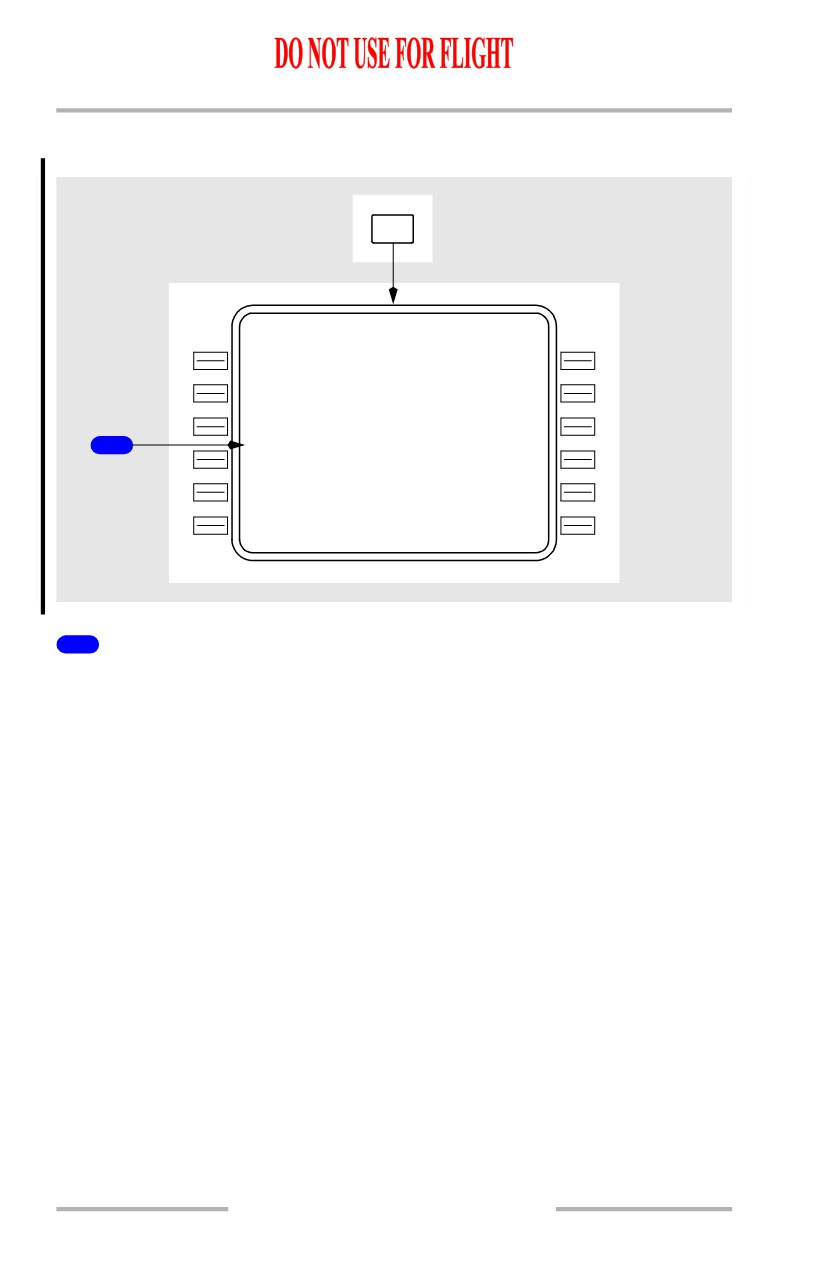
Flight Management, Navigation -
FMC Cruise
Boeing 737 Operations Manual
Progress Page
[Option - With flight number entry]
PROG
FLT4
3
0
PROGRESS
1 /X
F R O M
A L T
A T A
F U E L
ENO
F
L
204
1355Z
18.0
24
9
`
D T G
E T A
F U E L
GV E
192
1411Z
16.0
25
2
`
CW L
433
1441Z
12.0
1
M O D
KAT L
600
1510Z
8.2
T O T / C
F U E L Q T Y
1402Z /
8
2
N M
17.0
W I N D - - -
-
-
- - - - - - - - - - - - - -
080` /
23
K
T
NAV STATUS>
1
Modified (MOD)
Displays MOD when the route is being modified.
Line data is valid for the modified route.
Deleting Waypoints
Waypoints can be removed from the RTE LEGS page. There are two normal
methods to remove a waypoint:
• delete the waypoint using the DEL function key (not possible for the
active waypoint and some conditional waypoints)
• resequence the route by moving a down-route waypoint up in the
sequence and automatically removing all waypoints that are between.
During the deletion process, all of the route prior to the deletion point remains
unchanged. Removing a waypoint using the DEL function key causes a route
discontinuity to replace the deleted waypoint.
11.42.4
Flight Management, Navigation -
FMC Cruise
Boeing 737 Operations Manual
1
ACT RT E
LEGS
1 / 4
129 ` H D G
1 N M
LAC
0
1
250 /
4690
07
0
`
7 N M
VAMP S
250/
8000A
08
5
`
35 N M
BAND R
.800 /F L 1 9 0
08
8
`
26 N M
BEE
Z
R
.800 /F L 1 9 0
08
8
`
19 N M
EL N
.800 /F L 1 9 0
R N P / A C T U A L - - - - - - - - - - - - -
0 .50 / 0 . 2
1
N
M
RTE DATA>
2
DELET E
MOD RT E
LEGS
1 / 4
129 ` H D G
1 N M
LAC
0
1
250 /
4690
T H E N
3
- - R O U T
E
D
I S C O N T I N U I T Y
-
BAND R
.800 /F L 1 9 0
1
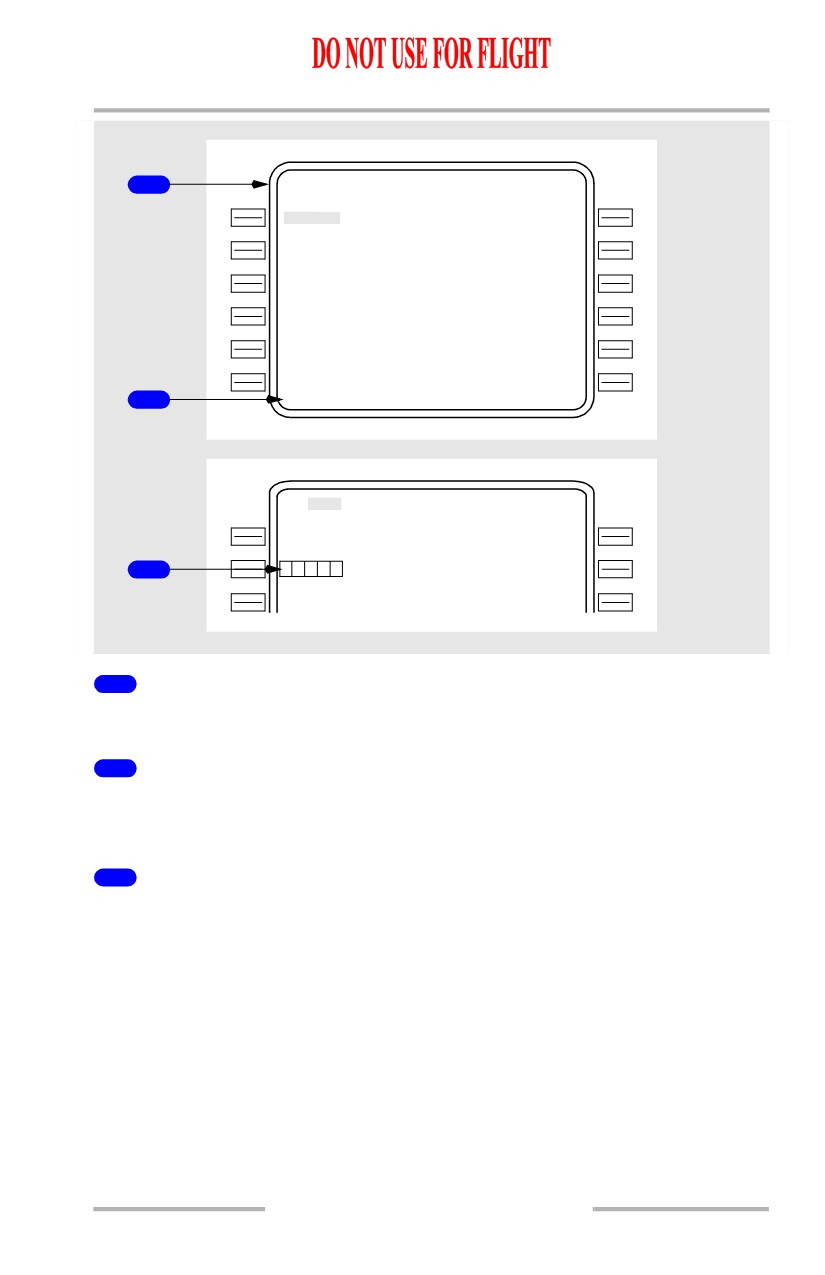
Active Route
The existing route shows VAMPS followed by BANDR, BEEZR, and ELN.
2
DELETE Entry
Push the DEL key to arm the delete function. DELETE is displayed in the
scratchpad.
3
Delete VAMPS
With DELETE displayed in the scratchpad, push the line select key left of VAMPS
to delete the waypoint. Box prompts replace VAMPS and a route discontinuity
follows the box prompts.
October 15, 2001
11.42.5
Flight Management, Navigation -
FMC Cruise
Boeing 737 Operations Manual
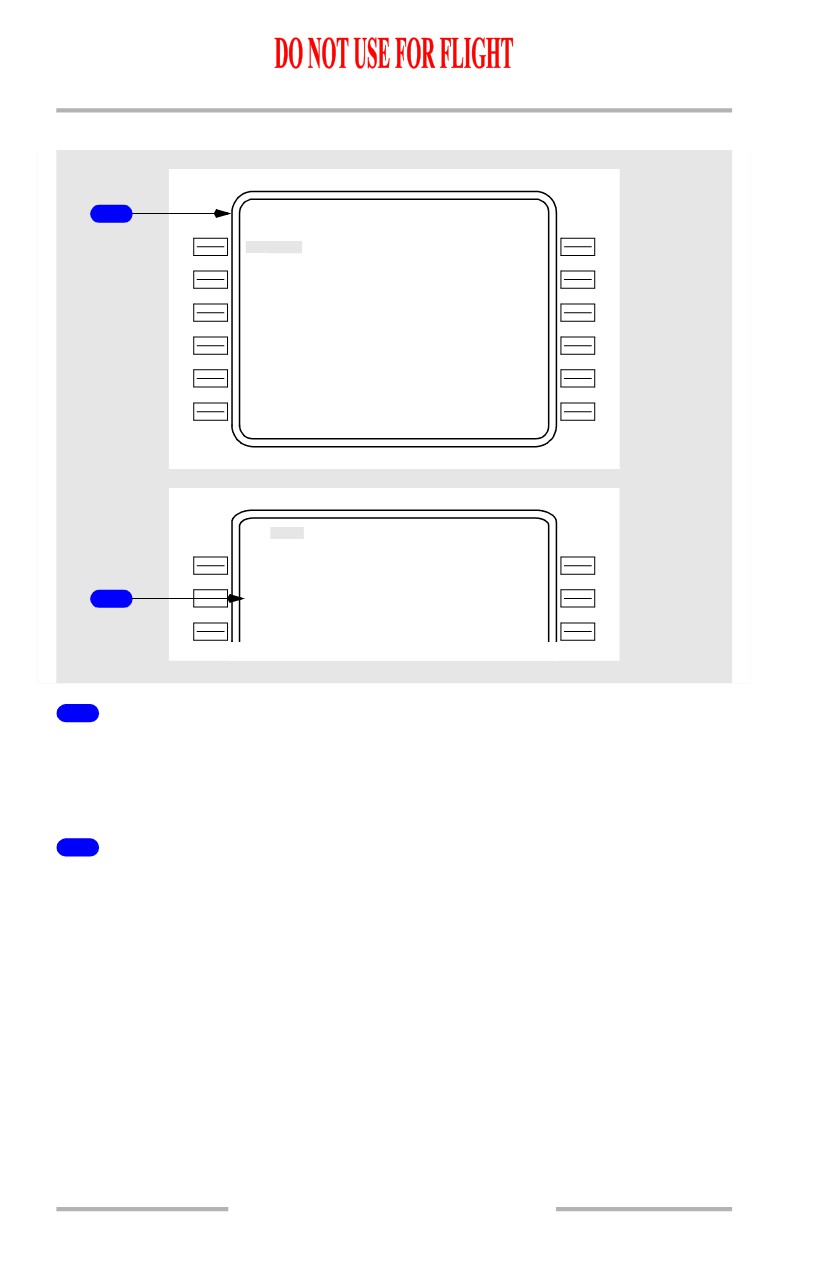
Resequencing Waypoints
1
ACT RT E
LEGS
1 / 4
129 ` H D G
1 N M
LAC
0
1
250 /
4690
07
0
`
7 N M
VAMP S
250/
8000A
08
5
`
35 N M
BAND R
.800 /F L 1 9 0
08
8
`
26 N M
BEEZ R
.800 /F L 1 9 0
08
8
`
19 N M
EL N
.800 /F L 1 9 0
R N P / A C T U A L - - - - - - - - - - - - -
0 .50 / 0 . 2
1
N
M
RTE DATA>
BAND R
MOD RT E
LEGS
1 / 4
129 ` H D G
1 N M
LAC
0
1
250 /
4690
08
0
`
42 N M
2
BAND R
.800 /F L 1 9 0
08
8
`
26 N M
BEEZ R
.800 /F L 1 9 0
1
Active Route
The existing route shows VAMPS followed by BANDR, BEEZR, and ELN. The
airplane must fly direct from LAC01 to BANDR. The BANDR waypoint is copied
into the scratchpad.
2
Resequence BANDR
BANDR is transferred to the waypoint following LAC01. VAMPS is removed,
and the route remains continuous.
11.42.6
October 15, 2001

Flight Management, Navigation -
FMC Cruise
Boeing 737 Operations Manual
Leg Bypass
ACT RT E
LEGS
1 / 4
129 ` H D G
1 N M
LAC
0
1
250 /
4690
07
0
`
7 N M
VAMP S
250/
8000A
08
5
`
35 N M
BAND R
.800 /F L 1 9 0
33
0
`
1 N M
B Y P A S S
1
BAN
0
1
.800 /F L 1 9 0
08
9
`
20 N M
BEEZ R
.800 /F L 1 9 0
R N P / A C T U A L - - - - - - - - - - - - -
0 .50 / 0 . 2
1
N
M
RTE DATA>
1
Bypass Notification
A waypoint (BAN01) has been entered into the route which is very close to
another route waypoint (BANDR). It is impossible for the airplane to turn and
capture the leg between BANDR and BAN01, so a bypass is noted.
Turn construction is based upon FMC criteria which assume that LNAV is
engaged. Normal turn construction may not be possible under certain
combinations of airspeed, short leg length, and a significant change in leg
direction. If normal turn construction cannot provide a continuous path, the FMC
bypasses the affected leg and uses alternative turn construction to intercept the leg
to the subsequent waypoint. When the bypass is for the active waypoint, the
waypoint remains active until the airplane passes abeam.
Any mandatory altitude-crossing restriction for the bypass waypoint is still
observed if VNAV is engaged, based on passing abeam the waypoint.
If a triple bypass condition occurs (bypass of three consecutive legs), a route
discontinuity will be inserted.
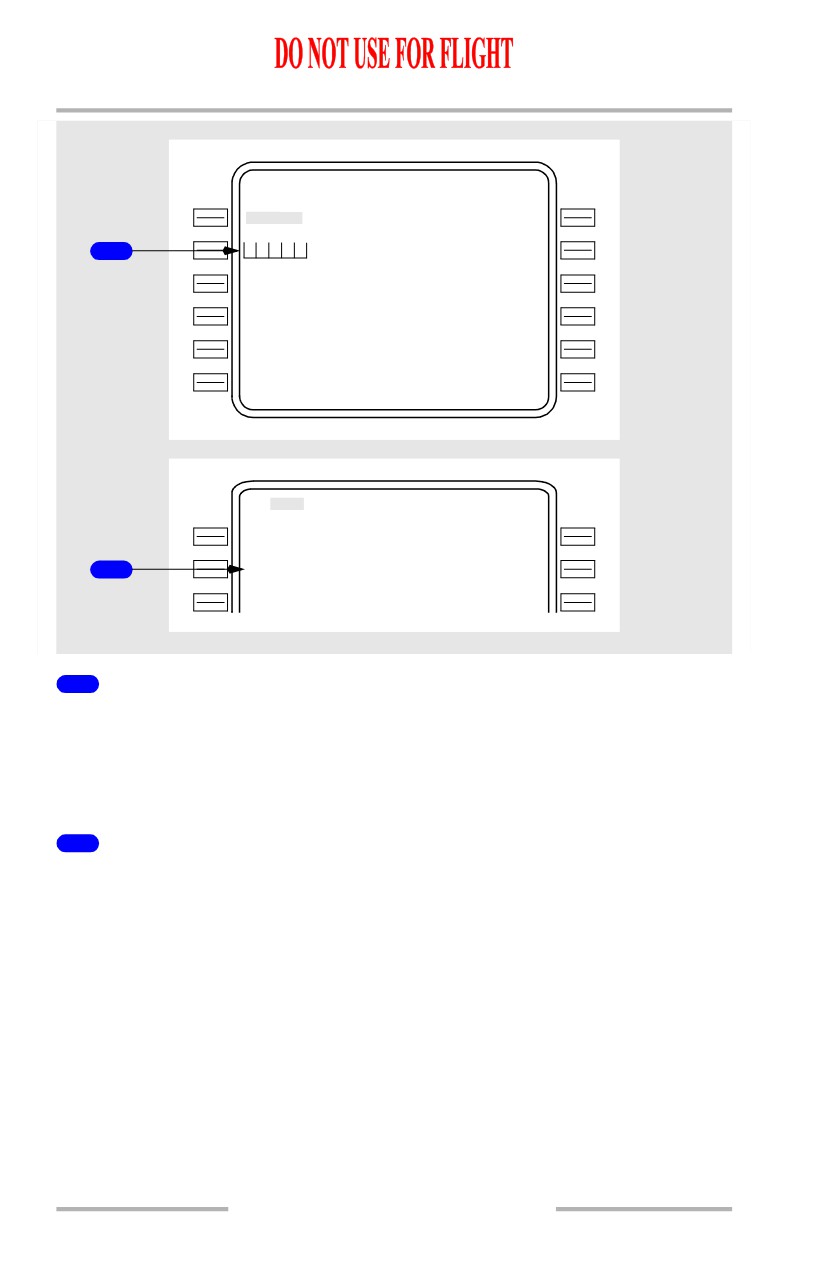
Removing Discontinuities
A discontinuity exists when the FMC is unable to determine the route leg
following a waypoint. Discontinuities are removed by linking the route segment
following the discontinuity to the route segment preceding the discontinuity.
The next desired waypoint from the subsequent route is copied into the CDU
scratchpad and entered into the discontinuity, just as when adding a waypoint.
11.42.7
Flight Management, Navigation -
FMC Cruise
Boeing 737 Operations Manual
ACT RT E
LEGS
1 / 4
129 ` H D G
1 N M
LAC
0
1
250 /
4690
T H E N
1
- - R O U T
E
D
I S C O N T I N U I T Y
-
BAND R
. 800 /F L 1 9 0
08
8
`
26 N M
BEEZ R
. 800 /F L 1 9 0
08
8
`
19 N M
EL N
. 800 /F L 1 9 0
R N P / A C T U A L - - - - - - - - - - - - -
0 .50 / 0 . 2
1
N
M
RTE DATA>
BAND R
MOD RT E
LEGS
1 / 4
129 ` H D G
1 N M
LAC
0
1
/
4690
08
0
`
42 N M
2
BAND R
/F L 1 9 0
08
8
`
26 N
M
BEEZ R
/F L 1 9 0
1
ROUTE DISCONTINUITY
The active route shows a discontinuity. The airplane must fly direct from LAC01
to BANDR. The BANDR waypoint is copied into the scratchpad in preparation to
remove the discontinuity. Any waypoint from the route can be copied into the
scratchpad to remove the discontinuity.
2
Continuous Route
BANDR is copied into the box prompts to remove the discontinuity.
Entering a waypoint which does not already exist on the route moves the
discontinuity one waypoint farther down the route.
11.42.8
October 15, 2001
Flight Management, Navigation -
FMC Cruise
Boeing 737 Operations Manual
Direct To and Intercept Course
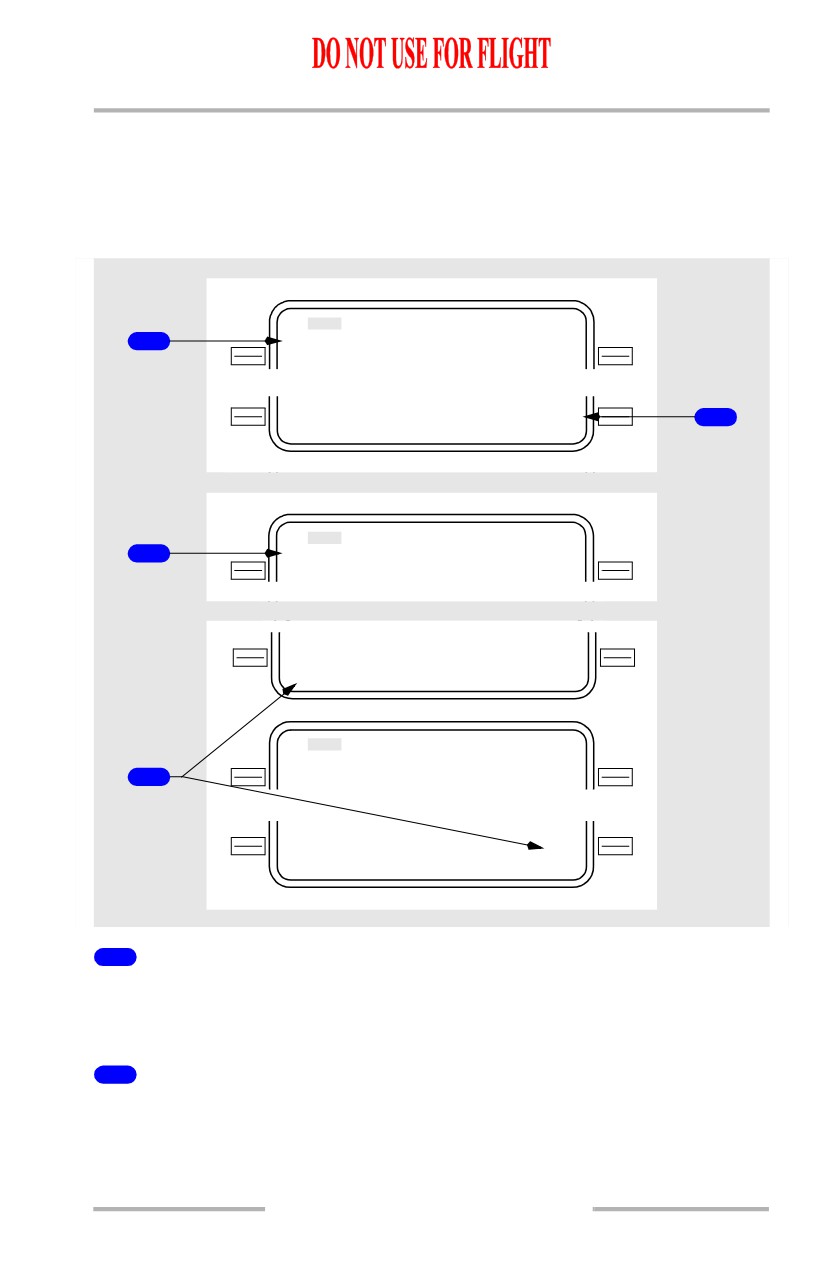
To fly direct to a waypoint or intercept a course to a waypoint, enter the waypoint
name on RTE LEGS page 1 active waypoint line. The INTC CRS prompt displays
in line 6R. The example shows the result with YKM entered into the active
waypoint line.
MOD RT E
LEGS
1 / 4
1
10
1
`
93 N M
YK M
. 637 /F L 1 9 0
- - - - - - - -
-
-
- - - - - - I N T C C R S
<ERAS E
155 >
2
08
8
`
MOD RT E
LEGS
1 / 4
3
15
5
`
16 N M
YK M
. 637 / F L 1 9 0
- - - - - - - -
-
-
- - - - - - I N T C C R S
<ERAS E
155
2
2
0
MOD RT E
LEGS
1 / 4
22
0
`
93 N M
4
YK M
. 637 / F L 1 9 0
- - - - - - - -
-
-
- - - - - - I N T C C R S
<ERAS E
220
1
Direct Course
Direct course from airplane present position to entered waypoint.
Execute to proceed direct to active waypoint.
2
Intercept Course (INTC CRS)
Push - puts displayed course (155) into active waypoint leg direction. Enables
intercept course function.
Displayed whenever the active waypoint name is modified.
October 15, 2001
11.42.9
Flight Management, Navigation -
FMC Cruise
Boeing 737 Operations Manual
Displays flight plan leg direction to entered waypoint in small font. Displays
dashes if entered waypoint was not in the flight plan.
Valid input is any course from 000 through 360. May be changed until executed.
Entered or selected value displays in large font.
3
Leg Direction
Displays the course inbound to the active waypoint after selecting the course
displayed in the INTC CRS line.
4
Intercept Course (INTC CRS) - Change
Enter the inbound intercept course to the modified waypoint in the scratchpad.
Select the INTC CRS line to change the leg direction.
The example shows 220° intercept course to YKM entered in the INTC CRS line.
11.42.10
October 15, 2001
Flight Management, Navigation -
FMC Cruise
Boeing 737 Operations Manual
DIR INTC Key
[Option - CDU]
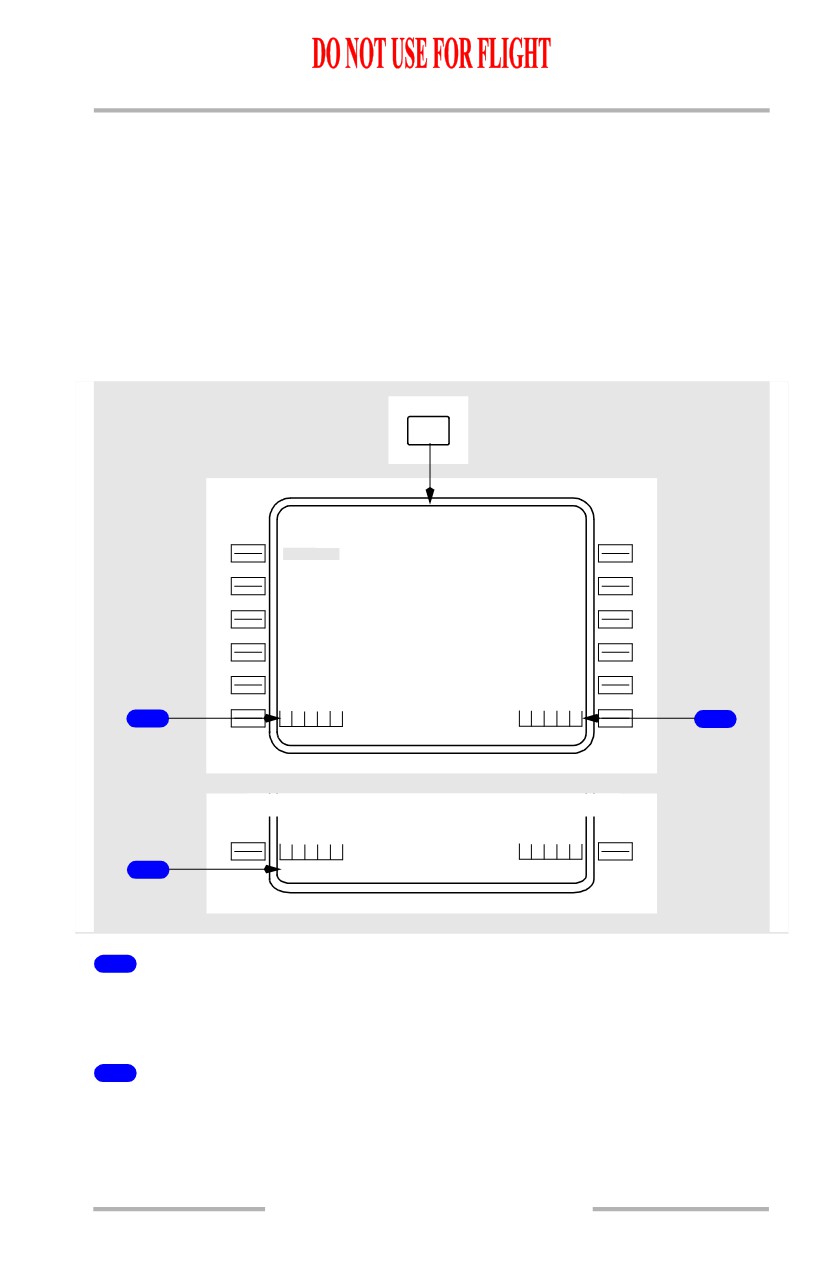
Proceeding direct to a waypoint or intercepting a course to a waypoint may also
be accomplished by using the direct intercept (DIR INTC) mode select key.
Pushing the DIR INTC key adds box prompt options to the bottom of the ACT
RTE LEGS page.
Using line select or manual entry, the desired waypoint is entered into the
scratchpad. The waypoint is then moved into the appropriate boxes. Subsequent
operations are identical to those described in the Intercept Course section.
DIR
INTC
ACT RT E
LEGS
1 / 4
129 ` H D G
1 .1 N M
LAC
0
1
250 /
4690
07
0
`
6 .7 N M
VAMP S
250/
8000A
08
5
`
35 N M
BAND R
. 800 /F L 1 9 0
08
8
`
26 N M
BEEZ R
. 800 /F L 1 9 0
08
8
`
19 N M
EL N
. 800 /F L 1 9 0
D I R E C T
T
O
- - - - - - I N T C L E G
1
T O
2
D I R E C T
T
O
- - - - - - I N T C L E G
T
O
3
YK M
1
Direct To Boxes
Entering the desired waypoint in these boxes establishes a course direct to the
waypoint and makes that waypoint the active waypoint.
2
Intercept Leg To Boxes
Entering the desired waypoint in these boxes allows a course to be specified to the
waypoint and makes that waypoint the active waypoint.
October 15, 2001
11.42.11
Flight Management, Navigation -
FMC Cruise
Boeing 737 Operations Manual
3
Scratchpad Entry
The desired waypoint is entered into the appropriate boxes.
11.42.12
October 15, 2001
Flight Management, Navigation -
FMC Cruise
Boeing 737 Operations Manual
Abeam Points
[Option]
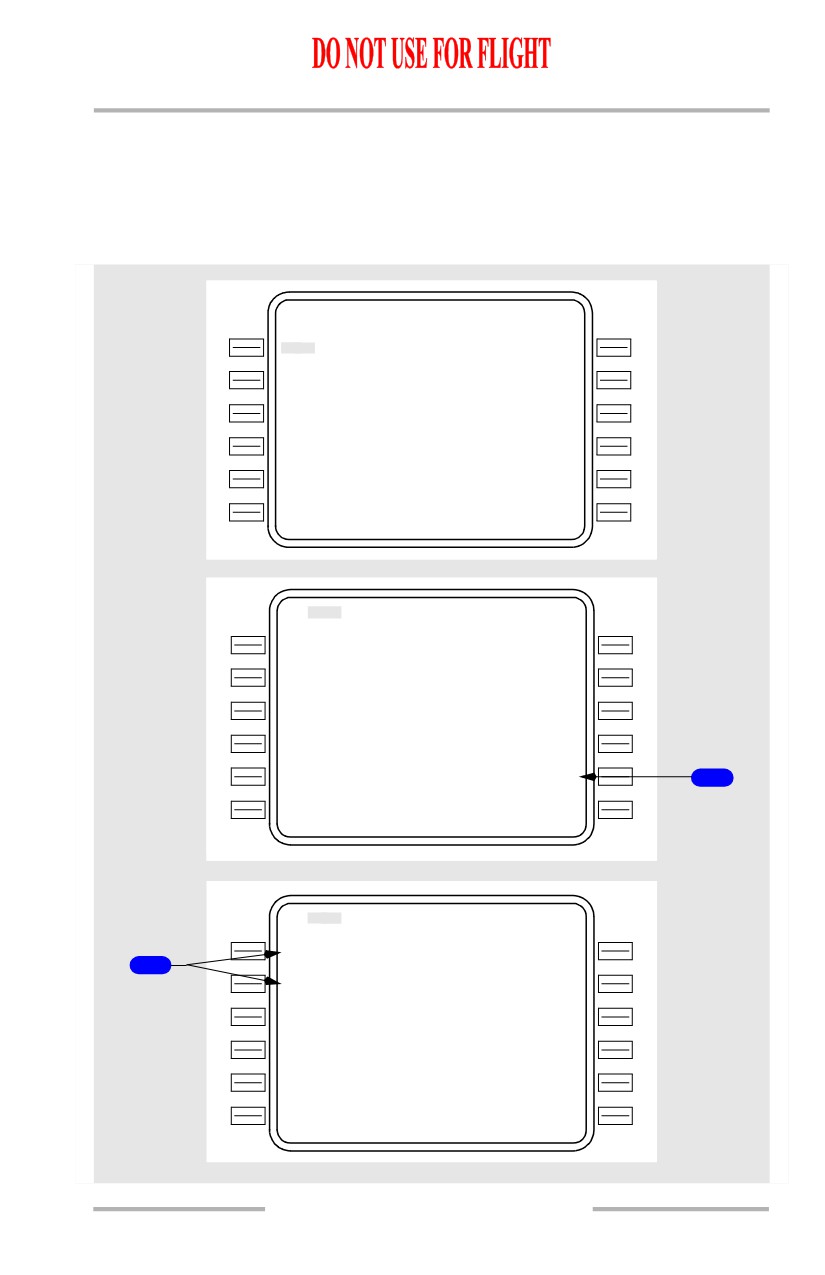
When a direct-to modification bypasses existing route waypoints, these bypassed
points can be projected onto the new route as abeam points. Abeam points are
perpendicular to the bypassed waypoints.
ACT RT E
LEGS
1 / X X
31
2
`
15 N M
CY N
250/
6000
32
8
`
27 N M
EN O
320/10500
24
9
`
68 N M
OT T
.800/F L 2 3 0
24
9
`
71 N M
GV E
.800/
F L 3 5 0
25
2
`
118 N M
PS K
.800/F L 3 5 0
R N P / A C T U A L - - - - - - - - - - - - -
2.00/0.2
1
N
M
RTE DATA>
MOD RT E
LEGS
1 / X X
28
0
`
152 N M
OT T
.800/FL270
24
9
`
71 N M
GV E
.800/FL350
25
2
`
118 N M
PS K
.800/FL350
----
-
-
-
-
- - - -
- - - -
ABEAM PTS>
1
- - - - - - - -
-
-
- - - - - - I N T C C R S
<ERAS E
249
MOD RT E
LEGS
1 / X X
28
0
`
12 N M
CYN
0
1
250/
5820
2
28
0
`
16 N M
ENO
0
1
320/
9750
28
0
`
61 N M
OT T
.800/F L 2 3 0
24
9
`
71 N M
GV E
.800/F L 3 5 0
25
2
`
118 N M
PS K
.800/F L 3 5 0
R N P / A C T U A L - - - - - - - - - - - - -
2.00/0.2
1
N
M
RTE DATA>
11.42.13
Flight Management, Navigation -
FMC Cruise
Boeing 737 Operations Manual
1
Abeam Points (ABEAM PTS)
Selecting the prompt permits the retention of waypoints following a direct-to
modification. The FMC creates and displays points on the new route which are
abeam the waypoints bypassed by the route modification.
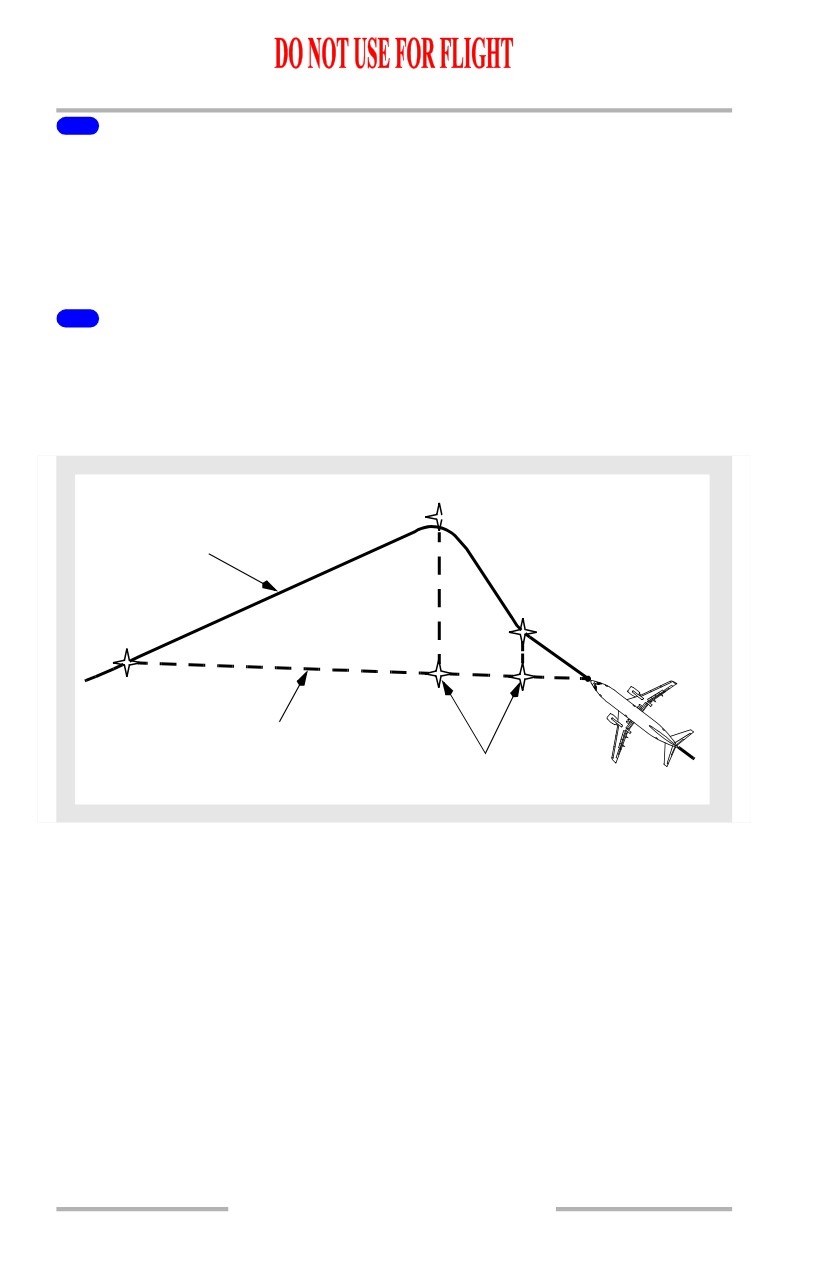
In the example, the route has been modified to proceed direct to OTT. This
modification bypasses CYN and ENO.
2
Abeam Waypoints
CYN01 and ENO01 have been created. Data and status corresponding to the
parent waypoints is passed to the abeam waypoints. If abeam distance is less than
100 nm, only the wind data is passed to the abeam waypoint.
The following diagram depicts the situation.
ENO
ORIGINAL
ROUTE
CYN
ENO01
OTT
CYN01
DIRECT-TO
ROUTE
ABEAM
WAYPOINTS
[Option - FMC U10.3 and later]
The ABEAM PTS prompt will not appear if no abeam waypoints are possible or
if selection would increase the total number of waypoints to more than 150.
Abeam waypoints will not be generated for floating (non-fixed) waypoints; if the
abeam distance exceeds 700 nm; or if the abeam waypoint would fall within 10
nm of either the present position or the direct-to waypoint.
If two or more identical (within 1 nm of each other) abeam waypoints are
generated, only one will be designated.
11.42.14
Flight Management, Navigation -
FMC Cruise
Boeing 737 Operations Manual
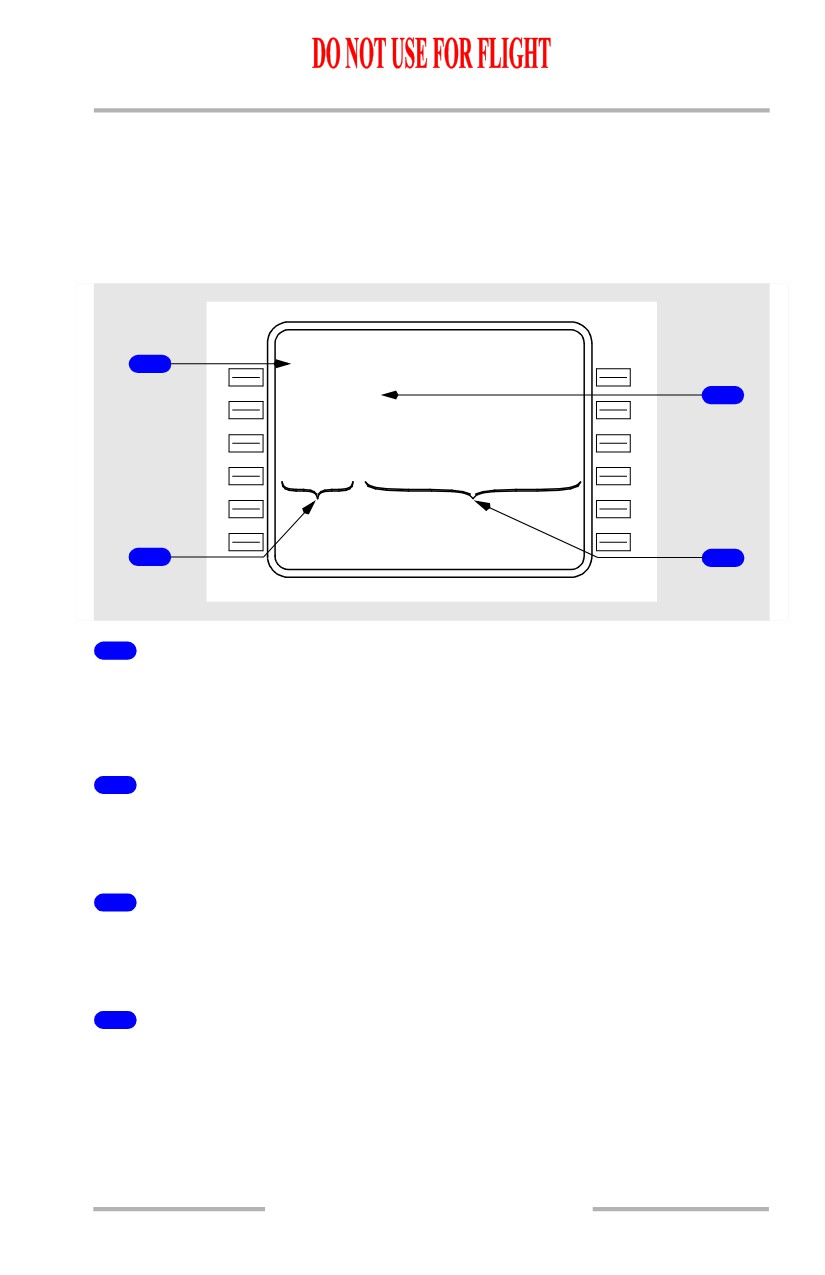
Select Desired Waypoint Page
When a waypoint identifier is not unique (other database waypoints have the same
name), a selection of which geographical location to use must be made before the
waypoint can be used in the route. The SELECT DESIRED WPT page is
automatically displayed when the FMC encounters more than one location for the
same waypoint name after a waypoint entry.
SELECT DESIRED WPT
1 / 1
1
E N O V O R
114.80
N
4
0
` 38.0W064` 31.5
E N O D M E
3
112.40
N
4
4
` 27.4E101` 15.7
E N O
N
4
8
` 15.3W062` 52.9
E N O V O R D M E
116.60
N
5
0
` 45.2W070` 12.2
- - - - - - - -
-
-
- - - - - - - - - - - - - -
2
4
1
Identifier
Displays the identifiers for the duplicate named waypoints. Select the proper
waypoint by pushing the appropriate left or right line select key. This page is
automatically removed after a waypoint is selected.
2
Frequency
Displays the frequency of the navaid.
Blank if the waypoint is not a navaid.
3
Type
Shows type of navaid.
Blank if the waypoint is not a navaid.
4
Latitude/Longitude
The latitude/longitude is displayed for each duplicate name.
11.42.15
Flight Management, Navigation -
FMC Cruise
Boeing 737 Operations Manual
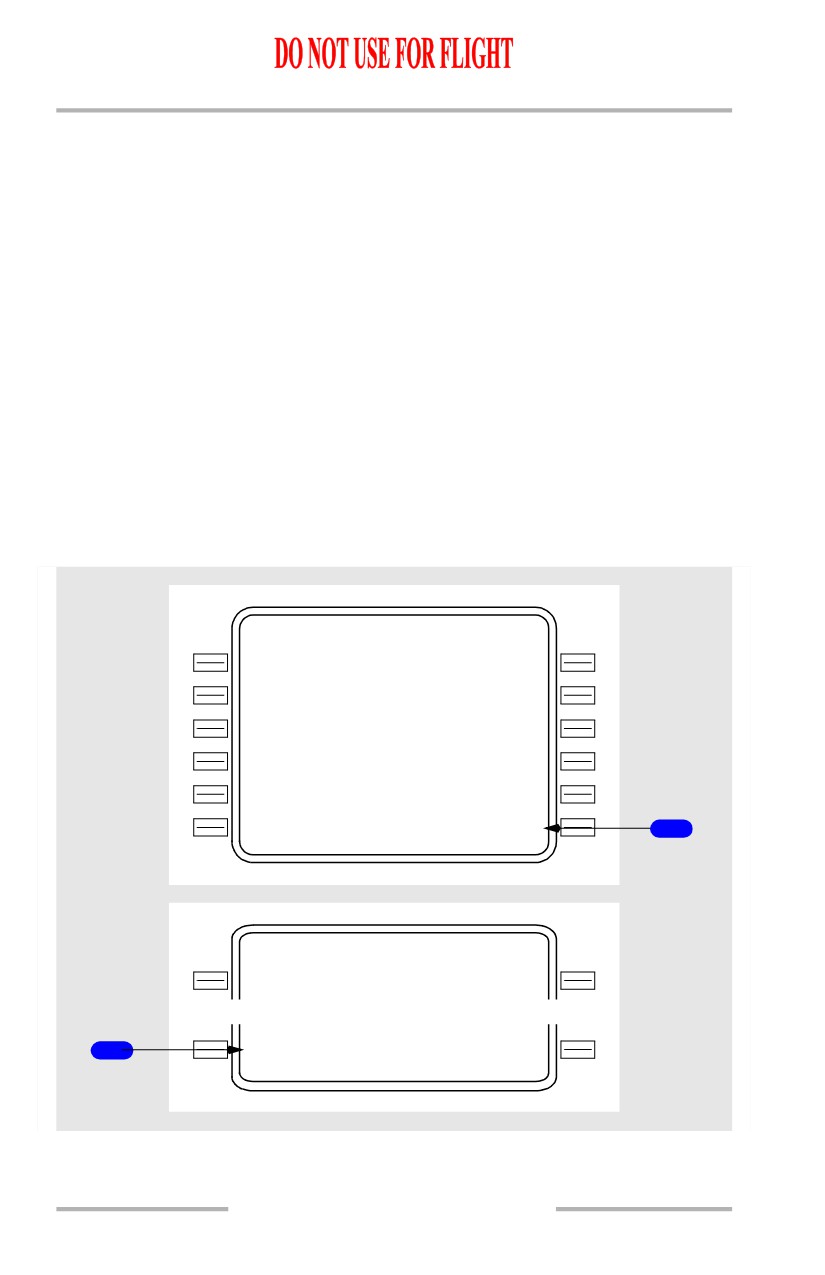
Lateral Offset
A lateral offset may be specified up to 99.9 nautical miles left or right of course.
The OFFSET prompt is displayed on the INIT/REF INDEX page and in flight on
the RTE page. Selection displays the LATERAL OFFSET (or ACT LATERAL
OFFSET page if an offset already exists).
Some legs are invalid for offset. These include:
• End of flight plan waypoint
• Discontinuity
• Beginning of approach transition
• Approach procedure
• DME arc
• Heading leg
• Holding pattern (except PPOS)
• Certain legs containing flyover waypoints
• Course change greater than 135 degrees
• Preplanned termination waypoint.
ACT RT E
2 / 2
V I A
T O
V
2
ELN
V3
3
6
EPH
DIREC T
MWH
----
-
-
- - - - - - - -
-
-
- - - - - - - - - - - - - -
OF FSET>
1
INIT/ REF INDEX
1 / 1
<IDEN T
NAV DATA>
1
<OFFSE T
NAV STATUS>
11.42.16
Flight Management, Navigation -
FMC Cruise
Boeing 737 Operations Manual
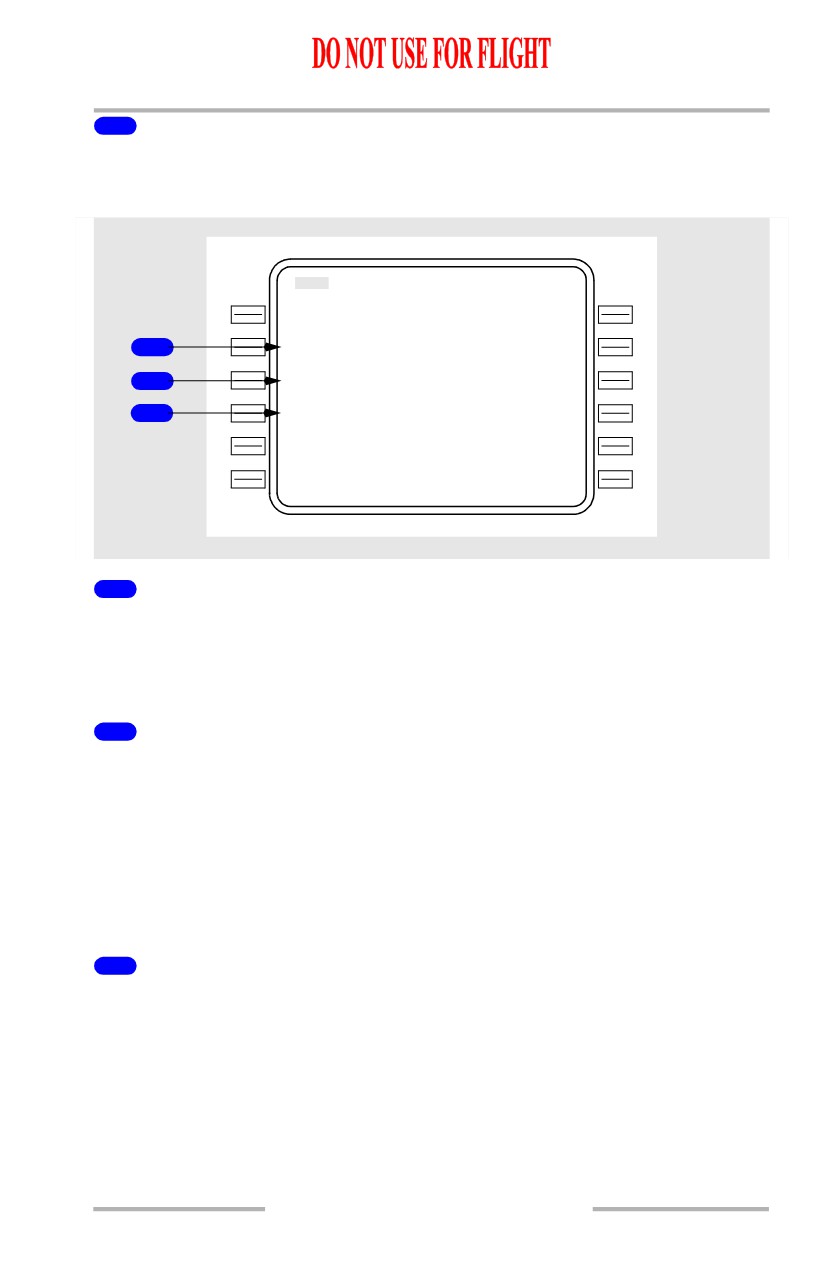
1
OFFSET
Selection displays the lateral offset page.
Lateral Offset Page
MOD LATE RAL OFFSET
1 / 1
O F F S E T
D
I
S T
1
L10
0
S T A R T W A Y P O I N T
2
----
-
-
E N D W A Y P O I N T
3
----
-
-
- - - - - - - -
-
-
- - - - - - - - - - - - - -
<ERAS E
1
Offset Distance (OFFSET DIST)
The desired lateral offset distance is entered on line 2L In the example, the 10.0
nm offset left of course could be entered L10.0, L10, 10.0L, or 10L.
Entry results in display of start and end waypoint fields.
2
START WAYPOINT
The waypoint at which the offset is to begin may be entered (up to 6 characters).
Dashes are displayed if current leg is valid for offset. Box prompts are displayed
if current leg is invalid for offset.
Offset will begin at first valid offset leg after the start waypoint.
Deletion of start waypoint (or no entry) will result in offset beginning at first valid
offset leg in the flight plan.
3
END WAYPOINT
The waypoint at which the offset is to end may be entered (up to 6 characters).
Offset will propagate through flight plan until end waypoint is encountered.
Deletion of end waypoint (or no entry) will result in offset propagating until an
invalid offset leg is encountered.
11.42.17
Flight Management, Navigation -
FMC Cruise
Boeing 737 Operations Manual
VNAV Modifications
Three primary cruise modes are available - economy (ECON) cruise, long range
cruise (LRC), and cruise with a manually selected speed.
Access to the various cruise pages is obtained by pushing the CRZ mode select
key.
[Option - With FANS MCDU]
Access to the various cruise pages is obtained by pushing the VNAV function key
while in cruise. Access from other performance pages is via the NEXT/PREV
PAGE key.
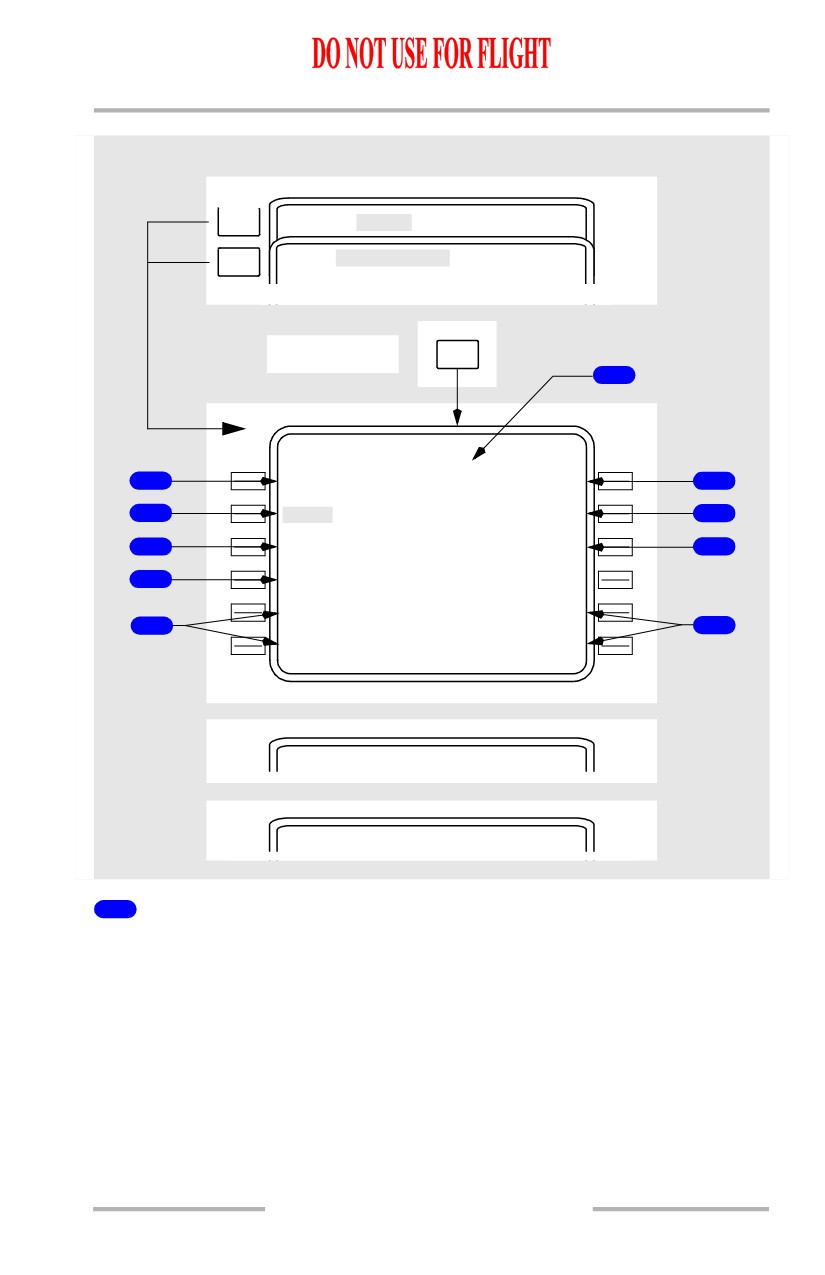
Cruise Page
CRZ
6
ACT ECO N CRZ
1 / 1
C R Z A L
T
O
P T / M A X
S T E P
1
FL330
F
L
3
40/361
-----
7
T G T S
P
D
T O T / D
2
.780
2004
5Z/
100N M
8
T U R B
N
1
A C T U A L W I N D
3
87.3/
87
3%
129` /
14
9
F U E L A
T
K
A T L
4
12.5
- - - - - - - -
-
-
- - - - - - - - - - - - - -
EN G OUT>
5
5
<LR C
RTA>
ACT LR C CRZ
1 / 1
ACT M.
7
8
0
CRZ
1 / 1
15
5
`
16 N M
11.42.18
Flight Management, Navigation -
FMC Cruise
Boeing 737 Operations Manual
[Option - With FANS MCDU]
NEXT
PAGE
ACT
CLB
1 / 3
PREV
DES
3 / 3
PAGE
Cruise mode
VNAV
6
ACT ECO N CRZ
2 / 3
C R Z A L
T
O
P T / M A X
S T E P
1
FL330
F
L
3
40/361
-----
7
T G T S
P
D
T O T / D
2
.780
2004
5Z/
100N M
8
T U R B
N
1
A C T U A L W I N D
3
87.3/
87
3%
129` /
14
9
F U E L A
T
K
A T L
4
12.5
- - - - - - - -
-
-
- - - - - - - - - - - - - -
EN G OUT>
5
5
<LR C
RTA>
ACT LR C CRZ
2 / 3
15
5
`
16 N M
ACT M.
780
CRZ
2 / 3
15
5
`
16 N M
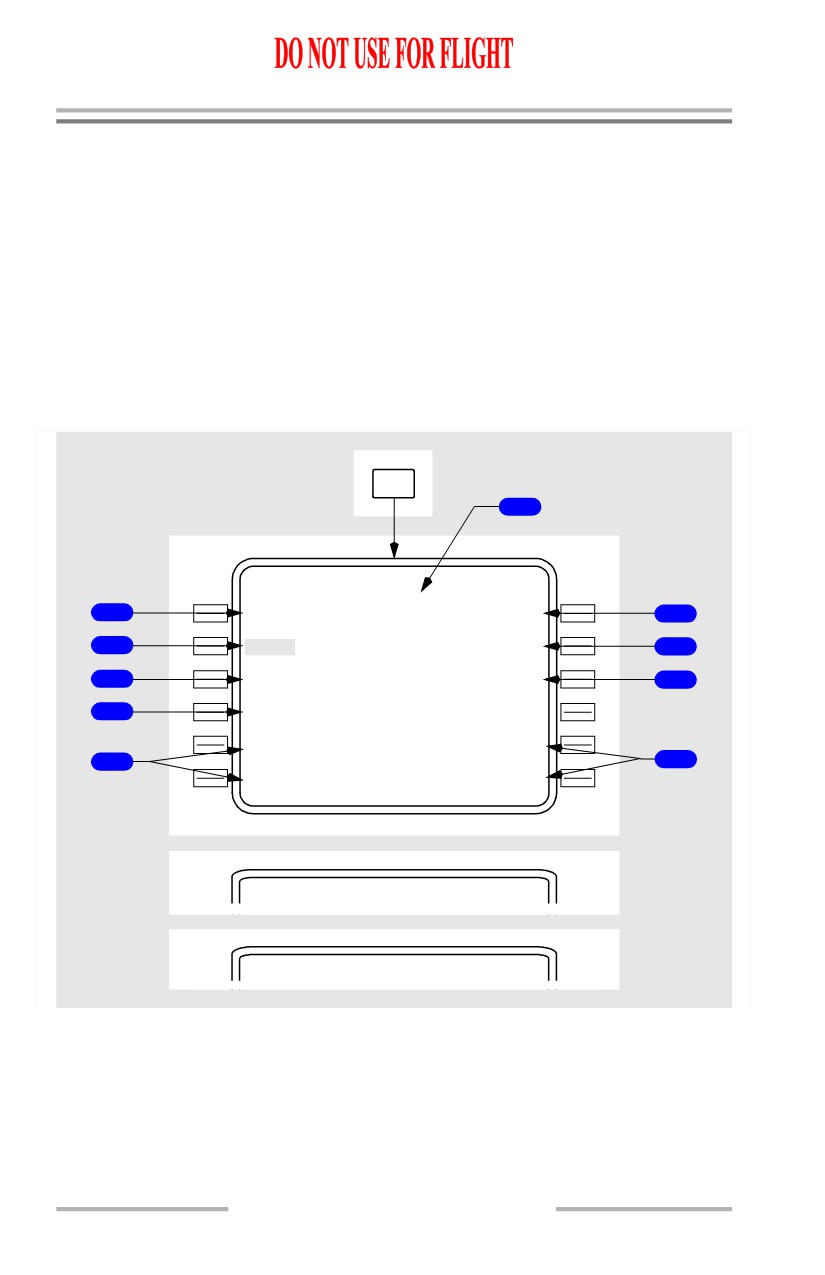
1
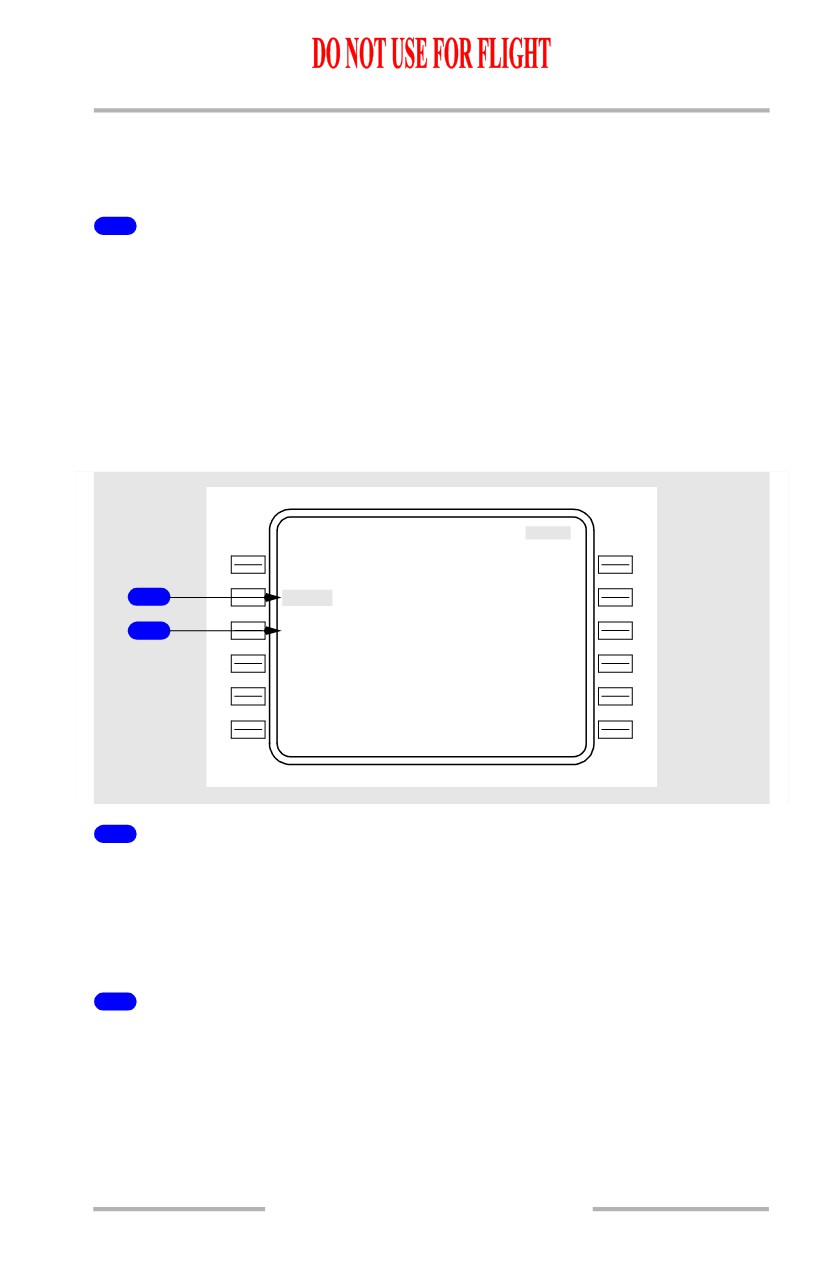
Cruise Altitude (CRZ ALT)
Displays present cruise altitude in flight level or feet x 100. Value may be entered
via the keyboard or propagated from the PERF INIT, CLB, CRZ CLB, or CRZ
DES pages.
During active cruise, entry of a new value propagates to all other pages which
display cruise altitude and causes the MOD CRZ CLB or MOD CRZ DES page
to appear.
[Option - With speed and altitude intervention]
Value may be increased using altitude intervention.
11.42.19
Flight Management, Navigation -
FMC Cruise
Boeing 737 Operations Manual
2
Target Speed (TGT SPD)
Displays the computed or manually selected value for target airspeed or Mach.
Computed speed is limited to a maximum of 335 knots or M.809.
The value is reverse highlighted on an active cruise page.
3
Turbulence N1 (TURB N1)
Displays proper N1 for turbulence penetration.
Value is for reference only. It is not commanded to the autothrottle.
4
Fuel at Destination (FUEL AT XXXX)
Displays the predicted fuel remaining at destination.
The value assumes continued flight per the displayed cruise and planned descent
modes along the active route.
If a step to altitude is entered on line 1R, the computation assumes that the step
will occur at the step point. After passing the step climb point, the predicted fuel
weight is based on an immediate step climb from current position.
5
Cruise Page Prompts
Allow line selection of the various cruise pages.
The RTA prompt is replaced with ERASE when a MOD page is displayed.
6
Optimum/Maximum Altitude (OPT/MAX)
Displays the computed optimum altitude for the displayed cruise mode. The value
is not constrained by minimum cruise time criteria (as is the TRIP ALT on the
PERF INIT page).
Also displays the maximum possible altitude based on the selected target speed
and the specified maneuver margin.
Values are advisory only. They are provided for crew reference.
7
Step to Altitude Line (STEP)
This line may be used to enter a possible step climb or descent altitude for crew
evaluation.
The line will be blank when within 100 nm of top of descent or when RTA mode
is active.
8
Top of Descent (TO T/D) Line
Displays time of arrival at and distance to top of descent point.
11.42.20
Flight Management, Navigation -
FMC Cruise
Boeing 737 Operations Manual
The data is always displayed when the distance is less than 100 nm. If the distance
is more than 100 nm, the data will be displayed only if a step to altitude has not
been entered.
9
ACTUAL WIND
Displays computed or manually entered true wind for present altitude.
A manual entry has priority. The data line title then changes to EST WIND
(estimated wind).
The displayed value is used as the assumed true wind at the step to altitude for
making wind/altitude trade computations.
RTA Cruise
If an RTA waypoint has been specified, the cruise page will reflect the RTA data.
ACT RT A CRZ
C R Z A L
T
O
P T / M A X
FL330
F
L
3
40/361
T G T S
P
D
T O T / D
1
.780
2004
5Z/
100N M
T I M E E R
R
O
R
A C T U A L W I N D
2
EARLY
05
:
3
1
129` /
14
F U E L A
T
K
A T L
12.5
- - - - - - - -
-
-
- - - - - - - - - - - - - -
<ECO N
ENG OUT>
<LR C
RTA>
1
Target Speed (TGT SPD)
Displays the computed speed required to meet the RTA.
When RTA mode is exited by waypoint sequence or by deletion, this speed
becomes the FMC target speed on a manual speed cruise page and the scratchpad
message SELECT MODE AFTER RTA is displayed.
2
TIME ERROR
Displays the computed time error at the RTA waypoint.
Same as time error on RTA PROGRESS page.
11.42.21
Flight Management, Navigation -
FMC Cruise
Boeing 737 Operations Manual
Cruise with Step Climb
CRZ
ACT ECON CRZ
1 / 1
C R Z A L
T
O
P T / M A X
S T E P
FL330
F
L
3
40/361
FL350
2
T G T S
P
D
S T E P P O I N T
.780
2004.5Z/
/
102N M
3
T U R B
N
1
E S T W I N D
87.3/
87
.3%
129` /
14
4
F U E L A
T
K
A T L
S A V I N G S
1
W/STEPW /
S T E P
1
1
2.5
1.3%
5
- - - - - - - -
-
-
- - - - - - - - - - - - - -
ENG OUT>
<LRC
RTA>
[Option - With FANS MCDU]
NEXT
PAGE
ACT
CLB
1 / 3
PREV
DES
3 / 3
PAGE
Cruise mode
VNAV
ACT ECO N CRZ
2 / 3
C R Z A L
T
O
P T / M A X
S T E P
FL330
F
L
3
40/361
FL350
2
T G T S
P
D
S T E P P O I N T
.780
2004
5Z/
102N M
3
T U R B
N
1
A C T U A L W I N D
87.3/
87
3%
129` /
14
4
F U E L A
T
K
A T L
S A V I N G S
1
W / S T E
P
12.5
1.3%
5
- - - - - - - -
-
-
- - - - - - - - - - - - - -
EN G OUT>
<LR C
RTA>
11.42.22
Flight Management, Navigation -
FMC Cruise
Boeing 737 Operations Manual
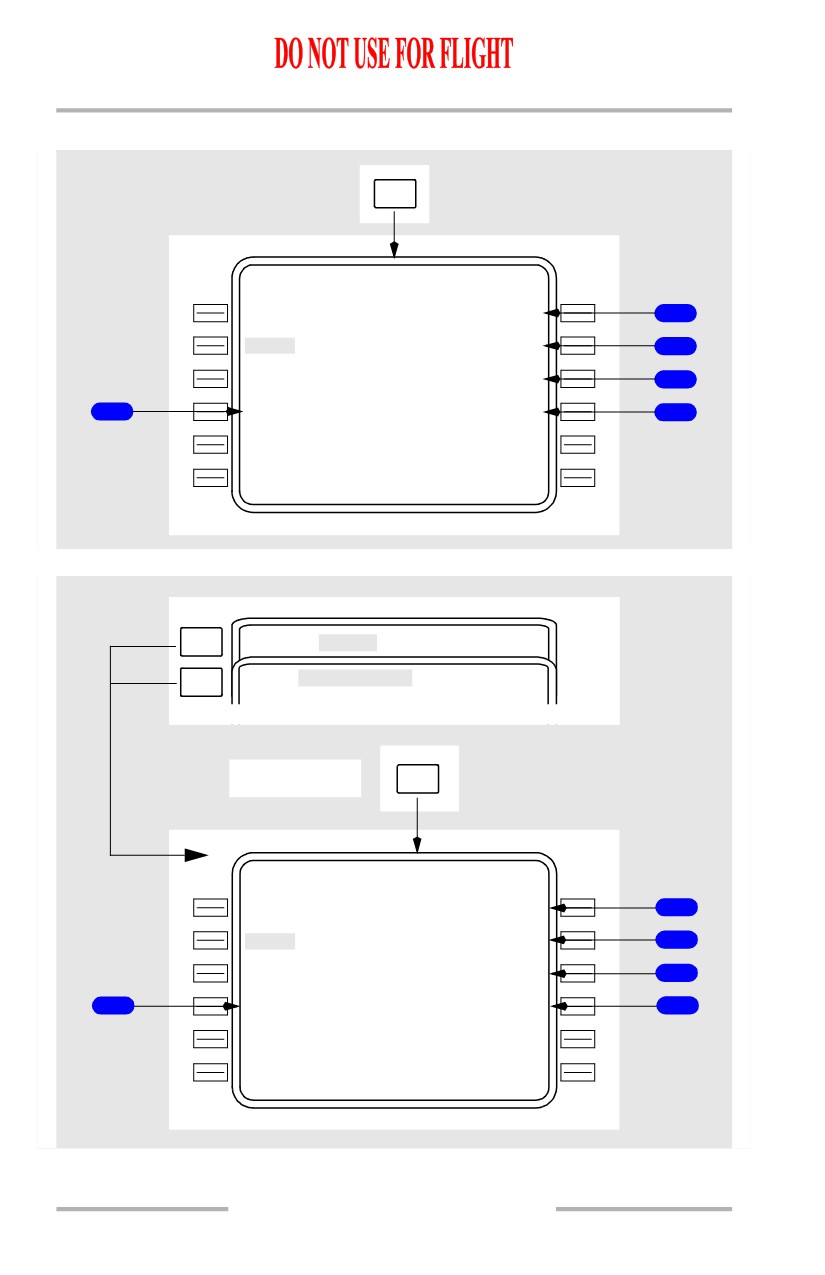
1
Fuel at Destination with Step Climb Altitude (FUEL AT XXXX)
The computation assumes the step climb will occur at the STEP point, and the
value is prefixed by W/STEP.
2
Step To Altitude (STEP)
Used to enter step climb or step descent altitudes for crew evaluation.
Blank when within 100 nm of top of descent or when RTA mode is active.
3
STEP POINT
Displays the computed ETA at, and distance to, the first possible step climb point
based on gross weight.
Blank if no entry on STEP TO line.
4
Wind (ACTUAL WIND or EST WIND)
Used as the assumed true wind at the STEP TO altitude for making wind-altitude
trade computations.
5
Savings/Penalty (SAVINGS or PENALTY)
Displays the predicted cost savings or penalty associated with flying the displayed
speed/altitude step climb or descent profile, as compared to flying the current
cruise speed schedule and maintaining present altitude to top of descent.
Blank if no step data entered.
11.42.23