SINUMERIK 840D sl. Training. Operate - Turning (2016-2020) - page 3
Product-specific security measures
7.1 SINUMERIK
7.1.4
System hardening
7.1.4.1
Deactivating hardware interfaces
Deactivating interfaces
Measure
Description
Deactivate/activate Ether-
You can activate or deactivate the Ethernet interfaces in the BIOS of the PCU.
net interfaces in the BIOS of
You can find detailed information on this in PCU-Basesoftware (IM8) Commissioning Manual
the PCU
Deactivating/activating
To prevent malware entering the control or the plant network via the USB interfaces, you can
USB interfaces
disable the USB interfaces of the NCU. Use the service command "sc_usb disable". Enter the
relevant command on the Service Desktop in the "Run" dialog box or at the prompt. Use this
function to make your system more secure and protect it from unwanted manipulation and
malware.
Further information can be found in the PCU-Basesoftware (IM8) Commissioning Manual
nect the USB interfaces".
Deactivating ports
Measure
Description
Deactivating the PROFI-
In STEP 7 HW Config, a PROFINET interface port of a SINUMERIK PLC can be deactivated
NET port for
(X150). It is activated by default. The SINUMERIK PLC cannot be accessed via a deactivated
SINUMERIK 840D sl PLC
PROFINET interface port.
Further information can be found in the SIMATIC S7-300 CPU 31xC and CPU 31x Equipment
Manual: Technical specifications (https://support.industry.siemens.com/cs/de/en/view/
12996906), Chapter "Configuration of the port properties".
No communication function.
Note that no communication functions, such as PG/OP functions, open IE communication or S7
communication (PROFINET IO), are possible via a deactivated port.
Deactivating the PROFI-
The PROFINET port can be deactivated in the TIA Portal under "Device configuration". Select
NET port for SINUMERIK
the PLC and then switch to the menu "General > PROFINET interface> Advanced op-
ONE PLC
tions > Port > Port options". Uncheck the box for "Activate this port for use".
Further information can be found in the TIA Portal online help.
Deactivating
For secure operation, only one defined access point should be available to the network for
a PROFINET port of
diagnostics/maintenance. All of the other ports to the controls, devices, or switches (Scalance
SCALANCE X switch
X) should be deactivated. This prevents unauthorized access.
(possible as of the X200 ser-
Further information can be found in the SIMATIC NET Configuration Manual: SCALANCE
ies)
X-200 Industrial Ethernet switches (https://support.industry.siemens.com/cs/de/en/view/
109757352), Chapter "Ports".
Industrial Security
Configuration Manual, 02/2020, 6FC5397-5EP40-6BA1
47

Product-specific security measures
7.1 SINUMERIK
7.1.4.2
Communication services and used port numbers
SINUMERIK supports certain communication protocols. The address parameters, the relevant
communication layer as well as the communication role and the communication direction are
decisive for each protocol.
This information allows you to match the security measures for the protection of the automation
system to the used protocols (e.g. firewall).
Further information can be found in the product information for "SINUMERIK port lists"
(available soon).
Note
System hardening for software solutions
When using SINUMERIK Integrate software and other PC applications (e.g. Create MyConfig
(CMC) or Access MyMachine (AMM)), make sure that the PC on which the software is used,
always fulfills the requirements of industrial security.
These include, for example:
● Current Microsoft security updates
● Current virus scanner software
● Activated firewall, etc.
Further information can be found in Section System integrity (Page 36).
7.1.4.3
Secure Boot with SINUMERIK ONE
Note
Only signed software
The SINUMERIK ONE NCUs have a Secure Boot feature that ensures that only software that
is signed by Siemens can be loaded onto the NCU. This concerns both GIV software versions
of the controller and any other software (e.g. SINAMICS TEC). Once a *.tgz file is imported and
there is no accompanying *.sig file, the NCU will no longer ramp up.
In this situation, the controller can no longer be accessed via any interface. The previously
installed software can no longer be deleted.
7.1.5
Virus protection
In the context of the length of the service life of a machine tool, the use of antivirus software
does not make sense.
Industrial Security
48
Configuration Manual, 02/2020, 6FC5397-5EP40-6BA1
Product-specific security measures
7.1 SINUMERIK
The reasons for this are as follows:
● Continuous pattern updates necessary
The protection of an antivirus program is only as good as the up-to-datedness of its virus
patterns. Providing this in day-to-day production of the machine without a direct Internet
connection is not possible without further action.
● Changed patterns and backg3round scans affect the runtime behavior of the controller
Scans that run in the backg3round can influence the system load and thus the system
behavior of the machine. The longer the pattern list, the more time and resource-consuming
the scan, which means the influence increases as the machine ages.
● Short support times
As a rule, updates and patterns for antivirus software are provided by the end of the
operating system support, at the latest. However, a machine tool generally has a
significantly longer service life than a Windows operating system. Therefore the protection
becomes ineffective against new threats over time.
● Unforeseeable backlash effects on machine functionality
In certain circumstances, a pattern update can result in a desired system function being
detected by the antivirus software as a suspicious operation and prevented from executing,
which can have unforeseeable consequences for the operation of the machine.
Reasons for whitelisting
The use of whitelisting makes sense for protecting a Windows-based IPC in the SINUMERIK
system for the following reasons:
● In a normal scenario, whitelisting does not require updates to continuously protect the
machine.
● Whitelisting does not lose its protective effect over the service life of the machine (apart from
technical progress).
● Whitelisting also protects against malware that may not yet be known to an antivirus
program.
Note
Measures for protecting against viruses in a CNC environment
Take all the necessary measures for virus protection in the CNC environment. This also
includes the proper handling of data storage media, USB sticks and network connections,
precautionary measures when copying data and during software installations, etc.
See also
Industrial Security
Configuration Manual, 02/2020, 6FC5397-5EP40-6BA1
49

Product-specific security measures
7.1 SINUMERIK
7.1.5.1
Whitelisting
SINUMERIK application example
Using the McAfee Application Control Software as example, a description as to how
SINUMERIK PCU 50 with Windows XP can be "hardened" is provided. The licensed software
can be used with the PCU 50 as a standalone version (Solidifier/Solidcore). The whitelisting
software is directly purchased from the manufacturer.
A detailed description of this application can be found on the Internet (https://
support.industry.siemens.com/cs/ww/en/view/89027076).
7.1.5.2
Virus protection / memory card
The memory card must be handled with particular care for all SINUMERIK devices that use a
memory card so that no malicious software is loaded to the system.
WARNING
Risk of death due to software manipulation when using exchangeable storage media
Storing files on exchangeable storage media poses an increased risk of infection, e.g. with
viruses and malware. Incorrect parameter assignment can cause machines to malfunction,
which can lead to injuries or death.
● Protect files stored on exchangeable storage media from malicious software using
appropriate protection measures, e.g. virus scanners.
7.1.6
Security updates / patch management
For organizational reasons, it is not possible to provide the latest Windows security patch when
the PCU / the IPC is shipped.
Windows 10-based SINUMERIK IPCs are basically delivered with variant LTSB 2016. This
version of Windows not only provides extended support, but also gives you the capability of
installing patches for specific problems and there are no compulsory updates.
Provide your Windows-based devices with the current security updates in a timely manner.
These updates should not take place during machine operation. Therefore, use a local WSUS
server (see Chapter Defense in depth concept (Page 28)).
Note
Before installing Microsoft Updates, note the following important points:
● Prior to the update, back up the system status for a fallback, if necessary. Ensuring the
compatibility of the update with the individual system configuration is the responsibility of the
customer.
● Never establish a direct connection to the WSUS server in the Internet! Ensure that the
environment is secure and install an intermediate layer (e.g. DMZ network, firewall,
SCALANCE S modules, etc.).
Industrial Security
50
Configuration Manual, 02/2020, 6FC5397-5EP40-6BA1

Product-specific security measures
7.1 SINUMERIK
Since it is usually difficult to regularly update the Windows operating system of an IPC for a
machine that is in use, and no more updates are available after the end of the support period,
you should ensure the IPC is protected in accordance with the Defense in Depth concept
(Page 28), e.g. by means of a security router and the use of a whitelisting solution.
Possibly identified security weak points of the NCU are taken into account or corrected in the
current CNC software version.
Note
Availability
The availability of Microsoft security updates is published via Microsoft Security Bulletins. The
use of security updates is entirely up to the customer and is their sole responsibility. This can
be realized based on the "evaluation of maximum severity" provided in the Microsoft Security
Bulletin. Microsoft publishes information on security updates for the PCU and download links
See also
Patch management (Page 41)
7.1.7
Account management
7.1.7.1
Definition of access levels
Access to functions and machine data
The access concept controls access to functions and data areas. Access levels 1 to 7 are
available, where 1 represents the highest level and 7 the lowest level. Access levels 1 to 3 are
locked using a password and 4 to 7 using the appropriate key-operated switch.
Ac-
Locked by
Area
Data class
cess
level
1
Password: SUNRISE
Machine manufacturer
Manufacturer (M)
2
Password: EVENING
Service
Individual (I)
3
Password: CUSTOMER
User
User (U)
4
Key-operated switch set-
Programmer, machine setter
User (U)
ting 3
5
Key-operated switch set-
Qualified operator
User (U)
ting 2
6
Key-operated switch set-
Trained operator
User (U)
ting 1
7
Key-operated switch set-
Semi-skilled operator
User (U)
ting 0
Industrial Security
Configuration Manual, 02/2020, 6FC5397-5EP40-6BA1
51

Product-specific security measures
7.1 SINUMERIK
Linux passwords / NCK
Level
User name
UID
1
manufact
102
2
service
103
3
user
104
4
operator3
105
5
operator2
106
6
operator1
107
7
operator
108
Corresponding to the named user, there is always a Unix group with the same name (also with
the GID to the UIDs). As user, you are always member of your own group and also in all "lower-
level" groups. For example, "operator2" is a member of the "operator2", "operator1" and
"operator" groups. The file access rights are mainly controlled via these groups.
NOTICE
Data misuse caused by using passwords that are not secure enough
Data can be easily misused when passwords that are not secure enough are created.
Passwords that are not secure enough can be easily hacked into.
The default passwords for the basic commissioning procedure are listed in the
documentation.
● Therefore, always change the preassigned default passwords during commissioning
● Change the passwords at regularly defined intervals.
● For CNC software <V4.8: During commissioning, change the Linux password in addition to
the SINUMERIK Operate passwords. You can find additional information in the
Commissioning Manual "NCU operating system".
● A continuous warning appears on the SINUMERIK ONE if the default passwords are not
changed.
Further information on assigning secure passwords can be found in Chapter Passwords
(Page 38).
Industrial Security
52
Configuration Manual, 02/2020, 6FC5397-5EP40-6BA1

Product-specific security measures
7.1 SINUMERIK
Note
Changing passwords between SINUMERIK Operate and Linux
The access levels for SINUMERIK Operate and Linux are merged as of software version
4.8 SP3 (840D sl/828D) and 6.13 (SINUMERIK ONE). Changing a password for
SINUMERIK Operate simultaneously changes the relevant password in Linux and vice versa.
It is important to note the following behavior:
● When a general NC reset is performed, no passwords are reset to the default passwords.
● Following a software upgrade, the SINUMERIK Operate passwords apply to the NC
unchanged.
● Once a password has been changed, it cannot be reset to its original state.
● When recommissioning the system with Restore [-full] (menu item in the Emergency Boot
System "Recover system from USB memory stick (reformat CF card)"), the CF card is
formatted and restored to a system in the delivery state. The passwords are not included in
the SINUMERIK archive. Therefore, always change the default passwords after a Restore
[-full] to individual passwords.
7.1.7.2
Safety Integrated password
In SINUMERIK Operate, commissioning data is generally protected via various access levels.
You protect the safety-related drive parameterization additionally with the Safety Integrated
password. This password is stored in the drive data so that it can be changed only by authorized
persons who know the password.
Note
The SINAMICS Safety password must be used for SINUMERIK Safety
The assignment of the Safety Integrated password using the SINUMERIK Operate screen is
supported as of V4.8 SP2 HF1. The assignment of the Safety Integrated password is also
supported by a screen form of the SINUMERIK ONE Commissioning Tool.
● Always set a Safety password to prevent parameters from being changed using the external
configuration software Starter or the commissioning software SINAMICS Startdrive.
Further information can be found in the Safety Integrated plus Commissioning Manual.
See also
SINUMERIK 840Dsl Safety Integrated plus Commissioning Manual (https://
support.industry.siemens.com/cs/de/en/view/109777982)
Further information
You can find further information on how you can change the passwords of the access levels
along with other information on access levels for programs and softkeys and access rights for
files in the SINUMERIK Operate (IM9) Commissioning Manual (https://
support.industry.siemens.com/cs/ww/en/view/109769186), Chapter "General
settings > Access levels".
Industrial Security
Configuration Manual, 02/2020, 6FC5397-5EP40-6BA1
53

Product-specific security measures
7.1 SINUMERIK
7.1.7.3
CNC lock function
You can use the "CNC lock function" and the encrypted file that was created with SINUMERIK
Integrate Access MyMachine (AMM) application to activate a lock date in the control. This
allows the use of the machine to be limited to the time until the lock date is reached. The NC
Start function of the control is locked when the lock date is exceeded.
The CNC lock function supports the business model with time-limited use. This protects against
unauthorized use beyond the set interval.
Note
Only for SINUMERIK 828D
Note that the CNC lock function is only available on the SINUMERIK 828D controller.
Further information on the CNC lock function and on the creation of a lockset file can be found
at:
● "SINUMERIK Integrate Access MyMachine /P2P (PC)" Operating Manual (https://
support.industry.siemens.com/cs/de/en/view/109770206)
● "PLC" Function Manual, Chapter "P4: PLC for SINUMERIK 828D > CNC lock function"
7.1.7.4
Deleting the preinstalled SSH key
Application
Removing the SSH key preinstalled by Siemens reduces the risk of data misuse. However, in
order to ensure sufficient access to the system, you can define and install your own SSH key.
Service command
The service command 'sc' is a tool used for performing a range of service tasks on a
SINUMERIK NCU:
Syntax:
sc clear preinstalled-keys
Alternative names:
---
Authorization level
service
This command deletes all of the SSH keys preinstalled by Siemens on the control. When called
from the service system, the keys on the CompactFlash card are affected, and not the SSH
keys on the service system itself.
Further information
You can find additional information in the Base Software and Operating Software
Industrial Security
54
Configuration Manual, 02/2020, 6FC5397-5EP40-6BA1

Product-specific security measures
7.1 SINUMERIK
7.1.7.5
PLC web server
In the delivered state, the PLC has no password and the Web server of the PLC is not activated.
Note
● If you activate the PLC Web server in the S7 project, you must define an appropriate user
and an associated password for it. Create a secure password. When creating a new
password, carefully follow the information provided in Chapter Passwords (Page 38).
● Only use the HTTPS protocol to establish communication confidentiality and integrity.
Further information
Further information on the PLC web server can be found in the Function Manual S7-1500, ET
200SP, ET200pro web server (https://support.industry.siemens.com/cs/ww/en/view/
59193560).
7.1.7.6
Access levels for softkeys
The display and operation of softkeys can be suppressed by both the OEM and the user. This
allows the operating software to be specifically adapted to the required functional scope and
therefore be configured as transparently as possible. To prevent access to functions in the
operating software, or to restrict the possibility of operator errors, restricts the functional system
scope.
Note
Applicability of modified access levels for softkeys
The setting of specific access levels for softkeys on a PCU only affects the respective PCU
softkeys themselves. To implement access rights on the NCU, both the manufacturer and the
user must use the appropriate mechanisms and set the rights accordingly.
Further information can be found in the SINUMERIK Operate (IM9) Commissioning Manual
programs".
7.1.7.7
BIOS and AMT access protection
In order to prevent unauthorized access to the BIOS of the PCU 50 and the SIMATIC IPCs,
make sure that you use a very secure BIOS password (see Section Passwords (Page 38))
Further information
Further information on BIOS settings of the PCU 50 can be found in the PCU-Basesoftware
(IM8) Commissioning Manual (https://support.industry.siemens.com/cs/de/en/view/
109748542).
Industrial Security
Configuration Manual, 02/2020, 6FC5397-5EP40-6BA1
55

Product-specific security measures
7.1 SINUMERIK
Setting the password for AMT (Intel® Active Management Technology)
The Active Management Technology (AMT) function is used for the remote management of the
PCU. For remote management, generally suitable protective measures must be taken (such as
network segmenting) in order to guarantee secure operation of the plant.
For security reasons, AMT is deactivated when a PCU is delivered. When you activate AMT the
first time in the BIOS setup, assign a strong password to prevent misuse of the remote
management.
Further information on the AMT function of the PCU as well as the procedure for changing the
password can be found on the Internet (https://support.industry.siemens.com/cs/de/en/view/
52310936).
7.1.7.8
Password protection for Create MyConfig (CMC)
NOTICE
Data misuse due to incorrect assignment of rights
Access data, such as the pre-configured passwords for access to the control system, can be
stolen and misused.
● For that reason, set up organizational measures to ensure that only authorized persons are
given access to these files.
Note
Password protection for linked external files
The protection mechanisms integrated into CMC (password protection) are ineffectual for
linked external files that are integrated into the CMC context.
Note
Protecting CMC packages from reimporting
Note that CMC packages have to be protected by password against being reimported.
● For that reason, always set up a password against reimporting when you assign a password
for a new project.
7.1.8
Know-how protection
The following functions provide protection of technological know-how and prevent
unauthorized access to the SINUMERIK controllers:
7.1.8.1
SINUMERIK Integrate Lock MyCycles
Using the "SINUMERIK Integrate Lock MyCycles" (cycle protection) function, cycles can be
encrypted and then stored protected in the control. The cycles are encrypted outside the control
using the SINUMERIK Integrate Access MyMachine/P2P program.
Industrial Security
56
Configuration Manual, 02/2020, 6FC5397-5EP40-6BA1
Product-specific security measures
7.1 SINUMERIK
For cycles with cycle protection, execution in the NC is possible without any restrictions.
In order to protect the manufacturer's know-how, any type of view is inhibited for cycles with
cycle protection.
This software option is available for the SINUMERIK 808D, 828D and 840D sl controllers.
You can find an application example for cycle protection for SINUMERIK on the Internet (https://
support.industry.siemens.com/cs/ww/en/view/109474775).
Further information
Further information on cycle protection can be found in the SINUMERIK Access MyMachine /
P2P (PC) Operating Manual (https://support.industry.siemens.com/cs/ww/en/view/
109770206).
7.1.8.2
SINUMERIK Integrate Lock MyPLC
With the aid of block properties, you can protect the blocks created in the SIMATIC PLC from
unauthorized changes, for example.
The block properties should be edited when the block is open. In addition to properties that can
be edited, data that is only displayed for your information is also displayed in the respective
dialog field: It cannot be edited.
A block that has been compiled using this option does not allow you to view the instruction
section. The interface of the block can be viewed, but not changed.
Further information
You can find further information on block protection in the SIMATIC Programming with STEP
7 Programming and Operating Manual (https://support.industry.siemens.com/cs/de/en/view/
109751825), Chapter "Block properties".
Note
The integrated CP in the SINUMERIK 840D sl does not support the "Module access protection /
protection level" option.
Encryption of blocks
As of STEP 7 Version 5.5 SP3 and the CNC system software V4.5 SP2 for 840D sl/ 840D sl or
V6.13 for SINUMERIK ONE, you can create encrypted block protection for functions and
function blocks in the offline and online view. You can use this function to encrypt your blocks
and protect the block code against external access.
The option "SINUMERIK" and, if required, "SIMATIC" must be selected for the encryption with
SINUMERIK.
A detailed procedure of how to encrypt your blocks can be found on the Internet (https://
support.automation.siemens.com/WW/view/en/45632073).
Industrial Security
Configuration Manual, 02/2020, 6FC5397-5EP40-6BA1
57

Product-specific security measures
7.1 SINUMERIK
7.1.8.3
OPC UA
OPC UA (Unified Architecture) is a standardized, industrial communication protocol for access
to control data, e.g. by higher-level control systems. Variables of a SINUMERIK 840D sl,
SINUMERIK 828D or SINUMERIK ONE can be read and written to via this communication
protocol using the SINUMERIK Integrate Access MyMachine /OPC UA software option.
NOTICE
Date misuse resulting from an insecure connection to the client
There is a danger of data misuse due to an unencrypted connection to the OPC UA client.
● Therefore, always encrypt your connection to the OPC UA client.
● Information on the encryption of the data connection can be found in the SINUMERIK
Access MyMachine /OPC UA Configuration Manual (https://
support.industry.siemens.com/cs/de/en/view/109777871).
NOTICE
Data misuse due to incorrect user administration / rights assignment
A significant security risk can ensue through incorrect user administration and faulty right
assignment. Users can access data or actions for which they have not been authorized.
● As a consequence, always very carefully consider which users are assigned which rights.
As administrator, you are responsible for professional user administration and assignment
of rights.
Note
Selecting a secure password
Always set a secure password for your connection to the OPC UA client! Further information on
selecting a secure password can be found in Section Passwords (Page 38).
7.1.8.4
User administration in the TIA Portal
The TIA Portal gives you the capability of using user administration for projects. In this way, for
example, a project can be protected against unintentional or unauthorized modification. A user
sets up the project protection to activate user management. This user is created as a project
administrator. Once the project protection has been activated, the project can only be opened
and edited by authorized users. Note that project protection cannot be revoked.
User administration via the TIA Portal is available for the SINUMERIK 840D sl and SINUMERIK
ONE controllers.
UMC - User Management Component
In addition, you can install the "User Management Component UMC" software package, which
provides central user administration, on one or more computers.
Industrial Security
58
Configuration Manual, 02/2020, 6FC5397-5EP40-6BA1
Product-specific security measures
7.1 SINUMERIK
Further information
Further information on the topic of secure user administration can be found in the TIA Portal
online help.
7.1.8.5
SIMATIC Logon
User administration and traceability
The SIMATIC Logon option package is used to set up access rights for products and libraries
in STEP 7. These projects can therefore only be accessed by an authorized group of people.
SIMATIC Logon can be used in conjunction with SINUMERIK STEP 7.
More detailed information can be found in Chapter Secure access control with SIMATIC Logon
(Page 73).
7.1.9
Data backup
There are different archive forms and archiving methods in the SINUMERIK for the different
components.
Time of the data backup
Perform a data backup at the following times:
● After commissioning
● After changing machine-specific settings
● After the replacement of a hardware component
● Before and after a software upgrade
● Before the activation of memory-configuring machine data
You can find further information in the following manuals:
● SINUMERIK 840Dsl Commissioning CNC Commissioning Manual (https://
support.industry.siemens.com/cs/ww/en/view/109777906)
● Installation Manual SINUMERIK ONE New installation and upgrade
Industrial Security
Configuration Manual, 02/2020, 6FC5397-5EP40-6BA1
59

Product-specific security measures
7.1 SINUMERIK
Note the general information on secure data storage with regard to archives in Section Data
storage (Page 37).
NOTICE
Misuse of confidential data on the control system
On the control system, there is a risk of confidential data being misused.
● As a consequence, it is not permissible to load confidential data to the control (e.g. using
the "SINUMERIK Integrate Access MyMachine/P2P" software).
● Always store confidential data in an encrypted form locally on an encrypted storage
location in the network.
7.1.10
Disposal
NOTICE
Misuse of data resulting from insecure methods of deleting data
Incomplete or insecure deletion of data from memory cards or hard drives can lead to misuse
of the data of the part programs, archives, etc. by third parties.
● Therefore ensure that all storage media are securely deleted before disposing of the
product :
● There are programs that support you in securely deleting/formatting storage media.
Alternatively, contact a certified data destruction specialist to take care of this task.
Industrial Security
60
Configuration Manual, 02/2020, 6FC5397-5EP40-6BA1

Product-specific security measures
7.2 CNC Shopfloor Management Software
7.2
CNC Shopfloor Management Software
The following chapter provides you with an overview of the security-related measures you can
take to protect your CNC Shopfloor Management software products from threats. Detailed
descriptions and procedures can be found in the corresponding documentation of the CNC
Shopfloor Management software.
7.2.1
System overview
A leading-edge IT architecture is created based on the CNC Shopfloor Management Software,
more specifically, at three levels - "In Cloud", "In Line" and "In Machine". These levels
correspond to the 3 platforms "MindSphere", "SINUMERIK Integrate" and "SINUMERIK/
SINUMERIK Edge", with their numerous tailored functions from the field to the cloud.
In
Cloud
MindSphere
In
SINUMERIK
Line
Integrate
In
SINUMERIK
SINUMERIK
Machine
Edge
Figure 7-2
CNC Shopfloor Management Software
7.2.2
Cloud applications (In Cloud)
MindSphere provides state-of-the-art security during on-site data collection and when
transferring and saving to the Cloud.
The security framework is oriented on the principles of industry standards, e.g. IEC 62443,
International Organization for Standardization (ISO)/IEC 27001, and the Federal Office for
Information Security (BSI) and recommendations from authorities on working with data in
Cloud environments.
In accordance with proven communication practices of the industry, all communication
between the client and MindSphere is protected by TLS V1.2 via public end points. Reliable
x509 certificates from the Siemens Trust Center are used. These correspond to the
requirements of the European Telecommunications Standards Institute (ETSI) and of the
Certification Authority Browser Forum (CA/B Forum).
Further information on encryption for MindSphere can be found in the MindSphere Whitepaper
Saved data is always saved by Siemens on high-performance servers in the computer centers
of the infrastructure providers. All of the infrastructure centers meet the highest standards for
data security and are protected against cyber threats. As commercial providers of a Cloud IaaS
Industrial Security
Configuration Manual, 02/2020, 6FC5397-5EP40-6BA1
61

Product-specific security measures
7.2 CNC Shopfloor Management Software
(Infrastructure as a Service), they provide higher security standards than typical private, local
facilities for data storage. The computer centers are operated in accordance with the Best
Practices of the industry.
As an additional layer of security, all of the Cloud infrastructure partners must ensure on-site
security measures such as electronic photo ID badges, card owner access control, biometrics,
digital video monitoring with recording and alarm monitoring.
Figure 7-3
MindSphere
7.2.2.1
Manage MyMachines /Remote
Security measures and system hardening
Note
As a user of Manage MyMachines /Remote, always ensure that you operate the product with
the latest versions of SINUMERIK Integrate client and Manage MyMachines /Remote Service
Engineer and Machine Operator Clients. Also follow the guidelines for industrial security
contained in Chapters 1.3 and 2.3 of the Manage MyMachines /Remote Function Manual
The connection of SINUMERIK controls to MindSphere via "TLS 1.2 /HTTPS" meets the
highest security standards.
The automatic confirmation of the machine identity, used in conjunction with token provided in
MindSphere for the onboarding of the machine, ensures that the correct machine is accessed
during a remote session.
Industrial Security
62
Configuration Manual, 02/2020, 6FC5397-5EP40-6BA1

Product-specific security measures
7.2 CNC Shopfloor Management Software
Disposal
To completely delete an installation of Manage MyMachines /Remote, you should ensure that
all of the software and certificates have been properly deleted from your Windows device or
SINUMERIK control system, including backup systems. The data will continue to be available
in MindSphere, unless the tenant is closed.
Additional information on the topic of disposal can be found in the Manage MyMachines /
Further information on general concepts for secure remote access to industrial plants can be
found in the following documents:
● cRSP IT Security Concept (https://support.industry.siemens.com/cs/ww/en/view/
109759394)
● Siemens common Remote Service Platform (cRSP) (https://www.downloads.siemens.com/
download-center/Download.aspx?pos=download&fct=getasset&id1=A6V11272777)
See also
cRSP IT security concept (https://www.downloads.siemens.com/download-center/
Download.aspx?pos=download&fct=getasset&id1=A6V11272775)
7.2.3
PC/Server/Desktop applications (In Line)
7.2.3.1
SINUMERIK Integrate 4.1
Access to the resources of the SINUMERIK Integrate server
Note
Access to the resources of the SINUMERIK Integrate server
Read and write access to the file system and resources of the operating system (in particular
to the Windows Registry) of the SINUMERIK Integrate server is only enabled for users with
administrator rights. Make sure that these administrator IDs have sufficiently strong passwords.
NOTICE
Data manipulation possible
Within the production/machine network (Intranet), there is a risk that a hacker can access the
file system of the SINUMERIK Integrate Servers or the variance SINUMERIK Integrate
clients. There, the hacker can manipulate various system components (e.g. the content of
databases). As a consequence, the attacker can change tool data, NC programs, machine
archives or the system structure itself, for example. SINUMERIK Integrate cannot prevent this
type of attack.
● As a consequence, as the person responsible for the machine network, it is imperative that
you take the appropriate industrial security measures for the production/machine network.
Industrial Security
Configuration Manual, 02/2020, 6FC5397-5EP40-6BA1
63

Product-specific security measures
7.2 CNC Shopfloor Management Software
Use of open programming interfaces
NOTICE
Data misuse by using open programming interfaces
There is a potential risk of data misuse when using open programming interfaces.
● Therefore, when using open programming interfaces, only use clients that at least
communicate with the SINUMERIK Integrate server via "TLS 1.2 /https" communication
paths.
● Note that the corresponding TLS version is not supported by every operating system.
System hardening
System hardening is the removal of all software components and functions that are not
absolutely required by the desired application to fulfill the intended task.
System hardening of third-party software: Microsoft™ Internet Information Server, Microsoft™
SQL Server, browsers (Microsoft™ Internet Explorer, Mozilla Firefox)
SINUMERIK Integrate requires software from third parties: For example, the Microsoft™
Internet Information Server, Microsoft™ SQL Server products and various browsers. They
must be hardened according to the latest technology. In particular, restrict access to the
Microsoft™ SQL Server to the local host and protect access with a password. Encrypt access
to the database. In addition, you should only use current browsers for communication with the
SINUMERIK Integrate server. Secure communication cannot be guaranteed when using
outdated browsers (SSL instead of TLS).
System hardening of neighboring products to SINUMERIK Integrate: For example, tool setting
station, Teamcenter, AUVESY™ VersionDog
SINUMERIK Integrate communicates with neighboring software products, e.g. tool setting
stations, Teamcenter and VersionDog. They must be hardened according to the latest
technology so that there are no negative effects via this communication path.
Network file exchange via common drives
Note
Network file exchange via common drives (Server Message Block, SMB)
If you use SMBs for exchanging files with SINUMERIK Integrate functions, only use standard
authentication mechanisms (user name / password). Also restrict the accesses for each user
accordingly. Data storage on shared drives should be kept to a minimum.
Industrial Security
64
Configuration Manual, 02/2020, 6FC5397-5EP40-6BA1
Product-specific security measures
7.2 CNC Shopfloor Management Software
Data backup
For data backup on machine tools, see Section "Data backup (Page 59)". Also back up the
server side. Relevant are the configuration and contents of the Microsoft SQL Server database,
the SINUMERIK Integrate server and the following SINUMERIK Integrate applications:
● MMT
● SFT RM
● MMP
● AMC
● AMP
Perform a data backup at the following times:
● After commissioning
● When changing the hardware configuration
● After replacing the hardware
● Before and after upgrading the software
Communication security for SINUMERIK Integrate applications
The communication between the SINUMERIK Integrate server and various client forms (such
as MMT or browsers) is preconfigured with HTTP. The required configuration should provide
support for service technicians trained specially for SINUMERIK Integrate. If possible, switch
the communication to HTTPS, which requires a separate certificate. It should be noted that
HTTPS is not possible for all client/server combinations.
7.2.3.2
Cloud mode
If the AMM and AMC applications are used in cloud operation, the Siemens AG as operator
ensures the security of the SINUMERIK Integrate server. Customers only have to ensure the
security of the infrastructure on the machine side.
Firewall of the machine network
In contrast to standalone operation, a connection to the cloud server outside the machine and
company networks is required when using the SINUMERIK Integrate AMM and AMC
applications. The associated firewalls must enable the required ports. However, only the
required ports should be opened. Further information on the required firewall settings can be
found in the SINUMERIK Integrate Installation Manual, Section "System requirements".
Industrial Security
Configuration Manual, 02/2020, 6FC5397-5EP40-6BA1
65
Product-specific security measures
7.2 CNC Shopfloor Management Software
Phishing for passwords
"Phishers" could attempt to obtain login data, which would allow them to carry out actions within
SINUMERIK Integrate in the name of the user. Hackers could, for example, falsify e-mails and
websites from SIEMENS and thus gain access to confidential information from
SINUMERIK Integrate users. The users are then prompted, for example, to enter the access
data in a form and then send it to their SINUMERIK Integrate organization.
Note
You should observe the following when you encounter suspicious e-mails:
● Be on your guard when you receive e-mails from someone you do not know, especially if the
e-mails include links and attachments. Never open suspicious attachments and do not click
on any links in the e-mail.
● Carefully check the sender’s complete e-mail address.
● Check the integrity of the links embedded in the e-mail (e.g. by moving the mouse over the
link). Tell-tale signs are spelling mistakes or where links contain a confusing company name.
● Use digital signatures in emails.
● If in doubt, never divulge any confidential information.
Handling of confidential information
The communication route between the company's firewall and the SINUMERIK Integrate
server is protected against malicious attacks by secure communication protocols (TLS). Third
parties cannot eavesdrop on the transferred information or change it. Also note the company-
specific guidelines for the transfer of confidential information via AMM and AMC.
7.2.4
Controller-related applications (In Machine, SINUMERIK Edge)
7.2.4.1
SINUMERIK Edge
Overview
The SINUMERIK Edge is a remote-controlled edge device that functions as a field gateway as
well as a computation node for any user workload within an extended IoT/OT architecture.
Thus, SINUMERIK Edge allows a vertical flow of information and data processing between all
layers:
● In Machine
● In Line
● In Cloud
This also contains the temporary or permanent saving of process data. SINUMERIK Edge thus
has the task, through its security architecture, of not allowing any regression/erosion of the
Industrial Security
66
Configuration Manual, 02/2020, 6FC5397-5EP40-6BA1
Product-specific security measures
7.2 CNC Shopfloor Management Software
present network security and of the data protection level. In order to not cancel the individual
security mechanisms of the SINUMERIK Edge, organizational support is also needed here.
Security features and security measures
The SINUMERIK Edge is equipped with 2 physical network connections (RJ45), which,
according to the manual, are to be used for connecting to the In Machine and In Line level.
Ensure that the port assignment is correct due to the following reasons:
● The communication for the "In Machine" network is assumed to be unprotected for the most
part.
● No uncontrolled connectivity to higher-level networks (In Line, In Cloud) is possible for the
"In Machine" network.
Through a multi-level network architecture, the SINUMERIK Edge ensures the isolation of both
networks, which is only overcome by an application-defined flow of data. Due to the use of
container technology, there are additional mechanisms for isolating the workload (Edge
application) with regard to network, memory and CPU resources.
Communication of the SINUMERIK Edge in the direction of "In Cloud" and "In Line" always
takes place via an encrypted end-to-end channel (TLS 1.3). Supplemental to this, the
integration into a PKI-based trust chain is supported. This ensures both its restriction to only
permitted communication partners and a trustworthy transmission. For the In Line exchange of
data in environments with special security requirements, client-based authorization via client
certificates is also possible.
The initial exchange of the certificates needed for secure communication between the Edge
Management System (MindSphere / In Cloud) and SINUMERIK Edge (In Line) takes place
during the so-called onboarding procedure. Onboarding includes the exchange of a "shared
secret", which connects a logical device (MindSphere asset) with a physical device
(SINUMERIK Edge). Since this exchange does not take place via the same communication
infrastructure, a compromise can be ruled out as early as the onboarding procedure. A second
aspect of the onboarding is the linking/integration of the MindSphere IoT services (Timeseries
Store, FileStore, Fleetmanager, etc.) in the correct MindSphere tenants. The SINUMERIK
Edge platform also ensures that no data flow into a tenant or asset that is not defined for this
purpose can be established at any time.
Note
The requirement for using SINUMERIK Edge is a MindSphere tenant, including a valid
MindAccess account (at least IoT value plan S).
The SINUMERIK Edge only communicates via "outgoing" connections. This means that no
exposition of the SINUMERIK Edge on the In Line or In Cloud level is needed. Rather, this
scenario is discouraged. Regardless of this configuration, the reachability of the MindSphere
end points from the SINUMERIK Edge must be temporarily guaranteed. This concerns
onboarding, the firmware update, or the (de)-installation of Edge applications. The
SINUMERIK Edge allows applications (Industrial App) to not only provide data via a controlled
path In Cloud, but these applications also provide user interfaces and/or interfaces (APIs), to
allow new workflows (In Line) or to supplement existing ones. To this end, applications may
Industrial Security
Configuration Manual, 02/2020, 6FC5397-5EP40-6BA1
67
Product-specific security measures
7.2 CNC Shopfloor Management Software
provide separate user and access management options. The associated security information
can be found in the relevant documentation.
Communication of the SINUMERIK Edge with the SINUMERIK only takes place via the "In
Machine" network and is encrypted in accordance with the respective protocols. The
authorization mechanisms vary depending on the protocol used, however. Since some
protocols are protected using weak protection mechanisms, it is important in such cases to
adhere to adequate password guidelines and to ensure within an organization that passwords
are never saved or are only saved in urgent cases.
The SINUMERIK Edge is also protected against unwanted manipulation or weakening of the
security features on both the firmware and application levels by the following features:
● Measured / Secured Boot
● Full Disk Encryption
● Rootless Access
To ensure a high level of security of the SINUMERIK Edge over a long period of time, the
firmware is continuously being further developed and hardened. This is required to adapt to the
ever intensifying cyber security threat situation. For this purpose, an update mechanism is
available as part of the SINUMERIK Edge firmware, which is integrated into the corresponding
IT process as part of a continuous security strategy.
Industrial Security
68
Configuration Manual, 02/2020, 6FC5397-5EP40-6BA1

Product-specific security measures
7.3 SIMOTION
7.3
SIMOTION
SIMOTION security measures
The following section provides an overview of the Industrial Security features available for
SIMOTION (Motion Control) in order to protect your plant against threats.
Security functions
● There is only compiled code on the controller by default. For this reason, no upload and
consequently no re-engineering is possible.
● No modifications can be made to the configuration without the matching engineering project.
● Know-how protection for source programs with password and encryption.
● Applicative copy protection for the configuration on the control system
● Detection of source code manipulation with the SIMOTION SCOUT engineering system.
● Activating/deactivating unused functions (web server, OPC UA server, ports, etc.)
● Use of the SIMATIC Logon for access to a project only with the appropriate rights.
● Virus scan and security updates for SIMOTION PC-based controllers (SIMOTION P).
A production plant is typically divided into several different network segments. These
"segments" are components that have the required security functions connected upstream.
They are shown with a padlock symbol in the overview graphic.
Operations level
PCS7
PCS7
WinCC
WinCC
UMTS
Softnet Securtiy
Internet
Client/Step 7…
Scalance
S623
Scalance XR324-12M
DSL Modem
Scalance M875
Step 7, TIA Portal,
Control level
SIMOTION SCOUT,
Scalance X308-2M
WinCC
SIMATIC S7-1500
CP1628
Scalance S612
mit CP 1543-1
SIMATIC S7
SIMATIC S7
SIMATIC S7-1200
HMI
HMI
SIMOTION
SIMATIC ET 200S/
SIMOTION
SIMATIC ET 200S/
SINAMICS
ET200SP
SINAMICS
ET200SP
Field level
Figure 7-4
Display of a typical production plant with protected areas
Industrial Security
Configuration Manual, 02/2020, 6FC5397-5EP40-6BA1
69
Product-specific security measures
7.3 SIMOTION
Reference
Detailed descriptions and further procedures can be found in the corresponding SIMOTION
documentation.
Many products (SINUMERIK, SIMOTION, SINAMICS) contain OpenSSL. The following
applies to these products:
OpenSSL project for use in the OpenSSL toolkit.
● This product contains cryptographic software (mailto:eay@cryptsoft.com) created by Eric
Young.
● This product contains software (mailto:eay@cryptsoft.com) developed by Eric Young.
7.3.1
System hardening
7.3.1.1
Port security
Deactivating hardware ports
As of version 4.4, individual hardware ports of PROFINET interfaces (e.g. X150 interface ports)
can be set to Disable in the engineering system (HW Config) for SIMOTION devices. This
prevents devices being connected without permission and also increases security in terms of
third-party access to the system. You should therefore deactivate unused ports.
Note
A SIMOTION device can no longer be accessed via a deactivated PROFINET interface
hardware port.
The engineering system and the PN stack ensure that at least one port on each interface is not
set to Disable to prevent users locking themselves out. The default setting is Automatic
settings.
Further information
Further information on the logical Ethernet ports and protocols used for SIMOTION can be
found in the Communication with SIMOTION System Manual (https://
support.industry.siemens.com/cs/de/en/view/109767623), Chapter "Services used".
Industrial Security
70
Configuration Manual, 02/2020, 6FC5397-5EP40-6BA1

Product-specific security measures
7.3 SIMOTION
7.3.1.2
Virus scan, Windows security patches, SIMOTION P
General information on virus scanners
Once an industrial PC system is connected to the Internet, either directly or via an internal
company network, there is a danger that it can become infected with a virus. However,
malicious software is not only able to reach the system via the Intranet/Internet, but also, for
example, via a removable storage device (such as a USB memory stick) attached to the system
for backing up data.
SIMOTION P320 virus scanner
A virus scanner that runs on Microsoft Windows, as used in office or home computers, has a
deep impact on a system's processes. There are, for example, processes such as real-time
scans or regular system scans. Such interventions can cause performance issues for the
system, and as a result, for the SIMOTION Runtime software. Although the SIMOTION
Runtime software runs in a real-time environment, it still depends on the available system
resources.
Note
Because of the resulting performance impairments, the installation and use of a standard virus
scanner on a SIMOTION P320 during system runtime is not permitted.
Using a virus scanner
As a standard virus scanner cannot be used for SIMOTION P320, an alternative procedure is
followed. The virus scanner is installed to a separately bootable Windows PE operating system.
It is started, for example, from a CD or a USB storage device and then performs a virus scan.
Note
FAQ Service & Support portal
More information on using a virus scanner on a SIMOTION P320 can be found in the FAQ "How
can a virus scanner be used on a SIMOTION P3x0?" (https://support.automation.siemens.com/
WW/view/en/59381507) which is available as a download from the Service & Support portal.
7.3.2
Secure project storage
Project data storage in SIMOTION SCOUT
All relevant data, configurations and programs are stored in the project. Only the programs and
libraries encrypted via the know-how protection can be stored in a project. To protect the entire
project, you should protect the project data with conventional office solutions, e.g. password-
protected archives or encrypted hard disks.
Industrial Security
Configuration Manual, 02/2020, 6FC5397-5EP40-6BA1
71

Product-specific security measures
7.3 SIMOTION
File structure
The SIMOTION SCOUT project data can come in the following formats:
Engineering data (ES)
● Standard storage: File structure in the project tree
STEP 7/TIA Portal and SIMOTION SCOUT objects in the project directory. These objects
are not secure and can be edited by anyone if there is no know-how protection for programs
and libraries or external file encryption is used. Programs in this context programs are
synonymous with units, which can contain the programs, function blocks and functions.
● XML data
Project data created via an XML export/import. The know-how protection is retained.
Runtime data (RT) - data on the CF card
● ZIP archive of the SIMOTION project (not binary).
The project archive is stored on the memory card of the respective SIMOTION controller
(CFAST, CF card, MMC). The archive can be transferred, e.g. via SIMOTION SCOUT or
using standard methods (FTP transfer).
● Binaries (zipped, unzipped)
Binaries contain the compiled, executable project with the configurations and applications.
Changes cannot be made during runtime without the SIMOTION SCOUT project because
the project is stored as binary data on the SIMOTION controller.
The following figure shows an example of possible project data storage with display of the
protected data.
File structure in the project tree
STEP 7, SIMOTION SCOUT
ZIP archive
XML file
Compiled in binary form
Encrypted programs,
libraries and password-
Compiled in binary form,
protected modules
cannot be decompiled
without the project
Figure 7-5
SIMOTION SCOUT project data storage
Industrial Security
72
Configuration Manual, 02/2020, 6FC5397-5EP40-6BA1
Product-specific security measures
7.3 SIMOTION
7.3.3
Know-how protection
7.3.3.1
Secure access control with SIMATIC Logon
User administration and traceability
The SIMATIC Logon option package is used to set up access rights for products and libraries
in STEP 7. These projects can therefore only be accessed by an authorized group of people.
SIMATIC Logon can be used in conjunction with SIMOTION SCOUT.
SIMATIC Logon supports the following functions:
● Assignment of individual authorization levels to users or user groups for the execution of
specific actions (e.g. read, write, transfer blocks).
● Logging of online activities and logon actions on the computer. Access and changes in the
project are reproducible.
● Assignment of authorization to users / user groups only for a limited time.
● Password aging strategies
Change log
A change log can be recorded when the access protection is activated. This includes, for
example:
● Activation
● Deactivation
● Configuration of access protection and the change log
● Opening and closing of projects and libraries including their download to the target system
as well as activities to change the operating state
7.3.3.2
Know-how protection in engineering
Know-how protection types
The know-how protection in SIMOTION SCOUT prevents unauthorized viewing and editing of
your programs. Multiple logins are possible. The standard login can be set for the engineering
session.
A distinction is made between two types of know-how protection:
● Know-how protection for programs and libraries
● Know-how protection for drive units (as of SINAMICS V4.5)
You set a login and a password under Project -> Know-how protection. The know-how
protection for the program is activated via the Set menu command. The programs contained in
the project are still visible to the user in this session, but the program names are displayed with
a padlock symbol.
Industrial Security
Configuration Manual, 02/2020, 6FC5397-5EP40-6BA1
73
Product-specific security measures
7.3 SIMOTION
Programs and libraries
The know-how protection protects the programs and libraries in your project. Unauthorized
viewing and editing of your programs is prevented when the know-how protection is activated.
You can set the know-how protection for individual programs or for all programs in a project.
Access protection and encryption can be set in several levels for the following types of data:
● Programs (units in Structured Text (ST), Motion Control Chart (MCC) and LAD/FBD that
contain programs, function blocks, and functions)
● Drive Control Charts (DCC)
● Libraries
You can select three different security levels for the encryption:
● Standard
Access only with user login and password (backward compatible with versions before V4.2).
● Medium
Improved coding of the password (due to a new procedure, no backward compatibility
without knowledge of the password).
Programs and libraries can be recompiled at any time even without knowledge of the
password.
● High (only for ST source files in libraries)
Compilation is only possible after the password has been entered.
Protected libraries can also be used after an export without knowledge of the password,
because in this case the compilation result is also exported.
- An export without source texts is also possible when exporting libraries
Highest protection. Complete removal of the source texts in the engineering upon export.
The export only contains the compilation result (recompilation no longer possible).
The block interfaces are always visible.
Drive units in SIMOTION SCOUT
The know-how protection for drive units only applies online and is used to protect intellectual
property, in particular, the know-how of machine manufacturers, against unauthorized use or
reproduction of their products.
A detailed description can be found in Chapter Know-how protection (Page 82).
7.3.3.3
Copy protection for the configuration on the control system.
Copy protection for SIMOTION projects
Measures can be taken to tie the configuration to the memory card or the controller. This
prevents illegal duplication of the configuration.
The serial numbers of the CPU, memory card and DRIVE-CLiQ components in the application
can be queried via system functions. This enables the machine manufacturer to create a block
with an encryption algorithm which generates a key from the currently installed serial numbers
during runtime and compares it with a machine key. Each machine configuration has a specific
Industrial Security
74
Configuration Manual, 02/2020, 6FC5397-5EP40-6BA1

Product-specific security measures
7.3 SIMOTION
machine key which is generated by the machine manufacturer and stored in the application,
and which can be entered by the end customer, for example, via the HMI, particularly during
maintenance work.
In addition, special agreements can also be made regarding extended know-how protection
and copy protection through the use of a SIMOTION Open Architecture technology package.
Original machine
Copied machine
Figure 7-6
Copy protection of binary SIMOTION SCOUT projects
7.3.4
Offline/online comparison
Project comparison
You can use the SIMOTION SCOUT/STARTER Project comparison function (start this via
the Start object comparison button) to compare objects within the same project and/or objects
from different projects (online or offline).
The offline/online comparison is used to detect in detail any subsequent manipulations of the
project data on the plant in comparison to your secured engineering data. Thus you check if any
unauthorized third parties accessed the system.
The following comparisons are possible:
● Offline object with offline object from the same project
● Offline object with offline object from a different project
● Offline object with online object
The project comparison in SIMOTION SCOUT contains all objects in a project, such as
SIMOTION devices, drive units, libraries, programs (units), technology objects, I/Os as well as
the configuration of the execution system.
The offline/online comparison provides support for service jobs or for detecting changes to the
project data.
It may, for example, be the case that inconsistencies are indicated when you switch to online
mode in the project navigator, i.e. there are deviations between your project in SIMOTION
SCOUT and the project loaded into the target system.
Industrial Security
Configuration Manual, 02/2020, 6FC5397-5EP40-6BA1
75

Product-specific security measures
7.3 SIMOTION
Possible causes can include, for example:
● A program has been changed
● The result of compiling a program is different
● There is a deviation on the global device variables
● The execution system has been changed
● The hardware configuration has been changed
● A library has been changed
● A configuration data item for an axis has been changed
The object comparison allows you to establish these differences and, if necessary, run a data
transfer to rectify the differences.
Detailed offline/online comparison
You can determine specific differences between the offline and the online project by performing
a complete project comparison. If there are discrepancies, you can determine the changes/
manipulation to the source code down to the program line level, when the additional information
(source information) has also been stored on the target system during the download. This is
also possible with the LAD/FBD and MCC graphical programming languages.
Figure 7-7
Example of ST detail comparison
Industrial Security
76
Configuration Manual, 02/2020, 6FC5397-5EP40-6BA1

Product-specific security measures
7.3 SIMOTION
7.3.5
SIMOTION IT Web server
Introduction
SIMOTION devices provide a Web server with preprepared standard websites. These websites
can be displayed via Ethernet using a commercially available browser. Additionally, you have
the option of creating your own HTML websites and incorporating service and diagnostic
information. The web server can be deactivated. If the Web server is active, secure operation
of the plant can be ensured via the integrated security concept and the user administration.
Deactivating/activating the Web server
The Web server with all functions and services can be activated or deactivated in the
SIMOTION SCOUT or SIMOTION SCOUT TIA project under the hardware configuration of the
controller. You can activate or deactivate individual functions.
Figure 7-8
Activating the SIMOTION IT Web server functions in SIMOTION SCOUT or SIMOTION SCOUT TIA
Note
To activate the Web server, you must establish a user administration scheme with password-
protected user access.
Security concept of HTTP/S, FTP and Telnet access on the Web server
As of version V4.4, access to the SIMOTION IT Web server is protected by a multi-level security
concept.
The security status of the Web server is indicated by the security level on the website. This
security level can have three different levels: Low, Normal, High
Industrial Security
Configuration Manual, 02/2020, 6FC5397-5EP40-6BA1
77
Product-specific security measures
7.3 SIMOTION
Security Level Low
The device is supplied with an empty user database. No projects exist yet. The security level
is low to allow configuration of the device.
● In this state, access to the Web server as an anonymous user is possible to enable use of
functions such as the project and firmware update or OPC XML.
● FTP and Telnet access are also possible.
● New users can be entered in the empty user database.
Security Level Normal
The controller has a user database. A project exists on the controller and HTTP, HTTPS, FTP,
and Telnet are activated in the hardware configuration.
● User password authentication is required for access to websites with sensitive content (e.g.
firmware update, watch table, etc.), FTP and Telnet.
As soon as a project has been loaded to the controller, Security Level Normal is active, with an
empty user database as required. Standard websites are still visible. All other websites can only
be accessed with the necessary authentication.
Security Level High
High security with maximum access protection:
● HTTP, HTTPS, FTP and Telnet have been deactivated via the project in the hardware
configuration. Access to the Ethernet via the various ports of the services is then no longer
possible. The Web server cannot be used.
User management
SIMOTION IT uses a user database to safeguard access to a device. The groups are stored in
the user database along with their assigned users. The defined user groups can be assigned
access rights to the individual Web server websites. The Web server is accessed after the
authentication.
Authentication
● There are users (USERs).
● Each user has a password. This is encrypted.
● Users belong to groups (GROUP).
● Websites, directories, and applications are protected by secure areas defined for each
group.
● Only users that belong to the secure area can access the protected website.
● Each secure area has a group of users who have access authorization.
● A user can belong to different groups.
Industrial Security
78
Configuration Manual, 02/2020, 6FC5397-5EP40-6BA1
Product-specific security measures
7.3 SIMOTION
Encrypted data transfer (HTTPS)
The Web server can be accessed via an HTTP as well as an HTTPS connection. The Secure
Socket Layer protocol (SSL) in HTTPS enables encrypted data transmission between a client
(browser) and the SIMOTION controller (Web server). Secure transmission can be forced by
deactivation of the HTTP port for security reasons.
Certificates must be generated and installed for encrypted communication between the
browser and the Web server. A device comes supplied with a standard root certificate and a
private key of the Web server as a file. These files should be replaced with your own to increase
the security of HTTPS access to the device.
Key files
● Delivery state
In order for you to be able to access the SIMOTION controller via the SIMOTION IT
diagnostics standard websites (in their delivery state) via HTTPS, a root certificate and a
private key are supplied as a file on the device.
● Creating the SSL certificate yourself
With the help of the Perl Tool and the supplied Perl Script (cert.pl), the certificates required
for customer facilities (sites) can be generated and tied together to form loading packages.
There are two ways of acquiring your own server certificate (SSL certificate):
● Create a root certificate (self-signed) and a private key using a certificate software.
● Purchase a server certificate from a certificate authority.
Importing the SSL certificate into the browser
If you use SSL with your own certification authority, you will need to prepare your PCs for
communication with the SIMOTION controller. To do this, the root certificate must be added to
the list of certificates in your browser.
Further information
Further information on the SIMOTION IT web server can be found in the following
documentation:
● SIMOTION IT Diagnostics and Configuration Diagnostics Manual (https://
support.industry.siemens.com/cs/de/en/view/109767636)
● SIMOTION IT OPC UA Programming Manual (https://support.industry.siemens.com/cs/de/
en/view/109767638)
● AUTOHOTSPOT
● SIMOTION IT Virtual Machine and Servlets Programming Manual (https://
support.industry.siemens.com/cs/de/en/view/109767639)
See also
SIMOTION IT Programming and Web Services Programming Manual (https://
support.industry.siemens.com/cs/de/en/view/109767637)
Industrial Security
Configuration Manual, 02/2020, 6FC5397-5EP40-6BA1
79

Product-specific security measures
7.3 SIMOTION
7.3.6
OPC UA server
Introduction
SIMOTION has implemented an OPC UA server with DA (Data Access).
OPC UA binary encoding is supported. Access to an arbitrary OPC UA client can be protected
via authentication and encrypted data transfer.
Configuration
Note
Before connecting to the OPC UA server, ensure that the environment is secure and install a
hardware-based intermediate layer (e.g. DMZ network, firewall, SCALANCE S modules, etc.).
The OPC UA server can be activated or deactivated via HW Config from TIA Portal or STEP 7.
Figure 7-9
Activating the SIMOTION IT Web server functions in SIMOTION SCOUT or SIMOTION SCOUT TIA
Further settings are made via the SIMOTION IT Web server configuration masks:
● Enabling of the Ethernet interface and associated port of SIMOTION for the OPC UA access.
● Definition of the user name, password and user group as part of the user administration of
the SIMOTION IT Web server.
● Handling of the certificates for the encryption of the data transfer.
Further information
Further information on the OPC UA server can be found in the SIMOTION IT OPC UA
Industrial Security
80
Configuration Manual, 02/2020, 6FC5397-5EP40-6BA1

Product-specific security measures
7.3 SIMOTION
7.3.7
Disposal
NOTICE
Data misuse
Unsafe disposal of the storage media (CF card/CFast/SSD) can lead to misuse of the data of
the part programs, archives, etc. by third parties.
● Therefore, ensure that the data on the storage media that is used is securely deleted
before disposing of the product.
Use programs that support you in securely deleting/formatting storage media.
Industrial Security
Configuration Manual, 02/2020, 6FC5397-5EP40-6BA1
81
Product-specific security measures
7.4 SINAMICS
7.4
SINAMICS
The following chapter provides you with an overview of the Industrial Security features
available for SINAMICS to protect your converters from threats. In the following, you will find
topics which you should pay special attention to regarding Industrial Security:
● Write and know-how protection
● Parameters: Access levels
● Using the memory card
● Note on Safety Integrated
● Communication services and used port numbers
● Web server
● Information about individual interfaces
● SINAMICS Startdrive and STARTER
● SINAMICS Drive Control Chart (DCC)
Detailed descriptions and procedures can be found in the corresponding SINAMICS
documentation.
Many products (SINUMERIK, SIMOTION, SINAMICS) contain OpenSSL. The following
applies to these products:
OpenSSL project for use in the OpenSSL toolkit.
● This product contains cryptographic software (mailto:eay@cryptsoft.com) created by Eric
Young.
● This product contains software (mailto:eay@cryptsoft.com) developed by Eric Young.
7.4.1
Network security
Note
SINAMICS products may only be used in a secure and trusted network. Observe the
information on this topic in Chapter "Network segmentation (Page 31)".
7.4.2
Know-how protection
Some SINAMICS converters provide you with a "Know-how protection" function: This function
offers you protection of your intellectual property, especially the know-how of machine
manufacturers against unauthorized use, modification or reproduction of their products.
Industrial Security
82
Configuration Manual, 02/2020, 6FC5397-5EP40-6BA1
Product-specific security measures
7.4 SINAMICS
Effect
Adjustable parameters which are not recorded in an exception list can neither be read nor
written.
Exceptions
● The know-how protection does not affect parameters that are provided with the following attributes:
● KHP_WRITE_NO_LOCK
- These parameters are excepted from the know-how protection and can therefore be written to de-
spite the know-how protection.
- For a list of these parameters, see the List Manual of the respective product.
- These parameters are not included in the exception list.
● KHP_ACTIVE_READ
- These parameters can also be read, but not written, with activated know-how protection.
- For a list of these parameters, see the List Manual of the respective product.
- These parameters are not included in the exception list.
● Know-how protection does not prevent the execution of certain functions:
● In particular, the "Restore factory settings" function is still possible despite know-how protection.
● For a full list of executable functions, please refer to the following references.
Further information
For more information on this topic, see the following references:
● SINAMICS S120 Drive Functions Function Manual (https://
support.industry.siemens.com/cs/de/en/view/109763287)
Chapter "Know-how protection"
● SINAMICS G110M operating instructions (https://support.industry.siemens.com/cs/de/en/
view/109757594)
Chapter "Know-how protection"
● SINAMICS G120 Operating Instructions
Chapter "Know-how protection"
● SINAMICS S and SINAMICS G List Manuals
Section "Parameters for write protection and know-how protection"
● SINAMICS G130, G150 and S150 Operating Instructions
Chapter "Know-how protection"
Industrial Security
Configuration Manual, 02/2020, 6FC5397-5EP40-6BA1
83

Product-specific security measures
7.4 SINAMICS
7.4.3
Parameters: Access levels and password
For the G110M, G120, G130, G150, S110, S120 and S150 series devices, the SINAMICS
parameters are divided into the access levels 0 to 4. With the aid of the access levels, you can
specify which parameters can be modified by which user or input/output device:
● With the aid of parameter p0003, you can specify which access levels you can select with
the BOP or IOP.
● Parameters of access level 4 are password-protected and only visible for experts up to
SINAMICS RT V4.9.
The SINAMICS S and SINAMICS G List Manuals specify in which access level the parameter
can be displayed and changed.
Further information
For detailed information on this topic, see the following references:
● SINAMICS S120 Drive Functions Function Manual (https://
support.industry.siemens.com/cs/de/en/view/109771805)
Chapter "Parameters"
● SINAMICS S120 Safety Integrated Function Manual (https://support.industry.siemens.com/
cs/de/en/view/109771806)
Section "Handling the safety password"
● SINAMICS G110M List Manual
Chapter "Overview of parameters"
● SINAMICS G120 Operating Instructions
Chapter "Parameters"
● SINAMICS S and SINAMICS G List Manuals
Section "Explanation of the list of parameters"
● SINAMICS G130, G150 and S150 Operating Instructions
Chapter "Parameters"
7.4.4
Using the memory card
The memory card must be handled with particular care for all SINAMICS devices that use a
memory card so that no malicious software or erroneous parameterizations are spread
between different commissioning PCs or inverters.
WARNING
Risk of death due to software manipulation when using exchangeable storage media
Storing files onto exchangeable storage media amounts to an increased risk of infection of the
commissioning PCs, e.g. with viruses or malware. Incorrect parameter assignment can cause
machines to malfunction, which can lead to injuries or death.
● Protect files stored on exchangeable storage media from malicious software using
appropriate protection measures, e.g. virus scanners.
Industrial Security
84
Configuration Manual, 02/2020, 6FC5397-5EP40-6BA1

Product-specific security measures
7.4 SINAMICS
WARNING
Risk of death due to software manipulation when using exchangeable storage media
Storing the parameterization (incl. Safety Integrated parameterization) on exchangeable
storage media carries the risk that the original parameterization (with Safety Integrated) will be
overwritten, for example, by the memory card of another drive without Safety Integrated.
Incorrect parameter assignment can cause machines to malfunction, which can lead to
injuries or death.
● Ensure that only the memory card that belongs to the respective inverter is used.
● Ensure that only trained or authorized personnel have access to the enclosures, cabinets
or electrical equipment rooms.
7.4.5
Safety Integrated
To actually reduce the risk for machines and plants through the use of Safety Integrated
functions, working with Safety Integrated functions requires special care for all SINAMICS
devices that have it.
DANGER
Unexpected movement of machines caused by inactive safety functions
Inactive or non-adapted safety functions can trigger unexpected machine movements that
may result in serious injury or death.
● Observe the information in the appropriate product documentation before commissioning.
● Carry out a safety inspection for functions relevant to safety on the entire system, including
all safety-related components.
● Ensure that the safety functions used in your drives and automation tasks are adjusted and
activated through appropriate parameterizing.
● Perform a function test.
● Only put your plant into live operation once you have guaranteed that the functions relevant
to safety are running correctly.
Note
Important safety notices for Safety Integrated functions
If you want to use Safety Integrated functions, you must observe the safety instructions in the
Safety Integrated manuals.
Industrial Security
Configuration Manual, 02/2020, 6FC5397-5EP40-6BA1
85
Product-specific security measures
7.4 SINAMICS
7.4.6
Communication services and used port numbers
SINAMICS converters support specific communication protocols. The address parameters, the
relevant communication layer, as well as the communication role and the communication
direction are decisive for each protocol. You require this information to match the security
measures for the protection of the automation system to the used protocols (e.g. firewall).
Some of the security measures described here are restricted to Ethernet and PROFINET
networks.
For detailed information on this topic, see the following references:
● SINAMICS S120
- Starting from firmware Version 5.2
SINAMICS S120 Communication Function Manual (https://
support.industry.siemens.com/cs/ww/en/view/109771803)
- Older firmware versions
SINAMICS S120 Drive Functions Function Manual (https://
support.industry.siemens.com/cs/de/en/view/109771805)
- Including: Section "Communication services and used port numbers"
● SINAMICS G Function Manual Fieldbuses (https://
support.industry.siemens.com/cs/ww/de/view/109757336/en)
Section "Ethernet and PROFINET protocols that are used"
● SINAMICS G130, G150 and S150 Operating Instructions
Chapter "Communication services and used port numbers"
7.4.7
Integrated web server
The SINAMICS web server provides information on a SINAMICS device via its websites. This
is accessed via an Internet browser.
Data transfer
In addition to the normal (unsecured) transmission (http), the Web server also supports secure
transmission (HTTPS). Secure transmission (HTTPS) is the recommended setting.
Note
Smart Access Module
The web server of the Smart Access Module does not support secure transmission (HTTPS).
Alternatively, you can use an encrypted WLAN transmission.
whether normal or secure transmission is used to access the data.
For safety reasons, secure transmission can be forced by deactivation of the http port.
Industrial Security
86
Configuration Manual, 02/2020, 6FC5397-5EP40-6BA1
Product-specific security measures
7.4 SINAMICS
Access rights
The normal protection mechanisms of SINAMICS also apply for access via the web server,
including password protection. Further protective mechanisms have been implemented
especially for the Web server. Different access options have been set for different users,
depending on the function. The parameter lists are protected so that only users with the
appropriate rights can access or change the data.
Further information
For detailed information on this topic (e.g. the supported Internet browsers), see the following
references:
● SINAMICS S120 Drive Functions Function Manual (https://
support.industry.siemens.com/cs/de/en/view/109763287)
Section "Web server"
● SINAMICS S210 Operating Instructions (https://support.industry.siemens.com/cs/ww/en/
view/109771824)
● SINAMICS V20 Operating Instructions (https://support.industry.siemens.com/cs/de/de/
view/109768394/en)
● SINAMICS G120 Smart Access Operating Instructions (https://
support.industry.siemens.com/cs/ww/en/view/109771299)
● SINAMICS G130, G150 and S150 Operating Instructions
7.4.7.1
Certificates for the secure data transfer
Protecting the HTTPS access
The "Transport Layer Security" (TLS) protocol enables encrypted data transfer between a client
and the SINAMICS drive. HTTPS access between the browser and the drive is based on
Transport Layer Security.
The encrypted variant of communication between the browser and the Web server using
HTTPS requires the creation and installation of certificates (default configuration, self-created
certificates or server certificates from a certification authority).
TLS
Transport Layer Security (TLS V1.2 or higher) is a hybrid encryption protocol for secure transfer
of data in the Internet.
Key files
You need 2 key files (a public certificate and a private key) for the encryption method used by
the Transport Layer Security.
Industrial Security
Configuration Manual, 02/2020, 6FC5397-5EP40-6BA1
87

Product-specific security measures
7.4 SINAMICS
Certificate handling
The necessary certificate and key is generated on the drive so that you can access the drive via
HTTPS in the SINAMICS as delivered. For this reason, the firmware certificate should only be
used in secure networks (e.g. PROFINET below a PLC) or for direct point-to-point connections
on the service interface X127.
Instead, use a certificate confirmed by an external certification center. The references cited in
the following contain a detailed description of the procedure.
Further information
For detailed information on this topic, see the following references:
● SINAMICS S120 Drive Functions Function Manual (https://
support.industry.siemens.com/cs/de/en/view/109771805)
Section "Certificates for the secure data transfer"
● SINAMICS G130, G150 and S150 Operating Instructions
7.4.8
Information about individual interfaces
X127 LAN (Ethernet)
Ethernet interface X127 is intended for commissioning and diagnostics, which means that it
must always be accessible. Note the following restrictions for the X127 interface:
● Only local access is possible
● No networking or only local networking in a locked control cabinet permissible
If you require remote access to the control cabinet, then you must apply additional security
measures so that misuse through sabotage, data manipulation by unqualified persons and
intercepting confidential data are completely ruled out.
X140 serial interface (RS232)
You connect an external HMI device for operator control/parameter assignment via the serial
interface X140.
NOTICE
Access to the inverters only for authorized personnel
Unauthorized persons may be able to damage or alter production equipment as a result of
gaps in a company's physical security. Confidential information can also be lost or altered as
a result of this. You can prevent this if you protect the company site and the production areas
accordingly.
● You can find information on suitable protective measures in Section "Physical protection of
critical production areas (Page 30)".
Industrial Security
88
Configuration Manual, 02/2020, 6FC5397-5EP40-6BA1

Product-specific security measures
7.4 SINAMICS
X150 LAN (Ethernet)
The network with which interface X150 is connected must be separated from the rest of the
plant network in accordance with the Defense in Depth concept (see Chapter "General security
measures (Page 27)"). Access to cables and possibly open connections must be implemented
in a protected fashion, as in a control cabinet.
X1400 LAN (Ethernet)
The network with which interface X1400 is connected must be separated from the rest of the
plant network in accordance with the Defense in Depth concept (see Chapter "General security
measures (Page 27)"). Access to cables and possibly open connections must be implemented
in a protected fashion, as in a control cabinet.
Further information
For detailed information on this topic, see the following references:
● SINAMICS S120
- SINAMICS S120 Control Units and Additional System Components Equipment Manual
Section on the respective interfaces
- Starting from firmware Version 5.2: SINAMICS S120 Communication Function Manual
- Older firmware versions:
SINAMICS S120 Drive Functions Function Manual (https://
support.industry.siemens.com/cs/de/en/view/109763287)
● SINAMICS G and SINAMICS S Operating Instructions
● SINAMICS V90 Operating Instructions
7.4.9
Disposal
NOTICE
Data misuse resulting from unsafe disposal of the product
Unsafe disposal of the product can lead to misuse of the parameter data by third parties.
● Therefore, before disposal, restore all the parameters to the factory settings.
You can find further information on restoring the factory settings in the Function Manual or
Operating Instructions of the respective product.
Industrial Security
Configuration Manual, 02/2020, 6FC5397-5EP40-6BA1
89

Product-specific security measures
7.4 SINAMICS
NOTICE
Data misuse resulting from unsafe disposal of the memory card
Unsafe disposal of the memory card can lead to misuse of the data etc. by third parties. Among
other things, the data backups required for operating the converter are located on the memory
card.
● Therefore, ensure that the data on the memory card is securely deleted before disposing
of the product. There are programs that support you in securely deleting/formatting the
memory card.
● This concerns all products that have a memory card.
Note
Deleting user-defined certificates
Make sure you securely remove all user-defined certificates before disposing of a SINAMICS
product. A hacker can use your certificates to gain access to your protected data transmission.
● Products with memory card
- Delete the files SINAMICS.key and SINAMICS.crt from the directory OEM\SINAMICS
\WEB\WEBCONF\CERT on the memory card.
● Products with optional memory card (e.g. SINAMICS S210)
- Create empty files ("SINAMICS.key" and "SINAMICS.crt") with the corresponding file
names.
- Copy these files to the memory card.
- Insert the memory card into the converter.
- Restart the converter.
- Alternatively, when you no longer need data from the memory card: reformat the memory
card.
You can find further information in the Function Manual or Operating Instructions of the
respective product.
7.4.10
SINAMICS Startdrive and TIA Portal
7.4.10.1
Malfunctions of the machine as a result of incorrect or changed parameterization
WARNING
Malfunctions of the machine as a result of incorrect or changed parameterization
As a result of incorrect or changed parameterization, machines can malfunction, which in turn
can lead to injuries or death.
● Protect the parameter settings against unauthorized access.
● Respond to possible malfunctions by applying suitable measures (e.g. EMERGENCY
STOP or EMERGENCY OFF).
Industrial Security
90
Configuration Manual, 02/2020, 6FC5397-5EP40-6BA1
Product-specific security measures
7.4 SINAMICS
7.4.10.2
SINAMICS Startdrive
Startdrive in the TIA Portal
SINAMICS Startdrive is an option package in the TIA Portal with which SINAMICS drives are
commissioned. With regard to Industrial Security, you must consider the corresponding
specifications for SINAMICS drives and for the TIA Portal.
In addition to the commissioning of single drives, you can also use Startdrive to configure drives
on SIMATIC control systems such as the S7-1500. Information on how to proceed with
SIMATIC controllers can be found in the TIA Portal online help at "Configuring networks".
Commissioning computer
Ensure the security of the commissioning computer. Follow the general security measures
(Page 27) for this purpose.
Device know-how protection
● You can protect the parameterization of your drive from unauthorized access via the "know-
how protection" function.
● The function is only available online.
● Device know-how protection is supported as of Startdrive V16.
Security functions
● Activation/deactivation of unused functions (web server, ports)
● Write protection for the parameter assignment, p-parameters are readable, but not
writeable, protects against unintentional changes to the parameter assignment (only
available online).
Protecting backup files in the Windows file system
If you create backup files of charts or projects with Windows tools, also protect these files with
Windows tools against unauthorized access using secure passwords. The Startdrive project
itself is protected for integrity.
Industrial Security
Configuration Manual, 02/2020, 6FC5397-5EP40-6BA1
91

Product-specific security measures
7.4 SINAMICS
Scripting (Openness)
Scripts (Openness) are used for automating sequences in Startdrive. You must therefore test
the scripts before using them on machines.
WARNING
Risk due to incorrect configurations for automated operating actions
Scripting provides the extensive automation options that are required to be able to automate
manual operator actions in the Startdrive tools and therefore to optimize the time required for
the recurring configuration of projects and tasks.
The script programmer and the script user are responsible for the operator actions
implemented in scripting.
Incorrect configurations that are not discovered in tests can result in serious physical injury or
death.
● Run systematic tests on new and modified scripts to verify and validate them.
● Before running a script, make sure it has the correct content. Verify and validate the results
of script execution by tests on the machine.
As for DCCs, scripts can also be protected via know-how protection.
7.4.10.3
SINAMICS STARTER
Commissioning drives with STARTER
Drives of the MICROMASTER and SINAMICS families can be commissioned with STARTER.
An integrated version of STARTER is contained in SIMOTION SCOUT. For information on
SIMOTION SCOUT, see "SIMOTION (Page 69)".
Commissioning computer
Ensure the security of the commissioning computer. Follow the general security measures
(Page 27) for this purpose.
Protecting backup files in the Windows file system
If you create backup files of charts or projects with Windows tools, also protect these files with
Windows tools against unauthorized access using secure passwords.
Security functions
● Know-how protection for the parameter assignment, scripts and DCCs and DCC libraries
with password and encryption
● Copy protection for the configuration on the drive unit. The project can only be opened
together with the original card.
Industrial Security
92
Configuration Manual, 02/2020, 6FC5397-5EP40-6BA1

Product-specific security measures
7.4 SINAMICS
● Detection of parameter manipulation with STARTER via the project comparison, see also
"Offline/online comparison (Page 75)"
● Activation/deactivation of unused functions (web server, ports), see also "Integrated web
server (Page 86)"
● Write protection for the parameter assignment, p-parameters are readable, but not
writeable, protects against unintentional changes to the parameter assignment (only
available online).
Know-how protection for drive units
In addition to the know-how protection for DCCs, DCC libraries and scripts, you can also protect
the parameter assignment of your drive against unauthorized access via the know-how
protection for the drive. The function is only available online. See also "Know-how protection
(Page 82)".
Scripting
Scripts are used for automated execution in STARTER. You must therefore test the scripts
before using them on machines.
WARNING
Risk due to incorrect configurations for automated operating actions
Scripting provides the extensive automation options that are required to be able to automate
manual operator actions in the STARTER/SCOUT tools and therefore to optimize the time
required for the recurring configuration of projects and tasks.
The script programmer and the script user are responsible for the operator actions
implemented in scripting.
Incorrect configurations that are not discovered in tests can result in serious physical injury or
death.
● Run systematic tests on new and modified scripts to verify and validate them.
● Before running a script, make sure it has the correct content. Verify and validate the results
of script execution by tests on the machine.
As for DCC charts, scripts can also be protected via know-how protection.
Industrial Security
Configuration Manual, 02/2020, 6FC5397-5EP40-6BA1
93
Product-specific security measures
7.4 SINAMICS
7.4.11
SINAMICS Drive Control Chart (DCC)
7.4.11.1
Industrial security with SINAMICS DCC
Overview
SINAMICS Drive Control Chart (DCC) offers a modular, scalable technology option, which has
chiefly been developed for drive-related, continuous open-loop and closed-loop control
engineering tasks within the drive.
Industrial Security
94
Configuration Manual, 02/2020, 6FC5397-5EP40-6BA1
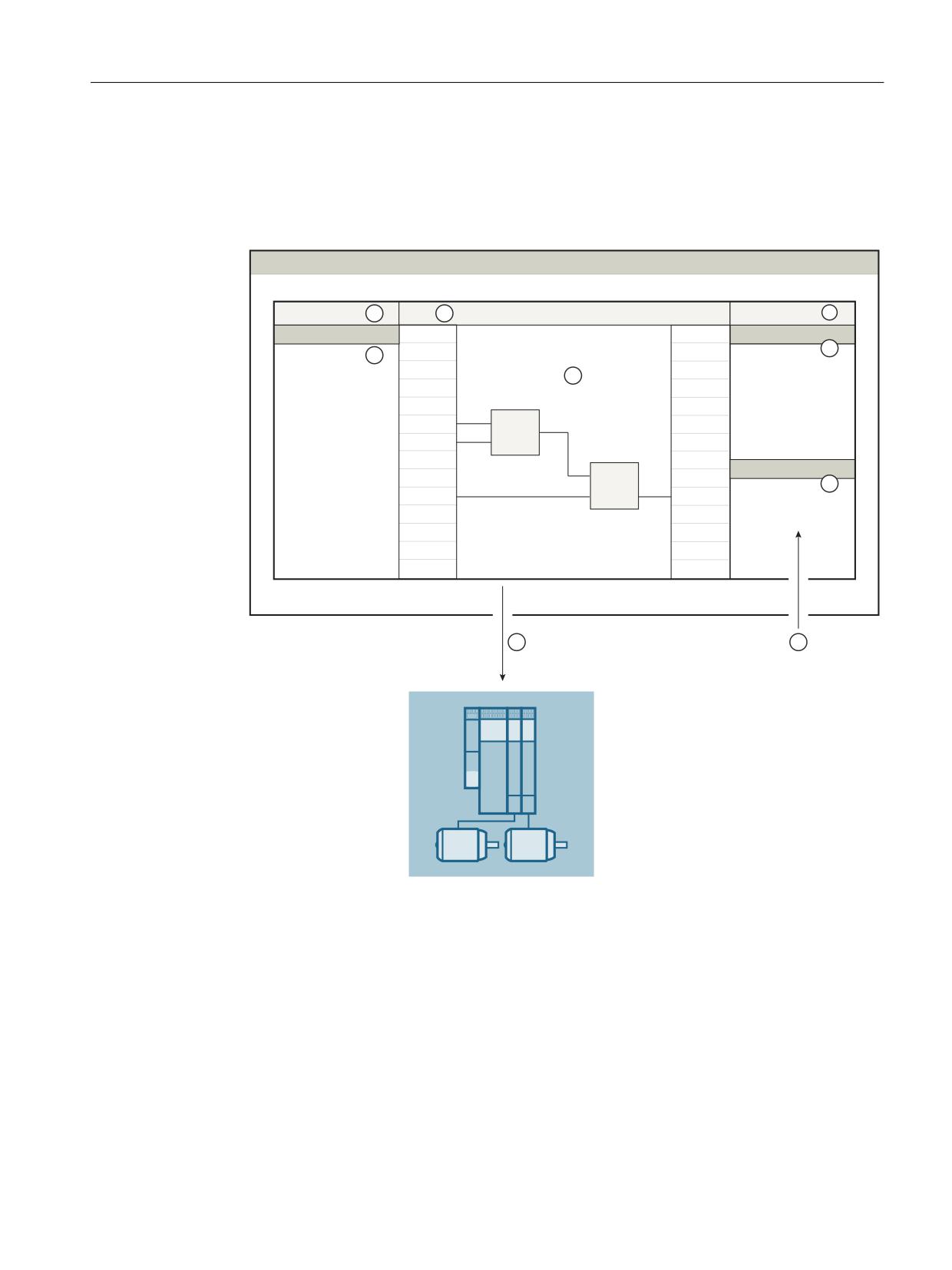
Product-specific security measures
7.4 SINAMICS
With the Drive Control Chart Editor based on CFC, you configure the technology functions with
DCC for SINAMICS drives graphically.
● Startdrive
The following figure shows the data flow of the configuration data when configuring with
SINAMICS DCC:
7,$ 3RUWDO
3URMHNW WUHH
3ODQ
7DVN &DUGV
3URMHFW
'&& 6WDQGDUG EORFNV
'ULYH XQLW
$OO %ORFNV
,
$''
,
,
,
,
,
$''
/LEUDULHV
08/
① Loading
② Import of DCB libraries
Figure 7-10
Flow of configuration data: TIA-DCC
● STARTER
The following figure illustrates the data flow of the configuration data when configuring with
SINAMICS DCC and the ways to protect the configured/programmed DCC sources:
Industrial Security
Configuration Manual, 02/2020, 6FC5397-5EP40-6BA1
95
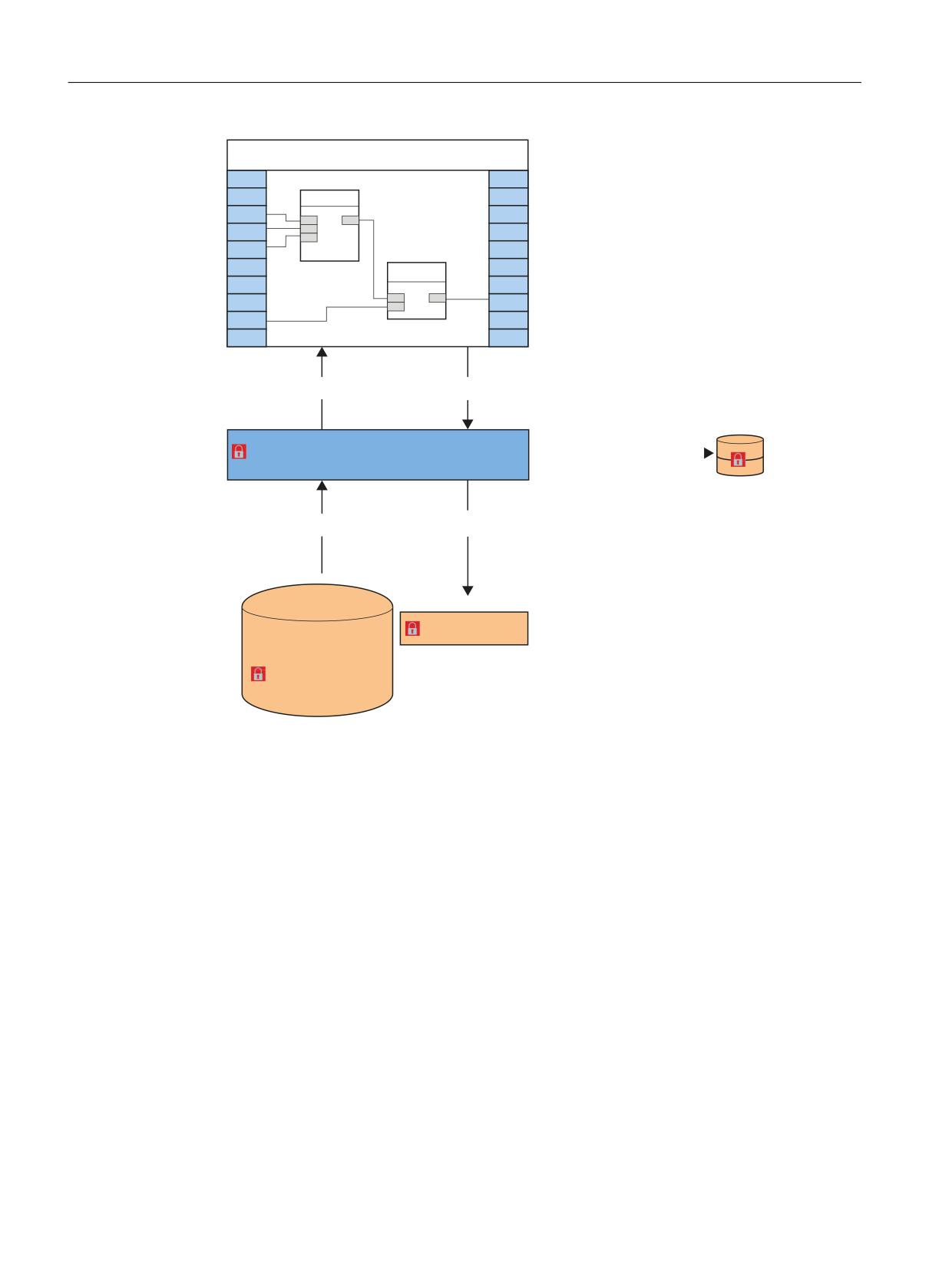
Product-specific security measures
7.4 SINAMICS
'&& &)&
$GG
0XO
&RQILJXULQJ
&RPSLOLQJ
%DFNXS LQ WKH ILOH V\VWHP
67$57(5 FKDUWV DQG OLEUDULHV
%ORFN W\SH LPSRUW
/RDGLQJ
6,1$0,&6
'&% OLEUDU\ 6,1$0,&6
'&& OLEUDU\ 6,1$0,&6
Figure 7-11
Flow of configuration data: Example for DCC Classic V2.1 ... V3.4 (STARTER)
Startdrive: Option package DCC
Note the following special features regarding Startdrive:
● DCC does not provide a backup in the file system.
● The DCB libraries used are loaded implicitly with the project into the target device
● DCC does not offer any chart know-how protection
Commissioning computer
Ensure the security of the commissioning computer. Follow the general security measures
(Page 27) for this purpose.
Industrial Security
96
Configuration Manual, 02/2020, 6FC5397-5EP40-6BA1

Product-specific security measures
7.4 SINAMICS
Using know-how protection
DCCs, DCC libraries, programs and backup files are subject to an increased risk of
manipulation. Therefore, use the know-how protection, the write protection for drive units and
the know-how protection for DCC charts and DCC libraries in STARTER, see also Use write
and know-how protection (Page 97).
Information on know-how protection can also be found in the "Motion Control SINAMICS/
SIMOTION Editor Description DCC" Programming and Operating Manual.
Protecting backup files in the Windows file system
If you create backup files of charts or projects with Windows tools, also protect these files with
Windows tools against unauthorized access using secure passwords.
Note the information on SINAMICS and on the engineering systems
Also note the Industrial Security information for SINAMICS drives and engineering systems
with which SINAMICS drives are commissioned. Particularly the information on network
security is important, see also Network security (Page 31).
7.4.11.2
Use write and know-how protection
Prevent unauthorized changes by means of know-how protection
WARNING
Danger to life through manipulation of DCC charts and DCC libraries
The use of unprotected DCCs and DCC libraries entails a higher risk of manipulation of DCCs,
DCC libraries and backup files.
● Protect important DCCs and DCC libraries via "Know-how protection programs" or "Know-
how protection drive units" in SCOUT or STARTER. Assign a strong password to prevent
manipulation.
● Therefore, for "Know-how protection programs" or "Know-how protection drive units", use
passwords which include at least eight characters, upper and lower case letters, numbers,
and special characters.
● Make sure that only authorized personnel can access the passwords.
● Protect the backup files on your file system using a write protection.
7.4.12
SINAMICS Smart Access Module
The optional Smart Access Module offers you an intelligent solution for commissioning the
SINAMICS V20 or G120 converter.
The Smart Access Module is a web server module with integrated WLAN connectivity. It allows
web-based access to the converter from a connected device (conventional PC with WLAN
Industrial Security
Configuration Manual, 02/2020, 6FC5397-5EP40-6BA1
97

Product-specific security measures
7.4 SINAMICS
adapter, tablet or smartphone). This module is only intended for commissioning and therefore
cannot be used with the converter for the long term.
NOTICE
WLAN: Changing a default password
The misuse of passwords can also represent a considerable security risk. As a result of
incorrect or changed parameterization, machines can malfunction, which in turn can lead to
injuries or death.
● After logging on to the Smart Access Module for the first time, change the module's default
password.
● Assign a secure password. Information on this can be found in the Operating Instructions
of the respective converter.
NOTICE
Unauthorized access to the converter via the SINAMICS Smart Access Module
Unauthorized access to the converter via the Smart Access Module as a result of cyber
attacks could lead to interruptions in the process and thus to property damage or personal
injury.
● Before you log in to the web pages, check the status LED on the Smart Access Module. If
the status LED is green or flashing, unauthorized access could have occurred: Switch the
SINAMICS Smart Access Module off and then on again using the on-off switch to re-
establish the WLAN connection.
For detailed information on this topic, see the following references:
● SINAMICS V20 Converter Operating Instructions (https://support.industry.siemens.com/cs/
de/en/view/109773836)
● SINAMICS G120 Smart Access Operating Instructions (https://
support.industry.siemens.com/cs/ww/en/view/109771299)
Industrial Security
98
Configuration Manual, 02/2020, 6FC5397-5EP40-6BA1
Product-specific security measures
7.5 SIMOCRANE
7.5
SIMOCRANE
Availability, productivity, and safety are the decisive factors in crane applications. Since
SIMOCRANE products are based on products from SIMOTION and SINAMICS, observe the
product-specific hardening measures in Chapters SIMOTION (Page 69) and SINAMICS
(Page 82) for hardening.
Industrial Security
Configuration Manual, 02/2020, 6FC5397-5EP40-6BA1
99
Product-specific security measures
7.5 SIMOCRANE
Industrial Security
100
Configuration Manual, 02/2020, 6FC5397-5EP40-6BA1
References
A
General information
Additional general information about Industrial Security is available on the Internet:
● Cyber security (https://new.siemens.com/global/en/company/topic-areas/
cybersecurity.html)
● Planning security (https://new.siemens.com/global/en/products/automation/topic-areas/
industrial-security/planning.html)
● Implementing security (https://new.siemens.com/global/en/products/automation/topic-
areas/industrial-security/implementation.html)
● Always active (https://new.siemens.com/global/en/products/automation/topic-areas/
industrial-security/always-active.html)
● Certifications and standards (https://new.siemens.com/global/en/products/automation/
topic-areas/industrial-security/certification-standards.html)
● Whitepapers and downloads (https://new.siemens.com/global/en/products/automation/
topic-areas/industrial-security/downloads.html)
Secure passwords
Further information on assigning secure passwords can be found in the chapter under the
following addresses:
● Federal Agency for Security in Information Technology (BSI) (https://
support.industry.siemens.com/cs/de/en/view/109757594)(in German only)
● European Network and Information Security Agency (enisa). (https://www.enisa.europa.eu/
media/news-items/basic-security-practices-regarding-passwords-and-online-identities)
● National Institute of Standards and Technology (NIST) (https://nvlpubs.nist.gov/nistpubs/
SpecialPublications/NIST.SP.800-63b.pdf)
Web pages of the products
Additional product-specific information about Industrial Security is available on the individual
product websites:
Industrial Security
Configuration Manual, 02/2020, 6FC5397-5EP40-6BA1
101
References
Product-specific manuals
Product-specific manuals for the individual products can be found on the Internet:
●
"SINUMERIK 840D sl NCU 7x0.3 PN" Manual (https://support.industry.siemens.com/cs/de/
en/view/99922219)
●
"Commissioning CNC: NC, PLC, Drive" Commissioning Manual (https://
support.industry.siemens.com/cs/ww/en/view/109777906)
●
"SINUMERIK 840D sl Operating System NCU (IM7)" Commissioning Manual (https://
support.industry.siemens.com/cs/ww/en/view/109763236)
●
"SINUMERIK 840D sl Base Software and HMI sl" Commissioning Manual (https://
support.industry.siemens.com/cs/de/en/view/109254363)
●
SINUMERIK 840Dsl Safety Integrated plus Commissioning Manual (https://
support.industry.siemens.com/cs/de/en/view/109777982)
●
"SINUMERIK Operate (IM9)" Commissioning Manual (https://
support.industry.siemens.com/cs/ww/en/view/109769186)
●
PCU-Basesoftware (IM8) Commissioning Manual (https://
support.industry.siemens.com/cs/de/en/view/109748542)
●
"PCU Base Software (IM10)" Commissioning Manual (https://
support.industry.siemens.com/cs/de/en/view/109769185)
●
SINUMERIK Access MyMachine /P2P (PC) Operating Manual (https://
support.industry.siemens.com/cs/ww/en/view/109770206)
●
SINUMERIK Access MyMachine /OPC UA Configuration Manual (https://
support.industry.siemens.com/cs/de/en/view/109777871)
●
Manage MyMachines /Remote Function Manual (https://
support.industry.siemens.com/cs/ww/en/view/109759394)
●
Diagnostics Manual 808D (https://support.industry.siemens.com/cs/de/en/view/
109763685)
●
SIMOTION IT Programming and Web Services Programming Manual (https://
support.industry.siemens.com/cs/de/en/view/109767637)
●
SIMOTION IT Diagnostics and Configuration Diagnostics Manual (https://
support.industry.siemens.com/cs/de/en/view/109767636)
●
SIMOTION IT Virtual Machine and Servlets Programming Manual (https://
support.industry.siemens.com/cs/de/en/view/109767639)
●
SIMOTION IT OPC UA Programming Manual (https://support.industry.siemens.com/cs/de/
en/view/109767638)
●
●
Communication with SIMOTION System Manual (https://support.industry.siemens.com/cs/
de/en/view/109767623)
●
SINAMICS S120 Drive Functions Function Manual (https://
support.industry.siemens.com/cs/de/en/view/109771805)
●
SINAMICS S120 Control Units and Additional System Components Equipment Manual
Industrial Security
102
Configuration Manual, 02/2020, 6FC5397-5EP40-6BA1
References
● SINAMICS S120 Safety Integrated Function Manual (https://
support.industry.siemens.com/cs/de/en/view/109771806)
● SINAMICS S120 Communication Function Manual (https://
support.industry.siemens.com/cs/ww/en/view/109771803)
● SINAMICS S120/S150 List Manual (https://support.industry.siemens.com/cs/de/en/view/
109763271)
● G110M Operating Instructions (https://support.industry.siemens.com/cs/de/en/view/
109757594)
● G120 Operating Instructions (https://support.industry.siemens.com/cs/ww/en/view/
109771299)
● SINAMICS G Fieldbuses Function Manual (https://
support.industry.siemens.com/cs/ww/de/view/109757336/en)
● S210 Operating Instructions (https://support.industry.siemens.com/cs/ww/de/view/
109771824)
● V20 Operating Instructions (https://support.industry.siemens.com/cs/de/en/view/
109773836)
● Function Manual S7-1500, ET 200SP, ET200pro web server (https://
support.industry.siemens.com/cs/ww/en/view/59193560)
● SIMATIC Programming with STEP 7 Programming and Operating Manual (https://
support.industry.siemens.com/cs/de/en/view/109751825)
● SIMATIC S7-300 CPU 31xC and CPU 31x Equipment Manual: Technical specifications
● SIMATIC NET Configuration Manual: SCALANCE X-200 Industrial Ethernet switches
See also
Implement security (https://www.industry.siemens.com/services/global/en/portfolio/plant-data-
services/industrial_security)
Safety Integrated plus Commissioning Manual (https://
support.industry.siemens.com/cs/de/en/view/109763246)
Recommendations for creating secure passwords provided by BSI [German Federal Office for
passwoerter_node.html)
Industrial Security
Configuration Manual, 02/2020, 6FC5397-5EP40-6BA1
103
References
Industrial Security
104
Configuration Manual, 02/2020, 6FC5397-5EP40-6BA1
Glossary
AMC
Abbreviation for SINUMERIK Integrate Analyze MyCondition
AMD
Abbreviation for SINUMERIK Integrate Access MyData
AMM
Abbreviation for SINUMERIK Integrate Access MyMachine
AMP
Abbreviation for SINUMERIK Integrate Analyze MyPerformance
AMT
Abbreviation for Intel® Active Management Technology
Area of attack
The scope to which a system can be deprived of its protection so that it can be attacked.
Attack
An attempt to destroy a resource, to deprive it of its protection, to change it, to deactivate it, to
steal it, to gain unauthorized access to it or to use it in an illegal way.
Authentication
Verification of the identity of a user, process or device, frequently as prerequisite for the
permission to access resources in an information system.
Authorization
The right granted by a system entity to access a system resource.
Availability
Property to be accessible and usable when requested by an authorized entity.
Industrial Security
Configuration Manual, 02/2020, 6FC5397-5EP40-6BA1
105
Glossary
Brute force
There are no efficient algorithms for solving many of the problems in computer science. The
most natural and simplest approach to an algorithmic solution for a problem is to simply try out
all possible solutions until the correct one is found. This method is called brute-force searching.
One typical application is given again and again when it comes to listing an example of brute-
force searching - the "cracking" of passwords. Passwords are often encrypted using
cryptographic hash functions. Directly calculating the password from the hash value is
practically impossible. However, a password cracker can calculate the hash values of
numerous passwords. If a value matches the value of the stored password, then the password
(or another, randomly matching password) has been found. In this case, brute force refers to
the simple trial and error approach of entering every possible password.
Cloud computing
Cloud computing is the storage of data in a remote data center, and can also involve the
execution of programs that are not installed on local computers, but rather in the (metaphoric)
cloud.
Confidentiality
Property which ensures that the information is not made available or disclosed to unauthorized
individuals, entities or processes.
Cyber security
Cyber security is the practice of defending computers, servers, mobile devices, electronic
systems, networks, and data from malicious attacks. It also includes the security of information
technologies and electronic information. The term is broad and applies to everything from
computer security to disaster recovery, i.e. the restoration after an incident, to the training of
end users.
Defense in depth
Creation of multiple security mechanisms, especially in a layer structure, with the intention of
slowing down or completely preventing attacks.
Denial of service (DoS)
Denial of service (DoS) is the non-availability of an IT-based service that is normally available.
Although there can be many reasons for such non-availability, the term "DoS" is generally used
when infrastructure systems are overloaded. This can be the result of an unintentional overload
or through a deliberate attack on a server, a computer or other components in a network.
DMZ
The demilitarized zone is an autonomous subnet that separates the local area network (LAN)
from the Internet through firewall routers (A and B). The firewall routers are configured in such
a way that they reject data packets for which there were no previous data packets. If a data
packet is sent from the Internet to the server, it is therefore rejected by firewall router A. If,
Industrial Security
106
Configuration Manual, 02/2020, 6FC5397-5EP40-6BA1
Glossary
however, a hacker gains access to a server within the DMZ and sends data packets to the LAN
in an attempt to analyze or hack it, these are rejected by firewall router B.
Firewall
Device to connect networks with one another, which restricts the exchange of data between two
connected networks.
Hacker
Person involved in an intentional hacking activity. The reasons for these activities can be
malicious or not malicious, or also remain within the limits of what is ethnically and legally
acceptable.
Hardening
Procedure in which the security of a system is increased by reducing the area of attack.
IANA
The Internet Assigned Numbers Authority (IANA) is a department of ICANN, and is responsible
for assigning numbers and names in the Internet, especially IP addresses. It is one of the oldest
institutions in the Internet.
Incident
One or more unwanted or unexpected events that impair the company operation and endanger
the information security. The cause can be security holes, incorrect configurations or
misconduct and their exploitation.
Industrial security
Measures to increase the industrial security standards of a plant. They protect against
unauthorized access to higher-level control systems, industrial controls and PC-based systems
of the plant as well as against cyber attacks.
Information security
Safeguards the confidentiality, integrity and availability of information.
Integrity
Property which guarantees that resources are free of error and complete.
Industrial Security
Configuration Manual, 02/2020, 6FC5397-5EP40-6BA1
107
Glossary
Internet of Things (IoT)
General term for technologies of a global infrastructure of information organizations which
allow physical and virtual objects to be linked together and allows them to work together via
information and communication techniques.
IPsec (Internet Protocol Security)
IPsec is an expansion of the Internet protocol (IP) to include encryption and authentication
mechanisms. This way, the Internet protocol can transport cryptographically secured IP
packets via insecure public networks.
Malware
Malware is a general term for programs that have been developed to damage users. There are
numerous types of malware, e.g. viruses, trojans, rootkits or spyware.
MMP
Abbreviation for SINUMERIK Integrate Manage MyPrograms
MMT
Abbreviation for SINUMERIK Integrate Manage MyTools
NAT (Network Address Translation)
NAT is a process used in IP routers that connect local networks to the Internet. Since, in
general, Internet access is only via one IP address (IPv4), all other nodes in the local network
require a private IP address. Private IP addresses can be used several times, but are not valid
in public networks. For this reason, nodes with a private IP address cannot communicate with
nodes outside the local network. In order for all computers with a private IP address to have
access to the Internet, the Internet access router must replace the IP addresses of the local
nodes with a separate, public IP address in all outgoing data packets. In order for the incoming
data packets to be assigned to the correct station, the router saves the current TCP
connections in a table. The NAT router "memorizes" which data packets belong to which TCP
connection. This process is called NAT (Network Address Translation).
NCU
Central control module of a CNC control for NC, HMI, PLC and closed-loop control.
OpenVPN
OpenVPN is a program to establish a virtual private network (VPN) via an encrypted TLS
connection. Libraries belonging to the OpenSSL program are used for encryption. OpenVPN
uses either UDP or TCP for transferring data.
Industrial Security
108
Configuration Manual, 02/2020, 6FC5397-5EP40-6BA1
Glossary
Patch management
Area of the system management whose tasks include the procurement, testing and installing
of several patches (code changes) for an administered computer system or in such a system.
At the same time, a subprocess of the Security Vulnerability Management whose tasks include
the correction and containment of security holes for Siemens products by means of software
corrections.
Patterns of viruses
Designation for the database of virus scanners, which contains the schematic and code-
specific structure of all known viruses. This is usually a file that is used and processed by the
virus scanners. The schemata contained in the file are used when checking for viruses and with
them the files to be checked are compared.
PCU
Highly integrated industrial PC for the user interface or system software and user interface of
a CNC.
Phishing
The term "phishing" describes the threat of "using bait to fish for passwords" in e-mails, via
counterfeit links or even text messages (e.g. SMS). What are known as "phishers" attempt to
obtain data via serious or official-looking e-mails and websites. With the aid of malware, they
exploit weak points, e.g. in the operating system or web browser.
Remote access
Use of systems which are within the perimeter of the security zone and that can be accessed
from another geographical location with the same rights as if the systems were physically at the
same location.
SCADA
Supervisory Control and Data Acquisition (SCADA) involves monitoring and controlling
technical processes using a computer system.
Security
Safeguards the confidentiality, integrity and availability of a product, a solution or a service.
Security hole
Weak point in a computer system that allows an attacker to violate the integrity of the system.
As a rule, this is the result of program errors or design defects in the system.
A weak point of a resource or operator element that can be exploited by one or more threats.
Industrial Security
Configuration Manual, 02/2020, 6FC5397-5EP40-6BA1
109
Glossary
SIEM system
SIEM stands for Security Information and Event Management and has become an established
term in IT security. Such systems are able to identify and evaluate security-relevant events and
notify the administrator.
Switch
Network component for connecting several terminal devices or network segments in a local
network (LAN).
Threat
Potential cause of an undesirable incident which may result in damage to a system or
organization.
Threat and Risk Analysis (TRA)
The Threat and Risk Analysis is a Siemens-wide standardized method for use in the product,
solution and service business, for product development, engineering or service projects. The
method is intended to help those involved in the project to identify typical security defects and
weak points, analyze the hazards that could exploit these defects and weak points, and
evaluate the resulting risks.
TLS
Transport Layer Security (TLS V1.2 or higher) is a hybrid encryption protocol for secure transfer
of data in the Internet.
VPN (Virtual Private Network)
An encrypted connection of computers or networks via the Internet. It enables confidential data
to be exchanged via public networks.
WSUS (Windows Server Update Services)
Windows Server Update Services (WSUS in short) is the software component of the Microsoft
Windows Server since Version 2003 which is responsible for patches and updates. It is the
successor version of the Software Update Services software component.
Industrial Security
110
Configuration Manual, 02/2020, 6FC5397-5EP40-6BA1

1
Introduction
2
Advantages of ShopMill
To make everything
3
function smoothly...
SINUMERIK Operate
4
Geometrical basics
Easy milling with ShopMill
5
Well equipped
Example 1: Longitudinal
6
guide
Training Documents
7
Example 2: Injection mold
8
Example 3: Mold plate
9
Example 4: Lever
10
Example 5: Flange
And now you can start
11
manufacturing!
12
How fit are you in ShopMill?
05/2020
6FC5095-0AB50-1BP2
Table of contents
1
Introduction
7
2
Advantages of ShopMill
9
2.1
You will save time for training
10
2.2
You will save time for programming
12
2.3
You will save time for manufacturing
15
3
To make everything function smoothly
17
3.1
Multitouch operation of SINUMERIK Operate
18
3.1.1
Screen layout
18
3.1.2
Function key block
18
3.1.3
Further operator touch controls
19
3.1.4
Virtual keyboard
20
3.1.5
Finger gestures
20
3.2
The operating areas
23
3.2.1
Machine
23
3.2.2
Parameters
25
3.2.3
Program
27
3.2.4
Program Manager
29
3.2.5
Diagnosis
30
4
Geometrical basics
33
4.1
Tool axes and work planes
34
4.2
Points in the work space
36
4.3
Absolute and incremental dimensioning
37
4.4
Linear motions
39
4.5
Circular motions
41
5
Well equipped
43
5.1
Tool management
44
5.1.1
Tool list
44
5.1.2
Tool wear list
45
5.1.3
Magazine list
46
5.2
Tools used
47
5.3
Tools in the magazine
48
5.4
Gauging tools
49
5.5
Setting the workpiece zero
51
6
Example 1: Longitudinal guide
57
6.1
Overview
57
Easy milling with ShopMill
Training Documents, 05/2020, 6FC5095-0AB50-1BP2
3
Table of contents
6.2
Program management / creating programs
59
6.3
Calling a tool and specifying cutter radius compensation
64
6.4
Specifying the distance to be traversed
66
6.5
Creating drill holes and position repetitions
71
7
Example 2: Injection mold
81
7.1
Overview
81
7.2
Straight lines and circular paths by way of polar coordinates
83
7.3
Rectangular pocket
93
7.4
Circular pockets on a position pattern
96
8
Example 3: Mold plate
101
8.1
Overview
101
8.2
Path milling of open contours
103
8.3
Solid machining and residual material; finishing of contour pockets
110
8.4
Machining on several planes
120
8.5
Taking into account obstacles
125
9
Example 4: Lever
131
9.1
Overview
131
9.2
Face milling
133
9.3
Creating an edge for the lever island
136
9.4
Machining the lever
138
9.5
Creating an edge for the circular island
149
9.6
Creating a 30mm circular island
151
9.7
Creating a 10mm circular island
153
9.8
Copying the 10mm circular island
155
9.9
Machining the circular island using the editor
158
9.10
Deep hole drilling
163
9.11
Milling a helix
166
9.12
Boring
169
9.13
Thread milling
172
9.14
Programming a contour using polar coordinates
174
10
Example 5: Flange
181
10.1
Overview
181
10.2
Creating a subroutine
183
10.3
Mirroring work steps
190
10.4
Holes
195
Easy milling with ShopMill
4
Training Documents, 05/2020, 6FC5095-0AB50-1BP2
Table of contents
10.5
Rotation of pockets
197
10.6
Chamfering contours
206
10.7
Longitudinal and circular grooves
208
11
And now you can start manufacturing!
213
12
How fit are you in ShopMill?
217
12.1
Introduction
217
12.2
Exercise 1
218
12.3
Exercise 2
220
12.4
Exercise 3
222
12.5
Exercise 4
224
Index
227
Easy milling with ShopMill
Training Documents, 05/2020, 6FC5095-0AB50-1BP2
5
Introduction
1
Faster from the drawing to the workpiece - but how?
The technological development of machine tools is highly dynamic. Particularly with the
creation of NC programs, the range has extended from pure CAM system programming to
programming directly at the CNC machine. Special, productive programming methods are
available for each area. With ShopMill, SIEMENS therefore offers a programming method
specially tailored to the shop floor which allows quick and practical programming of machining
steps from the manufacture of single parts up to small batches. In conjunction with SINUMERIK
Operate, the operator interface for the control system, intuitive and effective working in the
workshop is possible even for series production.
The solution is: Creating a process plan instead of programming
The creation of a process plan with intuitive and operator-friendly handling sequences, allows
the ShopMill user to create the NC program directly from the drawing. Even changes and
different variants of a workpiece can be quickly programmed due to the clear structure.
Even the most complicated contours and workpieces are simple to manufacture with ShopMill
thanks to the integrated, powerful tools for creating traversing paths. For this reason:
Consequently: Simpler and easier from the drawing to the workpiece - with ShopMill
Although ShopMill is easy to learn, these ShopMill Training Documents allow you to enter this
world even faster. Before, however, it comes to the actual work with ShopMill, important basics
will be discussed in the first sections:
• First, we will show you the advantages of ShopMill.
• Then we show you the basics of the operation with SINUMERIK Operate.
• And next, the geometrical fundamentals will be introduced to the beginner.
• A short introduction to tool management will be given in a further section.
The theory is followed by practical exercises with ShopMill:
• Five examples have been chosen to explain the possibilities for machining with ShopMill,
whereby the degree of difficulty is increased continuously. At the beginning, all key actions
are specified; later you will be prompted to proceed without help.
• Then you will learn how to machine in the AUTOMATIC mode using ShopMill.
• If you wish you may test yourself finally to find out how fit you are in ShopMill.
Please note that the technology data used here are only examples due to the wide variety of
situations in the workshop.
Just as ShopMill was created with the help of skilled workers, these Training Documents were
also elaborated by practical users. In this sense, we wish you much pleasure and success in your
work with ShopMill.
Easy milling with ShopMill
Training Documents, 05/2020, 6FC5095-0AB50-1BP2
7