Ford Explorer (2027 year). Manual in english - page 5

Adaptive Cruise Control
HOW DOES ADAPTIVE CRUISE
CONTROLWITHSTOPANDGO
WARNING: Do not use the system
when towing a trailer that has
WORK
aftermarket electronic trailer brake
controls. Failure to follow this instruction
Adaptive cruise control with stop and go
could result in the loss of control of your
usesradarandcamerasensorstomaintain
vehicle, personalinjury or death.
a set gap between your vehicle and the
vehicle in front of you while following it to
WARNING: Do not use tire sizes
a complete stop. Stop and go can also be
otherthanthoserecommendedbecause
set to follow a vehicle directly in front of
this can affect the normal operation of
you and adjust the set speed, while you are
the system. Failure to do so may result
at a complete stop.
in a loss of vehicle control, which could
resultin seriousinjury.
ADAPTIVE CRUISE CONTROL
WARNING: Do not use the system
PRECAUTIONS
with a snow plow blade installed.
WARNING: In situations with poor
WARNING: You are responsible for
visibility, such as fog, heavy rain or other
controlling your vehicle at all times. The
inclement weather, you may need to
system is designed to be an aid and does
override or completely switch off the
not relieve you of your responsibility to
system.
drive with due care and attention. Failure
to follow this instruction could result in
When Following a Vehicle
the loss of control of your vehicle,
personal injury or death.
WARNING: When following a
WARNING: Do not use adaptive
vehicle that is braking, your vehicle does
cruise control onwinding roads,in heavy
not always decelerate quickly enough to
traffic or when the road surface is
avoid a crash without driver intervention.
slippery. This could result in loss of
Apply the brakes when necessary. Failure
vehicle control, serious injury or death.
to follow this instruction could result in
personal injury or death.
WARNING: Pay close attention to
changing road conditions such as
entering or leaving a highway, on roads
with intersections or roundabouts, roads
without visible lanes of travel, roads that
are unpaved, or steep slopes. Failure to
follow this instruction could result in the
loss of control of your vehicle, personal
injury or death.
WARNING: The system is not a
crash warning or avoidance system.
220
Explorer (CFU) 5-Door SUV, CG3968en enGBR, Edition date: 202603, First-Printing
Adaptive Cruise Control
ADAPTIVE CRUISE CONTROL
LIMITATIONS
WARNING: The sensor may
incorrectly track lane markings as other
Sensor Limitations
structures or objects. This can result in
a false or missed warning.
WARNING: If damage occurs in the
WARNING: On rare occasions,
immediate area surrounding the sensor,
detection issues can occur due to the
have your vehicle checked as soon as
road infrastructures, for example bridges,
possible.
tunnels and safety barriers. In these
cases, the system may brake late or
unexpectedly. At all times, you are
responsible for controlling your vehicle,
supervising the system and intervening,
if required.
WARNING: If the system
malfunctions, have your vehicle checked
as soon as possible.
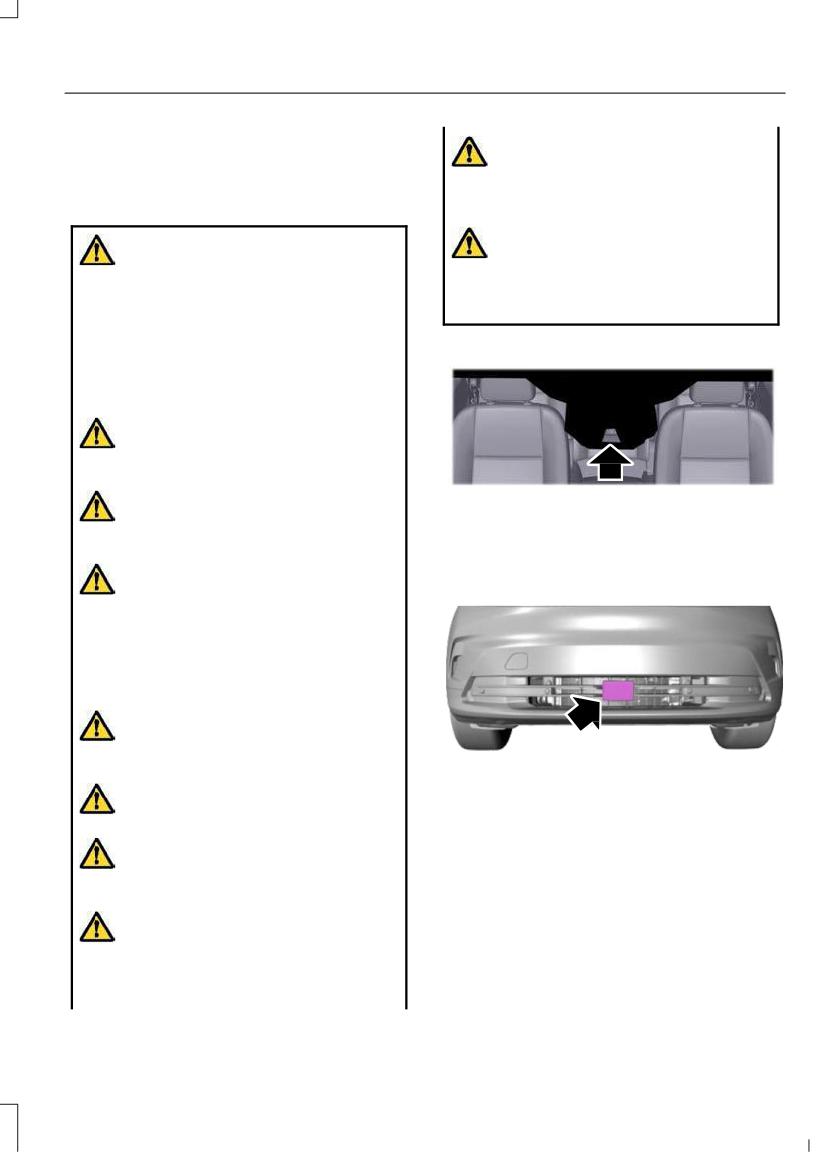
E243054
WARNING: Large contrasts in
Thecamerais mounted behind theinterior
outside lighting can limit sensor
mirror.
performance.
WARNING:Thesystemonlywarns
of vehicles detected by the radar sensor.
In some cases there may be no warning
or a delayed warning. Apply the brakes
when necessary. Failure to follow this
instruction could resultin personalinjury
or death.
WARNING: The system may not
detect stationary or slow moving
vehicles below 10 km/h (6 mph).
E397526
WARNING: The system does not
The radar is behind the front grille below
detect pedestrians or objects in the road.
the license plate.
WARNING: The system does not
Note: You cannot see the sensor. It is
detect oncoming vehicles in the same
behind a fascia panel.
lane.
Note: Keep the front of your vehicle free of
dirt, metal badges or objects. Vehicle front
WARNING: The system may not
protectors, aftermarket lights, additional
operate properlyif the sensoris blocked.
paint or plastic coatings could also degrade
Keep the windshield free from
sensor performance.
obstruction.
221
Explorer (CFU) 5-Door SUV, CG3968en enGBR, Edition date: 202603, First-Printing
Adaptive Cruise Control
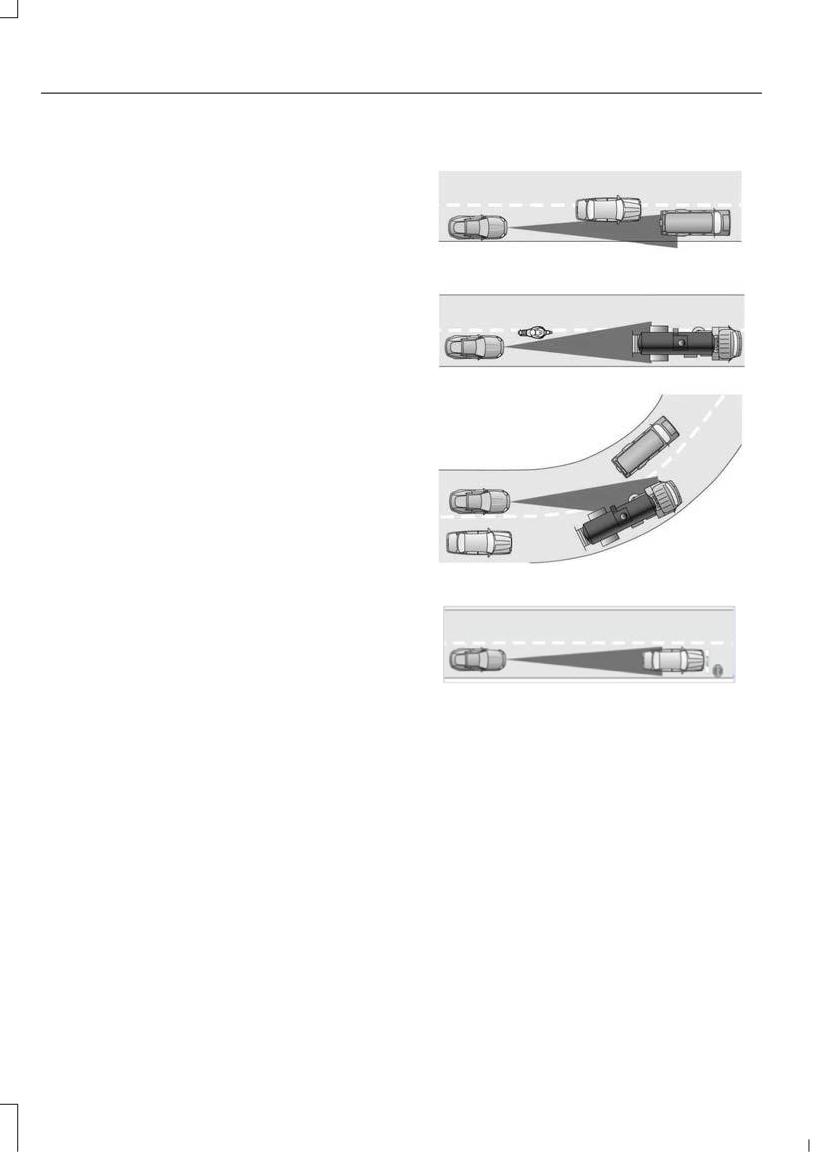
Amessagedisplaysifsomethingobstructs
Detection Issues Can Occur:
thecameraorthesensor.Whensomething
A
blocks the sensor, the system cannot
detect a vehicle ahead and does not
function.
The radar sensor has a limited field of view.
It may not detect vehicles at all or detect
a vehicle later than expected in some
B
situations.
The lead vehicleimage does notilluminate
if the system does not detect a vehicle in
front of you.
C
E397740
D
E397740
A
Vehicles that change into your
lane directly in front of your
vehicle.
B
Vehicles that are driving outside
the sensor range in close
proximity to your vehicle.
C
Vehicles in tight bends.
D
The system reacts to stationary
vehicles to a limited extent. If it
detects a stationary vehicle, your
vehicle brakes behind the
stationary vehicle within the
limits of the system.
222
Explorer (CFU) 5-Door SUV, CG3968en enGBR, Edition date: 202603, First-Printing
Adaptive Cruise Control
In these cases, the system may brake late
To turn the system off, select a different
or unexpectedly.
driving assist system by pressing the mode
selector button with the system in standby.
If something hits the front end of your
vehicle or damage occurs, the
radar-sensing zone may change. This could
ADAPTIVE CRUISE CONTROL
cause missed or false vehicle detection.
AUTOMATIC CANCELLATION
Optimal system performance requires a
clear view of the road by the windshield
The system could cancel if any of the
camera.
following occur:
Optimal performance may not occur if:
•
The tires lose traction.
•
The camera is blocked.
•
The system automatically applies the
parking brake.
•
There is poor visibility or lighting
conditions.
•
Traction control is active.
•
There are bad weather conditions.
Automatic parking brake application and
cancellation occurs if any of the following
•
There are road works, tunnels or toll
occur:
stations ahead.
•
You unfasten the seatbelt and open
•
Driving on windy roads.
the door after you stop your vehicle.
•
Driving on difficult terrain.
•
Your vehicle remains stationary for
•
Driving in multi-storey car parks.
longer than three minutes.
•
Approaching a railway crossing.
The system could deactivate or prevent
activating when requested if:
SWITCHING ADAPTIVE
•
The vehicle has a blocked sensor.
CRUISE CONTROL ON AND OFF
•
The brake temperature is too high.
•
There is a failure in the system.
1.
E405179
Press the mode selector
SETTING THE ADAPTIVE
button on the left-hand side of the
CRUISE CONTROL SPEED
steering-wheel until adaptive cruise
control is selected in the instrument
Press the button to set the
cluster display.
current speed.
2.
E412945
Adaptive cruise control stores the current
The system turns on in
speed and maintains the set distance.
standby mode, and the symbol
illuminates gray in the instrument
The indicator, current gap setting and set
cluster display.
speed appear in the instrument cluster
display.
Note: To activate the system, resume the
set speed. See Resuming the Set Speed
(page 225).
223
Explorer (CFU) 5-Door SUV, CG3968en enGBR, Edition date: 202603, First-Printing
Adaptive Cruise Control
Press and hold the corresponding button
to continuously change the stored speed.
If the system detects a speed limit
different from the set speed, a message
appears in the instrument cluster display.
Press either button to set it as the new
speed.
If necessary, the system applies the brakes
to slow your vehicle to the new set speed.
The set speed continuously displays in the
instrument cluster display when the
E414042
system is active.
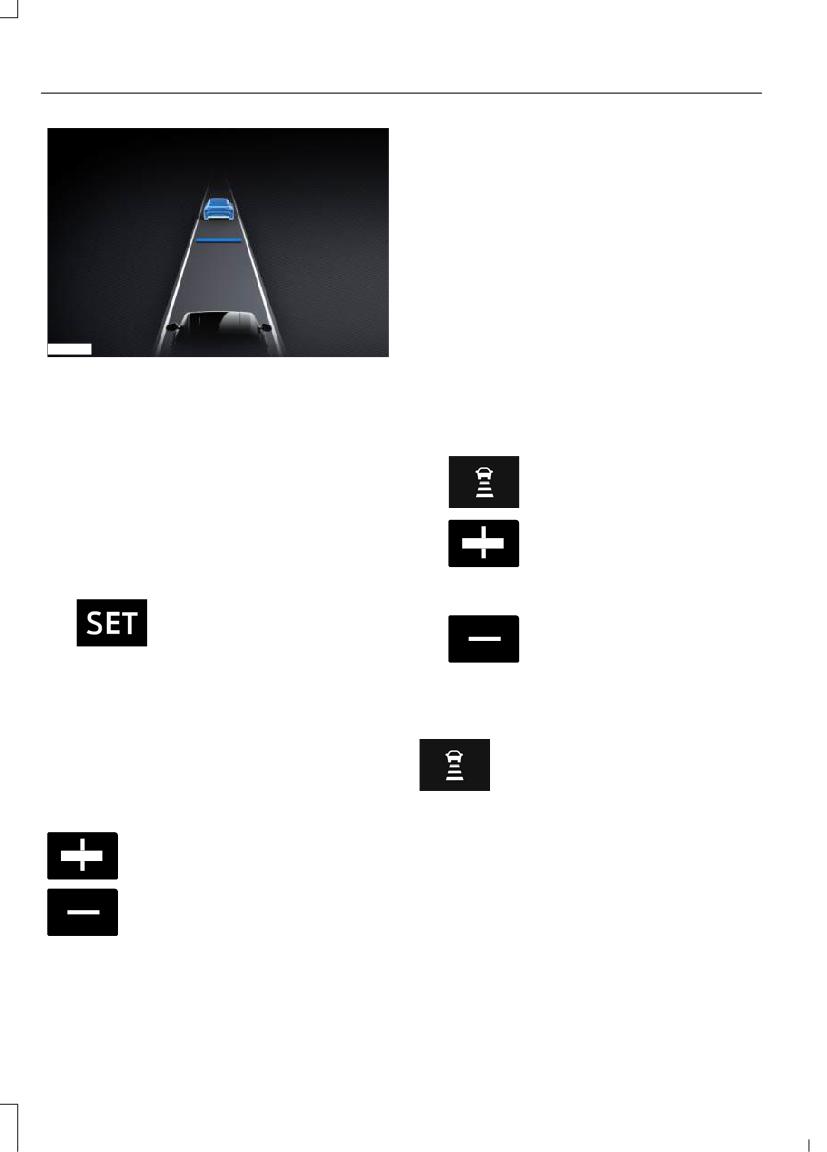
Avehicle graphic appearsin theinstrument
cluster display if the system detects a
SETTING THE ADAPTIVE
vehicle in front of you.
CRUISE CONTROL GAP
Note: When adaptive cruise control is
active, the speedometer could vary slightly
1.
from the set speed displayed in the
instrument cluster display.
Press the button.
2.
Setting the Adaptive Cruise Speed
E356421
When Your Vehicle is Stationary
Press the button to increase
1.
Keep the brake pedal fully pressed.
the distance between your vehicle and
the vehicle in front.
2.
3.
Press and release the button.
E356422 Press the button to decrease
The set speed adjusts to 20 km/h
the distance between your vehicle and
(12 mph).
the vehicle in front.
The indicator and the set speed appear in
Alternatively:
the instrument cluster display.
Press the button repeatedly to
Changing the Set Speed
select the required distance.
You can adjust the set speed in small or
Note: It is your responsibility to select a gap
large increments.
appropriate to the driving conditions.
Gently press to increase the
The selected gap appears in the
E356421
speed in small increments.
instrument cluster display as shown by the
bars in the image. You can select five gap
Gently press to decrease the
settings.
speed in small increments.
E356422
When you start your vehicle, the system
automatically selects the last chosen gap
Strongly press either of the buttons to
setting.
adjust the set speed in large increments.
224
Explorer (CFU) 5-Door SUV, CG3968en enGBR, Edition date: 202603, First-Printing
Adaptive Cruise Control
Following a Vehicle
If your vehicle does not
accelerate automatically, you
When a vehicle ahead of you enters the
have to press and release the
same lane or a slower vehicle is ahead in
button or press the accelerator pedal to
the same lane, the vehicle speed adjusts
follow the vehicle ahead.
to maintain a preset gap distance.
A vehicle graphic appears in the instrument
cluster display.
CANCELING THE SET SPEED
Note: When you are following a vehicle and
Press the button or tap the brake
you switch on a turn signal indicator,
pedal.
adaptive cruise control may provide a small
temporary acceleration to help you pass.
The indicator lamp lights up gray, the
Your vehicle maintains a consistent gap
speed and distance remain stored.
from the vehicle ahead until:
•
The vehicle in front of you accelerates
RESUMING THE SET SPEED
to a speed above the set speed.
•
The vehicle in front of you moves out
Press the button.
of the lane you are in.
•
You set a new gap distance.
The system applies the brakes to slow your
Your vehicle speed returns to the
vehicle to maintain a safe gap distance
previously set speed and gap setting. The
from the vehicle in front. The system only
set speed displays continuously in the
applies limited braking. You can override
instrument cluster display when the
the system by applying the brakes.
system is active.
If the system determines that its maximum
Note: Only use resume if you are aware of
braking level is not sufficient, an audible
the set speed and intend to return to it.
warning sounds when the system
Press the button again within a short
continues to brake. Take immediate
period of time to set the speed to the
action.
previously detected speed limit.
Following a Vehicle to a Complete
Note: This feature works only after the
Stop
system detects a new speed limit.
If your vehicle follows a vehicle to a
complete stop and remains stationary for
OVERRIDING THE SET SPEED
a short period of time, the system remains
active. The instrument cluster display
shows that the adaptive cruise control is
WARNING: If you override the
ready to start. If your hands are on the
system by pressing the accelerator
steering wheel, your vehicle automatically
pedal, it does not automatically apply
accelerates from a stationary position to
the brakes to maintain a gap from any
follow the vehicle ahead within a short
vehicle ahead.
period of time.
When you press the accelerator pedal, you
override the set speed and gap distance.
225
Explorer (CFU) 5-Door SUV, CG3968en enGBR, Edition date: 202603, First-Printing
Adaptive Cruise Control
Use the accelerator pedal to intentionally
If your vehicle is equipped with
exceed the set speed limit.
lane-biasing and you drive off-center
within the lane, the system sets and
When you override the system, the part of
maintains that preferred lane position. The
indicator changes to gray.
system provides continuous assistance
The system resumes operation when you
steering torque input toward the preferred
release the accelerator pedal. The vehicle
position.
speed decreases to the set speed, or a
Note: The system can only set preferred
lower speed if following a slower vehicle.
lane positions within the lane.
Note: If the system cancels, the preferred
ADAPTIVE CRUISE CONTROL
position erases. On the next activation, the
INDICATORS
system provides continuous assistance
steering torque input toward the lane center.
Illuminates when you switch
adaptive cruise control on. The
LANE CENTERING PRECAUTIONS
E412945
icon changes to indicate the
system status.
Indicates the system is on, the system
WARNING: Do not use the system
detects no vehicle ahead.
when towing a trailer. Failure to follow
this instruction could result in the loss of
Thecolor of the symbol changes
control of your vehicle, personalinjury or
to indicate that the system is on
death.
E413928
and detects a vehicle ahead.
WARNING: Do not use the system
White indicates that the system is on, but
if any changes or modifications to the
passive.
steering wheel have been made. Any
changes or modifications to the steering
Blue indicates that the system is active.
wheel could affect the functionality or
performance of the system. Failure to
LANE CENTERING
follow this instruction could result in the
loss of control of your vehicle, personal
HOW DOES LANE CENTERING
injury or death.
WORK
Adaptive cruise control precautions apply
Adaptive cruise control withlane centering
to lane centering unless stated otherwise
uses the vehicle's front radar sensor and
or contradicted by a lane centering
front windshield camera sensor, together
precaution. See AdaptiveCruiseControl
with the steering sensor to operate.
Precautions (page 220).
Using these sensors, the system applies
continuous steering assistance towards
LANE CENTERING
driving in the middle of the lane you choose
REQUIREMENTS
on highway roads.
You must keep your hands on the steering
Note: The gap setting for adaptive cruise
wheel at all times.
control with lane centering operates in the
same way as normal adaptive cruise control.
226
Explorer (CFU) 5-Door SUV, CG3968en enGBR, Edition date: 202603, First-Printing
Adaptive Cruise Control
Lane centering only activates when all of
•
When modification to the steering
the following occur:
system has been made, including
alterations to the steering wheel.
•
You activate lane centering using the
button on the left side of the steering
•
When towing a trailer.
wheel. See Switching Lane
•
Never use the system offroad or on
Centering On and Off (page 227).
unsurfaced roads. It is designed solely
•
The steering wheel sensor detects your
for use on surfaced roads.
hands on the steering wheel.
•
The system does not react to people,
•
The system detects lane markings.
animals, crossing vehicles or vehicles
that approaching in the same lane from
•
Your vehicle is initially centered in the
driving lane.
the opposite direction.
See Lane Centering Precautions (page
Note: If the system does not detect a valid
226).
lane, the system will remain in standby until
a valid lane is available.
Note: The system steering assistance is
limited and may not have sufficient effort
LANE CENTERING LIMITATIONS
for all driving situations and/or conditions,
such as driving through tight curves or
Adaptive cruise control limitations apply
driving through curves at high speeds.
to lane centering unless stated otherwise
or contradicted by a lane centering
SWITCHING LANE CENTERING ON
limitation.
AND OFF
Lane centering may not correctly operate
You must keep your hands on the steering
in any of the following conditions:
wheel at all times.
•
The lane width is too narrow or wide.
The controls are on the left hand side of
•
The curve in the road is too small.
the steering wheel.
•
The system does not detect the
The indicator appears in the
minimum required lane markings or
instrument cluster display. When
when lanes merge or split.
E405179
the lane centering system is on,
•
When the required steering effort to
the color of the indicator changes to
maintain lane center exceeds the lane
indicate the system status.
centering system limit.
•
When driving in areas that are under
You can override the system at any time
construction or when road work is in
by steering your vehicle.
progress.
Note: The lane centering requirements
•
If you wear gloves while driving, your
must be met before you can enable the
hands are not detected on the steering
feature. See Lane Centering
wheel.
Requirements (page 226).
•
If the front windshield camera and/or
the front radar are blocked.
•
Inclement weather conditions
including, but not limited to, high wind,
heavy rain, and fog.
•
Driving into direct sunlight.
227
Explorer (CFU) 5-Door SUV, CG3968en enGBR, Edition date: 202603, First-Printing
Adaptive Cruise Control
Enabling and Disabling Lane
When the system is active and detects no
Centering
steering activity for a period of time, the
system alerts you to put your hands on the
1.
steering wheel. If you fail to do so, the
system cancels and driver state assist
E405179
Press the mode selector
activates. See Driver State Assist (page
button on the left-hand side of the
46).
steering wheel until adaptive cruise
control with lane centering is selected
The system also alerts you if your vehicle
in the instrument cluster display.
crosses lane markings without detected
steering activity.
2.
Note: The system could detect a light grip
E405179
The system turns on in
or light touch on the steering wheel as
standby mode, and the symbol
hands-off driving.
illuminates gray in the instrument
cluster display.
LANE CENTERING AUTOMATIC
3.
CANCELLATION
Press the button.
When an external condition cancels the
system,andyourhandsareonthesteering
Lane Centering switches to active or
wheel, the color of the indicator changes.
passive system status according to the
driving situation.
When an external condition cancels the
system, and your hands are not on the
Switching to Adaptive Cruise
steering wheel, the system immediately
Control
alerts you to take control of the vehicle.
1.
Automatic cancellation can also occur if:
E405179
•
The lane becomes too wide or narrow.
Press the button with the
system in standby.
•
The system cannot detect valid lane
markings.
2.
•
Lane markings cross over one another.
E412945
Select adaptive cruise control
•
The curve of the road is too sharp.
in the instrument cluster display.
The vehicle switches from lane centering
LANE CENTERING MANUAL
to adaptive cruise control.
CANCELLATION
LANE CENTERING ALERTS
When you perform the following actions,
adaptive cruise control with lane centering
You must keep your hands on the steering
will cancel:
wheel at all times.
•
The brake pedal is pressed.
•
Adaptive cruise control button on the
steering wheel is switched off.
The lane centering system is momentarily
suppressed when either of the following
actions are performed:
228
Explorer (CFU) 5-Door SUV, CG3968en enGBR, Edition date: 202603, First-Printing
Adaptive Cruise Control
•
The turn signal indicator is on.
Gray lane lines indicate lane centering is
passive.
•
You steer the vehicle out of lane.
Blue lane lines indicate lane centering is
LANE CENTERING INDICATORS
active.
If the system detects a fault, the symbol
Illuminates when you switch
illuminates yellow and a message appears
lane centering on. The color of
in theinstrument cluster display. Have your
E405179
the indicator changes to indicate
vehicle checked as soon as possible.
the system status.
LANE CENTERING - TROUBLESHOOTING
LANECENTERING - INFORMATION MESSAGES
Message
Details
Take over steering!
The system requests that you take over the
steering wheel.
Note: The adaptive cruise control gap
setting operates normally when the feature
PREDICTIVE SPEED ASSIST
is enabled.
HOWDOESPREDICTIVESPEED
PREDICTIVE SPEED ASSIST
ASSIST WORK
PRECAUTIONS
Predictive speed assist works with
adaptive cruise control and adjusts the
vehicle speed to the road geometry and to
WARNING: You are responsible for
controlling your vehicle at all times. The
the speed limit detected by the traffic sign
system is designed to be an aid and does
recognition system and the navigation
not relieve you of your responsibility to
data. As the system identifies turns,
drive with due care and attention. Failure
roundabouts, curves and highway ramps,
the vehicle speed temporarily decreases
to follow this instruction could result in
ahead of and during the changing road
the loss of control of your vehicle,
personal injury or death.
geometry. When passing new speed signs,
the set speed updates. See Predictive
WARNING: Pay close attention to
Speed Assist Precautions (page 229).
changing road conditions. You may need
There are limitations that affect the
to override the system by pressing the
accuracy of the traffic sign recognition
brake or accelerator pedal if the adjusted
system and its ability to determine the
speed becomes higher or lower than
currentspeedlimit.Predictivespeedassist
necessary.
and its ability to determine the current
speed limit shares these limitations. See
Traffic Sign Recognition (page 262).
229
Explorer (CFU) 5-Door SUV, CG3968en enGBR, Edition date: 202603, First-Printing
Adaptive Cruise Control
The road geometry and speed limit
information provided by the navigation
WARNING: The system only
map data could be inaccurate or out of
provides limited braking. Your vehicle
date.
may not always decelerate quickly
enough to avoid a crash without driver
The system may not detect and read
intervention. Apply the brakes when
speed limit signs with conditional
necessary.
information, for example, when a sign is
flashing, during specific time ranges, or
WARNING: The system does not
when children are present.
activate the turn signal.
Note: The system may not set the vehicle
speed to speed limits shown with a
Adaptive cruise control precautions apply
supplementary traffic sign.
to predictive speed assist unless stated
otherwise or contradicted by a predictive
Under certain conditions, the system may
speed assist precaution. See Adaptive
not adjust the vehicle speed until after your
Cruise Control Precautions (page 220).
vehicle passes the speed limit.
The system only applies limited braking.
Detection of road geometry operates only
You can override the system with the
where related information is available.
accelerator pedal or cancel the system by
Road geometry information may not be
applying the brakes.
available in some areas.
The system may adapt to various factors
such as time of day, lane width. This could
SWITCHING PREDICTIVE SPEED
influence speed adjustments and
ASSIST MODE ON AND OFF
accelerations.
1.
The system may adapt to various drive
modes. See Drive Mode Control (page
E453114
Press this icon.
182). This could influence speed
2.
adjustments and accelerations.
Note: The system does not activate the
E453115
Press this icon.
turn signal automatically.
3. Select driving support.
4. Make the required adjustments.
PREDICTIVE SPEED ASSIST
LIMITATIONS
PREDICTIVE SPEED ASSIST
ALERTS
WARNING: The system may not
If the speed sign recognition system
always adjust vehicle speed in certain
detects a speed limit below the minimum
road or weather conditions such as
adaptive cruise control set speed, a tone
crossing traffic, yield or stop signs, right
sounds and the system returns to standby
of way, traffic lights, speed bumps, rain,
mode.
snow, fog. You must always apply the
brake or accelerator pedal when
necessary.
230
Explorer (CFU) 5-Door SUV, CG3968en enGBR, Edition date: 202603, First-Printing
Adaptive Cruise Control
PREDICTIVE SPEED ASSIST
Right curve.
INDICATORS
E406655
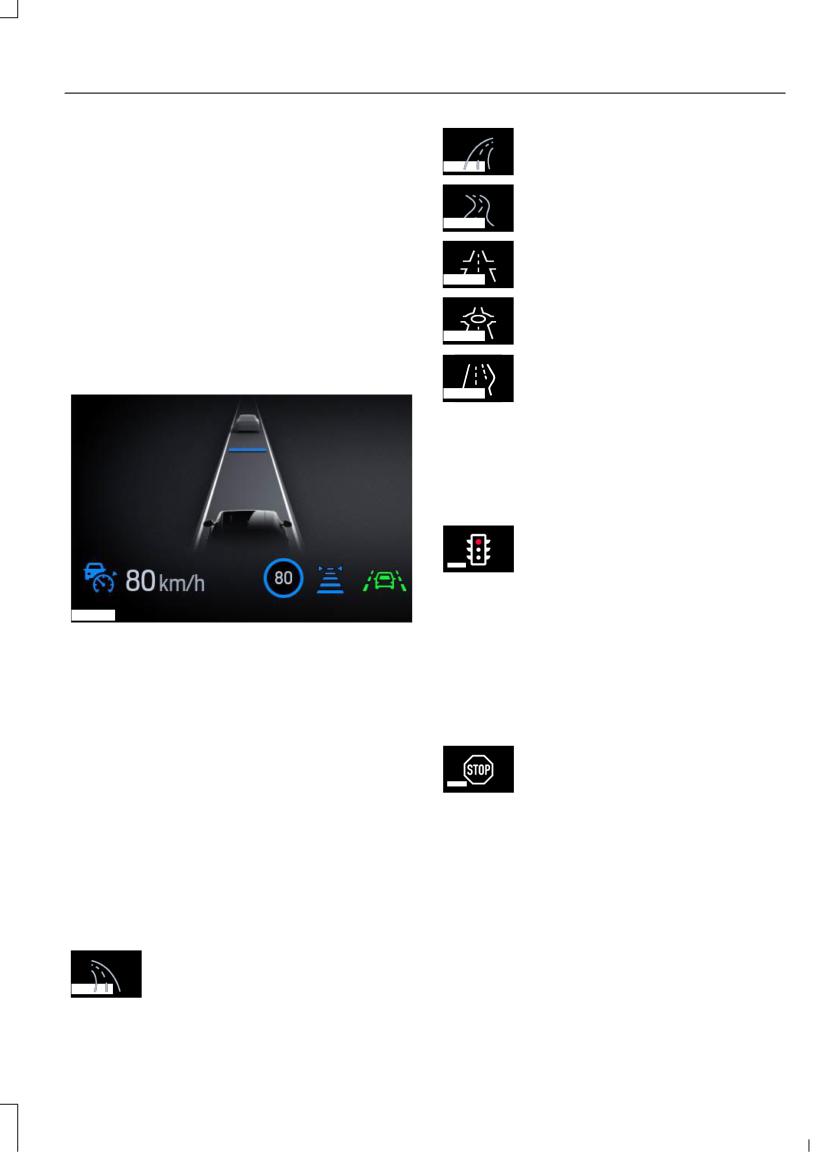
When the system detects a sign, curve,
Curve.
turn, roundabout, highway exit or traffic
E414102
light a grey indicator appears in the
instrument cluster display. When the
Intersection.
system reacts, the indicator turns blue and
a message appears in the instrument
E406651
cluster display. See Switching Predictive
Roundabout.
Speed Assist Mode On and Off (page
230).
E406653
Highway exit.
Speed Sign Indicator
E406652
Note: The displayed symbols may differ
from the ones displayed in your vehicle.
Future system updates may alter or update
the symbols.
Traffic Light Indicator
When the system detects a
yellow or a red traffic light, a
E462064
messageappears, theindicator
color changes from gray to blue, and the
vehicle starts to slow down and stops.
E414045
When the trafficlight turns green, you need
When the system detects a new speed
to either press the accelerator pedal or
sign, a blue indicator and a message
press the RES button on the steering
appear in the instrument cluster display.
wheel.
When the speed limit is reached, the set
speed updates unless you cancel it by
Stop Sign Indicator
pressing the RES button on the steering
wheel.
When the system detects a stop
sign, a message appears, the
E462068
Road Geometry Indicator
indicator color changes from
gray to blue, and the vehicle starts to slow
When the system detects a curve, turn,
down and stops. Press the accelerator
roundabout, or highway exit a message
pedal or press the RES button to continue
appears, the indicator color changes from
your journey.
gray to blue, and the vehicle starts to slow
down.
RoadGeometryIndicator Symbols
Left curve.
E406654
231
Explorer (CFU) 5-Door SUV, CG3968en enGBR, Edition date: 202603, First-Printing
Adaptive Cruise Control
ADAPTIVE CRUISE CONTROL
- TROUBLESHOOTING
ADAPTIVE CRUISE CONTROL -
WARNINGLAMPS
Illuminates in the instrument
cluster, if the system is not
E411865
available. Have your vehicle
checked as soon as possible.
If the system cannot brake
sufficiently while following a
E415099
vehicle, the symbol appears on
the instrument cluster and an audible
warning sounds, prompting you to apply
the brakes. Take immediate action.
232
Explorer (CFU) 5-Door SUV, CG3968en enGBR, Edition date: 202603, First-Printing
Lane Change Assist
HOW DOES LANE CHANGE
LANE CHANGE ASSIST
ASSIST WORK
PRECAUTIONS
WARNING: Do not use the lane
WARNING: You are responsible for
change assist system as a replacement
controlling your vehicle at all times. The
for using the interior and exterior mirrors
system is designed to be an aid and does
or looking over your shoulder before
not relieve you of your responsibility to
changinglanes.Thelanechange assist
drive with due care and attention. Failure
system is not a replacement for careful
to follow this instruction could result in
driving.
the loss of control of your vehicle,
personal injury or death.
Lane change assist requirements:
WARNING: The system will not
•
Adaptive cruise control is active.
operate if the sensor cannot track the
•
Lane centering is active.
roadlanemarkings.
•
Lane change assist is only available on
roads with multiple driving lanes in the
WARNING: The sensor may
same direction and structural
incorrectly track lane markings as other
separation between lanes of different
structures or objects. This can result in
driving direction.
a false or missed warning.
WARNING: In cold and severe
weather conditions the system may not
function. Rain, snow and spray can all
limit sensor performance.
WARNING: The system may not
operate properlyif the sensoris blocked.
Keep the windshield free from
obstruction.
WARNING: If damage occurs in the
immediate area surrounding the sensor,
have your vehicle checked as soon as
possible.
E414043
WARNING: Do not use the system
when towing a trailer. Failure to follow
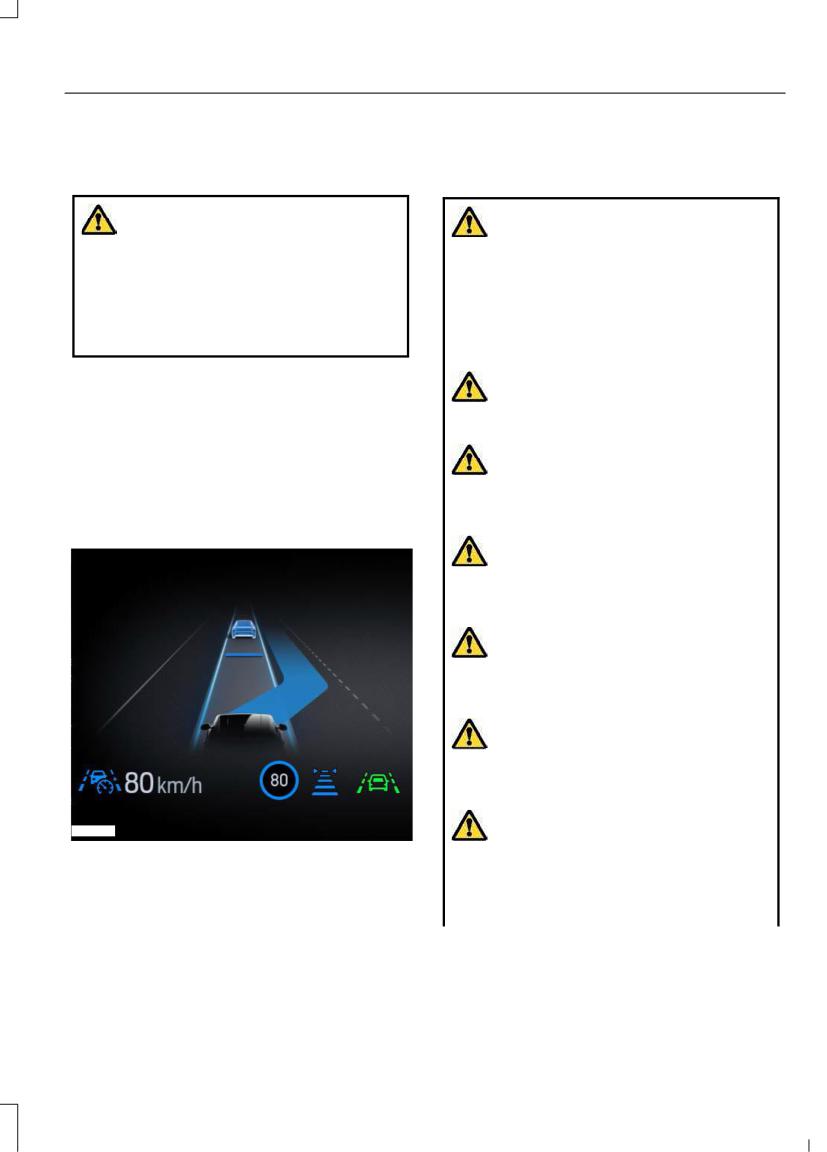
Lane change assist can automatically
this instruction could result in the loss of
perform a single lane change when you
control of your vehicle, personalinjury or
request the lane change using the turn
death.
signal lever. This feature is available at
65 km/h (40 mph) and above.
Note: Make sure the lane you are requesting
is clear of traffic or obstacles.
233
Explorer (CFU) 5-Door SUV, CG3968en enGBR, Edition date: 202603, First-Printing
Lane Change Assist
ACTIVATING AND
WARNING: Do not use the system
DEACTIVATING LANE CHANGE
if any changes or modifications to the
ASSIST
steering wheel have been made. Any
changes or modifications to the steering
Activating Lane Change Assist
wheel could affect the functionality or
performance of the system. Failure to
If all preconditions are met, and adaptive
follow this instruction could result in the
cruise control is on, lane change assist
loss of control of your vehicle, personal
activates automatically. Always activate
injury or death.
adaptive cruise control first by using the
button on the steering wheel.
WARNING: Large contrasts in
outside lighting can limit sensor
Deactivating Lane Change Assist
performance.
Press this button on the steering
See Adaptive Cruise Control
wheel.
Precautions (page 220).
Alternatively:
See Lane Centering Precautions (page
226).
Press the brake pedal. Lane change assist
and lane centering are deactivated.
LANE CHANGE ASSIST
Note: You can also deactivate the lane
change assist by using the touchscreen.
LIMITATIONS
Lane change assist will not perform the
LANE CHANGE ASSIST
requested maneuver if traffic is identified
CANCELLATION
in the selected lane.
You can cancel lane change assist by
SWITCHING LANE CHANGE
choosing any of the following steps:
ASSIST ON AND OFF
Press this button on the steering
wheel.
1.
•
Press the brake pedal.
E453114
Press this icon.
•
Steer your vehicle to the opposite
2.
direction.
•
Move your turn signal lever in the
E453115
Press this icon.
opposite direction.
3. Select driving support and make the
required adjustments.
234
Explorer (CFU) 5-Door SUV, CG3968en enGBR, Edition date: 202603, First-Printing

Lane Change Assist
LANECHANGEASSIST-TROUBLESHOOTING
LANE CHANGE ASSIST - INFORMATION MESSAGES
Message
Details
Lane Change Assist stopped. Take control
The system stopped. Take control of the
of vehicle!
vehicle.
Lane Change Assist stopped. Please take
The system stopped. Take control of the
over steering.
vehicle.
Lane Change Assist stopped. Brake!
The system stopped. Press the brake pedal.
235
Explorer (CFU) 5-Door SUV, CG3968en enGBR, Edition date: 202603, First-Printing
Local Hazard Information
WHATIS LOCAL HAZARD
ENABLING LOCAL HAZARD
INFORMATION
INFORMATION
The system is designed to provide near
Local hazard information is an extension
real-time information about the road in
of the connected navigation feature. Make
front of you.
sure that you enable connected navigation
See Navigation (page 371).
LOCAL HAZARD
INFORMATIONPRECAUTIONS
WARNING: You are responsible for
controlling your vehicle at all times. The
system is designed to be an aid and does
not relieve you of your responsibility to
drive with due care and attention. Failure
to follow this instruction could result in
the loss of control of your vehicle,
personal injury or death.
LOCAL HAZARD
INFORMATION INDICATORS
When the feature is active, the system may
display the following icons on the
navigation screen depending on the driving
situation.
Broken down vehicle.
E413107
Accident.
E413105
Slippery road.
E413106
236
Explorer (CFU) 5-Door SUV, CG3968en enGBR, Edition date: 202603, First-Printing
Intelligent Speed Limiter
WHAT IS THE INTELLIGENT
SPEED LIMITER
WARNING: You are responsible for
controlling your vehicle at all times. The
Intelligent speed limiter is a driving aid that
system is designed to be an aid and does
limits the vehicle speed to the maximum
not relieve you of your responsibility to
speed limit detected by the speed sign
drive with due care and attention. Failure
recognition system.
to follow this instruction could result in
the loss of control of your vehicle,
personal injury or death.
HOW DOES THE INTELLIGENT
SPEED LIMITER WORK
SWITCHING THE INTELLIGENT
The system allows you to limit the vehicle
SPEED LIMITER ON AND OFF
speed to the maximum speed limit
detected by the speed sign recognition
1.
system. For example, if the speed sign
recognition system detects a 80 km/h
E405179
Press the mode selector
speed limit, the vehicle speed is limited to
button on the left-hand side of the
80 km/h. You can temporarily exceed the
steering wheel until speed limiter is
set speed if required, for example to
selected in the instrument cluster
overtake.
display.
The controls are on the steering wheel.
2.
A warning appears in the instrument
E405178
The system turns on in
cluster display if any of the following occur:
standby mode, and the symbol
•
The vehicle speed exceeds the current
illuminates gray in the instrument
set speed.
cluster display.
•
Thesystem detects a maximum speed
Note: To activate the system, resume set
limit that is lower than the current
speed. See Resuming the Set Speed Limit
vehicle speed.
(page 238).
•
You intentionally exceed the set speed.
To turn the system off, select a different
•
You unintentionally exceed the set
driving assist system by pressing the mode
speed,forexamplewhenyouaregoing
selector button with the system in standby.
downhill.
Note: The system is off and the set speed
is deleted.
INTELLIGENT SPEED LIMITER
PRECAUTIONS
SETTING THE SPEED LIMIT
Press the button while
WARNING: When you are going
downhill, your vehicle speed could
driving. Note: The current speed is
increase above the set speed. The
stored as the maximum speed.
system does not apply the brakes.
237
Explorer (CFU) 5-Door SUV, CG3968en enGBR, Edition date: 202603, First-Printing
Intelligent Speed Limiter
Note: When your vehicle is stationary,
CANCELING THE SET SPEED
30 km/h (19 mph) is set as the default
LIMIT
speed limit.
Press to cancel the set speed
CHANGINGTHESETSPEED
limiter.
LIMIT
The system returns to standby mode and
You can adjust the set speed in small or
the set speed remains in the memory.
large increments.
Note: The system does not limit the vehicle
Gently press to increase the
speed in standby mode.
E356421
speed in small increments.
RESUMING THE SETSPEED
Gently press to decrease the
LIMIT
speed in small increments.
E356422
Press the button to resume the
Strongly press either of the buttons to
set speed limiter. The system
adjust the set speed in large increments.
sets the speed limiter to the
Press and hold the corresponding button
detected maximum speed limit at the time
to continuously change the stored speed.
it resumes.
If the system detects a speed limit
Press the button again within a short
different from the set speed, a message
period of time to set the speed limiter to
appears in the instrument cluster. Press
the previously detected speed limit.
either button to set it as the new speed.
Note: This feature works only after the
The set speed is stored as the maximum
system detects a new speed limit.
speed and displayed in the instrument
cluster display.
INTENTIONALLY EXCEEDING
Note: The set speed limiter adjusts when
the system detects a different maximum
THE SET SPEED LIMIT
speed limit.
Press the accelerator pedal all the way
Note: If the system cannot detect a
down, then firmly press the accelerator
maximum speed limit, the system returns
pedal further down to exceed the set
to standby mode.
speed limit.
If the system detects a higher speed than
Note: The system will not resume speed
the stored speed, a message appears in
limitation, while you are pressing the pedal
the instrument cluster. To adjust the
in this position.
maximum speed limit to that speed during
that prompt, press either of the buttons.
Press the button to set the
current speed as speed limit.
The system resumes when the vehicle
speed drops below the set speed limit.
238
Explorer (CFU) 5-Door SUV, CG3968en enGBR, Edition date: 202603, First-Printing
Intelligent Speed Limiter
If you intentionally exceed the set speed,
Note: If you switch intelligent speed limiter
a warning appearsin theinstrument cluster
off, the system defaults to normal speed
display and a tone sounds.
limiter.
The set speed remains stored in the
Normal speed limiter allows you to
memory.
manually limit the vehicle speed using
controls on the steering wheel.
INTELLIGENT SPEED LIMITER
INTELLIGENT SPEED LIMITER
INDICATORS
- TROUBLESHOOTING
It illuminates green in the
instrument cluster display when
E405178
INTELLIGENT SPEED LIMITER -
you switch the system on.
FREQUENTLY ASKED QUESTIONS
It illuminates gray if the system is not
active.
Why does a warning appear in the
instrument cluster display?
•
The vehicle speed exceeds the current
INTELLIGENT SPEED LIMITER
set speed.
AUDIBLE WARNINGS
•
Thesystem detects a maximum speed
limit that is lower than the current
A tone sounds, if the system detects a
vehicle speed.
speed limit outside the operational speed
•
You intentionally exceed the set speed.
range.
Note: The system stays active.
SWITCHING FROM
INTELLIGENT SPEED LIMITER
TO SPEED LIMITER
You can change between intelligent speed
limiter and normal speed limiter using the
touchscreen.
1.
E453114
Press this icon.
2.
E453115
Press this icon.
3.
E405178
Press this icon.
4. Make the required adjustments.
239
Explorer (CFU) 5-Door SUV, CG3968en enGBR, Edition date: 202603, First-Printing

Lane Keeping System
WHATIS THE LANE KEEPING
SYSTEM
WARNING: In cold and severe
weather conditions the system may not
The lane keeping system is a driving aid
function. Rain, snow and spray can all
designed to provide temporary steering
limit sensor performance.
assistance when it detects an unintended
lane departure.
WARNING: Large contrasts in
outside lighting can limit sensor
performance.
HOW DOES THE LANE
KEEPING SYSTEM WORK
WARNING: The system will not
operate if the sensor cannot track the
The system is designed to alert you by
roadlanemarkings.
providing temporary steering assistance
when it detects an unintended lane
WARNING: If damage occurs in the
departure. Thelane keepingsystem uses
immediate area surrounding the sensor,
have your vehicle checked as soon as
a forward looking camera mounted on the
windshield to monitor vehicle movement
possible.
within the travel lane. The lane keeping
system is always on when the vehicle is
WARNING: The system may not
turned on. A system indicator appears in
correctly operate if your vehicle is fitted
with a suspension kit not approved by
the instrument cluster display.
Ford.
LANE KEEPING SYSTEM
PRECAUTIONS
LANE KEEPING SYSTEM
LIMITATIONS
WARNING: You are responsible for
The system is active if lane markings are
detected and the vehicle speed is greater
controlling your vehicle at all times. The
than approximately 65 km/h (40 mph).
system is designed to be an aid and does
not relieve you of your responsibility to
The system may not correctly operate in
drive with due care and attention. Failure
any of the following conditions:
to follow this instruction could result in
•
The system does not detect at least
the loss of control of your vehicle,
one lane marking or the edge of the
personal injury or death.
road.
WARNING: The system may not
•
You switch the turn signals on before
function if the sensor is blocked.
changing lane manually.
•
You apply direct steering, accelerate
WARNING: The sensor may
fast or brake hard.
incorrectly track lane markings as other
•
You do not react to the driver
structures or objects. This can result in
intervention prompt.
a false or missed warning.
•
The vehicle speed is less than 60 km/h
(37 mph).
240
Explorer (CFU) 5-Door SUV, CG3968en enGBR, Edition date: 202603, First-Printing
Lane Keeping System
•
The anti-lock brake, stability control or
Note: Only if the lane keeping system is
traction control system activates.
active, you can activate steering wheel
•
Narrow lane width and tight bends.
vibration.
4. Make the required adjustments.
The system may not correct lane
positioning in any of the following
conditions:
LANE KEEPING SYSTEM
•
High winds.
INDICATORS
•
Uneven road surfaces.
•
Heavy or uneven loads.
•
Incorrect tire pressure.
SWITCHING THE LANE
KEEPING SYSTEM ON AND
OFF
The system always turns on when you start
your vehicle.
1.
E413750
E453114
Press this icon.
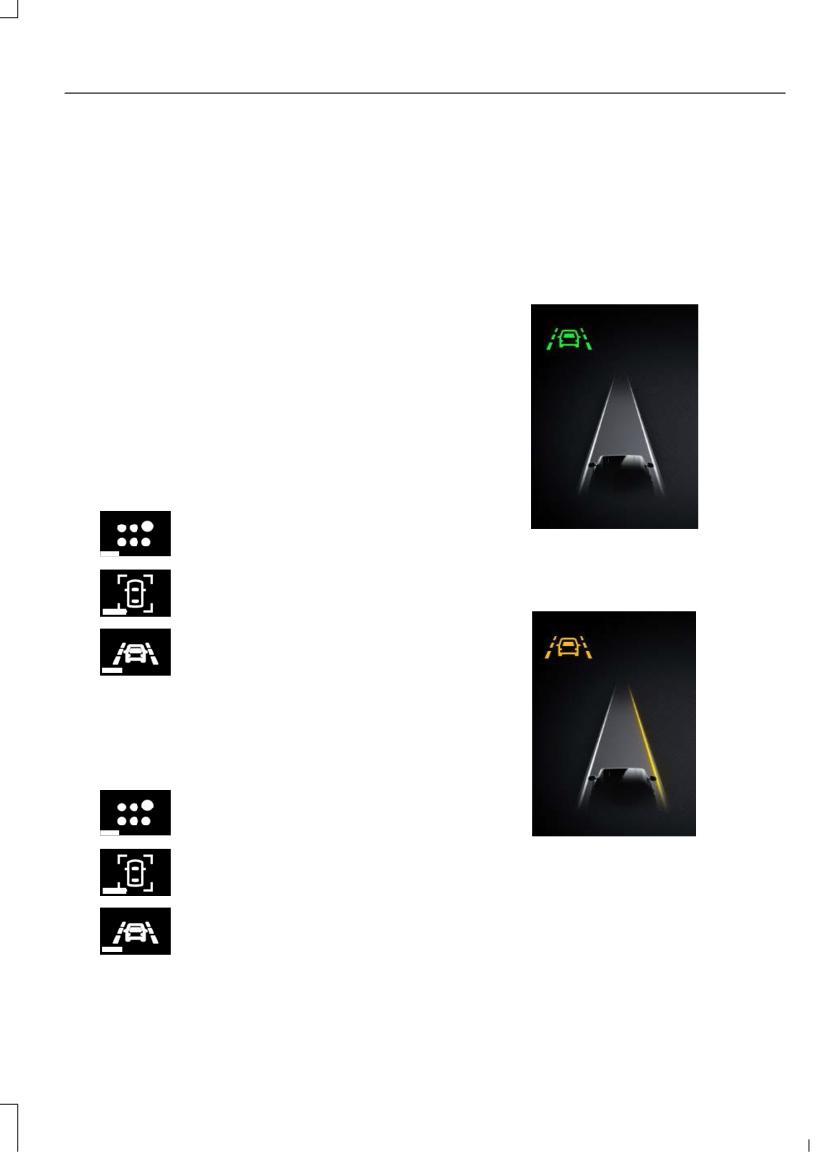
When the system is on and available, a
2.
green symbol and white lane markings
appear in the instrument cluster display.
E453115
Press this icon.
3.
E411369
Press this icon or select it
from the list.
4. Make the required adjustments.
Switching the Steering Wheel
Vibration On and Off
1.
E453114
Press this icon.
E413751
2.
The lane markings and the symbol
illuminate yellow if the system provides
E453115
Press this icon.
assistance. They illuminate grey if the
3.
system is unavailable or in standby mode,
for example when the vehicle speed is too
E411369
Press this icon or select it
low.
from the list.
241
Explorer (CFU) 5-Door SUV, CG3968en enGBR, Edition date: 202603, First-Printing
Lane Keeping System
E413752
E255695
When you switch the system off a yellow
Alert and Aid mode
off symbol illuminates and the lane
markings do not appear.
This mode is active when both the
lane-keeping system and the blind spot
assist are switched on. During lane
BLIND SPOT ASSIST
changes, the system detects vehicles in,
or approaching your blind spot and
WHAT IS BLIND SPOT ASSIST
provides a warning, plus steering
assistance to direct your vehicle back into
Blind spot assist is an extension of the lane
your lane. See Blind Spot Assist
keeping system that detects vehicles that
Indicators (page 244).
may have entered the blind spot zone. The
When active, this system functions with or
system provides a blind spot warning and
without the use of turn signals and hazard
steering assistance during lane changes if
flashers.
it detects adjacent vehicles.
You must keep your hands on the steering
wheel at all times.
HOW DOES BLIND SPOT ASSIST
WORK
Switching Blind Spot Assist On
and Off
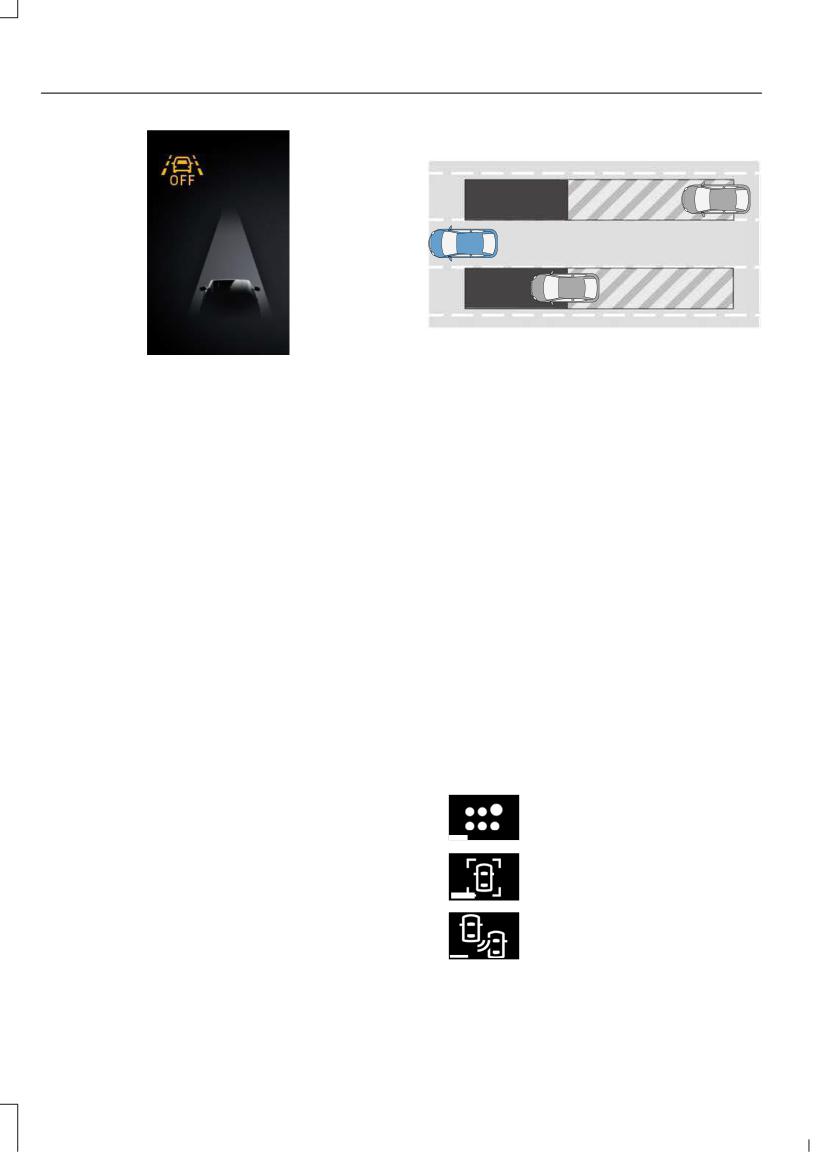
Alert mode
You can adjust the settings on the
If you switch the lane-keeping system off,
touchscreen.
blind spot assist only works in alert mode.
It detects vehicles that may have entered
1.
the blind spot zone, and alerts you with a
warning lamp. The detection area is on
E453114
Press this icon.
both sides of your vehicle, extending
2.
rearward from the exterior mirrors to
approximately 4 m (13 ft) beyond the rear
E453115
Press this icon.
bumper. The detection area extends to
3.
approximately 18 m (59 ft) beyond the rear
bumper when the vehicle speed is greater
E406029
Press this icon or select it
than 48 km/h (30 mph) to alert you of
from the list.
faster approaching vehicles.
4. Make the required adjustments.
242
Explorer (CFU) 5-Door SUV, CG3968en enGBR, Edition date: 202603, First-Printing
Lane Keeping System
If you switch the lane-keeping system off,
blind spot assist does not provide steering
assistance. The lane-keeping system
switches on every time you start your
vehicle.
When you switch blind spot assist on, a
warning lamp illuminates in the exterior
mirror. If you switch it off, the lane keeping
system remains on. In this case the blind
spot assist indicators remain off as well.
Note: You can adjust the brightness of the
E403342
alert indicator in the touchscreen menu.
Note: The system remembers the last
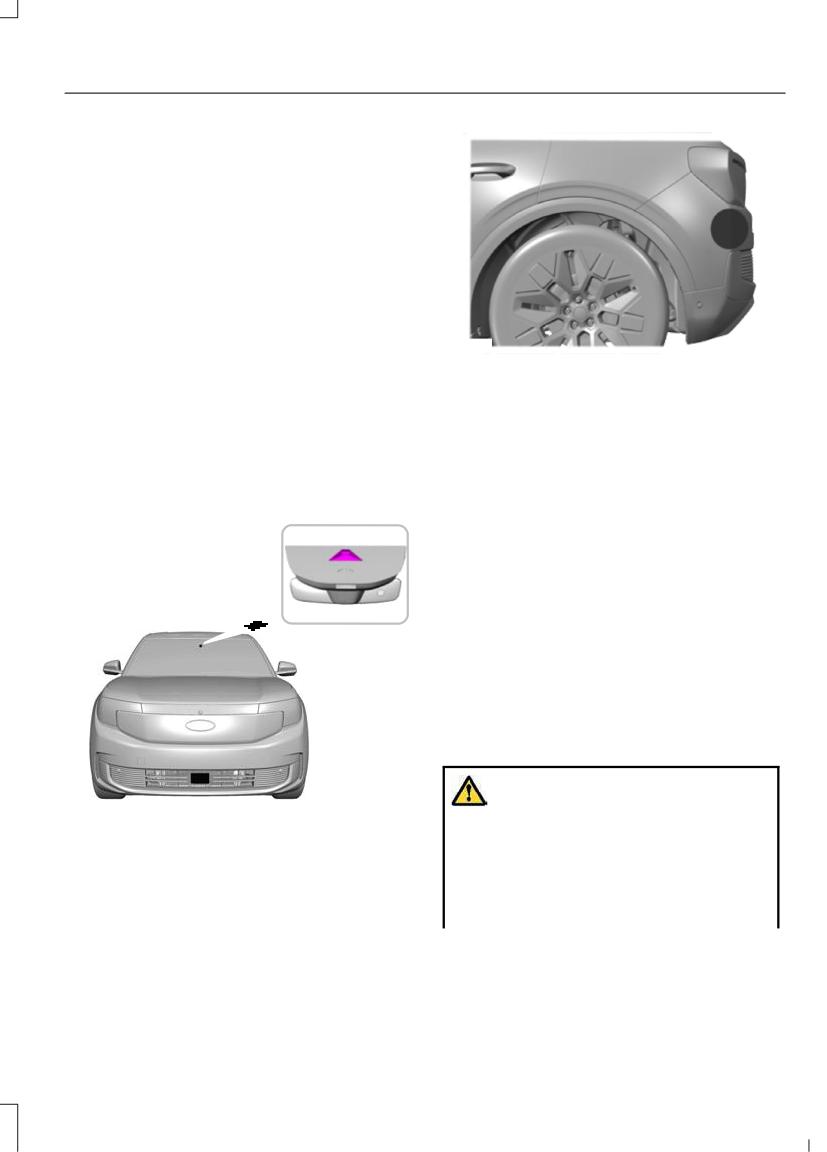
The rear sensors are behind the rear
setting when you start your vehicle.
bumper on both sides of your vehicle.
Note: Keep the sensors free from snow, ice
Locating the Blind Spot Assist
and large accumulations of dirt.
SystemSensors
Note: Do not cover the sensors with bumper
The blind spot assist system uses the front
stickers, repair compound or other objects.
camera and rear radar sensors.
Note: Blocked sensors could affect system
performance.
If the sensors are blocked, a message may
appear in the instrument cluster display.
The alert indicators remain illuminated but
the system does not alert you.
If a message regarding a blocked sensor
or camera appears in the instrument
cluster display, something is obstructing
the radar signals or camera images.
BLIND SPOT ASSIST LIMITATIONS
E414031
WARNING: Do not use the blind
spot information system as a
replacement for using the interior and
exterior mirrors or looking over your
shoulderbefore changinglanes.The
blind spot information system is not a
replacement for careful driving.
243
Explorer (CFU) 5-Door SUV, CG3968en enGBR, Edition date: 202603, First-Printing

Lane Keeping System
Note: The system could not alert you if a
vehicle quickly passes through the detection
WARNING: The system may not
zone.
operate properly during severe weather
conditions, for example snow, ice, heavy
Note: Blocked sensors could affect system
rain and spray. Always drive with due
performance.
care and attention. Failure to take care
Note: The system may not correctly operate
may result in a crash.
when towing a trailer. For vehicles with a
trailer tow module and tow bar approved
All system limitations present in the basic
by us, the system turns off when you attach
lane keeping system also apply to blind
a trailer. For vehicles with an aftermarket
spotassist.
trailer tow module or tow bar, we
Blind spot assist does not function under
recommend that you switch the system off
the following conditions:
when you attach a trailer.
•
When none or only one of the two lane
Blind Spot Assist System
markings are detected.
Requirements
•
One or both rear radar sensors become
blocked or faulty.
The system turns on when all of the
following occur:
•
A trailer is attached to your vehicle.
•
You start your vehicle.
Note: Bike carriers and cargo racks could
•
You shift into drive (D).
cause false alerts due to obstruction of the
sensor. We recommend switching the
•
The vehicle speed is greater than
feature off when using a bike carrier or a
10 km/h (6 mph).
cargo rack.
Note: The system does not operate in park
Blind spot assist could have difficulty
(P) or reverse (R).
detecting hazards under the following
conditions:
BLINDSPOTASSISTINDICATORS
•
If a vehicle is approaching in an
adjacent lane at a relative speed much
When the system detects a
higher than your vehicle.
vehicle, an alert indicator
E406029
illuminates in the exterior mirror
•
Bad weather conditions are present
on the side the approaching vehicle is
that obstruct the sensors.
coming from. If you turn the turn signals
The system does not operate in park (P)
on for that side of your vehicle, the alert
or reverse (R).
indicator flashes.
Note: The system does not prevent contact
Note: The system could not alert you if a
with other vehicles. It is not designed to
vehicle quickly passes through the detection
detect parked vehicles, pedestrians, animals
zone.
or other infrastructures.
244
Explorer (CFU) 5-Door SUV, CG3968en enGBR, Edition date: 202603, First-Printing
Lane Keeping System
E310089
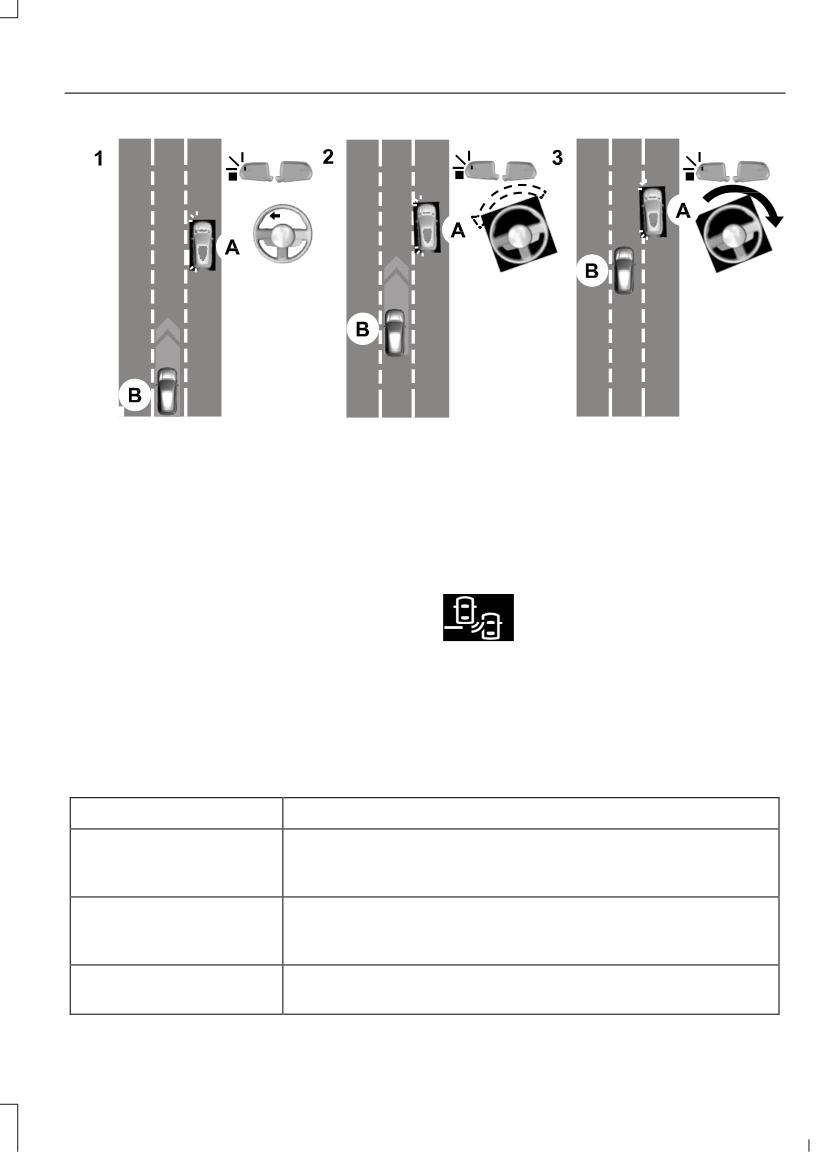
The lane-keeping system warning lamp or
Diagram 1: Vehicle A uses its left turn
yellow lane marking in your instrument
signal preparing to change from the right
cluster indicate blind spot assist activation.
lane to the middle lane. Vehicle B is already
In addition, the alert indicator flashes on
in the middle lane and just entered Vehicle
the exterior mirror on the same side as the
A's blind spot causing the blind spot assist
detection.
system alert indicator to flash on the
exterior mirror.
Blind Spot Assist - Warning Lamps
Diagram 2: The driver of Vehicle A begins
If the system detects a fault, it
to steer into the center lane not aware of
illuminates in the instrument
Vehicle B.
E406029
cluster and a message appears
Diagram 3: Blind spot assist counter
in the instrument cluster display. Have
steers to help alert the driver of Vehicle A
your vehicle checked as soon as possible.
to direct their vehicle back into the right
lane to help avoid a possible collision with
Vehicle B.
BLIND SPOT ASSIST - INFORMATION MESSAGES
Message
Details
Rear carrier/trailer: Blind
Displays if you attach bike carrier, cargo racks or a trailer to
Spot Assist is unavail-
your vehicle.
able.
Blind Spot Assist is
Displays if the blind spot assist system sensors are blocked.
unavailable. Sensor
impaired.
Error: Blind Spot Assist
The system has detected a fault that requires service. Have
your vehicle checked as soon as possible.
245
Explorer (CFU) 5-Door SUV, CG3968en enGBR, Edition date: 202603, First-Printing
Lane Keeping System
Note: If a message regarding BLIS appears
LANE KEEPING SYSTEM -
in the information display, the same details
TROUBLESHOOTING
apply as for the Blind Spot Assist System.
LANE KEEPING SYSTEM -
INFORMATION MESSAGES
Lane Keeping System - Warning
Lamps
Illuminates in the instrument
cluster display if the system is
E465437
not available due to a
malfunction. Have your vehicle checked
as soon as possible.
Lane Keeping System - Information Messages
Message
Details
Error: Lane-Keeping System
The system has detected a fault that
requires service. Have your vehicle checked
as soon as possible.
Lane-Keeping System is currently unavail-
The system has detected a condition that
able.
has caused the system to be temporarily
unavailable.
Driver Assistance is currently restricted.
The system has detected a condition that
Front sensor impaired.
requires you to clean the windshieldin order
for it to operate properly.
Please drive in the centre of the lane.
The system requests that you keep the
vehicle in the center of the lane.
Take over steering!
The system requests that you take over the
steering wheel.
246
Explorer (CFU) 5-Door SUV, CG3968en enGBR, Edition date: 202603, First-Printing
Exit Warning
WHAT IS EXIT WARNING
WARNING: You are responsible for
Exit warning provides a visual and audible
controlling your vehicle at all times. The
alert when a vehicle occupant opens a
system is designed to be an aid and does
door into approaching traffic. It uses radar
not relieve you of your responsibility to
sensors to alert you to traffic objects.
drive with due care and attention. Failure
to follow this instruction could result in
the loss of control of your vehicle,
HOW DOES EXIT WARNING
personal injury or death.
WORK
WARNING: The exit warning
Exit warning detects traffic objects such
system becomes active once you have
asvehicles, cyclists, scooters and
started your vehicle and the vehicle is
motorcycles that approach your vehicle
not moving. Exit warning is only active
from the rear and cross into the exit
when your vehicle is on.
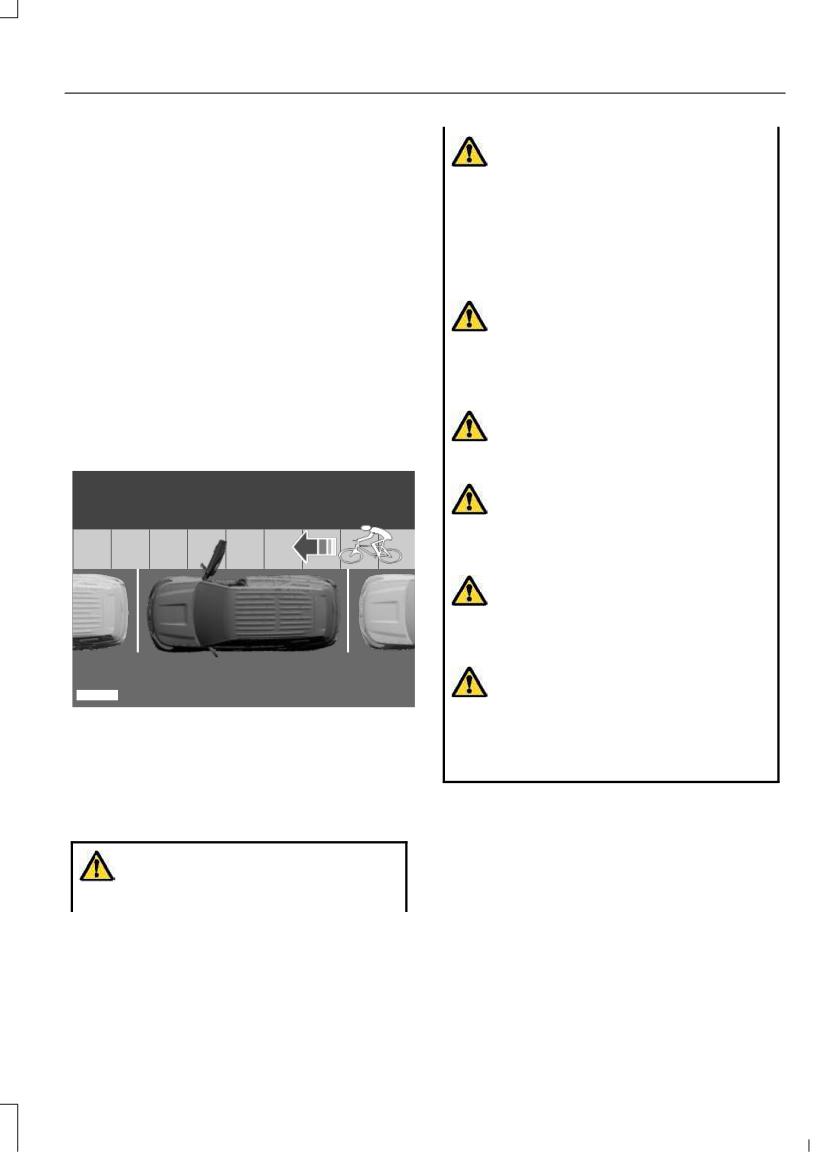
warning zone. The exit warning zones are
along the left and right sides of your
WARNING: Always pay attention
vehicle, extending past a fully open door.
to the traffic situation and the area
around the vehicle.
WARNING: In cold and severe
weather conditions the system may not
function. Rain, snow and spray can all
limit sensor performance.
WARNING: If damage occurs in the
immediate area surrounding the sensor,
have your vehicle checked as soon as
possible.
E371193
WARNING: The system may not
detect objects with surfaces that absorb
Note: The system cannot detect animals,
reflection. Always drive with due care
slow moving pedestrians or any type of
and attention. Failure to take care may
stationary object.
result in a crash.
EXITWARNINGPRECAUTIONS
EXIT WARNING LIMITATIONS
Exit warning shuts off approximately three
WARNING: The system is not a
minutes after your vehicle is switched off,
crash warning or avoidance system.
or immediately after you lock your doors.
When the vehicle battery is low and your
vehicle is switched off, exit warning shuts
off to conserve battery power. When exit
warning turns off, a message appears in
the instrument cluster display.
247
Explorer (CFU) 5-Door SUV, CG3968en enGBR, Edition date: 202603, First-Printing
Exit Warning
Note: Do not use exit warning as a
3.
replacement for paying attention when
exiting your vehicle.
E413492
Press this icon and enter the
relevant menu to switch the feature on
Note: The system does not prevent contact
or off.
with other vehicles by closing the doors
automatically.
Note: You can only turn the system on or
off when your vehicle is stationary.
Note: The system may not inform and/or
alert you if a traffic object is approaching
Note: The system turns on automatically
too quickly or if the parking position prevents
the next time you switch your vehicle on.
detection.
LOCATING THE EXIT WARNING
EXIT WARNING INDICATORS
SENSORS
Exit Warning has two stages to
indicate an approaching traffic
E402393
object. If you open a door and
exit warning detects an approaching traffic
object, the corresponding alert indicator in
the exterior mirror flashes and an audible
alert sounds. If you open a door before exit
warning detects an approaching traffic
object the same alert indicator illuminates.
In this case there is no audible alert. See
Blind Spot Assist Indicators (page 244).
E403342
SWITCHING EXIT WARNING
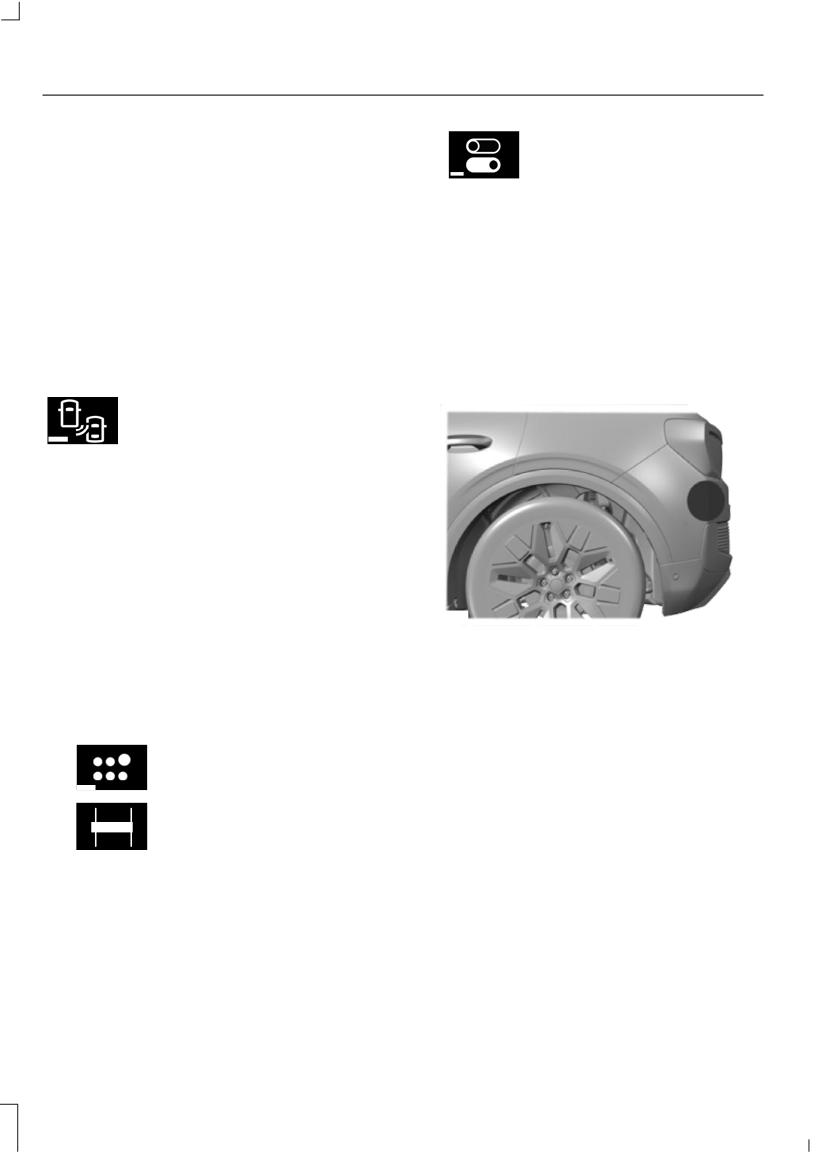
The sensors are mounted behind the rear
ONAND OFF
bumper on both sides of your vehicle.
Note: Keep the sensors free from snow, ice
You can switch off the exit warning system
and large accumulations of dirt.
by using the touchscreen.
Note: Do not cover the sensors with bumper
1.
stickers, repair compound or other objects.
E453114
Press this icon.
Note: Blocked sensors may affect system
2.
accuracy.
E
26188
Press this icon.
248
Explorer (CFU) 5-Door SUV, CG3968en enGBR, Edition date: 202603, First-Printing

Exit Warning
EXIT WARNING - TROUBLESHOOTING
EXIT WARNING - INFORMATION MESSAGES
Message
Details
Exit Warning, Blind Spot Assist and Cross-
Displays if you attach a trailer to your
Traffic Alert are unavailable.
vehicle.
Error: Blind Spot Assist, Exit Warning and
Displays if the exit warning system detects
Cross-Traffic Alert
any system error.
249
Explorer (CFU) 5-Door SUV, CG3968en enGBR, Edition date: 202603, First-Printing
Cross Traffic Alert
WHAT IS CROSS TRAFFIC
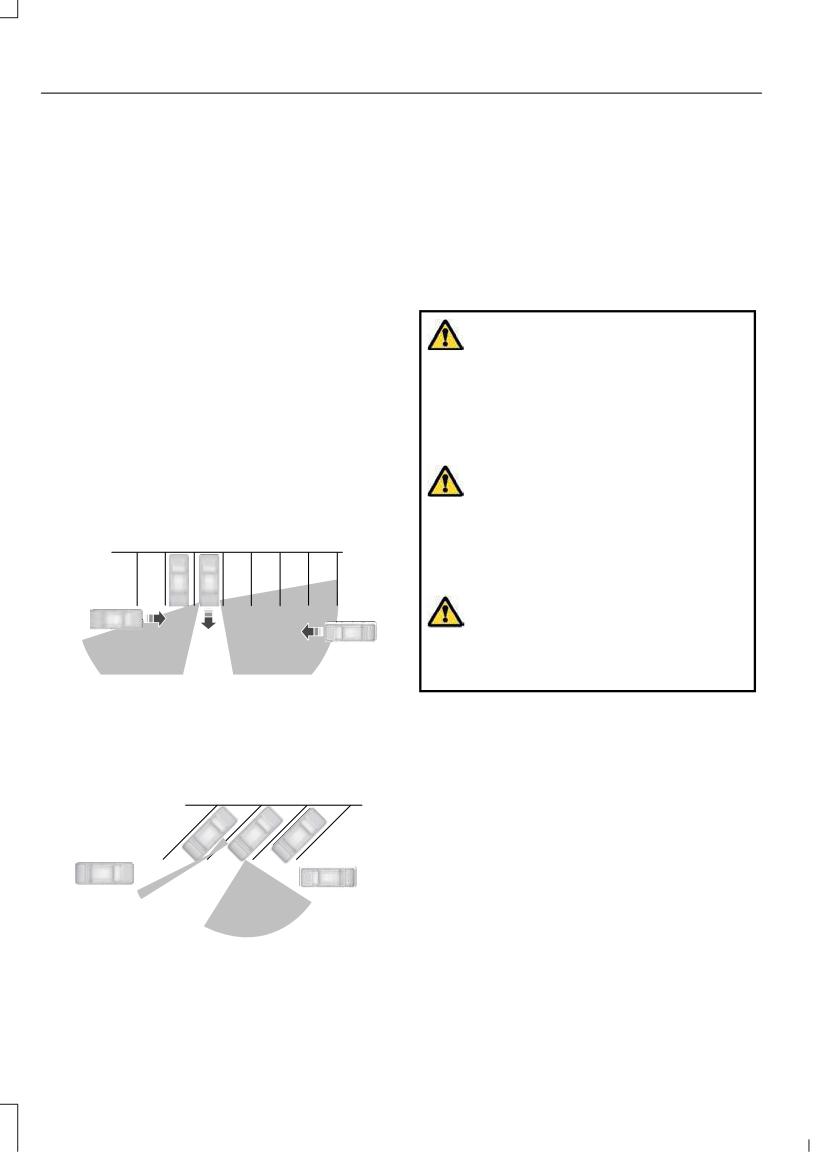
Zone coverage also decreases when
parking at narrow angles. The sensor on
ALERT
the left-hand side is mostly obstructed and
zone coverage on that side is severely
The system is designed to alert you of
reduced.
vehicles approaching from the sides behind
your vehicle when you shift into reverse
(R). If you continue to reverse after the
CROSS TRAFFIC ALERT
system alerts you, the system is designed
PRECAUTIONS
to apply the brakes if it still detects an
approaching vehicle. If the system applies
the brakes, a message appears in the
instrument cluster display.
WARNING: Do not use the cross
traffic alert system as a replacement for
using the interior and exterior mirrors or
HOW DOES CROSS TRAFFIC
looking over your shoulder before
ALERT WORK
reversing out of a parking space. The
cross traffic alert system is not a
Coverage decreases when the sensors are
replacement for careful driving.
partially, mostly or fully obstructed. Slowly
reversing helps increase the coverage area
WARNING: The system may not
and effectiveness.
operate properly during severe weather
conditions, for example snow, ice, heavy
rain and spray. Always drive with due
care and attention. Failure to take care
may result in a crash.
WARNING: If damage occurs in the
immediate area surrounding the sensor,
have your vehicle checked as soon as
possible.
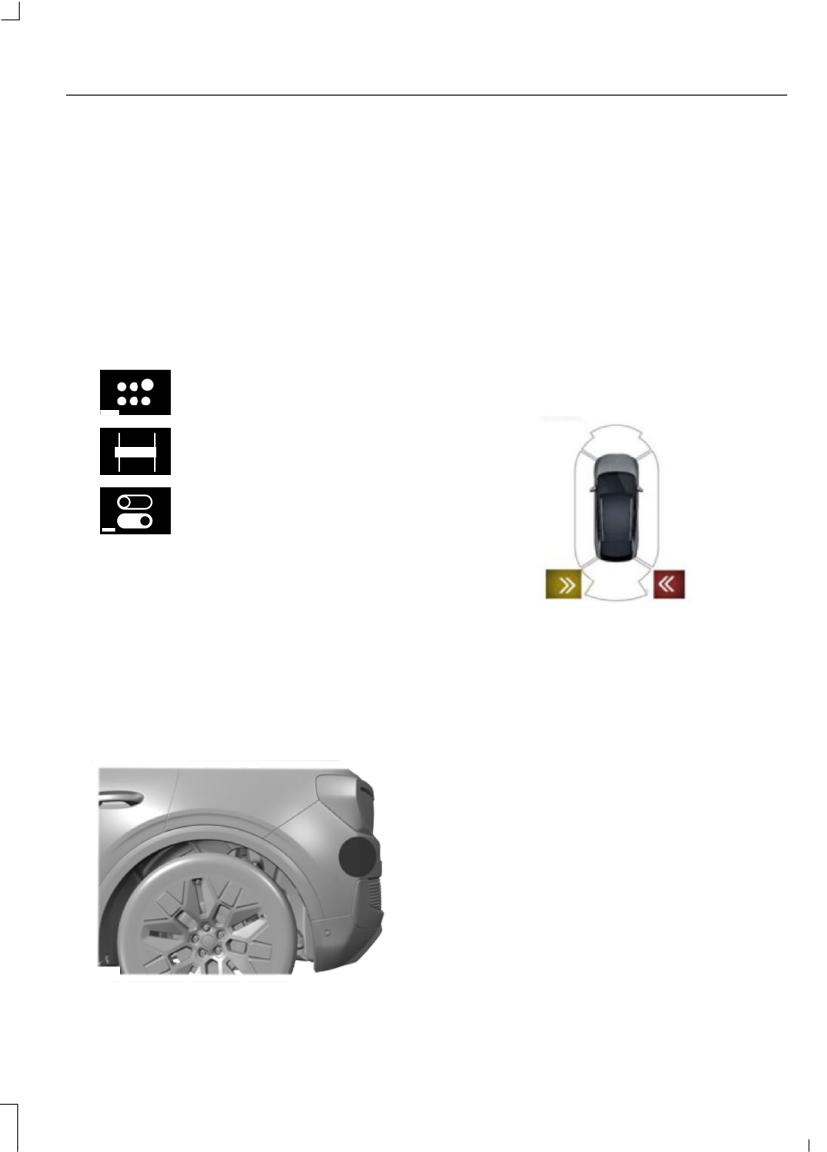
E142440
The sensor on the left-hand side is only
CROSS TRAFFIC ALERT
partially obstructed and zone coverage on
the right-hand side is maximized.
LIMITATIONS
The system may not correctly operate
when any of the following occur:
•
The sensors are blocked.
•
Adjacently parked vehicles or objects
are obstructing the sensors.
•
You reverse out of an angled parking
space.
E142441
250
Explorer (CFU) 5-Door SUV, CG3968en enGBR, Edition date: 202603, First-Printing
Cross Traffic Alert
Note: The system may not correctly operate
The sensors are behind the rear bumper
when towing a trailer. For vehicles with a
on both sides of your vehicle.
Ford approved trailer tow module and tow
Note: Keep the sensors free from snow, ice
bar, the system turns off when you attach
and large accumulations of dirt.
a trailer. For vehicles with an aftermarket
trailer tow module or tow bar, we
Note: Do not cover the sensors with bumper
recommend that you switch the system off
stickers, repair compound or other objects.
when you attach a trailer.
Note: Blocked sensors could affect system
performance.
SWITCHING CROSS TRAFFIC
ALERT ON AND OFF
CROSS TRAFFIC ALERT
INDICATORS
1.
E453114
Press this icon.
2.
E
26188
Press this icon.
3.
E413492
Press this icon and enter the
relevant menu to switch the feature on
or off.
Note: You can only turn the system on or
off when your vehicle is stationary.
E457346
Note: The system remembers the last
When the system detects an approaching
setting when you start your vehicle.
vehicle the obstacle area appears in color
in the center display. A yellow colored
LOCATING THE CROSS
arrow indicates a lower warning level. A
red colored arrow together with an audible
TRAFFIC ALERT SENSORS
warning indicates an increased warning
level.
Note: In exceptional conditions, the system
could alert you or apply the brakes, even
when there is nothing in the detection zone,
for example a vehicle passing further away
from your vehicle.
E403342
251
Explorer (CFU) 5-Door SUV, CG3968en enGBR, Edition date: 202603, First-Printing
Cross Traffic Alert
CROSS TRAFFIC ALERT - TROUBLESHOOTING
CROSS TRAFFIC ALERT - INFORMATION MESSAGES
Message
Details
Exit Warning, Blind Spot Assist and Cross-
Displays if you attach a trailer to your
Traffic Alert are unavailable.
vehicle.
Error: Blind Spot Assist, Exit Warning and
Displays if the cross traffic alert system
Cross-Traffic Alert
detects any system error.
252
Explorer (CFU) 5-Door SUV, CG3968en enGBR, Edition date: 202603, First-Printing
Pre-Collision Assist
WHAT IS PRE-COLLISION
provides multiple levels of assistance to
help avoid a collision.
ASSIST
Pre-collision assist detects and warns of
HOW DOES PRE-COLLISION
approaching hazards in the roadway. If
ASSIST WORK
your vehicle is rapidly approaching another
stationary vehicle, a vehicle traveling in the
The system warns the driver of potential
same direction as yours, or a pedestrian
hazards by providing five levels of
within your driving path, the system
assistance.
Level of Assistance
Details
Distance warning
The system detects when safety is endangered by driving
too close to the vehicle in front. The indicator lamp lights
up. Increase the distance.
Advance warning
The system detects a possible collision and prepares
the brakes for rapid braking. An acoustic warning sounds
and the red warning lamp lights up. Brake or take
avoiding action.
Urgent warning
If the driver does not react to the advance warning, the
system may initiate a short braking jolt in order to draw
attention to the increasing collision risk. Brake or take
avoiding action.
Automatic braking
The system can brake the vehicle automatically in
several stages with increasing braking force. The reduced
speed means that it is possible to reduce impact or avoid
the crash.
Braking intervention
If the system detects that the driver brakes insufficiently
when there is a risk of collision, it increases the braking
force and helps to prevent a collision. The braking inter-
vention takes place only for as long as the driver presses
the brake pedal hard.
Pre-collision assist includes the following
additional functions:
•
Evasive steering assist.
•
Intersection assist.
•
Pre-collision assist - oncoming
vehicles.
The listed functions are automatically
active when pre-collision assistis switched
on.
253
Explorer (CFU) 5-Door SUV, CG3968en enGBR, Edition date: 202603, First-Printing
Pre-Collision Assist
Pre-Collision Assist - Oncoming
PRE-COLLISION ASSIST
Vehicles
PRECAUTIONS
Pre-collision assist - oncoming expands
the function of pre-collision assist to
oncoming vehicles within your same lane.
WARNING: You are responsible for
The system can help to reduce the severity
controlling your vehicle at all times. The
system is designed to be an aid and does
of a crash by providing a warning to you as
well as automatically applying the brakes.
not relieve you of your responsibility to
Detection of oncoming vehicles is active if
drive with due care and attention. Failure
you are driving your vehicle above 30 km/h
to follow this instruction could result in
(19 mph).
the loss of control of your vehicle,
personal injury or death.
HOW DOES PRE-COLLISION
WARNING: The system does not
ASSIST WITH INTERSECTION
operate during hard acceleration or
ASSIST WORK
steering. Failure to take care may lead
to a crash or personal injury.
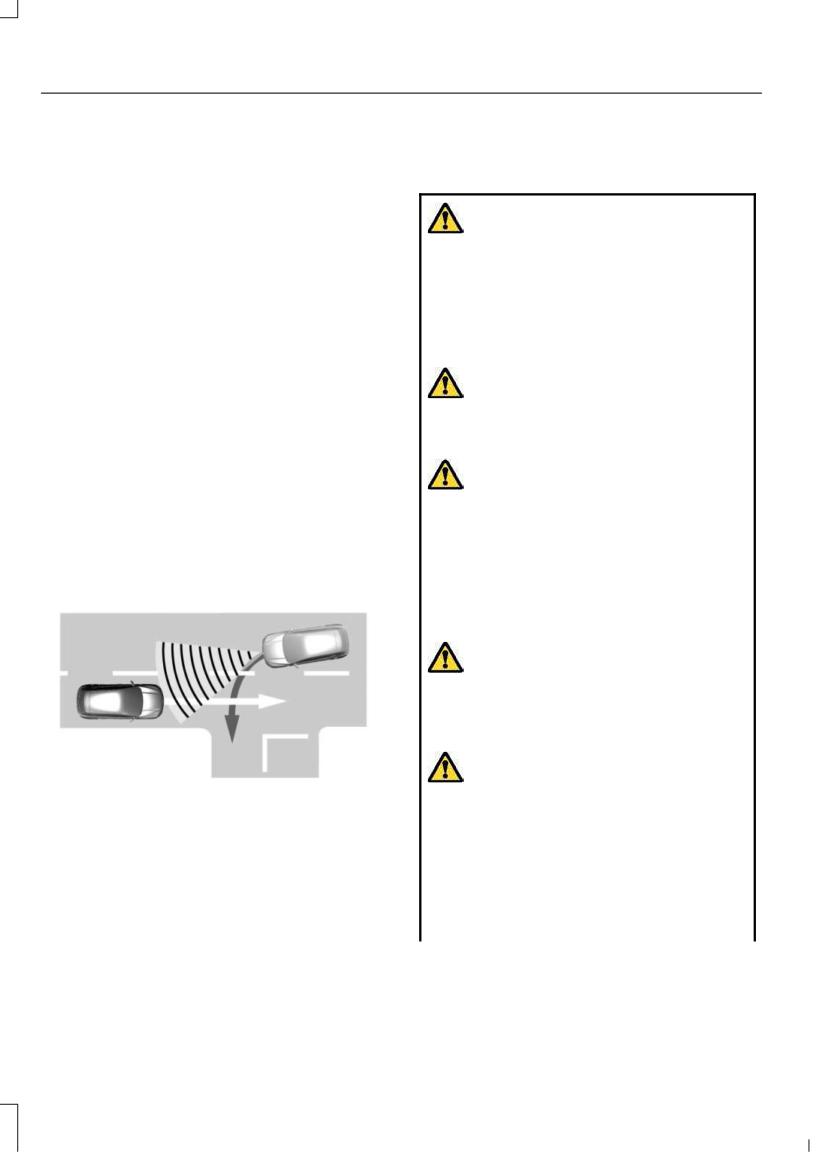
The pre-collision assist system could apply
brakes if you are turning across an
WARNING: The system may
oncoming vehicle's path. Detection of
operate with reduced function during
vehicles driving in an oncoming direction
cold and inclement weather conditions.
is active if your vehicle is driving at speeds
Snow, ice, rain, spray and fog can
up to 20 km/h (12 mph).
adversely affect the system. Keep the
front camera and radar free of snow and
ice. Failure to follow this instruction may
result in the loss of control of your
vehicle,serious personalinjuryor death.
WARNING: The system may not
operate properly if your vehicle has a
non-Ford windshield. Do not carry out
windshield repairs in the area around the
sensor.
WARNING:Systemperformance
E309750
could be reduced in situations where the
vehicle camera has limited detection
capability. These situations include but
are not limited to direct or low sunlight,
vehicles at night without tail lights,
unconventional vehicle types,
pedestrians or cyclists with complex
backg6rounds, running pedestrians or fast
254
Explorer (CFU) 5-Door SUV, CG3968en enGBR, Edition date: 202603, First-Printing
Pre-Collision Assist
•
If the vehicle accelerates hard or the
moving cyclists, partly obscured
accelerator pedal is fully depressed.
pedestrians or cyclists, pedestrians or
cyclists that the system cannot
•
When driving into and out of tunnels.
distinguish from a group. Failure to take
•
If there is a fault in pre-collision assist.
care may result in the loss of control of
•
Vehicles that are driving outside the
your vehicle, personal injury or death.
sensor range in close proximity to your
vehicle.
WARNING: The Pre-Collision Assist
system with brake support cannot help
•
Vehicles that change into your lane
prevent all collisions. Do not rely on this
directly in front of your vehicle.
system to replace your judgment and the
•
Vehicles with trailers.
need to maintain correct distance and
Pre-collision assist provides maximum
speed.
assistance in the following situations:
Vehicle Detection Limitations
PRE-COLLISION ASSIST
Vehicle detection is active at speeds up to
LIMITATIONS
250 km/h (155 mph).
Pre-collision assist depends on the
Vehicle detection functions optimally
detection ability of its camera and radar
when detected hazards are clearly
sensors. Any obstruction or damage to
identifiable. System performance may
these areas can limit detection or prevent
reduce in situations where vehicles are
the system from functioning.
partly obscured, have a complex
backg6round, or cannot be distinguished
The system is active if your vehicle speed
from a group.
is greater than 5 km/h (3 mph) and above.
Note: Brake support and automatic
Pedestrian Detection Limitations
emergency braking are active up to the
maximum speed of the vehicle.
Pedestrian detection is active at speeds
up to 85 km/h (53 mph).
Pre-collision assist cannot react or reacts
with a delay in the following situations:
Pedestrian detection functions optimally
when detected hazards are clearly
•
In tight bends.
identifiable. System performance may
•
Driving in multi-storey car parks and
reduce in situations where pedestrians are
tunnels.
running, partly obscured, have a complex
•
Approaching a railway crossing.
backg6round, or cannot be distinguished
from a group.
•
Reversing.
•
If stability control is performing a
Cyclist Detection Limitations
control intervention or faulty.
Cyclist detection is active at speeds up to
•
If several brake lights on the vehicle are
250 km/h (155 mph).
faulty.
•
If there is a fault in several brake lights
on a trailer or bicycle carrier with an
electrical connection to the vehicle.
255
Explorer (CFU) 5-Door SUV, CG3968en enGBR, Edition date: 202603, First-Printing
Pre-Collision Assist
Cyclist detection functions optimally when
LOCATINGTHEPRE-
detected hazards are clearly identifiable.
COLLISIONASSISTSENSORS
The system detection level may be
reduced in situations where cyclists are
movingfast, partly hidden, have a complex
backg6round, or the system cannot
distinguish the cyclist from a group.
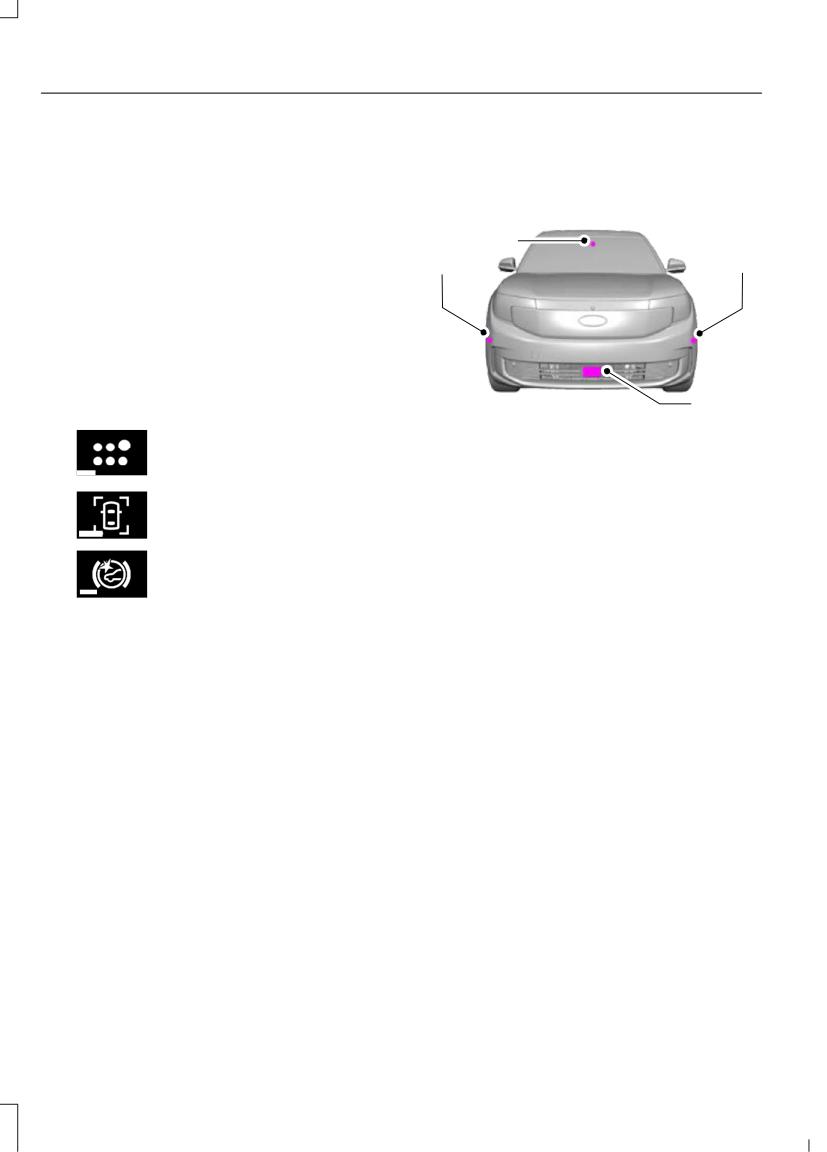
A
B
B
SWITCHING PRE-COLLISION
ASSIST ON AND OFF
You can switch off the pre-collision assist
system by using the touchscreen. We do
not recommend deactivating the system.
You need to confirm deactivation.
E453224
C
1.
A
Camera.
E453114
Press this icon.
B
Front corner radars.
2.
C
Front center radar.
E453115
Press this icon.
Note: The front corner radars are located
3.
on the left and right side of your vehicle, but
may not be available depending on your
E408335
Press this icon or select it
vehicle options.
from the list.
Note: Keep the sensors free from snow, ice
4. Make the required adjustments.
and large accumulations of dirt.
Note: Automatic emergency braking and
Note: If something hits the front end of your
evasive steering automatically turn on every
vehicle or damage occurs and your vehicle
time you start your vehicle.
has a radar sensor, the radar sensing zone
could change. This could cause missed or
false vehicle detections. Have your vehicle
serviced to have the radar checked for
proper coverage and operation.
Amessageregarding a blocked sensor or
camera appears in the instrument cluster
display if the radar or camera images are
obstructed.
256
Explorer (CFU) 5-Door SUV, CG3968en enGBR, Edition date: 202603, First-Printing
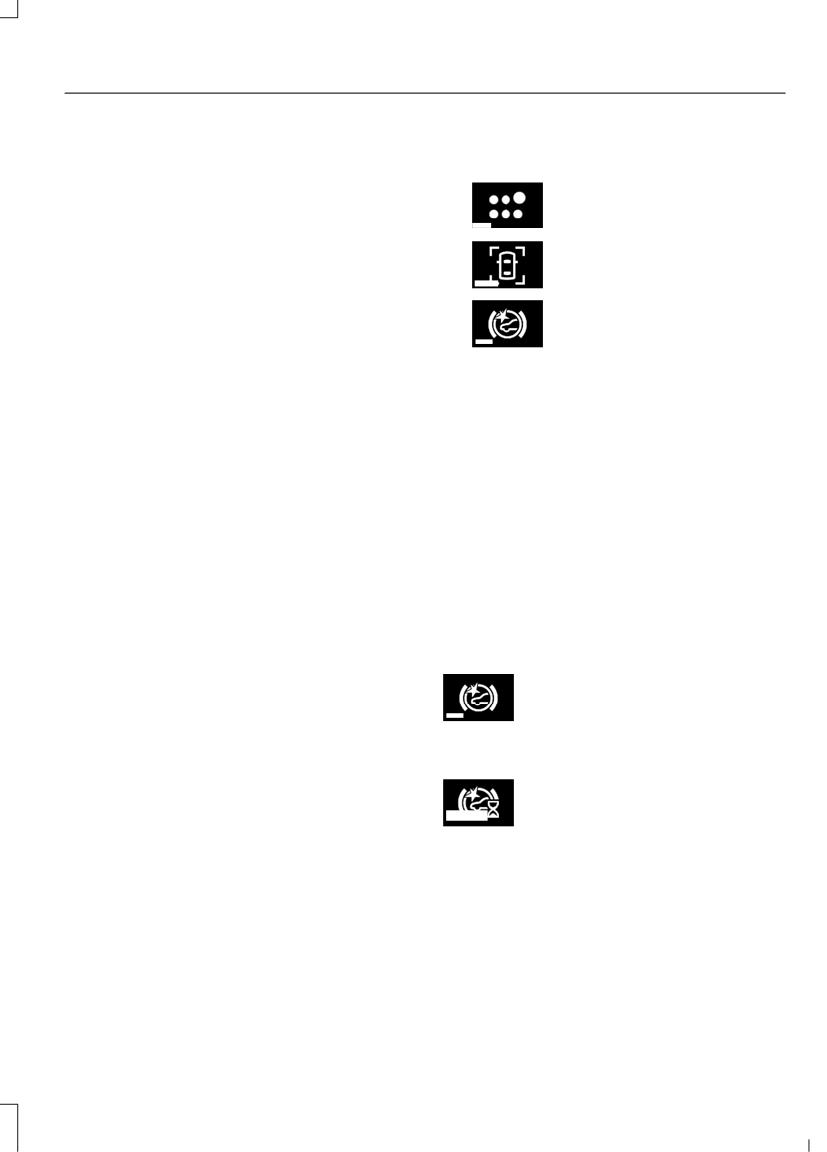
Pre-Collision Assist
FORWARD COLLISION
SWITCHING EVASIVE STEERING
ASSIST ON AND OFF
WARNING
1.
WHATIS FORWARD COLLISION
E453114
Press this icon.
WARNING
2.
A warning message appears and an
audible alert sounds when the system
E453115
Press this icon.
detects a potential crash.
3.
E408335
Press this icon or select it
EVASIVE STEERING ASSIST
from the list.
4. Enter the relevant menu to switch the
WHAT IS EVASIVE STEERING
feature on or off.
ASSIST
Note: Evasive steering assist turns on each
If your vehicle is rapidly approaching a road
time you switch your vehicle on.
user, evasive steering assist helps you steer
Note: If you turn automatic emergency
around the road user.
braking off, evasive steering assist also turns
After you turn the steering wheel in an
off.
attempt to avoid a crash with the road
user,thesystemappliesadditionalsteering
PRE-COLLISION ASSIST -
torque to help you steer around the road
user. After you pass the road user, the
TROUBLESHOOTING
system applies steering torque when you
turn the steering wheel to steer back into
PRE-COLLISION ASSIST -
the lane. The system deactivates after you
WARNINGLAMPS
fully pass the road user.
Note: Road users are defined as
It illuminates in the instrument
pedestrians or bicyclists in your vehicle's
cluster display to indicate if the
E408335
path or another stationary vehicle in the
system is disabled, unavailable,
same lane or a vehicle traveling in the same
or temporarily degraded due to external
lane in the same direction as you. See
environmental conditions.
Pre-Collision Assist Precautions (page
It illuminates in the instrument
254).
cluster display to indicate if the
E413548
system is unavailable, or the
EVASIVE STEERING ASSIST
functions are restricted immediately after
LIMITATIONS
switching your vehicle on. The Automatic
Emergency Braking system is available
Evasive steering assist does not function
after the indicator lamp turns off when
when road users and animals are crossing
driving straight ahead for a short period of
the road. See Pre-Collision Assist
time.
Precautions (page 254).
257
Explorer (CFU) 5-Door SUV, CG3968en enGBR, Edition date: 202603, First-Printing
Pre-Collision Assist
It illuminates in the instrument
It illuminates when safety is
cluster display when switching
endangered by driving too close
E413547
E406050
the system off. Switching the
to the vehicle in front.
system off turns all functions off.
PRE-COLLISION ASSIST - INFORMATION MESSAGES
Message
Details
Pre-Collision Assist is
The system has malfunctioned. If the problem persists, have
unavailable.
your vehicle checked as soon as possible.
Driver Assistance is
You have a blocked radar sensor or camera due to bad
currently restricted. Front
weather, ice, mud or water, or the view of the radar sensor or
sensor impaired.
camera is impaired by add-on parts or stickers. Clean the
radar sensor and the windscreen and keep these areas free.
Take control of the
Take control of the vehicle immediately if requested.
vehicle.
258
Explorer (CFU) 5-Door SUV, CG3968en enGBR, Edition date: 202603, First-Printing
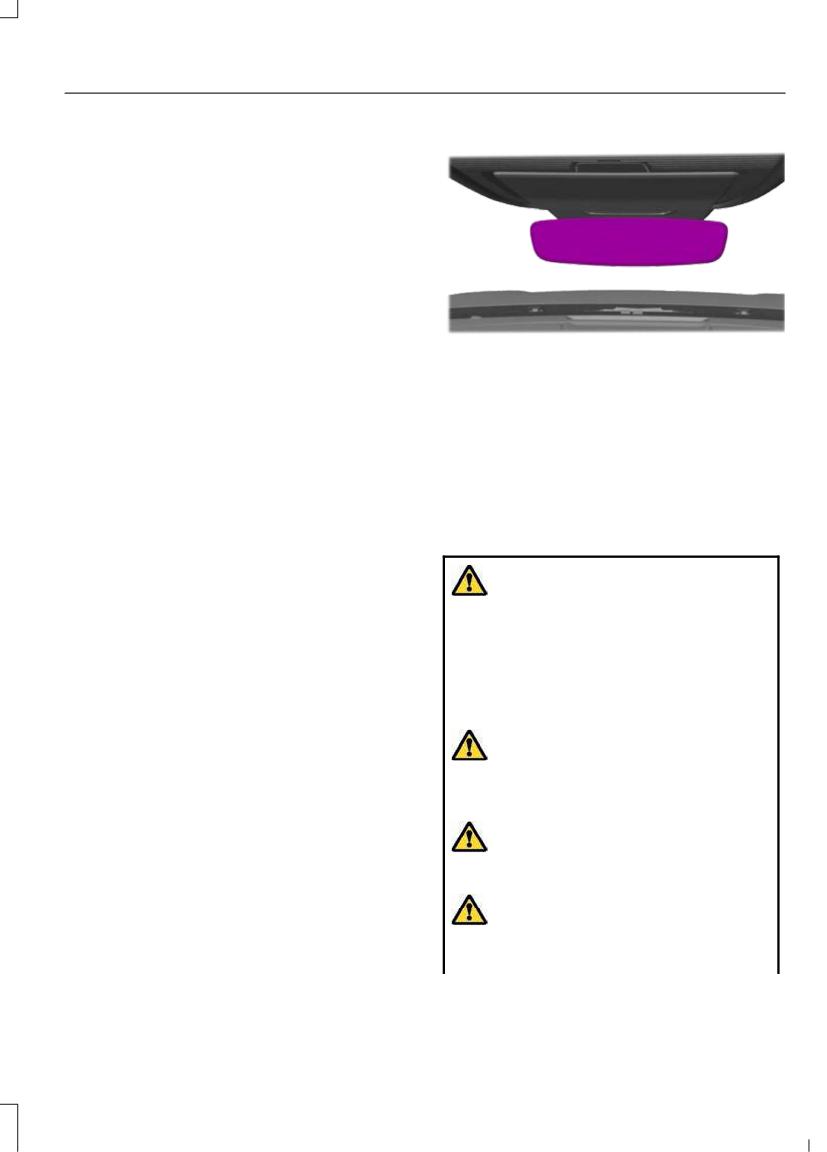
Driver Alert
WHAT IS DRIVER ALERT
The system is designed to alert you if it
calculates that you are becoming drowsy,
if your driving deteriorates or if you are
driving while distracted.
HOW DOES DRIVER ALERT
WORK
Drowsiness warning
E463748
The system calculates your alertness level
The driver facing camera is located in the
by monitoring driving behavior through
rear view mirror.
camera data and steering wheelinput. This
function is active when the vehicle speed
Note: The driver facing camera does not
is greater than approximately 65 km/h
capture facial features or other personal
data, it only tracks head position and eye
(40 mph).
movements.
If the system detects signs of drowsiness,
it issues both visual and audible alerts. If
you continue driving without taking a break,
DRIVER ALERT PRECAUTIONS
a further warning will be issued. Take a
break or press the OK button to cancel the
warnings.
WARNING: You are responsible for
controlling your vehicle at all times. The
Time-dependent drowsiness
system is designed to be an aid and does
warning
not relieve you of your responsibility to
If the system detects approximately 4.5
drive with due care and attention. Failure
hours of uninterrupted driving without signs
to follow this instruction could result in
of drowsiness, it issues a warning. Take a
the loss of control of your vehicle,
break as soon as possible.
personal injury or death.
Driver Attention Monitoring
WARNING: The system may not
operate properlyif the sensoris blocked.
If your vehicle has a driver facing camera ,
Keep the windshield free from
driver alert determines if you are driving
obstruction.
while distracted by monitoring your eyes
and head position, when the vehicle speed
WARNING:Take regular rest
is greater than approximately 20 km/h
breaks if you feel tired. Do not wait for
(12 mph). If the system determines you are
the system to warn you.
distracted, it alerts you to return your eyes
to the road by sending a warning.
WARNING: Certain driving styles
may result in the system warning you
even if you are not feeling tired.
259
Explorer (CFU) 5-Door SUV, CG3968en enGBR, Edition date: 202603, First-Printing
Driver Alert
To get the best results from the driver
facing camera:
WARNING: In cold and severe
weather conditions the system may not
•
Make sure not to wear any facial
function. Rain, snow and spray can all
coverings.
limit sensor performance.
•
Avoid leaning the seat back so the
driver facing camera can see your face.
WARNING: If damage occurs in the
•
Avoid using infrared blocking
immediate area surrounding the sensor,
sunglasses.
have your vehicle checked as soon as
possible.
•
Make sure your hands, arms or other
objects are not blocking the driver
WARNING: The system may not
facing camera.
correctly operate if your vehicle is fitted
with a suspension kit not approved by
SWITCHING DRIVER ALERT ON
us.
AND OFF
WARNING: Large contrasts in
outside lighting can limit sensor
Switching Drowsiness Monitor On
performance.
and Off
WARNING: Obstructions to the
1.
driver facing camera or infrared lighting
E453114
Press this icon.
could prevent the system from properly
operating. Keep the camera and lighting
2.
areas free from obstruction. Failure to
follow this instruction could result in the
E453115
Press this icon.
loss of control of your vehicle, personal
3.
injury or death.
Press this icon or select it
Limitations
from the list.
4. Make the required adjustments.
The driver facing camera may not operate
correctly due to any of the following:
Note: You can only make the required
adjustments when your vehicle is on.
•
You have a pre-existing eye condition,
such as an eye misalignment, or have
Note: The system turns on automatically
had eye surgery.
after switching your vehicle off and on again.
•
You cover your facial features by a
Switching Driver Attention
mask, hat or other items.
Monitor On and Off
•
The lighting conditions change
significantly.
1.
•
You are not in the camera's view.
E453114
Press this icon.
•
You position or tilt yourself to one side.
2.
•
You are moving around too much.
E453115
Press this icon.
•
You are wearing glasses or sunglasses
that are too dark or reflective.
260
Explorer (CFU) 5-Door SUV, CG3968en enGBR, Edition date: 202603, First-Printing

Driver Alert
3.
DRIVER ALERT INDICATORS
E462810
Select this icon and make the
When the system detects an
required adjustments.
E462810
issue, for example, the camera
Note: You can only make the required
is blocked or misaligned, one or
adjustments when your vehicle is on.
both off symbols appear in the
instrument cluster display. If the
Note: The system turns on automatically
symbols continue to appear,
after switching your vehicle off and on again.
have your vehicle checked as soon as
possible.
DRIVER ALERT - TROUBLESHOOTING
DRIVER ALERT - INFORMATION MESSAGES
Message
Details
Tiredness detected. Take
Displays when we recommend that you take a break due to
a break!
low alertness levels.
Pay attention to the road.
Displays when you are distracted.
Displays when drowsiness monitor malfunctions. Make sure
that the driver facing camera is unobstructed, correctly
Drowsiness Monitor is
aligned and check for any dirt or obstruction in the windshield
unavailable.
area where the front windshield camera is placed. If the
message continues to appear, have your vehicle checked as
soon as possible.
Displays when attention monitor malfunctions. Make sure
Attention Monitor is
that the driver facing camera is unobstructed and correctly
unavailable.
aligned.If themessagecontinues to appear,haveyourvehicle
checked as soon as possible.
Please realign the interior
The system detected a failure. Make sure that the interior
mirror. Interior monitoring
mirror is aligned correctly.
sensors unavailable.
Displays if the system detects an issue with the driver facing
Interior monitoring
camera, for example an electrical failure or a blockage in the
sensors restricted. Please
field of view of the camera. If the message continues to
refer to Owner's Manual.
appear, have your vehicle checked as soon as possible.
261
Explorer (CFU) 5-Door SUV, CG3968en enGBR, Edition date: 202603, First-Printing
Traffic Sign Recognition
WHAT IS TRAFFIC SIGN
RECOGNITION
WARNING: The system may not
operate properlyif the sensoris blocked.
The system is designed to detect traffic
Keep the windshield free from
signs to inform you of the current speed
obstruction.
limit and overtaking regulations.
Note: Do not carry out windshield repairs
in the immediate area surrounding the
HOW DOES TRAFFIC SIGN
sensor.
RECOGNITION WORK
Note: Always fit Ford approved parts when
replacing headlamp bulbs. Other bulbs
Detected traffic signs appear in the
could reduce system performance.
instrument cluster display. The sensor is
behind the interior mirror.
TRAFFIC SIGN RECOGNITION
The system turns on when you switch the
vehicle on and you cannot switch the
LIMITATIONS
system off.
Traffic sign recognition may not operate
The system detects recognizable traffic
correctly due to the following:
signs, for example:
•
In cold and severe weather conditions
•
Speed limit signs.
the system may not function. Rain,
•
No overtaking signs.
snow, spray and large contrasts in
•
Speed limit cancellation signs.
lighting can all prevent the sensor from
correctly functioning.
•
No overtaking cancellation signs.
•
The screen is dirty in the area of the
Note: Traffic sign data provided by the
camera.
navigation system contains information
•
Glare, for example from the oncoming
integrated to the data carrier release.
traffic or sunlight.
•
High speed.
TRAFFIC SIGN RECOGNITION
•
Signs located outside of the field of
PRECAUTIONS
view of the camera.
•
Partially or fully hidden road signs.
•
Non-standard road signs.
WARNING: You are responsible for
controlling your vehicle at all times. The
•
Missed recognition of faded, dirty or
system is designed to be an aid and does
distorted signs.
not relieve you of your responsibility to
•
Outdated map data.
drive with due care and attention. Failure
•
Vehicles with road sign stickers.
to follow this instruction could result in
the loss of control of your vehicle,
personal injury or death.
262
Explorer (CFU) 5-Door SUV, CG3968en enGBR, Edition date: 202603, First-Printing
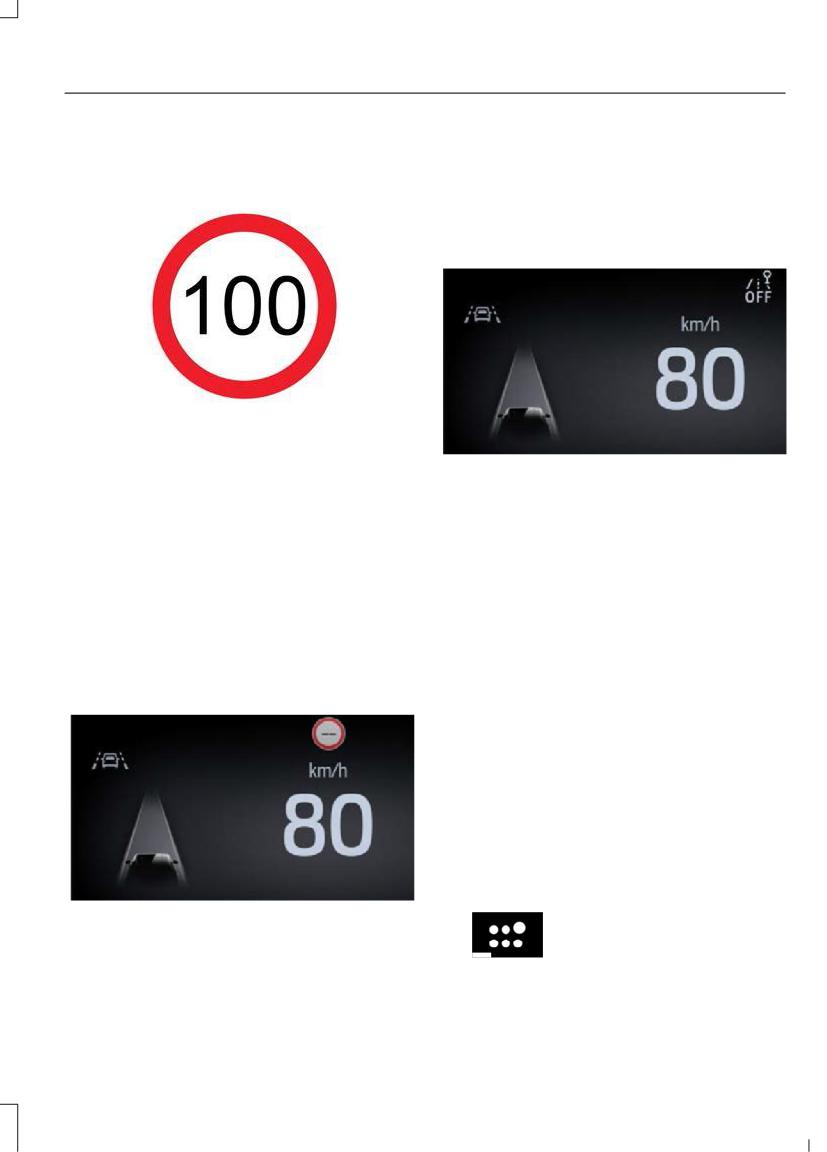
Traffic Sign Recognition
TRAFFIC SIGN RECOGNITION
When the system does not detect a speed
sign, for example, navigation map data is
INDICATORS
not available for a short period of time, or
the system has no input, a speed sign with
two hyphens appears in the instrument
cluster display.
E413845
The system can display two traffic signs
in parallel.
E413996
You can view the status at any time using
When the system is off or has an issue, for
the instrument cluster display.
example, navigation map data is not
If the system detects a supplementary
available for a longer period of time, or the
traffic sign, it displays in the instrument
camera is blocked or misaligned, an off
cluster display or in the head-up display.
symbol appears in the instrument cluster
For example, when passing a reduced
display. If the symbol continues to appear
speed limit in wet road conditions sign.
although the system is on have your vehicle
checked as soon as possible.
Note: If your vehicle has a navigation
system, stored traffic sign data may
No-entry warning
influence the indicated speed limit value.
If the system detects a no-entry sign on a
one-way road or motorway slip road, it
sounds a tone and display a message on
the instrument cluster display.
TRAFFIC SIGN RECOGNITION
SETTINGS
You can adjust various traffic sign
recognition settings on the touchscreen,
by using the same steps in all cases.
E413998
1.
E453114
Press this icon.
263
Explorer (CFU) 5-Door SUV, CG3968en enGBR, Edition date: 202603, First-Printing
Traffic Sign Recognition
2.
Note: The system remembers the last
setting when you start your vehicle.
E453115
Press this icon.
Deactivation for Assisted Speed
3.
Control
E413813
Press this icon or select it
If this feature is on and you are driving with
from the list.
predictive speed assist, the speed warning
4. Make the required adjustments.
is disabled.
Setting the Traffic Sign
Note: The system remembers the last
Recognition Speed Warning
setting when you start your vehicle.
If the system detects that an applicable
Setting the Tolerance of the Speed
speed limit has been exceeded, it issues a
Warning
visual warning or displays a message on
You can set a speed tolerance, so the
the instrument cluster display and sounds
system alerts you when the vehicle speed
a tone.
exceeds the sum of the speed limit and
Note: The system turns on automatically
your chosen tolerance .
after switching the vehicle off and on again.
The system does not remember the last
Setting the Traffic Sign
setting, the tolerance has to be adjusted
RecognitionAcousticWarning
every time you start your vehicle.
Acoustic warning is issued when the
Stop Sign Warning
system detects that the applicable speed
If the system detects a stop sign and the
limit has been exceeded. You can switch
driver fails to react, a warning message
off the acoustic warning, but the system
appears in the instrument cluster display.
still issues a visual warning.
Note: The system remembers the last
Note: The system turns on automatically
setting when you start your vehicle.
after switching the vehicle off and on again.
Traffic Light Warning
Changing the Permitted max.
Speed
If the system detects a red traffic light, and
the driver fails to react, a warning message
When the last memorized speed limit
appears in the instrument cluster display.
changes, a chime sounds.
Note: The system remembers the last
setting when you start your vehicle.
264
Explorer (CFU) 5-Door SUV, CG3968en enGBR, Edition date: 202603, First-Printing
Traffic Sign Recognition
TRAFFICSIGNRECOGNITION-TROUBLESHOOTING
TRAFFIC SIGN RECOGNITION - INFORMATION MESSAGES
Message
Details
Traffic Sign Recognition
The traffic sign data provided by the system is unavailable.
currently restricted.
Wait for a short period of time for the signal to improve. If the
message continues to appear, have your vehicle checked as
soon as possible.
Traffic Sign Recognition
The traffic sign data provided by the system is unavailable.
is currently unavailable.
Wait for a short period of time for the signal to improve. If the
message continues to appear, have your vehicle checked as
soon as possible.
265
Explorer (CFU) 5-Door SUV, CG3968en enGBR, Edition date: 202603, First-Printing
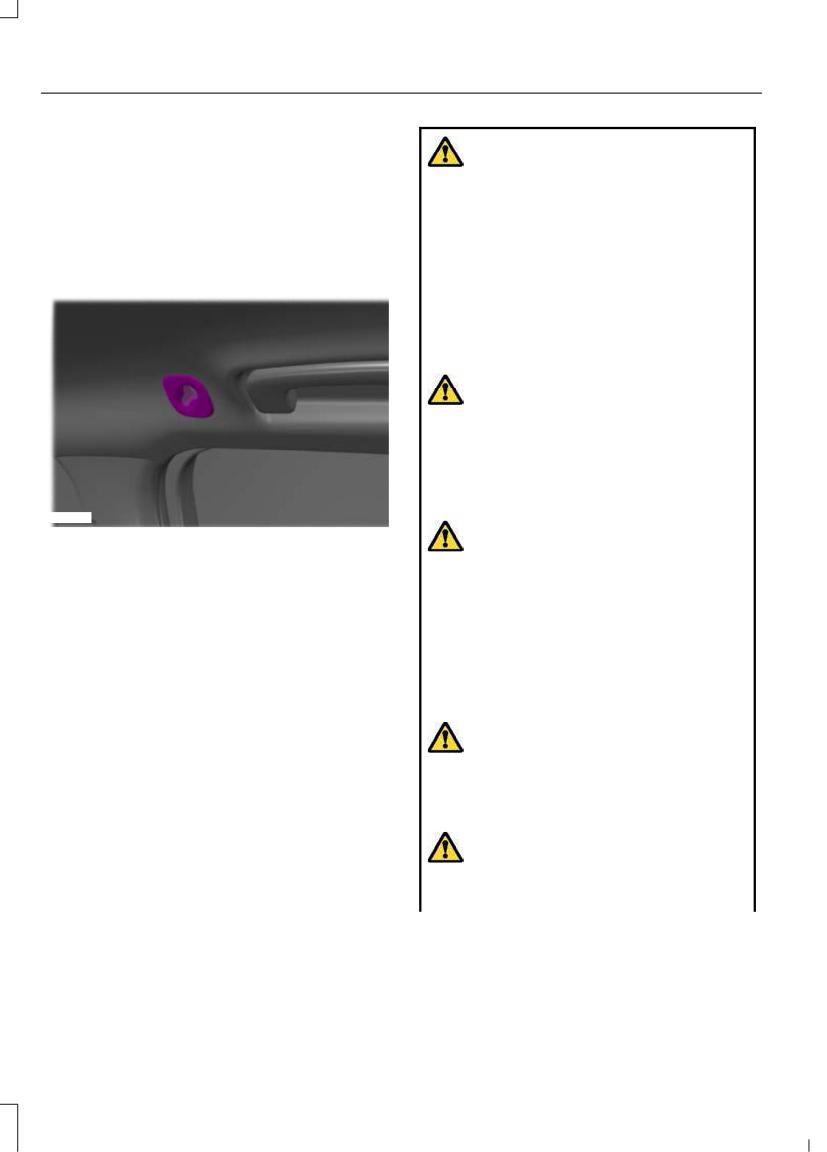
Load Carrying
PARTITIONING SYSTEM
WARNING: The appropriate
A partitioning system compliant to ISO
loading capacity of your vehicle can be
27955 is available as an aftermarket
limited either by volume capacity (how
accessory fromour authorized dealers.
much space is available) or by payload
capacity (how much weight the vehicle
Note: Passengers should not travel in the
rear seats if you install the partitioning
should carry). Once you have reached
system behind the front seats.
the maximum payload of your vehicle,
do not add more cargo, even if there is
space available. Overloading or
improperly loading your vehicle can
contribute to loss of vehicle control and
vehicle rollover.
WARNING:ExceedingtheSafety
Compliance Certification label vehicle
weight limits can adversely affect the
performance and handling of your
vehicle, cause vehicle damage and can
result in the loss of control of your
vehicle,serious personalinjuryor death.
E422768
Note: Make sure to fix the partitioning
WARNING: Do not use
system through the headliner hole into the
replacement tires with lower load
metal structure behind the headliner or the
carryingcapacitiesthantheoriginaltires
side trim opening.
because they may lower your vehicle's
GrossVehicleWeightRatingandGross
Axle Weight Rating limitations.
LOAD CARRYING
Replacement tires with a higher limit
PRECAUTIONS
than the original tires do not increase the
Gross Vehicle Weight Rating and Gross
Keep your loaded vehicle weight within its
Axle Weight Rating limitations.
design rating capability, with or without a
trailer. Properly loading your vehicle
WARNING: Do not exceed the
providesmaximumreturnofvehicledesign
maximum gross vehicle weight stated
performance. Before you load your vehicle,
on the vehicleidentification plate. Failure
become familiar with the following terms
to follow this instruction could result in
for determining your vehicle’s weight rating,
personal injury.
with or without a trailer, from the vehicle’s
Tire and Loading Information label or
WARNING: Do not exceed the
Safety Compliance Certification label.
maximum front and rear axle loads for
your vehicle.
266
Explorer (CFU) 5-Door SUV, CG3968en enGBR, Edition date: 202603, First-Printing
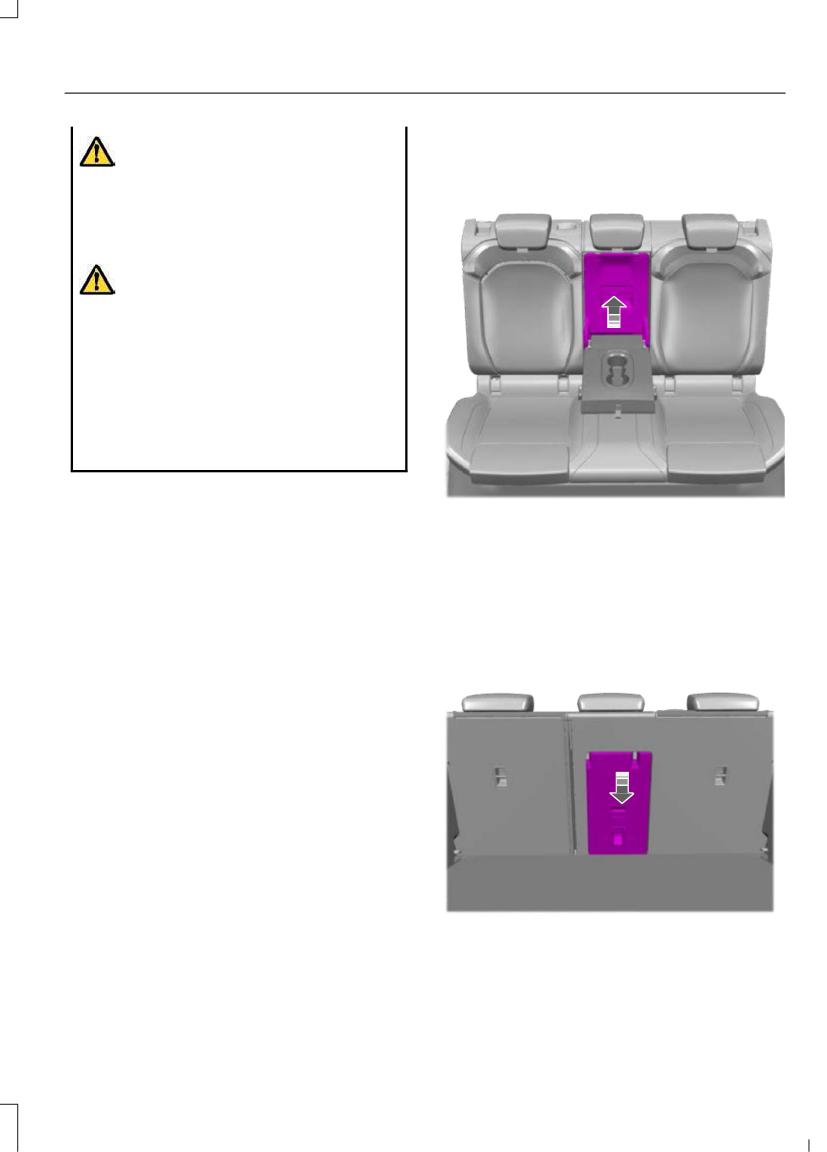
Load Carrying
OpeningtheRearLoadspaceHatch
from the Passenger Area
WARNING: Exceeding any vehicle
weight rating can adversely affect the
performance and handling of your
vehicle, cause vehicle damage and can
result in the loss of control of your
vehicle,serious personalinjuryor death.
WARNING: When loading the roof
racks, we recommend you evenly
distribute the load, as well as maintain
a low center of gravity. Loaded vehicles,
with higher centers of gravity, may
handle differently than unloaded
vehicles. Take extra precautions, such
as slower speeds and increased stopping
distance, when driving a heavily loaded
vehicle.
The gross combined weight must never
exceed the Gross Combined Weight Rating.
E412061
REAR LOADSPACE HATCH
1.
Fold down the rear seat armrest.
2.
Pull the handle up and open the hatch.
You can use the rear loadspace hatch
behind the rear seat foldable armrest to
OpeningtheRearLoadspaceHatch
transport long objects, such as skis.
from the Luggage Compartment
E412062
Pull the handle down and open the hatch.
267
Explorer (CFU) 5-Door SUV, CG3968en enGBR, Edition date: 202603, First-Printing

Load Carrying
ROOF RACK
WARNING: Do not switch off
ROOF RACK PRECAUTIONS
stability control or use Sport mode when
carrying a roof load. This could lead to
an increased risk of loss of vehicle
control, vehicle rollover, personal injury
WARNING: Read and follow the
or death.
manufacturer's instructions when you
are fitting a roof rack.
Note: If you use a roof rack, the energy
consumption of your vehicle will be higher
WARNING: When loading the roof
and you may experience different driving
racks, we recommend you evenly
characteristics.
distribute the load, as well as maintain
a low center of gravity. Loaded vehicles,
Note: Never place loads directly on the roof
with higher centers of gravity, may
panel. The roof panel is not designed to
handle differently than unloaded
directly carry a load.
vehicles. Take extra precautions, such
You must place loads directly on the
as slower speeds and increased stopping
crossbars. When using the roof rack
distance, when driving a heavily loaded
system, we recommend that you use
vehicle.
genuine Ford accessory crossbars
specifically designed for your vehicle.
Make sure that you securely fasten the
load. Check the tightness of the load
before driving and at each charge stop.
ROOF RACK LOAD CAPACITIES
Maximum Recommended Load
Description
Vehicles with Glass Roof
Vehicles without Glass Roof
When in motion
75 kg (165 lb)
75 kg (165 lb)
When stationary
300 kg (661 lb)
300 kg (661 lb)
Note: The maximum roof load is based on
Note: Only use roof racks released by Ford
evenly distributing the load on the crossbars.
Motor Company on vehicles with glass roof.
Roof racks not released by Ford may cause
Note: When using a roof rack system,
damage to the glass roof.
subtract the weight of the roof rack system
from the maximum recommended load to
determine your actual maximum cargo load.
See the roof rack system manufacturer for
more information.
268
Explorer (CFU) 5-Door SUV, CG3968en enGBR, Edition date: 202603, First-Printing

Load Carrying
TOWBARMOUNTEDCARRIER
•
If you are using a bike carrier, the
maximum allowed weight is 75 kg
(165 lb) including the bikes and the
TOWBARMOUNTEDCARRIER
carrier.
PRECAUTIONS
•
Load the heaviest item closest to your
vehicle.
WARNING: Do not exceed the
TOW BAR MOUNTED LOAD
lowest rating capacity for your vehicle or
CAPACITIES
trailer hitch. Overloading your vehicle or
trailer hitch can impair your vehicle
The maximum accessory hitch load for
stability and handling. Failure to follow
cargo carrying devices is 75 kg (165 lb)
this instruction could result in the loss of
unless restricted by lower hitch capacity
control of your vehicle, personalinjury or
or cargo carrying device capacity. We
death.
recommend using a hitch authorized by us
which meets these load requirements. Do
WARNING: Cargo accessory
not exceed any certified vehicle loads as
devices mounted to the hitch can change
defined on the Vehicle Identification Plate.
the weight distribution of the vehicle.
Loaded vehicles, with more rear weight,
may handle differently than unloaded
LOAD CARRYING VIDEOS
vehicles. Take extra precautions, such
as slower speeds and increased stopping
Animations are shown to enhance the
distance, when driving a heavily loaded
written content and not intended to
vehicle.
replace it. We recommend that you read
the Owner's Manual for full details.
When using a tow bar mounted carrier,
Explorer Opening and Closing the Rear
consider the following:
Loadspace Hatch Video Link
•
Carefully follow the instructions and
For more information scan here:
warningsprovidedbythe manufacturer
of any cargo carrying device.
•
Before driving the vehicle, make sure
to property attach the cargo carrying
device, and securely attach all
equipmenttothecargocarryingdevice.
•
When loading a cargo accessory device
to the hitch, do not exceed the
maximum gross vehicle weight or
E415716
maximum front and rear axle weights
on the vehicle as defined on the vehicle
identification plate. Mounting cargo
accessory devices to the hitch limits
the passenger and cargo capacity
inside the vehicle.
269
Explorer (CFU) 5-Door SUV, CG3968en enGBR, Edition date: 202603, First-Printing
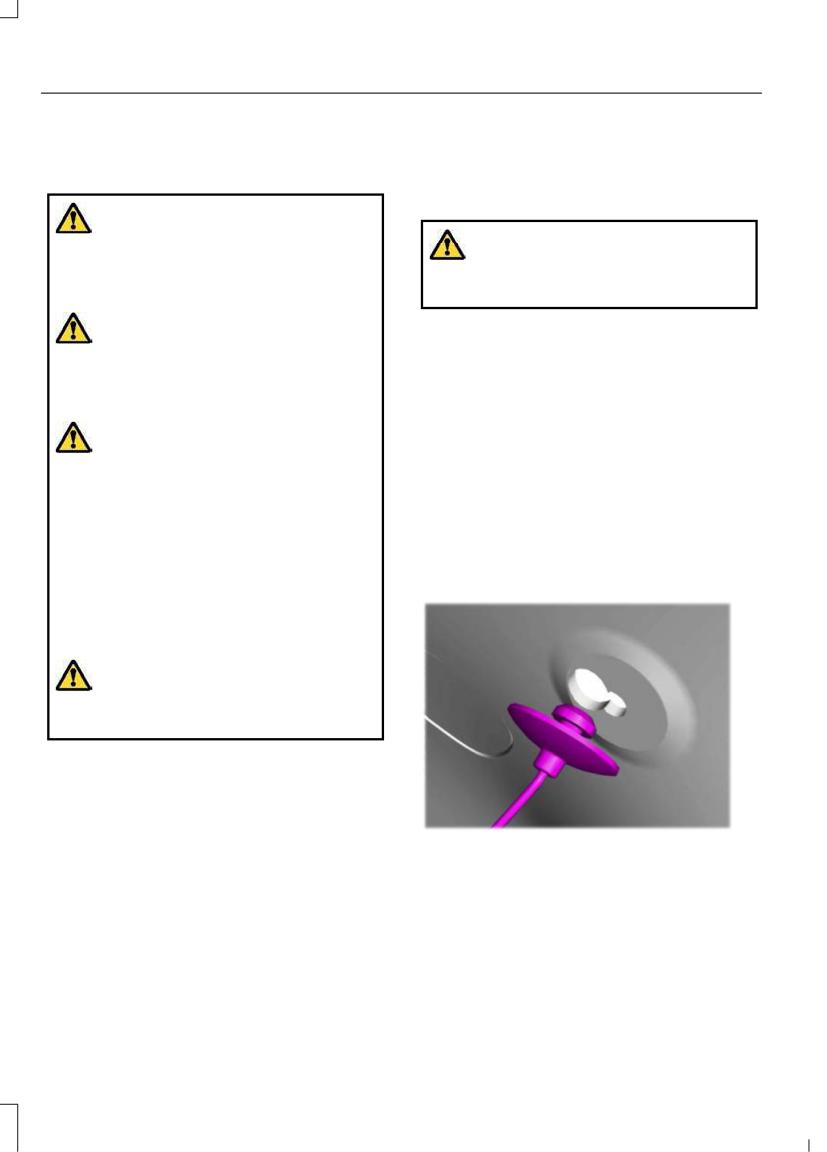
Luggage Compartment
LUGGAGE COMPARTMENT
INSTALLINGAND REMOVING
PRECAUTIONS
THE LUGGAGE
COMPARTMENTCARGONET
WARNING: Make sure that you
properly secure objects in the luggage
WARNING: This net is not designed
compartment. Failure to follow this
to restrain objects during a collision or
instruction could resultin personalinjury
heavy braking.
in the event of a sudden stop or crash.
The luggage floor net secures lightweight
WARNING: Do not place objects
objects in the luggage compartment area.
on the luggage cover. Failure to follow
Attach the net to the anchors on both sides
this instruction could result in personal
of the luggage compartment. See
injury or death in the event of a sudden
Locating the Luggage Compartment
stop or crash.
Anchor Points (page 272).
WARNING: The appropriate
loading capacity of your vehicle can be
INSTALLINGAND REMOVING
limited either by volume capacity (how
THE LUGGAGE
much space is available) or by payload
capacity (how much weight the vehicle
COMPARTMENT COVER
should carry). Once you have reached
the maximum payload of your vehicle,
To remove the luggage cover:
do not add more cargo, even if there is
space available. Overloading or
improperly loading your vehicle can
contribute to loss of vehicle control and
vehicle rollover.
WARNING: Do not exceed the
maximum front and rear axle loads for
your vehicle.
Note: When loading long objects into your
vehicle, for example pipes, timber or
furniture, be careful not to damage the
interior trim.
E409457
1.
Gently push the retaining clips forward
and pull them out on both sides.
270
Explorer (CFU) 5-Door SUV, CG3968en enGBR, Edition date: 202603, First-Printing
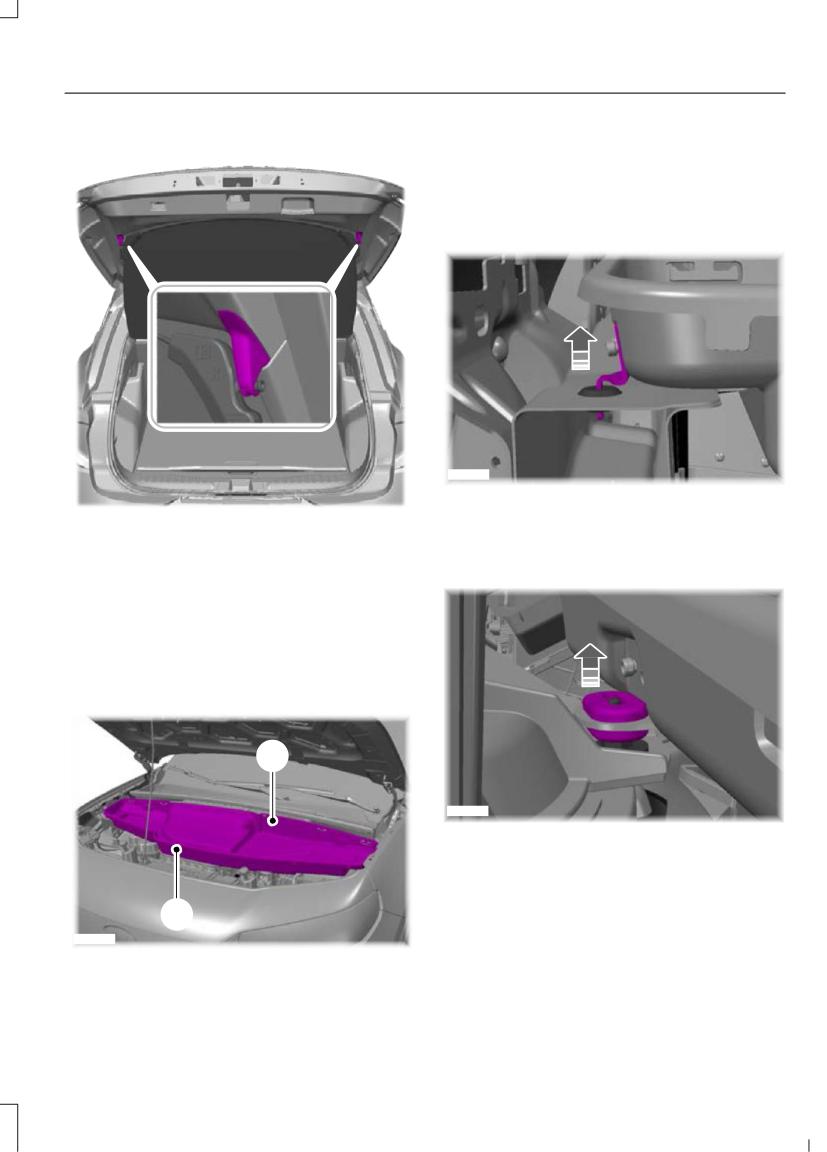
Luggage Compartment
A Rear of the tray.
B Front of the tray.
To remove the frunk storage tray:
E456182
1.
Lift the front of the tray to remove both
E409456
side hooks from the grommets.
Note: Keep the grommets in place for
2.
Lift the luggage cover out of the liftgate
future use.
hooks.
To install, reverse the removal procedure.
REMOVINGANDINSTALLING
THEFRUNKSTORAGETRAY
A
E456183
2.
Lift the rear of the tray until both holes
are off the screws.
To install the frunk storage tray, reverse
the above process.
B
E456181
Note: Make sure that the tray securely fits
at all four anchor points.
271
Explorer (CFU) 5-Door SUV, CG3968en enGBR, Edition date: 202603, First-Printing
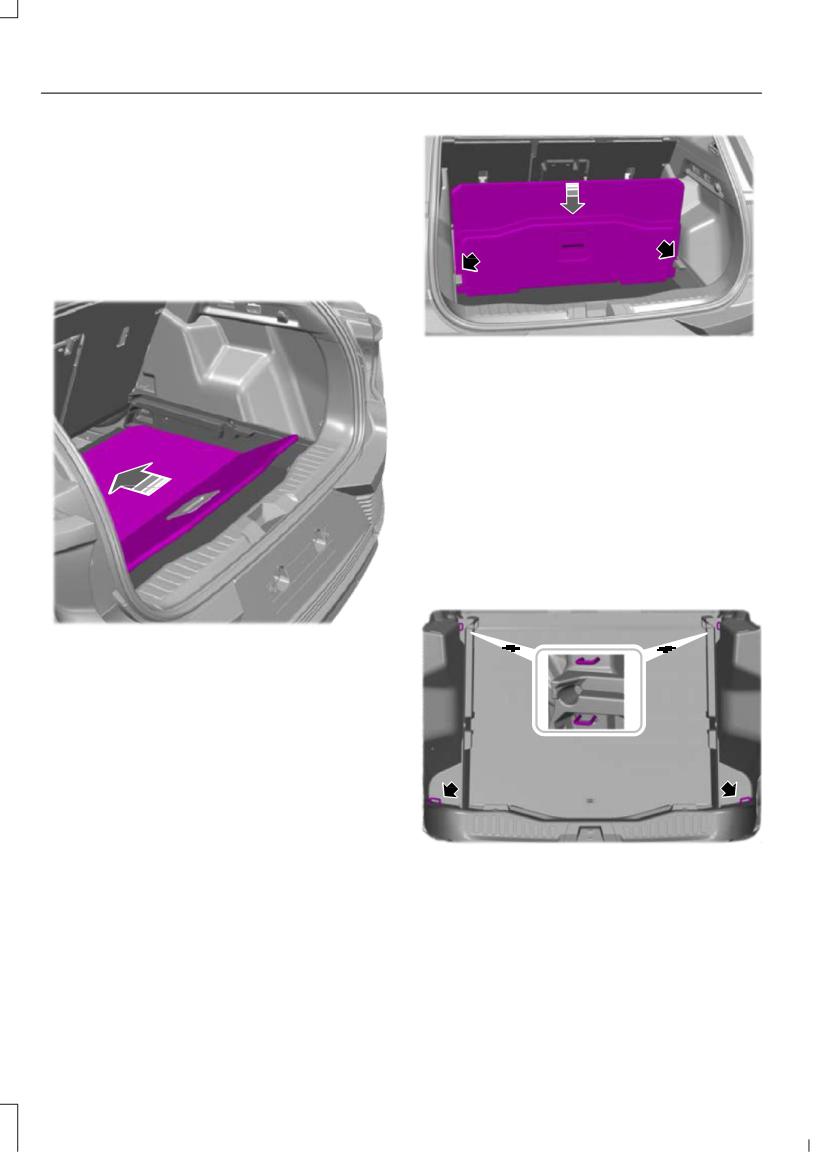
Luggage Compartment
ADJUSTING THE LUGGAGE
COMPARTMENT LOAD FLOOR
Lowering the Load Floor
You can lower the load floor to increase
the available loadspace height.
1.
Remove the load floor.
E409551
2.
Fold it in half and place it upright
between the retention slots on both
sides.
LUGGAGE COMPARTMENT
ANCHORPOINTS
LOCATING THE LUGGAGE
COMPARTMENTANCHORPOINTS
E409550
2. Slightly fold it and slide it fully back
below the side support rails.
Dividing the Luggage
Compartment
1.
Remove the load floor.
E409506
272
Explorer (CFU) 5-Door SUV, CG3968en enGBR, Edition date: 202603, First-Printing
Luggage Compartment
LUGGAGE COMPARTMENT
VIDEOS
Animations are shown to enhance the
written content and not intended to
replace it. We recommend that you read
the Owner's Manual for full details.
For more information scan here:
Explorer Luggage Compartment Video Link
E415621
273
Explorer (CFU) 5-Door SUV, CG3968en enGBR, Edition date: 202603, First-Printing
Connecting a Trailer
CONNECTING A TRAILER
Do not use the tow ball arm if any of these
cannot be met. Have your vehicle checked
PRECAUTIONS
as soon as possible.
When attaching the trailer wiring connector
to your vehicle, only use a proper fitting
TOW BALL LIMITATIONS
connector that works with the vehicle and
The tow ball arm does not retract or deploy
trailer functions.
if any of the following occur:
•
The electric parking brake is not active.
TOW BALL
•
The trailer wiring connection socket
has a trailer wiring plug attached to it.
TOW BALL PRECAUTIONS
•
The vehicle battery is not fully charged.
•
The rear liftgate is closed.
WARNING: Do not exceed the
TOW BALL ARM GUIDELINES
lowest rating capacity for your vehicle or
trailer hitch. Overloading your vehicle or
trailer hitch can impair your vehicle
•
The tow ball arm mechanism is
maintenance free. Do not grease or oil
stability and handling. Failure to follow
themechanism.
this instruction could result in the loss of
control of your vehicle, personalinjury or
•
Remove the trailer wiring plug from the
death.
trailer wiring connection socket when
not in use. Failure to do so may result
WARNING: Do not cut, drill, weld
in corrosion of the trailer wiring
or modify the trailer hitch. Modifying the
connection socket. Clean the trailer
trailer hitch could reduce the hitch rating.
wiring connection socket regularly and
make sure the socket cover is fully
You must retract the tow ball arm when
closed.
not in use.
•
If you use a high pressure water jet to
Do not use any tools to deploy or retract
clean your vehicle, disconnect the
the tow ball arm.
trailer wiring plug. Do not aim the water
jet directly at the trailer wiring
Never retract the tow ball arm with a trailer
connection socket. We recommend
attached. This can cause damage not
that you retract the tow ball arm before
covered by the vehicle Warranty.
washing your vehicle.
Tow Ball Arm Safety Checks
•
When the tow bar is not in use, always
retract the tow ball arm.
After you deploy the tow ball arm, check
•
It is advisable that you deploy and
the following:
retract the tow ball arm at least once
•
Make sure the tow ball arm is fully
per month.
locked.
•
The LED is not flashing.
•
The tow ball arm symbol is not
illuminating.
274
Explorer (CFU) 5-Door SUV, CG3968en enGBR, Edition date: 202603, First-Printing
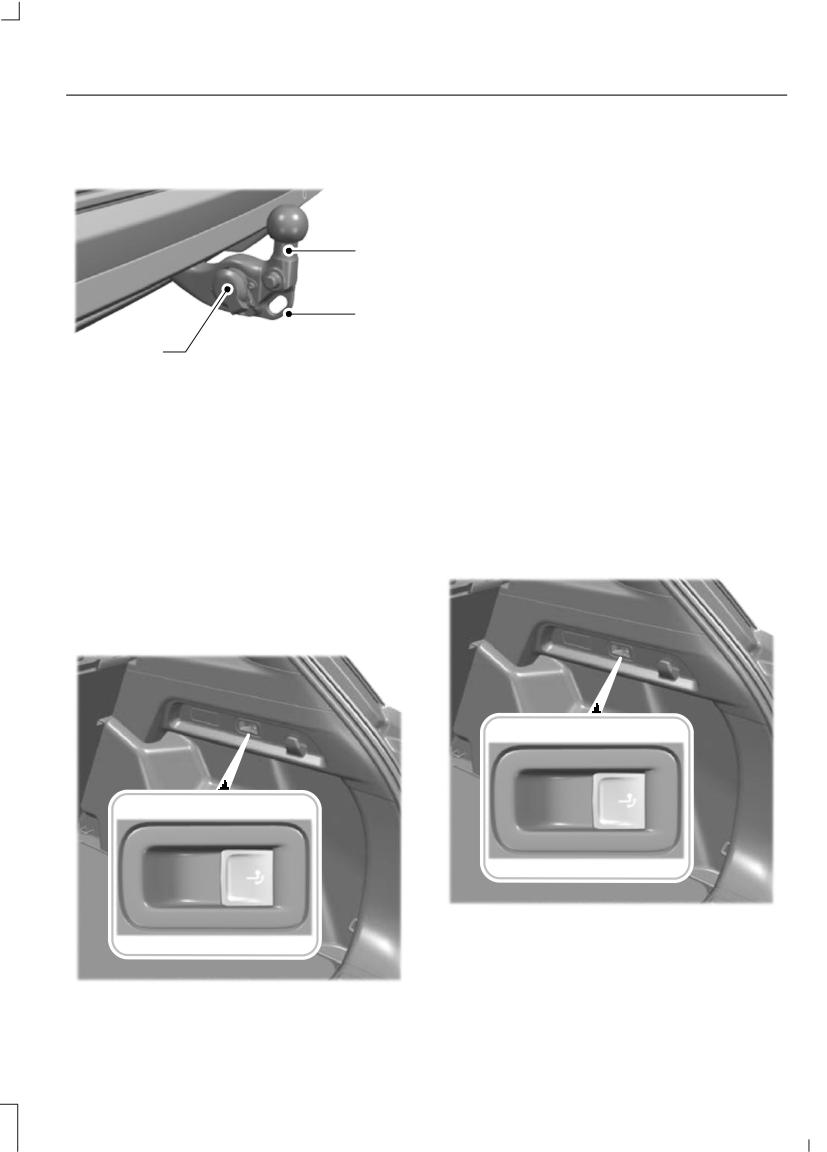
Connecting a Trailer
TOW BALL COMPONENTS
2.
Pull the release switch. It is on the
right-hand side in the luggage
compartment.
Note: The LED on the switch flashes when
the tow ball arm is released.
3.
Manually move the tow ball arm into
A
the tow position. Make sure the tow
ball arm fully locks into position and
the LEDcontinuouslyilluminates.
B
Note: When the liftgate is open, the LED
continuously illuminates to indicate that the
C
tow ball arm is fully locked in either of its
E410129
end positions.
Note: After you close the liftgate, the LED
A
Tow ball arm in tow position.
stops illuminating after about one minute.
B
Trailer safety cable attachment
point.
RETRACTING THE TOWBALL ARM
C
Trailer wiring connection
1.
Power your vehicle off.
socket.
2.
Disconnect the trailer wiring plug and
Do not disassemble or repair the tow ball
unhitch the trailer or load carrier.
arm or mechanism.
DEPLOYING THE TOW BALL ARM
E410130
3. Pull the release switch. It is on the
right-hand side in the luggage
E410130
compartment.
1.
Power your vehicle off.
275
Explorer (CFU) 5-Door SUV, CG3968en enGBR, Edition date: 202603, First-Printing
Connecting a Trailer
Note: The LED on the switch flashes when
the tow ball arm is released.
4. Manually move the tow ball arm into
the stowed position. Make sure the tow
ball arm fully locks into position and
the LEDcontinuouslyilluminates.
Note: When the liftgate is open, the LED
continuously illuminates to indicate that the
tow ball arm is fully locked in either of its
end positions.
Note: After you close the liftgate, the LED
stops illuminating after about one minute.
CONNECTING A TRAILER -
TROUBLESHOOTING
CONNECTING A TRAILER -
WARNINGLAMPS
If the tow ball arm indicator
illuminates yellow after you
E414235
deploy the tow ball arm, this
indicates a malfunction. See Tow Ball
Precautions (page 274).
276
Explorer (CFU) 5-Door SUV, CG3968en enGBR, Edition date: 202603, First-Printing
Towing a Trailer
TOWINGATRAILER
TOWINGATRAILER
PRECAUTIONS
LIMITATIONS
Do not exceed 100 km/h (60 mph) even
if a country allows higher speeds under
WARNING: Do not exceed
certain conditions.
100 km/h (60 mph). Failure to follow
this instruction could result in the loss of
The gross train weight stated on the
control of your vehicle, personalinjury or
vehicle identification plate applies for road
death.
gradients up to 12% when towing a trailer.
See Vehicle Identification Plate (page
WARNING: Make sure that the
351).
vertical load on the tow ball is between
Towing a trailer also depends on additional
the minimum and maximum
systems present in your vehicle. See
recommended weight at all times.
Adaptive Cruise Control Precautions
Failure to follow this instruction could
(page 220). See Lane Centering
result in the loss of control of your
Precautions (page 226).
vehicle, personalinjury or death.
Note: Not all vehicles are suitable or
WARNING: Do not exceed the
approved to have a tow bar fitted. Ask an
maximum gross vehicle weight stated
authorized dealer for more information.
on the vehicleidentification plate. Failure
to follow this instruction could result in
LOADING YOUR TRAILER
personal injury.
Place loads as low as possible and central
WARNING: The anti-lock brake
to the axle of your trailer. If you are towing
system does not control the trailer
with an unladen vehicle, you should place
brakes.
the load in your trailer toward the front,
within the maximum vertical load, as this
Obey country specific regulations for
gives the best stability. See Towing
towing a trailer.
Weight Capacities (page 278). See
The trailer vertical weight on the tow ball
Towing Weight Capacities (page 278).
is essential for the driving stability of your
The vertical weight on the tow ball should
vehicle and trailer.
be at least 4% of the trailer weight and not
Reduce speed immediately if the trailer
exceed the maximum permissible weight.
shows any sign of swaying. See Trailer
Note: The maximum permissible trailer
Sway Control (page 280).
vertical weight on the trailer identification
Towing a trailer changes the vehicle
plate is the trailer manufacturer's testing
handling characteristics and increases
value. The vehicle maximum permissible
stopping distances. Adapt your speed and
trailer vertical weight could be lower.
driving behavior to the load of the trailer.
TRAILER TOWING HINTS
Press brake mode (B) on your gear selector
when descending a steep downhill
gradient.
277
Explorer (CFU) 5-Door SUV, CG3968en enGBR, Edition date: 202603, First-Printing
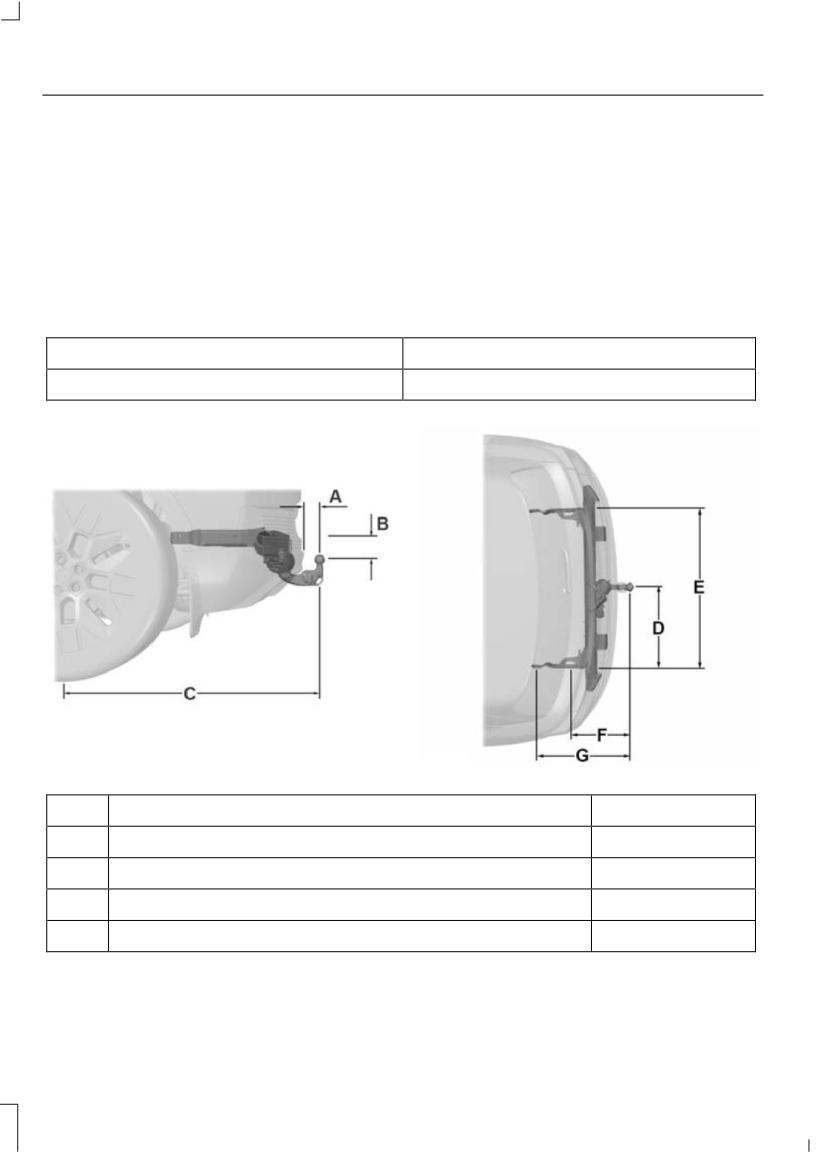
Towing a Trailer
The stability of your vehicle to trailer
The electrical system on your vehicle is
combination is very much dependent on
suitable for towing trailers with LED lamps.
the quality of the trailer.
TOWING WEIGHTS AND DIMENSIONS
TOWINGWEIGHTCAPACITIES
Maximum Permissible Trailer Vertical Weight
Variant
kg (lb)
All
75 (165)
TOW BAR DIMENSIONS
E409994
E410011
Item
Dimension Description
Dimension mm (in)
A
Bumper to center of tow ball.
75 (3)
B
Attachment point to center of tow ball.
98 (4)
C
Wheel center to center of tow ball.
924 (36)
D
Center of tow ball to side member.
497 (20)
278
Explorer (CFU) 5-Door SUV, CG3968en enGBR, Edition date: 202603, First-Printing
Towing a Trailer
Item
Dimension Description
Dimension mm (in)
E
Distance between side members.
994 (39)
F
Center of tow ball to center of first attachment point.
361 (14)
G
Center of tow ball to center of second attachment point.
581 (23)
279
Explorer (CFU) 5-Door SUV, CG3968en enGBR, Edition date: 202603, First-Printing
Trailer Sway Control
HOW DOES TRAILER SWAY
CONTROL WORK
The system applies the brakes to the
individual wheels and reduces electric
motor output to aid vehicle stability.
TRAILER SWAY CONTROL
PRECAUTIONS
WARNING: Turning off trailer sway
control increases the risk of loss of
vehicle control, serious injury or death.
Ford does not recommend disabling this
feature exceptin situations where speed
reduction may be detrimental (such as
hill climbing), the driver has significant
trailer towing experience, and can control
trailer sway and maintain safe operation.
Note: This feature only activates when
significant trailer sway occurs.
Note: This feature does not prevent trailer
sway,butreducesit onceit begins.
Note: This feature cannot stop all trailers
from swaying.
Note: In some cases, if vehicle speed is too
high, the system may activate multiple
times, gradually reducing vehicle speed.
280
Explorer (CFU) 5-Door SUV, CG3968en enGBR, Edition date: 202603, First-Printing

Driving Hints
COLD WEATHER
DRIVING THROUGH MUD AND
PRECAUTIONS
WATER
The functional operation of some
Mud
components and systems can be affected
Be cautious of sudden changes in vehicle
at temperatures below approximately
speed or direction when you are driving in
-25°C(-13°F).
mud. Even all-wheel drive and four-wheel
drive vehicles can lose traction in mud. If
DRIVING ON SNOW AND ICE
your vehicle slides, steer in the direction of
the slide until you regain control of your
vehicle. After driving through mud, clean
off residue stuck to rotating driveshafts
WARNING: If you are driving in
and tires. Excess residue can cause an
slippery conditions that require tire
imbalance that could damage drive
chains or cables, then it is critical that
components.
you drive cautiously. Keep speeds down,
allow for longer stopping distances and
Note: If your vehicle gets stuck in mud, it
avoid aggressive steering to reduce the
could be rocked out by shifting between
chances of a loss of vehicle control
forward and reverse gears, stopping
which canlead to seriousinjury or death.
between shifts in a steady pattern. Press
If the rear end of your vehicle slides while
lightly on the accelerator in each gear.
cornering, steer in the direction of the
slide until you regain control of your
Water
vehicle.
If you must drive though water approach
it cautiously. See Driving Through
On ice and snow, you should drive more
Shallow Water (page 282).
slowly than usual. Your vehicle has an
anti-lock braking system, apply the brake
pedal steadily. Do not pump the brake
DRIVING ON HILLY OR
pedal. See Anti-Lock Braking System
SLOPING TERRAIN
Limitations (page 188).
BREAKING-IN
WARNING:Extremecare should
be used when steering the vehicle in
You need to break in new tires for
reverse down a slope so as not to cause
approximately 480 km (300 mi). During
the vehicle to swerve out of control.
this time, your vehicle may exhibit some
unusual driving characteristics.
Although natural obstacles could make it
necessary to travel diagonally up or down
a hill or steep incline, you should try to drive
straight up or straight down.
281
Explorer (CFU) 5-Door SUV, CG3968en enGBR, Edition date: 202603, First-Printing
Driving Hints
Note: Avoid turning on steep slopes or hills.
DRIVING THROUGH SHALLOW
A danger lies in losing traction, slipping
WATER
sideways and possible vehicle rollover.
Whenever driving on a hill, determine
beforehand the route you can use. Do not
drive over the crest of a hill without seeing
WARNING: Do not attempt to
what conditions are on the other side. Do
cross a deep or flowing body of water.
not drive in reverse over a hill without the
Failure to follow this instruction could
aid of an observer.
result in the loss of control of your
Apply just enough power to the wheels to
vehicle, personalinjury or death.
climb the hill. Too much power causes the
tires to slip, spin or lose traction, and you
Note: Driving through standing water can
could lose control of your vehicle. When
cause vehicledamage.
descending a steep hill, do not descend
Before driving through standing water,
the hill in neutral. Avoid sudden hard
check the depth. Never drive through water
braking to keep the front wheels rolling and
that is higher than the bottom of the front
to maintain your vehicle's steering.
rocker area of your vehicle.
Note: Your vehicle has an anti-lock braking
system, apply the brake pedal steadily. Do
not pump the brake pedal.
DRIVING IN SAND
When driving over sand, try to keep all four
wheels on the most solid area of the trail.
Shift to a lower gear and drive steadily
through the terrain. Apply the accelerator
slowly and avoid excessive wheel slip. Do
not drive your vehicle in deep sand for an
E266447
extended period of time. This could
overheat the system. A message appears
Whendrivingthroughstandingwater,drive
in the information display. See All-Wheel
very slowly and do not stop your vehicle.
Drive - Information Messages (page
Your brake performance and traction could
181).
be limited. After driving through water and
as soon as it is safe to do so:
Note: If your vehicle gets stuck in sand, it
could be rocked out by shifting between
•
Lightly press the brake pedal to dry the
forward and reverse gears, stopping
brakes and to check that they work.
between shifts in a steady pattern. Press
•
Turn the steering wheel to check that
lightly on the accelerator in each gear.
the steering power assist works.
Check the function of the following:
•
Horn
•
Exterior lights
282
Explorer (CFU) 5-Door SUV, CG3968en enGBR, Edition date: 202603, First-Printing
Driving Hints
ELECTRIC VEHICLE
Driving Style
Range is reduced when driving aggressively
MAXIMIZING YOUR DRIVING
or at consistently high speeds. Aggressive
RANGE
driving for extended periods could also
result in reducing your battery’s efficiency
Driving in Cold Weather
andlifespan.
Keep your vehicle charged before heading
You can charge the high-voltage battery
out into cold weather.
while driving by using brake energy
recuperation. See What Is Efficient Drive
Use the heated seats and steering wheel
Mode (page 184).
for comfort along with moderate cabin
temperature and fan settings to reduce
Driving Economically
energy needed for climate control.
The following also helps toimprove energy
Note: Lower cabin temperature settings on
consumption:
the climate control system results in better
trip range.
•
Regularly check your tire pressures and
make sure that they are inflated to the
Preconditioning Your Vehicle
correct pressure.
•
Followtherecommendedmaintenance
You can precondition your vehicle before
schedule and carry out the
departure with your preferred temperature
recommended checks.
settings. By using energy from your
charging source prior to your departure,
•
Plan your journey and check the traffic
battery temperature can be managed for
before you set off. It is more efficient
best driving performance and less energy
to combine errands into a single trip
will be needed for heating or cooling of the
whenever possible.
cabin at the start of your drive. This helps
•
Do not carry unnecessary weight in your
maximize your driving range. See Remote
vehicle as extra weight wastes energy.
Start Settings (page 111).
•
Do not add unnecessary accessories
to the exterior of your vehicle, for
Parking Your Vehicle
example running boards. If you use a
At temperatures just above the freezing
roof rack, remember to fold it down or
point and lower, plug your vehicle in when
remove it when not in use.
not in use to maintain high voltage battery
•
Shut all windows when driving at high
performance.
speeds.
When possible park your vehicle under a
•
Switch off all electric systems when
covered area or in a garage. This will help
not in use, for example air conditioning.
to moderate temperatures which affect
Make sure that you unplug any
performance of the high voltage battery
accessories from the auxiliary power
and require energy to heat or cool the
points when not in use.
cabin.
283
Explorer (CFU) 5-Door SUV, CG3968en enGBR, Edition date: 202603, First-Printing
Driving Hints
FLOOR MATS
WARNING: Use a floor mat
designed to fit the footwell of your
vehicle that does not obstruct the pedal
area. Failure to follow this instruction
could result in the loss of control of your
vehicle, personalinjury or death.
WARNING: Pedals that cannot
move freely can cause loss of vehicle
E142666
control and increase the risk of serious
To install floor mats that have eyelets,
personal injury.
position the floor mat eyelet over the
retention post and press down to lock in
WARNING: Secure the floor mat
position. Repeat for all eyelets on the floor
to both retention devices so that it
mat.
cannot slip out of position and interfere
with the pedals. Failure to follow this
If the driver side floor mat is not securely
instruction could result in the loss of
fastened, remove it, and contact an
control of your vehicle, personalinjury or
authorized dealer as soon as possible. Do
death.
not drive with a loose floor mat.
To remove the floor mats, reverse the
WARNING:Do not place additional
floor mats or any other covering on top
installation procedure.
of the original floor mats. This could
Note: Regularly check the floor mats to
result in the floor mat interfering with the
make sure they are secure.
operation of the pedals. Failure to follow
this instruction could result in the loss of
control of your vehicle, personalinjury or
death.
WARNING: Always make sure that
objects cannot fall into the driver foot
wellwhile your vehicleismoving.Objects
that are loose can become trapped
under the pedals causing a loss of
vehicle control.
284
Explorer (CFU) 5-Door SUV, CG3968en enGBR, Edition date: 202603, First-Printing
Crash and Breakdown Information
HIGH VOLTAGE BATTERY
•
Call emergency assistance if needed
and advise that an electric or
VEHICLE PRECAUTIONS
hybrid-electric vehicle is involved.
•
Avoid contact with leaking fluids and
In the event of damage or fire involving
gases, and remain out of the way of
an electric vehicle or hybrid-electric
oncoming traffic until emergency
vehicle:
responders arrive.
•
Assume the high-voltage battery and
•
When emergency responders arrive,
associated components are energized
tell them that the vehicle involved is an
and fully charged.
electric vehicle or hybrid-electric
•
Exposed electrical components, wires,
vehicle.
and high-voltage batteries present
potential high-voltage shock hazards.
Fires
•
Venting high-voltage battery vapors
As with any vehicle, call emergency
are potentially toxic and flammable.
assistance immediately if you see sparks,
•
Physical damage to the vehicle or
smoke or flames coming from the vehicle.
high-voltage battery could result in
Remain a safe distance from the vehicle
immediate or delayed release of toxic,
and try to stay clear of the smoke.
flammable gases and fire.
1.
Exit the vehicle immediately.
Vehicle information and general safety
2.
Advise emergency assistance that an
practices include reviewing the owner's
electric or hybrid-electric vehicle is
manual and becoming familiar with your
involved.
vehicle's safety information and
recommendedsafety practices.
3.
Never attempt to extinguish an electric
vehicle fire or move a vehicle that is on
Crashes
fire.
4.
As with any vehicle fire, do not inhale
A crash or impact significant enough to
smoke, vapors or gas from the vehicle,
require an emergency response for
as they may be hazardous.
conventional vehicles would also require
the same response for an electric or
Post-Incident
hybrid-electric vehicle.
1.
Do not store a severely damaged
If Possible:
vehicle with a lithium-ion battery inside
1.
Move your vehicle to a safe, nearby
a structure or within 15 m (49 ft) of any
location and remain on the scene.
structure or vehicle.
2.
Move away from your vehicle if any
2.
Makesurethatpassengerandluggage
warning lamps illuminated.
compartments remain ventilated.
3.
Roll down the windows before you
3.
Call emergency assistance if you
switch your vehicle off.
observe leaking fluids, sparks, smoke
4.
Place your vehicle in park (P), set the
or flames, or hear gurgling or bubbling
parking brake, switch off the vehicle,
from the high-voltage battery.
activate the hazard flashers, and move
your key(s) at least 5 m (16 ft) away
from the vehicle.
Always:
285
Explorer (CFU) 5-Door SUV, CG3968en enGBR, Edition date: 202603, First-Printing

Crash and Breakdown Information
SWITCHING THE HAZARD
PREPARING THE VEHICLE
FLASHERS ON AND OFF
Use only a 12 volt supply to start your
vehicle.
The hazard flashers operate with the
power on or off. The battery loses charge
Park the booster vehicle close to the hood
and may have insufficient power to restart
of the disabled vehicle, making sure the
two vehicles do not touch.
your vehicle.
The hazard flasher button is on
E75790
JUMP STARTING THE VEHICLE
the center console. Press the
button to switch on the hazard
flashers if your vehicle is creating a safety
hazard for other road users.
WARNING:Connectbatteries with
only the same nominal voltage.
When you switch the hazard flashers on,
all front and rear turn signals flash.
WARNING: Use only adequately
Press the button again to switch them off.
sized cables with insulated clamps.
Note: Do not disconnect the battery of the
JUMP STARTING THE VEHICLE
disabled vehicle as this could damage the
vehicle electrical system.
JUMPSTARTINGPRECAUTIONS
Note: For technical reasons, your vehicle
must not be tow-started. If the vehicle’s
drive system cannot be activated because
WARNING:Connectbatteries with
the 12 V vehicle battery is discharged, you
only the same nominal voltage.
can use the 12 V vehicle battery in another
vehicle to activate the vehicle’s drive
WARNING: Use only adequately
system.
sized cables with insulated clamps.
Note: The jump start connection points on
electric vehicles are not suitable for being
Note: This procedure is only for the 12 volt
used to jump start other vehicles.
under hood battery.
Note: Your vehicle has a 12 volt battery that
is easily accessible under the hood. The 12
volt battery controls the switches and
contacts that engage the high voltage
battery. Do not jump start the high voltage
battery using a standard 12 volt battery. Tow
your vehicle to an authorized dealer if the
high voltage battery does not accept a
regular charge.
Note: Do not attempt to push start your
vehicle. You could cause transmission
damage.
Note: Do not disconnect the 12 volt battery
from your vehicle electrical system.
286
Explorer (CFU) 5-Door SUV, CG3968en enGBR, Edition date: 202603, First-Printing
Crash and Breakdown Information
Connecting the Jumper Cables
4
1
1
E463503
3
4
1.
Connect the positive (+) jumper cable
to the positive (+) jump terminal of the
2
dischargedbatteryvehicle.
2.
Connect the other end of the positive
(+) jumper cable to the positive (+)
terminal of the booster vehicle battery.
3.
Connect the negative (-) jumper cable
to the negative (-) terminal of the
booster vehicle battery.
WARNING: Do not connect the
E142664
negative jumper cable to any other part
of your vehicle. Use the ground point.
Switch your vehicle off and any electrical
equipment. Lift up the battery positive
connection point cover. For battery
4.
Make the final connection of the
location, refer to the appropriate under
negative (-) jumper cable to the
hood overview. See Under Hood
negative (-) ground point of the
Overview (page 304).
dischargedbatteryvehicle.
To start your vehicle
WARNING: Make sure that the
1.
Run the engine of the booster vehicle
cables are clear of any moving parts and
at a moderately high speed.
fuel delivery system parts.
2.
Move the transmission selector lever
WARNING: Do not connect the
of the low charge vehicle to park (P).
negative jumper cable to any other part
3.
Switch on the ready to drive mode. See
of your vehicle. Use the ground point.
Starting the Vehicle (page 140).
Note: Ensure headlamps are switched off
when disconnecting the cables. The peak
voltage could damage the headlamps.
Disconnect the cables in the reverse order.
287
Explorer (CFU) 5-Door SUV, CG3968en enGBR, Edition date: 202603, First-Printing
Crash and Breakdown Information
POST-CRASHALERTSYSTEM
POST-COLLISION BRAKING
How Does Post-Collision Braking
WHAT IS THE POST-CRASH
Work
ALERT SYSTEM
In the event of a moderate to severe crash,
The system helps draw attention to your
the braking system is designed to attempt
vehicle in the event of a serious impact.
to reduce the vehicle speed to a standstill
to prevent or reduce the impact of a
HOW DOES THE POST-CRASH
potential secondary crash.
ALERT SYSTEM WORK
Post-Collision Braking Limitations
The system is designed to turn the hazard
Post-collision braking does not activate if
flashers on, turn the courtesy lamps on,
the anti-lock braking system is damaged
intermittently sound the horn and unlock
during the collision.
all doors in the event of a serious impact
that deploys an airbag or the seatbelt
Overriding Post-Collision Braking
pretensioners.
You can override post-collision braking by
POST-CRASHALERTSYSTEM
pressing the accelerator pedal.
LIMITATIONS
ACCESSINGTHEEMERGENCY
Depending on applicable laws in the
country your vehicle was built for, the horn
EXIT
does not sound in the event of a serious
impact.
SWITCHING THE POST-CRASH
ALERTSYSTEMOFF
Press the hazard flasher switch, or the
unlock button on the remote control, or
the panic button on the remote control or
turn your vehicle off and on twice to switch
the system off.
E395625
Note: The alert turns off when the vehicle
battery runs out of charge.
The emergency hammer is located at the
lower front in the center console.
Break the side or rear window glass close
to the frame with the hammer in an
emergency.
288
Explorer (CFU) 5-Door SUV, CG3968en enGBR, Edition date: 202603, First-Printing