Kia Forte (2024 year). Manual in english - page 7
Features of your vehicle
124
4
Infotainment system
can lead to unpleasant listening condi
-
tions which might lead you to believe a
problem exists with your radio.
The following conditions are normal and
do not indicate radio trouble:
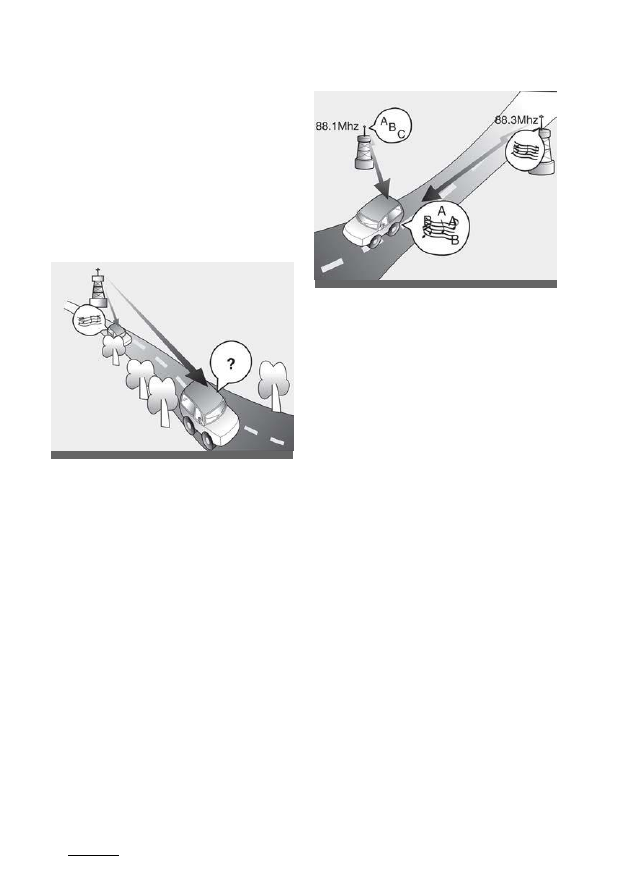
• Fading - As your vehicle moves away
from the radio station, the signal will
weaken and sound will begin to fade.
When this occurs, select another sta
-
tion with a stronger signal.
• Flutter/Static - Weak FM signals or
large obstructions between the trans
-
mitter and your radio can disturb the
signal causing static or fluttering
noises to occur. Reducing the treble
level may lessen this effect until the
disturbance clears.
• Station Swapping - As an FM signal
weakens, more powerful signal near
the same frequency may begin to
play. This is because your radio is
designed to lock onto the clearest sig
-
nal. If this occurs, select another sta
-
tion with a stronger signal.
• Multi-Path Cancellation - Radio sig
-
nals being received from several
directions can cause distortion or flut
-
tering. This can be caused by a direct
and reflected signal from the same
station, or by signals from two sta
-
tions with close frequencies. If this
occurs, select another station until the
condition has passed.
Using a mobile phone or a two-
way radio
When a mobile phone is used inside the
vehicle, noise may be produced from the
audio system. This does not mean that
something is wrong with the audio
equipment. Operate mobile devices as
far from the audio equipment as possi
-
ble.
When using a communication system
such as a mobile phone or a radio set
inside the vehicle, a separate external
antenna must be affixed. When a mobile
phone or radio set is used with only the
internal antenna, it may interfere with the
vehicle's electrical system and adversely
affect the safe operation of the vehicle.
OSK3048403NR
ODEEV068220NR