FANUC Series 0i-MODEL F Plus. CONNECTION MANUAL (FUNCTION) - page 383
B-64693EN-1/01
APPENDIX
F. 0i-F PLUS START-UP PROCEDURE
- 3021 -
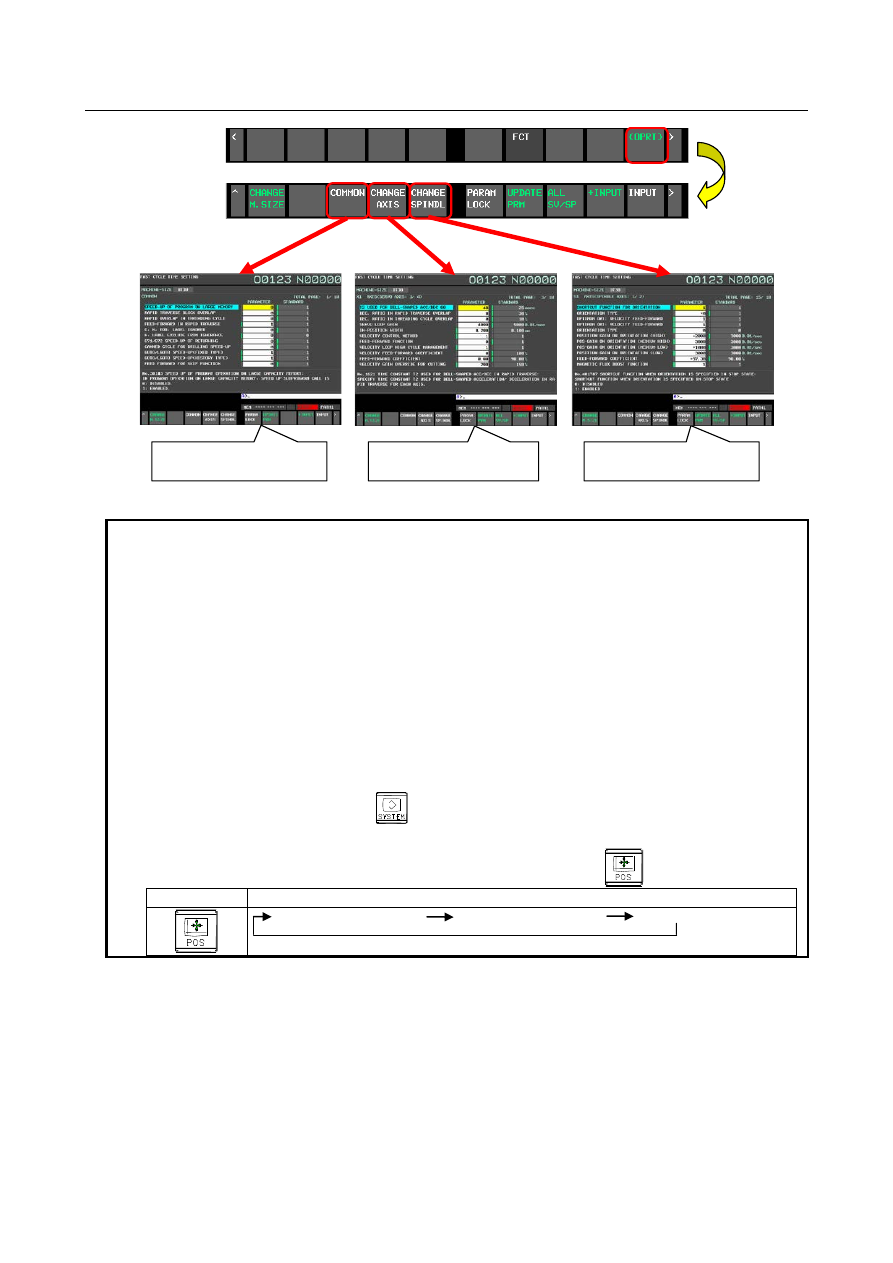
Screen of setting item
"Common"
Screen of setting item
"Axis"
Screen of setting item
"Spindle"
Fig. F.2 (c) Setting item "Common", "Axis", "Spindle"
NOTE
1. The parameter value on the FCS screen differs from the value displayed on the
parameter screen and is displayed in general unit.
Example 1)
Display contents of parameter No. 1826 when the metric system machine, the
detection unit 0.001 (IS-B, CMR = 1)
Parameter screen
100 [detection unit]
FCS screen
0.100 [mm]
Example 2)
Display contents of parameter No. 2092
Parameter screen
9800 [0.01%]
FCS screen
98.00 [%]
2. When the parameter FCS is 0 (when "ADJUST"), the FCS screen is added to the
tab stop of the function key
. Tab stop means that predetermined screens
are displayed in order when the function key is repeatedly pressed.
Example) The screen displayed when the function key
is pressed.
Function key
Displayed screen and order
Absolute position screen
Relative position screen
Overall position display
Step 3 : Selection of machine size
By pressing the soft key [CHANGE M.SIZE], the machine size can selected from the 3 patterns. Select
the appropriate one (or closer one).
0
i
-MF Plus : Spindle taper size [BT30 / BT40 / BT50]
0
i
-TF Plus : Auto lathe and chuck size [AUTO LATHE / 8"CHUCK / 12"CHUCK]