FANUC Series 0i-MODEL F Plus. CONNECTION MANUAL (FUNCTION) - page 310
15. MEASUREMENT
B-64693EN-1/01
- 2434 -
15
MEASUREMENT
15.1
TOOL LENGTH MEASUREMENT
M
Overview
The value displayed as a relative and machine position can be set in the offset memory as an offset value
by a soft key.
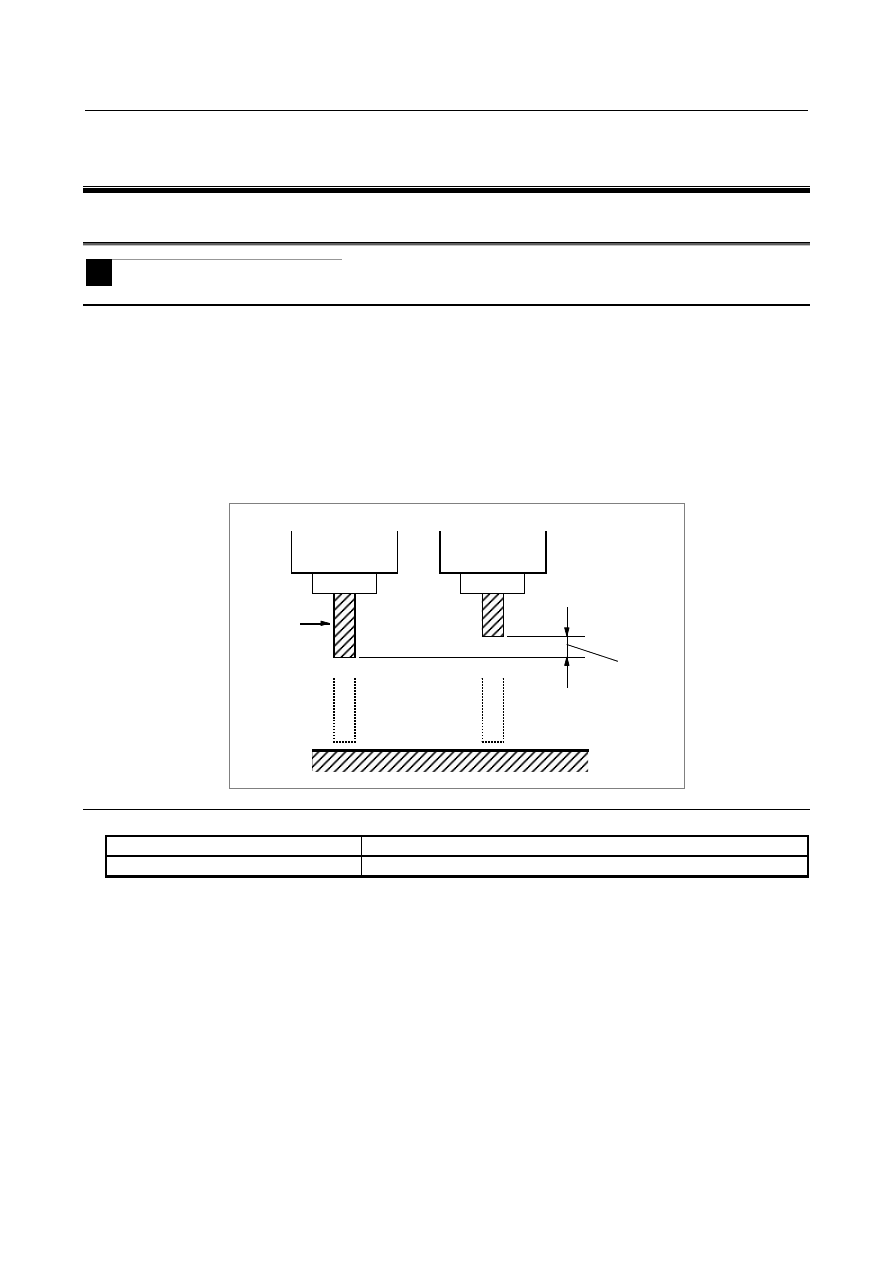
Switch to the offset value display screen on the screen. Relative positions are also displayed on this
screen. Then select the reference tool and set it at the fixed point on the machine by manual operation.
Reset the displayed relative position to zero. Set the tool for measurement at the same fixed point on the
machine by manual operation. The relative position display at this point shows difference between the
reference tool and the tool measured and the relative position display value is then set as offset amounts.
Another way is to display machine positions and compensate by inputting adjustment values.
This difference
is set as offset
amount
Fixed point
Reference
tool
Reference item
Manual name
Item name
OPERATOR’S MANUAL (B-64694EN)
Tool length compensation