FANUC Series 0i-MODEL F Plus. CONNECTION MANUAL (FUNCTION) - page 304
13. DISPLAY/SET/EDIT
B-64693EN-1/01
- 2386 -
8)
Disable operations on setting screen. (Refer to 13.1.24.3)
Even if the power of CNC is turned off or the screen is switched to other one without the operation
8), operations on the setting screen become disabled automatically
Procedure for cancelling protection of parameters, C Language Executor programs,
or ladder programs
Procedure
Cancelling protection of parameters, C Language Executor programs, or ladder programs to be protected
on setting screen
1)
Enter password to enable operations on setting screen. (Refer to 13.1.24.3 and 13.1.24.4)
By this operation, the following operation 2 is enabled
2)
Cancel protection of parameters, C Language Executor programs, or ladder programs.
(
Refer to
13.1.24.6
)
After this operation, the protection is cancelled.
3)
Disable operations on the setting screen.
(
Refer to 13.1.24.3
)
Even if the power of CNC is turned off or the screen is switched to other one without this operation,
operations on the setting screen become disabled automatically.
13.1.24.2
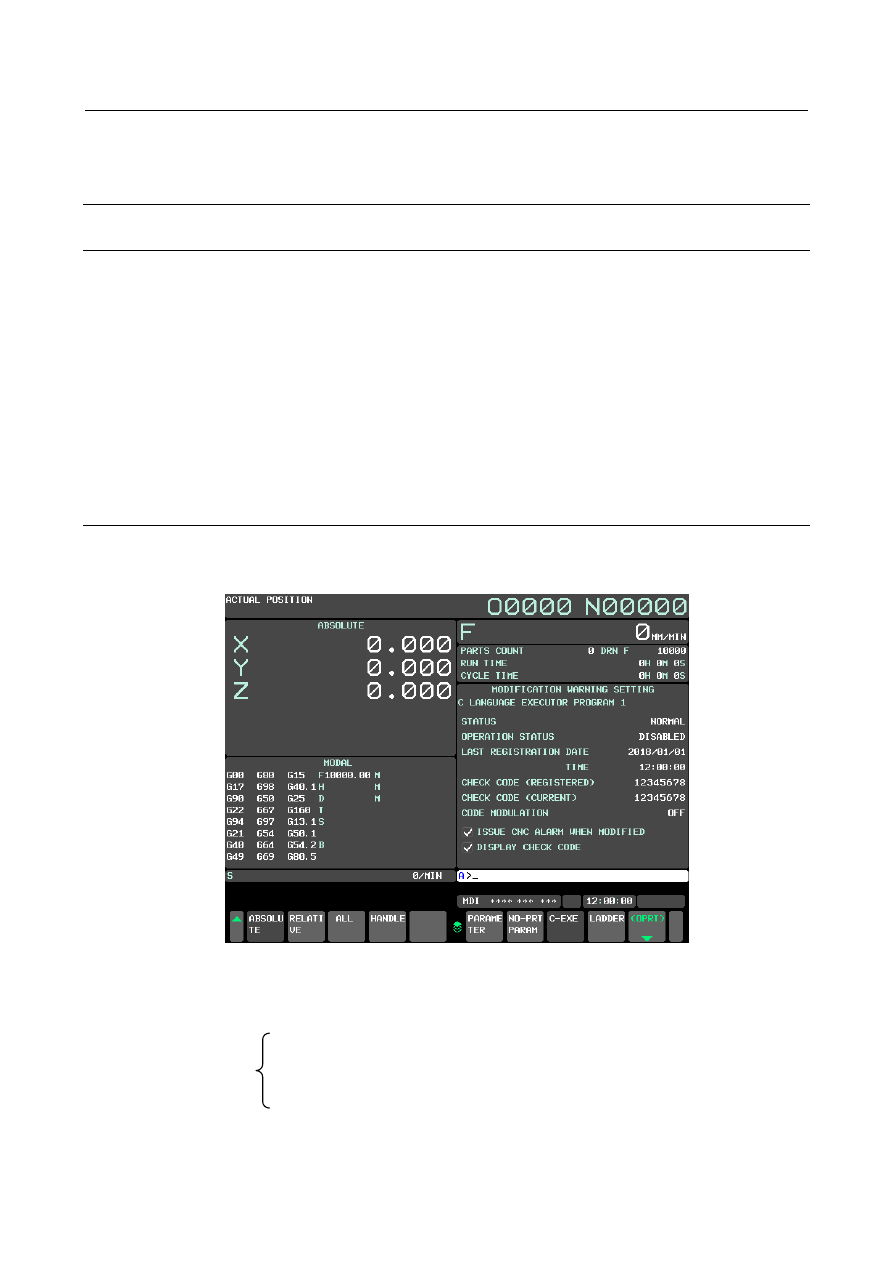
MODIFICATION WARNING SETTING screen
The operation and displayed information for this function are operated on the MODIFICATION
WARNING SETTING screen.
Fig 13.1.24.2 (a) MODIFICATION WARNING SETTING screen
There are separate setting screens for each item to be protected as follows.
You can switch to each setting screen by soft key operation.
MODIFICATION
WARNING SETTING
screens
-
Setting screen for CNC parameters
-
Setting screen for non-protected parameters
-
Setting screen for C language executor program
-
Setting screen for ladder program (Dual Check Safety ladder program is contained.)