SINUMERIK 840D sl/828D. Job Planning. Programming Manual (2010-2018) - page 2
Flexible NC programming
2.3 Arithmetic functions
Programming examples
Program code
Comment
R1=R1+1
; New R1 = old R1 + 1
R1=R2+R3 R4=R5-R6 R7=R8*R9
R10=R11/R12 R13=SIN(25.3)
R14=R1*R2+R3
; Multiplication or division takes precedence
over addition or subtraction.
R14=(R1+R2)*R3
; Expressions and parentheses are calculated
first.
R15=SQRT(POT(R1)+POT(R2))
; Inner parentheses are resolved first:
R15 = square root of ( (R1^2 + R2^2) )
RESFRAME=FRAME1:FRAME2
; FRAME logic operation with chain operator
FRAME3=CTRANS(…):CROT(…)
Value assignment at a FRAME component
Job Planning
Programming Manual, 12/2018, A5E40869460B AB
75
Flexible NC programming
2.4 Comparison and logic operations
2.4
Comparison and logic operations
Comparison operations can be used, for example, to formulate a jump condition. Complex
expressions can also be compared.
The comparison operations are applicable to variables of type CHAR, INT, REAL and BOOL.
The code value is compared with the CHAR type.
For types STRING, AXIS and FRAME, the following are possible: == and <>, which can be used
for STRING type operations, even in synchronous actions.
The result of comparison operations is always of BOOL type.
Logic operators are used to link truth values.
The logical operations can only be applied to type BOOL variables. However, they can also be
applied to the CHAR, INT and REAL data types via internal type conversion.
For the logic (Boolean) operations, the following applies to the BOOL, CHAR, INT and REAL
data types:
●
0 corresponds to: FALSE
● Not equal to 0 means: TRUE
Bit-by-bit logic operators
Logic operations can also be applied to single bits of types CHAR and INT. Type conversion
is automatic.
Programming
Relational operator
Meaning
==
Equal to
<>
Not equal to
>
Greater than
<
Less than
>=
Greater than or equal to
<=
Less than or equal to
Logic operator
Meaning
AND
AND
OR
OR
NOT
Negation
XOR
Exclusive OR
Bit-by-bit logic operator
Meaning
B_AND
Bit-by-bit AND
B_OR
Bit-by-bit OR
B_NOT
Bit-by-bit negation
B_XOR
Bit-by-bit exclusive OR
Job Planning
76
Programming Manual, 12/2018, A5E40869460B AB
Flexible NC programming
2.4 Comparison and logic operations
Note
In arithmetic expressions, the execution order of all the operators can be specified by
parentheses, in order to override the normal priority rules.
Note
Spaces must be left between BOOLEAN operands and operators.
Note
The operator B_NOT only refers to one operand. This is located after the operator.
Examples
Example 1: Comparison operators
IF R10>=100 GOTOF DEST
or
R11=R10>=100
IF R11 GOTOF DEST
The result of the R10>=100 comparison is first buffered in R11.
Example 2: Logic operators
IF (R10<50) AND ($AA_IM[X]>=17.5) GOTOF DESTINATION
or
IF NOT R10 GOTOB START
NOT only refers to one operand.
Example 3: Bit-by-bit logic operators
IF $MC_RESET_MODE_MASK B_AND 'B10000' GOTOF ACT_PLANE
Job Planning
Programming Manual, 12/2018, A5E40869460B AB
77
Flexible NC programming
2.5 Precision correction on comparison errors (TRUNC)
2.5
Precision correction on comparison errors (TRUNC)
The TRUNC command truncates the operand multiplied by a precision factor.
Settable precision for comparison commands
Program data of type REAL is displayed internally with 64 bits in IEEE format. This display
format can cause decimal numbers to be displayed imprecisely and lead to unexpected results
when compared with the ideally calculated values.
Relative equality
To prevent the imprecision caused by the display format from interfering with program flow,
the comparison commands do not check for absolute equality, but rather for relative equality.
Syntax
Precision correction on comparison errors
TRUNC (R1*1000)
Meaning
TRUNC:
Truncate decimal places
Relative quality of 10-12 taken into account for
● Equality: (==)
● Inequality: (<>)
● Greater than or equal to: (>=)
● Less than or equal to: (<=)
● Greater/less than: (><) with absolute equality
● Greater than: (>)
● Less than: (<)
Compatibility
For compatibility reasons, the check for relative quality for (>) and (<) can be deactivated by
setting machine data MD10280 $MN_ PROG_FUNCTION_MASK Bit0 = 1.
Note
Comparisons with data of type REAL are subject to a certain imprecision for the above reasons.
If deviations are unacceptable, use INTEGER calculation by multiplying the operands by a
precision factor and then truncating with TRUNC.
Synchronized actions
The response described for the comparison commands also applies to synchronized actions.
Job Planning
78
Programming Manual, 12/2018, A5E40869460B AB
Flexible NC programming
2.5 Precision correction on comparison errors (TRUNC)
Examples
Example 1: Precision considerations
Program code
Comments
N40 R1=61.01 R2=61.02 R3=0.01
;Assignment of initial values
N41 IF ABS(R2-R1) > R3 GOTOF ERROR
; Jump would have been executed up
until now
N42 M30
; End of program
N43 ERROR: SETAL(66000)
R1=61.01 R2=61.02 R3=0.01
;Assignment of initial values
R11=TRUNC(R1*1000) R12=TRUNC(R2*1000)
; Accuracy correction
R13=TRUNC(R3*1000)
IF ABS(R12-R11) > R13 GOTOF ERROR
; Jump is no longer executed
M30
; End of program
ERROR: SETAL(66000)
Example 2: Calculate and evaluate the quotient of both operands
Program code
Comments
R1=61.01 R2=61.02 R3=0.01
;Assignment of initial values
IF ABS((R2-R1)/R3)-1) > 10EX-5 GOTOF ERROR
; Jump is not executed
M30
; End of program
ERROR: SETAL(66000)
Job Planning
Programming Manual, 12/2018, A5E40869460B AB
79
Flexible NC programming
2.6 Variable minimum, maximum and range (MINVAL, MAXVAL and BOUND)
2.6
Variable minimum, maximum and range (MINVAL, MAXVAL and
BOUND)
The MINVAL and MAXVAL commands compare the values of two variables. The smaller value
(in the case of MINVAL) or the larger value (in the case of MAXVAL) respectively is delivered
as a result.
The BOUND command tests whether the value of a test variable falls within a defined range of
values.
Syntax
<smaller value>=MINVAL(<variable1>,<variable2>)
<larger value>=MAXVAL(<variable1>,<variable2>)
<return value>=<BOUND>(<minimum>,<maximum>,<test variable>)
Meaning
MINVAL:
Obtains the smaller value of two variables (<variable1>,
<variable2>)
<smaller value>:
Result variable for the MINVAL command
Set to the smaller variable value.
MAXVAL:
Obtains the larger value of two variables (<variable1>,
<variable2>)
<larger value>:
Result variable for the MAXVAL command
Set to the larger variable value.
BOUND:
Tests whether a variable (<test variable) is within a defined range of
values.
<minimum>:
Variable which defines the minimum value of the range of values.
<maximum>:
Variable which defines the maximum value of the range of values.
<return value>:
Result variable for the BOUND command
If the value of the test variable is within the defined range of values, the
result variable is set to the value of the test variable.
If the value of the test variable is greater than the maximum value, the
result variable is set to the maximum value of the definition range.
If the value of the test variable is less than the minimum value, the result
variable is set to the minimum value of the definition range.
Note
MINVAL, MAXVAL, and BOUND can also be programmed in synchronized actions.
Note
Behavior if values are equal
If the values are equal, MINVAL/MAXVAL are set to this equal value. In the case of BOUND the
value of the variable to be tested is returned again.
Job Planning
80
Programming Manual, 12/2018, A5E40869460B AB
Flexible NC programming
2.6 Variable minimum, maximum and range (MINVAL, MAXVAL and BOUND)
Example
Program code
Comment
DEF REAL rVar1=10.5, rVar2=33.7, rVar3, rVar4, rVar5, rValMin, rValMax, rRetVar
rValMin=MINVAL(rVar1,rVar2)
; rValMin is set to value 10.5.
rValMax=MAXVAL(rVar1,rVar2)
; rValMax is set to value 33.7.
rVar3=19.7
rRetVar=BOUND(rVar1,rVar2,rVar3)
; rVar3 is within the limits, rRetVar is set to 19.7.
rVar3=1.8
rRetVar=BOUND(rVar1,rVar2,rVar3)
; rVar3 is below the minimum limit, rRetVar is set to
10.5.
rVar3=45.2
rRetVar=BOUND(rVar1,rVar2,rVar3)
; rVar3 is above the maximum limit, rRetVar is set to
33.7.
Job Planning
Programming Manual, 12/2018, A5E40869460B AB
81
Flexible NC programming
2.7 Priority of the operations
2.7
Priority of the operations
Each operator is assigned a priority. When an expression is evaluated, the operators with the
highest priority are always applied first. Where operators have the same priority, the evaluation
is from left to right.
In arithmetic expressions, the execution order of all the operators can be specified by
parentheses, in order to override the normal priority rules.
Order of operators
From the highest to lowest priority
1.
NOT, B_NOT
Negation, bit-by-bit negation
2.
*, /, DIV, MOD
Multiplication, division
3.
+, -
Addition, subtraction
4.
B_AND
Bit-by-bit AND
5.
B_XOR
Bit-by-bit exclusive OR
6.
B_OR
Bit-by-bit OR
7.
AND
AND
8.
XOR
Exclusive OR
9.
OR
OR
10.
<<
Concatenation of strings, result type STRING
11.
==, <>, >, <, >=, <=
Comparison operators
Note
The concatenation operator ":" for Frames must not be used in the same expression as other
operators. A priority level is therefore not required for this operator.
Example: IF statement
If (otto==10) and (anna==20) gotof end
Job Planning
82
Programming Manual, 12/2018, A5E40869460B AB
Flexible NC programming
2.8 Possible type conversions
2.8
Possible type conversions
Function
Type conversion on assignment
The constant numeric value, the variable, or the expression assigned to a variable must be
compatible with the variable type. If this is the case, the type is automatically converted when
the value is assigned.
Possible type conversions
to
REAL
INT
BOOL
CHAR
STRING
AXIS
FRAME
from
REAL
yes
yes*
Yes1)
Yes *
-
-
-
INT
yes
yes
Yes1)
Yes 2)
-
-
-
BOOL
yes
yes
yes
yes
yes
-
-
CHAR
yes
yes
Yes 1)
yes
yes
-
-
STRING
-
-
Yes 4)
Yes 3)
yes
-
-
AXIS
-
-
-
-
-
yes
-
FRAME
-
-
-
-
-
-
yes
Explanation
*
At type conversion from REAL to INT, fractional values that are >=0.5 are rounded up,
others are rounded down (cf. ROUND function).
1)
Value <> 0 is equivalent to TRUE; value == 0 is equivalent to FALSE
2)
If the value is in the permissible range
3)
If only 1 character
4)
String length 0 = >FALSE, otherwise TRUE
Note
If conversion produces a value greater than the target range, an error message is output.
If mixed types occur in an expression, type conversion is automatic. Type conversions are also
possible in synchronous actions, see Chapter "Motion-synchronous actions, implicit type
conversion".
Job Planning
Programming Manual, 12/2018, A5E40869460B AB
83
Flexible NC programming
2.9 String operations
2.9
String operations
Sting operations
In addition to the classic operations "assign" and "comparison" the following string operations
are possible:
● Type conversion to STRING (AXSTRING) (Page 84)
● Type conversion from STRING (NUMBER, ISNUMBER, AXNAME) (Page 85)
● Concatenation of strings (<<) (Page 86)
● Conversion to lower/upper case letters (TOLOWER, TOUPPER) (Page 87)
● Determine length of string (STRLEN) (Page 88)
● Search for character/string in the string (INDEX, RINDEX, MINDEX, MATCH) (Page 89)
● Selection of a substring (SUBSTR) (Page 90)
● Reading and writing of individual characters (Page 91)
● Formatting a string (SPRINT) (Page 92)
Special significance of the 0 character
Internally, the 0 character is interpreted as the end identifier of a string. If a character is replaced
with the 0 character, the string is truncated.
Example:
Program code
Comment
DEF STRING[20] STRG="axis . stationary"
STRG[6]="X"
MSG(STRG)
; Supplies the message "axis X sta-
tionary".
STRG[6]=0
MSG(STRG)
; Supplies the message "axis".
2.9.1
Type conversion to STRING (AXSTRING)
The function "type conversion to STRING" allows variables of different types to be used as a
component of a message (MSG).
When using the << operator this is realized implicitly for data types INT, REAL, CHAR and
BOOL (see " Concatenation of strings (<<) (Page 86) ").
An INT value is converted to normal readable format. REAL values convert with up to 10
decimal places.
Type AXIS variables can be converted to STRING using the AXSTRING command.
Job Planning
84
Programming Manual, 12/2018, A5E40869460B AB
Flexible NC programming
2.9 String operations
Syntax
<STRING_RES> = << <any_type>
<STRING_RES> = AXSTRING(<axis identifier>)
Meaning
<STRING_RES>:
Variable for the result of the type conversion
Type:
STRING
<any_type>:
Variable types INT, REAL, CHAR, STRING and BOOL
AXSTRING:
The AXSTRING command supplies the specified axis identifier as
string.
<axis identifier>:
Variable for axis identifier
Type:
AXIS
Note
FRAME variables cannot be converted.
2.9.2
Type conversion from STRING (NUMBER, ISNUMBER, AXNAME)
A conversion is made from STRING to REAL using the NUMBER command. The ability to be
converted can be checked using the ISNUMBER command.
A string is converted into the axis data type using the AXNAME command.
Syntax
<REAL_RES>=NUMBER("<string>")
<BOOL_RES>=ISNUMBER("<string>")
<AXIS_RES>=AXNAME("<string>")
Meaning
NUMBER:
The NUMBER command returns the number represented by the <string> as RE-
AL value.
<string>:
Type STRING variable to be converted
<REAL_RES>:
Variable for the result of the type conversion with NUMBER
Type:
REAL
ISNUMBER:
The ISNUMBER command checks whether the <string> can be converted into
a valid number.
Job Planning
Programming Manual, 12/2018, A5E40869460B AB
85
Flexible NC programming
2.9 String operations
<BOOL_RES>:
Variable for the result of the interrogation with ISNUMBER
Type:
BOOL
Value:
TRUE
ISNUMBER supplies the value TRUE, if the
<string> represents a valid REAL number in com-
pliance with the language rules.
FALSE
If ISNUMBER supplies the value FALSE, when calling
NUMBER with the same <string>, an alarm is initi-
ated.
AXNAME:
The AXNAME command converts the specified <string> into an axis identifier.
Note:
If the <string> cannot be assigned a configured axis identifier, an alarm is initi-
ated.
<AXIS_RES>:
Variable for the result of the type conversion with AXNAME
Type:
AXIS
Example
Program code
Comment
DEF BOOL BOOL_RES
DEF REAL REAL_RES
DEF AXIS AXIS_RES
REAL_RES == 1234.9876Ex-7
; BOOL_RES == TRUE
BOOL_RES=ISNUMBER("1234XYZ")
; BOOL_RES == FALSE
REAL_RES=NUMBER("1234.9876Ex-7")
; REAL_RES == 1234.9876Ex-7
AXIS_RES=AXNAME("X")
; AXIS_RES == X
2.9.3
Concatenation of strings (<<)
The function "concatenation strings" allows a string to be configured from individual
components.
The concatenation is realized using the operator "<<". This operator has STRING as the target
type for all combinations of basic types CHAR, BOOL, INT, REAL, and STRING. Any
conversion that may be required is carried out according to existing rules.
Syntax
<any_type> << <any_type>
Job Planning
86
Programming Manual, 12/2018, A5E40869460B AB
Flexible NC programming
2.9 String operations
Meaning
<any_type>:
Variable, type CHAR, BOOL, INT, REAL or STRING
<< :
Operator to chain variables (<any_type>) to configure a character string (type
STRING).
This operator is also available alone as a so-called "unary" variant. This can be used
for explicit type converter to STRING (not for FRAME and AXIS):
<< <any_type>
For example, such a message or a command can be configured from text lists and parameters
can be inserted (for example a block name):
MSG(STRG_TAB[LOAD_IDX]<<BLOCK_NAME)
Note
The intermediate results of string concatenation must not exceed the maximum string length.
Note
The FRAME and AXIS types cannot be used together with the operator "<<".
Examples
Example 1: Concatenation of strings
Program code
Comment
DEF INT IDX=2
DEF REAL VALUE=9.654
DEF STRING[20] STRG="INDEX:2"
IF STRG=="Index:"<<IDX GOTOF NO_MSG
MSG("Index:"<<IDX<<"/value:"<<VALUE)
; Display:
"Index:2/value:9.654"
NO_MSG:
Example 2: Explicit type conversion with <<
Program code
Comment
DEF REAL VALUE=3.5
<<VALUE
; The specified REAL type variable is converted into a
STRING type.
2.9.4
Conversion to lower/upper case letters (TOLOWER, TOUPPER)
The "conversion to lowercase/uppercase letters" function allows all of the letters of a string to
be converted into a standard representation.
Job Planning
Programming Manual, 12/2018, A5E40869460B AB
87
Flexible NC programming
2.9 String operations
Syntax
<STRING_RES>=TOUPPER("<string>")
<STRING_RES>=TOLOWER("<string>")
Meaning
TOUPPER:
Using the TOUPPER command, all of the letters in a character string are con-
verted into uppercase letters.
TOLOWER:
Using the TOLOWER command, all of the letters in a character string are con-
verted into lowercase letters.
<string>:
Character string that is to be converted
Type:
STRING
<STRING_RES>:
Variable for the result of the conversion
Type:
STRING
Example
Because user inputs can be initiated on the user interface, they can be given standard
capitalization (uppercase or lowercase):
Program code
DEF STRING [29] STRG
IF "LEARN.CNC"==TOUPPER(STRG) GOTOF LOAD_LEARN
2.9.5
Determine length of string (STRLEN)
The STRLEN command determines the length of a character string.
Syntax
<INT_RES>=STRLEN("<STRING>")
Meaning
STRLEN:
The STRLEN command determines the length of the specified character string.
The number of characters that are not the 0 character, counting from the beginning
of the string is returned.
<string>:
Character string whose length is to be determined
Type:
STRING
<INT_RES>:
Variable for the result of the determination
Type:
INT
Job Planning
88
Programming Manual, 12/2018, A5E40869460B AB
Flexible NC programming
2.9 String operations
Example
In conjunction with the single character access, this function allows the end of a character
string to be determined:
Program code
IF (STRLEN(BLOCK_NAME)>10) GOTOF ERROR
2.9.6
Search for character/string in the string (INDEX, RINDEX, MINDEX, MATCH)
This functionality searches for single characters or a string within a string. The function results
specify where the character/string is positioned in the string that has been searched.
Syntax
INT_RES=INDEX(STRING,CHAR) ; Result type: INT
INT_RES=RINDEX(STRING,CHAR) ; Result type: INT
INT_RES=MINDEX(STRING,STRING) ; Result type: INT
INT_RES=MINDEX(STRING,STRING) ; Result type: INT
Semantics
Search functions: It supplies the position in the string (first parameter) where the search has
been successful. If the character/string cannot be found, then the value -1 is returned. The first
character has position 0.
Meaning
INDEX:
Searches for the character specified as second parameter (from the beginning) in the
first parameter.
RINDEX:
Searches for the character specified as second parameter (from the end) in the first
parameter.
MINDEX:
Corresponds to the INDEX function, except for the case that a list of characters is
transferred (as string) in which the index of the first found character is returned.
MATCH:
Searches for a string in a string.
This allows strings to be broken up according to certain criteria, for example, at positions with
blanks or path separators ("/").
Example
Breaking up an input into path and block names
Program code
Comment
DEF INT PFADIDX, PROGIDX
DEF STRING[26] INPUT
DEF INT LISTIDX
Job Planning
Programming Manual, 12/2018, A5E40869460B AB
89
Flexible NC programming
2.9 String operations
Program code
Comment
INPUT = "/_N_MPF_DIR/_N_EXECUTE_MPF"
LISTIDX = MINDEX (INPUT, "M,N,O,P")
; The value returned in LISTIDX is 3; because
+ 1
"N" is the first character in the parameter IN-
PUT from the selection list starting from the
beginning.
PFADIDX = INDEX (INPUT, "/") +1
; Therefore the following applies: PFADIDX = 1
PROGIDX = RINDEX (INPUT, "/") +1
; Therefore the following applies: PROGIDX = 12
; The SUBSTR function introduced in the next
section can be used to break-up
variable INPUT into the components "path" and
"module":
VARIABLE = SUBSTR (INPUT,
; Then returns "_N_MPF_DIR"
PFADIDX, PROGIDX-PFADIDX-1)
VARIABLE = SUBSTR (INPUT, PROGIDX)
; Then returns "_N_EXECUTE_MPF"
2.9.7
Selection of a substring (SUBSTR)
Arbitrary parts within a string can be read with the SUBSTRING function.
Syntax
<STRING_RES>=SUBSTR(<string>,<index>,<length>)
<STRING_RES>=SUBSTR(<string>,<index>)
Meaning
SUBSTR:
This function returns a substring from <string>, starting with <index> with the speci-
fied <length>.
If the parameter <length> is not specified, the function returns a substring starting
with <index> until the end of the string.
<index>:
Start position of the substring within the string. If the start position is after the end of
the string, an empty string (" ") is returned. First character of the string: Index = 0
Range of values: 0 ... (string length - 1)
<length>:
Length of the substring. If too long a length is specified, only the substring up to the
end of the string is returned.
Range of values: 1 ... (string length - 1)
Example
Program code
Comment
DEF STRING[29] RES
;
1
;
0123456789012345678
RES = SUBSTR("QUITTUNG: 10 to 99", 10, 2)
; RES == "10"
Job Planning
90
Programming Manual, 12/2018, A5E40869460B AB
Flexible NC programming
2.9 String operations
Program code
Comment
RES = SUBSTR("QUITTUNG: 10 to 99", 10)
; RES == "10 to 99"
2.9.8
Reading and writing of individual characters
Individual characters can be read and written within a string.
The following supplementary conditions must be observed:
● Only possible with user-defined variables, not with system variables
● Individual characters of a string are only transferred "call by value" for subprogram calls
Syntax
<Character>=<string>[<index>]
<Character>=<string_array>[<array_index>,<index>]
<String>[<index>]=<character>
<String_array>[<array_index>,<index>]=<character>
Meaning
<string>:
Any string
<character>:
Variable of type CHAR
<index>:
Position of the character within the string.
First character of the string: Index = 0
Range of values: 0 ... (string length - 1)
Examples
Example 1: Variable message
Program code
Comment
;
0123456789
DEF STRING [50] MESSAGE = "Axis n has reached position"
MESSAGE [6] = "X"
MSG (MESSAGE)
; "Axis X has reached position"
Example 2: Evaluating a system variable
Program code
Comment
DEF STRING[50] STRG
; Buffer for system variable
STRG = $P_MMCA
; Load system variable
IF STRG[0] == "E" GOTO ...
; Evaluating the system variable
Job Planning
Programming Manual, 12/2018, A5E40869460B AB
91
Flexible NC programming
2.9 String operations
Example 3: Parameter transfer "call by value" and "call by reference"
Program code
Comment
;
0123456
DEF STRING[50] STRG = "Axis X"
DEF CHAR CHR
EXTERN UP_VAL(ACHSE)
; Definition of subprogram with "call
by value" parameters
EXTERN UP_REF(VAR ACHSE)
; Definition of subprogram with "call
by reference" parameters
UP_VAL(STRG[6])
; Parameter transfer "by value"
CHR = STRG[6]
; Buffer
UP_REF(CHR)
; Parameter transfer "by reference"
2.9.9
Formatting a string (SPRINT)
Using the pre-defined SPRINT function, character strings can be formatted and e.g. prepared
for output on external devices (also see "Process DataShare - Output to an external device/
file (EXTOPEN, WRITE, EXTCLOSE): (Page 653)").
Syntax
"<Result_string>"=SPRINT("<Format_string>",<value_1>,<value_2>,...,
<value_n>)
Meaning
SPRINT:
Identifier for a pre-defined function that supplies a val-
ue, type STRING.
"<Format_String>":
Character string that contains fixed and variable ele-
ments. The variable elements are defined using the
format control character % and a subsequent format
description.
< value_1>,< value_2>,…,< value_n>:
Value in the form of a constant or NC variables, which
is inserted at the location where the nth format control
character % is located, corresponding to the format
description in the <format_string>.
"<result_string>":
Formatted character string (maximum 400 bytes)
Job Planning
92
Programming Manual, 12/2018, A5E40869460B AB
Flexible NC programming
2.9 String operations
Format descriptions available
%B:
Conversion into the "TRUE" string, if the value to be converted:
● Is not equal to 0.
● Is not an empty string (for string values).
Conversion into the "FALSE" string, if the value to be converted:
● Is equal to 0.
● Is an empty string.
Example:
N10 DEF BOOL BOOL_VAR=1
N20 DEF STRING[80] RESULT
N30 RESULT=SPRINT("CONTENT OF BOOL_VAR:%B", BOOL_VAR)
Result: The character string "CONTENT OF BOOL_VAR:TRUE" is written to the
RESULT string variable.
%C:
Conversion into an ASCII character.
Example:
N10 DEF CHAR CHAR_VAR="X"
N20 DEF STRING[80] RESULT
N30 RESULT=SPRINT("CONTENT OF CHAR_VAR:%C",CHAR_VAR)
Result: The character string "CONTENT OF CHAR_VAR:X is written to the string
variable RESULT.
%D:
Conversion into a string with an integer value (INTEGER).
Example:
N10 DEF INT INT_VAR=123
N20 DEF STRING[80] RESULT
N30 RESULT=SPRINT("CONTENT OF INT_VAR:%D",INT_VAR)
Result: The character string "CONTENT OF INT_VAR:123" is written to the string
variable RESULT.
%<m>D:
Conversion into a string with an integer value (INTEGER). The string has a minimum
length of <m> characters. The missing locations are filled with spaces, left-justified.
Example:
N10 DEF INT INT_VAR=-123
N20 DEF STRING[80] RESULT
N30 RESULT=SPRINT("CONTENT OF INT_VAR:%6D",INT_VAR)
Result: The character string "CONTENT OF INT_VAR:xx-123" is written to string
variable RESULT ("x" in the example represents spaces).
%F:
Conversion into a string with a decimal number with 6 decimal places. Where rele-
vant, the decimal places are rounded-off or filled with 0.
Example:
N10 DEF REAL REAL_VAR=-1.2341234EX+03
N20 DEF STRING[80] RESULT
N30 RESULT=SPRINT("CONTENT OF REAL_VAR:%F",REAL_VAR)
Result: The string variable RESULT is written with the character string "CONTENT
OF REAL_VAR: -1234.123400".
Job Planning
Programming Manual, 12/2018, A5E40869460B AB
93
Flexible NC programming
2.9 String operations
%<m>F:
Conversion into a string with a decimal number with 6 decimal places and a total
length of at least <m> characters. Where relevant, the decimal places are rounded-
off or filled with 0. Missing characters are filled up to the total length <m> using
spaces, left-justified.
Example:
N10 DEF REAL REAL_VAR=-1.23412345678EX+03
N20 DEF STRING[80] RESULT
N30 RESULT=SPRINT("CONTENT OF REAL_VAR:%15F",REAL_VAR)
Result: The string variable RESULT is written with the character string "CONTENT
OF REAL_VAR: xxx-1234.123457" (where "x" is a placeholder for space).
%.<n>F:
Conversion into a string with a decimal number with <n> decimal places. Where
relevant, the decimal places are rounded-off or filled with 0.
Example:
N10 DEF REAL REAL_VAR=-1.2345678EX+03
N20 DEF STRING[80] RESULT
N30 RESULT=SPRINT("CONTENT OF REAL_VAR:%.3F",REAL_VAR)
Result: The character string "CONTENT OF REAL_VAR:-1234.568" is written to the
string variable RESULT.
%<m>.<n>F:
Conversion into a string with a decimal number with <n> decimal places and a total
length of at least <m> characters. Where relevant, the decimal places are rounded-
off or filled with 0. Missing characters are filled up to the total length <m> using
spaces, left-justified.
Example:
N10 DEF REAL REAL_VAR=-1.2341234567890EX+03
N20 DEF STRING[80] RESULT
N30 RESULT=SPRINT("CONTENT OF REAL_VAR:%10.2F",REAL_VAR)
Result: The character string "CONTENT OF REAL_VAR:xx-1234.12" is written to the
string variable RESULT ("x" in the example represents spaces).
%E:
Conversion into a string with a decimal number in the exponential representation.
The mantissa is saved, normalized with one pre-decimal place and 6 decimal places.
Where relevant, the decimal places are rounded-off or filled with 0. The exponent
starts with the keyword "EX". It is followed by the sign ("+" or "-") and a two or three-
digit number.
Example:
N10 DEF REAL REAL_VAR=-1234.567890
N20 DEF STRING[80] RESULT
N30 RESULT=SPRINT("CONTENT OF REAL_VAR:%E",REAL_VAR)
Result: The character string "CONTENT OF REAL_VAR:-1.234568EX+03" is written
to the string variable RESULT.
%<m>E:
Conversion into a string with a decimal number in the exponential representation and
a total length of at least <m> characters. The missing characters are filled with
spaces, left-justified. The mantissa is saved, normalized with one pre-decimal place
and 6 decimal places. Where relevant, the decimal places are rounded-off or filled
with 0. The exponent starts with the keyword "EX". It is followed by the sign ("+" or
"-") and a two or three-digit number.
Example:
N10 DEF REAL REAL_VAR=-1234.5
N20 DEF STRING[80] RESULT
N30 RESULT=SPRINT("CONTENT OF REAL_VAR:%20E",REAL_VAR)
Result: The character string "CONTENT OF REAL_VAR:xxxxxx-1.234500EX+03" is
written to the string variable RESULT ("x" in the example represents spaces).
Job Planning
94
Programming Manual, 12/2018, A5E40869460B AB
Flexible NC programming
2.9 String operations
%.<n>E:
Conversion into a string with a decimal number in the exponential representation.
The mantissa is saved, normalized with one pre-decimal place and <n> decimal
places. Where relevant, the decimal places are rounded-off or filled with 0. The ex-
ponent starts with the keyword "EX". It is followed by the sign ("+" or "-") and a two
or three-digit number.
Example:
N10 DEF REAL REAL_VAR=-1234.5678
N20 DEF STRING[80] RESULT
N30 RESULT=SPRINT("CONTENT OF REAL_VAR:%.2E",REAL_VAR)
Result: The character string "CONTENT OF REAL_VAR:-1.23EX+03" is written to
the string variable RESULT.
%<m>.<n>E:
Conversion into a string with a decimal number in the exponential representation and
a total length of at least <m> characters. The missing characters are filled with
spaces, left-justified. The mantissa is saved, normalized with one pre-decimal place
and <n> decimal places. Where relevant, the decimal places are rounded-off or filled
with 0. The exponent starts with the keyword "EX". It is followed by the sign ("+" or
"-") and a two or three-digit number.
Example:
N10 DEF REAL REAL_VAR=-1234.5678
N20 DEF STRING[80] RESULT
N30 RESULT=SPRINT("CONTENT OF REAL_VAR:%12.2E", REAL_VAR)
Result: The character string "CONTENT OF REAL_VAR:xx-1.23EX+03" is written to
the string variable RESULT ("x" in the example represents spaces).
%G:
Conversion into a string with a decimal number - depending on the value range - in
a decimal or exponential representation: If the absolute value to be represented is
less than 1.0EX-04 or greater than/equal to 1.0EX+06, then the exponential notation
is selected, otherwise the decimal notation. A maximum of six significant places are
displayed or if required, rounded-off.
Example with decimal notation:
N10 DEF REAL REAL_VAR=1.234567890123456EX-04
N20 DEF STRING[80] RESULT
N30 RESULT=SPRINT("CONTENT OF REAL_VAR:%G",REAL_VAR)
Result: The character string "CONTENT OF REAL_VAR:0.000123457" is written to
the string variable RESULT.
Example with exponential notation:
N10 DEF REAL REAL_VAR=1.234567890123456EX+06
N20 DEF STRING[80] RESULT
N30 RESULT=SPRINT("CONTENT OF REAL_VAR:%G",REAL_VAR)
Result: The character string "CONTENT OF REAL_VAR:1.23457EX+06" is written
to the string variable RESULT.
Job Planning
Programming Manual, 12/2018, A5E40869460B AB
95
Flexible NC programming
2.9 String operations
%<m>G:
Conversion into a string with a decimal number - depending on the value range - in
a decimal or exponential notation (like %G). The string has a total length of at least
<m> characters. The missing characters are filled with spaces, left-justified.
Example with decimal notation:
N10 DEF REAL REAL_VAR=1.234567890123456EX-04
N20 DEF STRING[80] RESULT
N30 RESULT=SPRINT("CONTENT OF REAL_VAR:%15G",REAL_VAR)
Result: The character string "CONTENT OF REAL_VAR:xxxx0.000123457" is writ-
ten to the string variable RESULT ("x" in the example represents spaces).
Example with exponential notation:
N10 DEF REAL REAL_VAR=1.234567890123456EX+06
N20 DEF STRING[80] RESULT
N30 RESULT=SPRINT("CONTENT OF REAL_VAR:%15G",REAL_VAR)
Result: The character string "CONTENT OF REAL_VAR:xxx1.23457EX+06" is writ-
ten to the string variable RESULT ("x" in the example represents spaces).
%.<n>G:
Conversion into a string with a decimal number - depending on the value range - in
a decimal or exponential representation. A maximum of <n> significant places are
displayed or if required, rounded-off. If the absolute value to be represented is less
than 1.0EX-04 or greater than/equal to 1.0EX(+<n>), then the exponential notation
is selected, otherwise the decimal notation.
Example with decimal notation:
N10 DEF REAL REAL_VAR=1.234567890123456EX-04
N20 DEF STRING[80] RESULT
N30 RESULT=SPRINT("CONTENT OF REAL_VAR:%.3G",REAL_VAR)
Result: The character string "CONTENT OF REAL_VAR:0.000123" is written to the
string variable RESULT.
Example with exponential notation:
N10 DEF REAL REAL_VAR=1.234567890123456EX+03
N20 DEF STRING[80] RESULT
N30 RESULT = SPRINT("CONTENT OF REAL_VAR:%.3G",REAL_VAR)
Result: The character string "CONTENT OF REAL_VAR:1.23EX+03" is written to
the string variable RESULT.
%<m>.<n>G:
Conversion into a string with a decimal number - depending on the value range - in
a decimal or exponential notation (like %.<n>G). The string has a total length of at
least <m> characters. The missing characters are filled with spaces, left-justified.
Example with decimal notation:
N10 DEF REAL REAL_VAR=1.234567890123456EX-04
N20 DEF STRING[80] RESULT
N30 RESULT=SPRINT("CONTENT OF REAL_VAR:%12.4G",REAL_VAR)
Result: The character string "CONTENT OF REAL_VAR:xxx0.0001235" is written to
the string variable RESULT ("x" in the example represents spaces).
Example with exponential notation:
N10 DEF REAL REAL_VAR=1.234567890123456EX+04
N20 DEF STRING[80] RESULT
N30 RESULT=SPRINT("CONTENT OF REAL_VAR:%12.4G",REAL_VAR)
Result: The character string "CONTENT OF REAL_VAR:xx1.235EX+06" is written
to the string variable RESULT ("x" in the example represents spaces).
Job Planning
96
Programming Manual, 12/2018, A5E40869460B AB
Flexible NC programming
2.9 String operations
%.<n>P:
Converting a REAL value into an INTEGER value taking into account <n> decimal
places. The INTEGER value is output as a 32-bit binary number. If the value to be
converted cannot be represented with 32 bits, then processing is interrupted with an
alarm.
As a byte sequence generated using the format statement %.<n>P can also contain
binary zeroes, then the total string that is generated in this way no longer corresponds
to the conventions of the NC data type STRING. As a consequence, it can neither
be saved in a variable, type STRING, nor be further processed using the string com-
mands of the NC language. The only possible use is to transfer the parameter to the
WRITE command with output at an appropriate external device (see the following
example).
As soon as the <Format_String> contains a format description, type %P then the
complete string, with the exception of the binary number generated with %.<n>P, is
output corresponding to the MD10750 $MN_SPRINT_FORMAT_P_CODE in the AS-
CII character code, ISO (DIN6024) or EIA (RS244). If a character that cannot be
converted is programmed, then processing is interrupted with an alarm.
Example:
N10 DEF REAL REAL_VAR=123.45
N20 DEF INT ERROR
N30 DEF STRING[20] EXT_DEVICE="/ext/dev/1"
N100 EXTOPEN(ERROR,EXT_DEVICE)
N110 IF ERROR <> 0
; error handling
N200 WRITE(ERROR,EXT_DEVICE,SPRINT("INTEGER BINARY CODED:%.
3P",REAL_VAR)
N210 IF ERROR <> 0
… ; error handling
Result: The string "INTEGER BINARY CODED: 'H0001E23A'" is transferred to the
output device /ext/dev/1. The hexadecimal value 0x0001E23A corresponds to the
decimal value 123450.
Job Planning
Programming Manual, 12/2018, A5E40869460B AB
97
Flexible NC programming
2.9 String operations
%<m>.<n>P:
Conversion of a REAL value corresponding to the setting in machine data
MD10751 $MN_SPRINT_FORMAT_P_DECIMAL into a string with:
● An integer of <m> + <n> places or
● A decimal number with a maximum of <m> pre-decimal places and precisely <n>
decimal places.
Just the same as for the format description %.<n>P, the complete string is saved in
the character code defined by MD10750 $MN_SPRINT_FORMAT_P_CODE.
Conversion for MD10751 = 0:
The REAL value is converted into a string with an integer number of <m> + <n>
places. If required, decimal places are rounded-off to <n> places or filled with 0. The
missing pre-decimal places are filled with spaces. The minus sign is attached, left-
justified; a space is entered instead of the plus sign.
Example:
N10 DEF REAL REAL_VAR=-123.45
N20 DEF STRING[80] RESULT
N30 RESULT=SPRINT("PUNCHED TAPE FORMAT:%5.3P",REAL_VAR)
Result: The character string "PUNCHED TAPE FORMAT:-xx123450" is written to
the string variable RESULT ("x" in the example represents spaces).
Conversion for MD10751 = 1:
The REAL value is converted into a string with a decimal number with a maximum
of <m> pre-decimal places and precisely <n> decimal places. Where necessary, the
pre-decimal places are cut-off and the decimal places are rounded-off or filled with
0. If <n> is equal to 0, then the decimal point is also omitted.
Example:
N10 DEF REAL REAL_VAR1=-123.45
N20 DEF REAL REAL_VAR2=123.45
N30 DEF STRING[80] RESULT
N40 RESULT=SPRINT("PUNCHED TAPE FORMAT:%5.3P VAR2:%2.0P",
REAL_VAR1,REAL_VAR2)
Result: The character string "PUNCHED TAPE FORMAT:-123.450 VAR2:23" is writ-
ten to the string variable RESULT.
%S:
Inserting a string.
Example:
N10 DEF STRING[16] STRING_VAR="ABCDEFG"
N20 DEF STRING[80] RESULT
N30 RESULT=SPRINT("CONTENT OF STRING_VAR:%S",STRING_VAR)
Result: The character string "CONTENT OF STRING_VAR:ABCDEFG" is written to
the string variable RESULT.
%<m>S:
Inserting a string with a minimum of <m> characters. The missing places are filled
with spaces.
Example:
N10 DEF STRING[16] STRING_VAR="ABCDEFG"
N20 DEF STRING[80] RESULT
N30 RESULT=SPRINT("CONTENT OF STRING_VAR:%10S",STRING_VAR)
Result: The character string "CONTENT OF STRING_VAR:xxxABCDEFG" is written
to the string variable RESULT ("x" in the example represents spaces).
Job Planning
98
Programming Manual, 12/2018, A5E40869460B AB
Flexible NC programming
2.9 String operations
%.<n>S:
Inserting <n> characters of a string (starting with the first character).
Example:
N10 DEF STRING[16] STRING_VAR="ABCDEFG"
N20 DEF STRING[80] RESULT
N30 RESULT=SPRINT("CONTENT OF STRING_VAR:%.3S",STRING_VAR)
Result: The character string "CONTENT OF STRING_VAR:ABC" is written to the
string variable RESULT.
%<m>.<n>S:
Inserting <n> characters of a string (starting with the first character). The total length
of the generated string has at least <m> characters. The missing places are filled
with spaces.
Example:
N10 DEF STRING[16] STRING_VAR="ABCDEFG"
N20 DEF STRING[80] RESULT
N30 RESULT=SPRINT("CONTENT OF STRING_VAR:%10.5S", STRING_VAR)
Result: The character string "CONTENT OF STRING_VAR:xxxxxABCDE" is written
to the string variable RESULT ("x" in the example represents spaces).
%X:
Converting an INTEGER value into a string with the hexadecimal notation.
Example:
N10 DEF INT INT_VAR='HA5B8’
N20 DEF STRING[80] RESULT
N30 RESULT=SPRINT("INTEGER HEXADECIMAL:%X",INT_VAR)
Result: The character string "INTEGER HEXADECIMAL:A5B8" is written to the string
variable RESULT.
Note
A property of the NC language, where a distinction is not made between uppercase and
lowercase letters for identifiers and keywords, also applies to the format descriptions. As a
consequence, you can program using either lowercase or uppercase letters without any
functional difference.
Combination options
The following table provides information as to which NC data types can be combined with
which format description. The rules regarding implicit data type conversion apply (see "Data
types (Page 58)").
NC data types
BOOL
CHAR
INT
REAL
STRING
AXIS
FRAME
%B
+
+
+
+
+
-
-
%C
-
+
-
-
+
-
-
%D
+
+
+
+
-
-
-
%F
-
-
+
+
-
-
-
%E
-
-
+
+
-
-
-
%G
-
-
+
+
-
-
-
%S
-
+
-
-
+
-
-
%X
+
+
+
-
-
-
-
%P
-
-
+
+
-
-
-
Job Planning
Programming Manual, 12/2018, A5E40869460B AB
99
Flexible NC programming
2.9 String operations
Note
The table indicates that the NC data types AXIS and FRAME cannot be directly used in the
SPRINT function. However it is possible:
● To convert the AXIS data type into a string using the AXSTRING function - which can then
be processed with SPRINT.
● To read the individual values of the FRAME data type per frame component access. As a
consequence, a REAL data type is obtained, which can be processed with SPRINT.
Job Planning
100
Programming Manual, 12/2018, A5E40869460B AB
Flexible NC programming
2.10 Program jumps and branches
2.10
Program jumps and branches
2.10.1
Return jump to the start of the program (GOTOS)
The GOTOS command can be used to jump back to the beginning of a main or subprogram in
order to repeat the program.
Machine data can be used to set that for every return jump is made to the program start:
● The program runtime is set to "0".
● Workpiece counting is incremented by the value "1".
Syntax
GOTOS
Meaning
GOTOS:
Jump statement where the destination is the beginning of the program.
The execution is controlled via the NC/PLC interface signal:
DB21, to DBX384.0 (control program branching)
Value:
Meaning:
0
No return jump to the beginning of the program. Program execution is re-
sumed with the next part program block after GOTOS.
1
Return jump to the beginning of the program. The part program is repeated.
Supplementary conditions
● GOTOS internally initiates a STOPRE (pre-processing stop).
● For a subprogram with data definitions (LUD variables) with the GOTOS, a jump is made to
the first program block after the definition section, i.e. data definitions are not executed
again. This is the reason that the defined variables retain the value reached in the GOTOS
block and are not reset to the standard values programmed in the definition section.
● The GOTOS command is not available in synchronized actions and technology cycles.
Example
Program code
Comment
N10 ...
; Start of the program.
N90 GOTOS
; Jump to beginning of the program.
Job Planning
Programming Manual, 12/2018, A5E40869460B AB
101

Flexible NC programming
2.10 Program jumps and branches
2.10.2
Program jumps to jump markers (GOTOB, GOTOF, GOTO, GOTOC)
Jump labels can be set in a program, which can be jumped to from another location within the
same program using the commands GOTOF, GOTOB, GOTO, or GOTOC. Program execution is
resumed with the statement that immediately follows the jump label. This means that branches
can be realized within the program.
In addition to jump labels, main and sub-block numbers are possible as jump designation.
If a jump condition (IF ...) is formulated before the jump statement, the program jump is
only executed if the jump condition is fulfilled.
Syntax
GOTOB <jump destination>
IF <jump condition> == TRUE GOTOB <jump destination>
GOTOF <jump destination>
IF <jump condition> == TRUE GOTOF <jump destination>
GOTO <jump destination>
IF <jump condition> == TRUE GOTO <jump destination>
GOTOC <jump destination>
IF <jump condition> == TRUE GOTOC <jump destination>
Meaning
GOTOB:
Jump statement with jump destination toward the beginning of the program.
GOTOF:
Jump statement with jump destination toward the end of the program.
GOTO:
Jump statement with jump destination search. The search is first made in the
direction of the end of the program, then in the direction of the beginning of the
program.
GOTOC:
Same effect as for GOTO with the difference that Alarm 14080 "Jump designa-
tion not found" is suppressed.
This means that program execution is not interrupted in the case that the jump
destination search is unsuccessful - but is continued with the program line fol-
lowing the GOTOC command.
<jump
Jump destination parameter
destination>:
Possible data include:
<jump label>:
Jump destination is the jump label set in the program
with a user-defined name:<jump label>:
<block number>:
Jump destination is main block or sub-block number
(e.g.: 200, N300)
STRING type variable:
Variable jump destination. The variable stands for a
jump label or a block number.
IF:
Keyword to formulate the jump condition.
The jump condition permits all comparison and logical operations (result: TRUE
or FALSE). The program jump is executed if the result of this operation is TRUE.
Job Planning
102
Programming Manual, 12/2018, A5E40869460B AB
Flexible NC programming
2.10 Program jumps and branches
Note
Jump labels
Jump labels are always located at the beginning of a block. If a program number exists, the
jump label is located immediately after the block number.
The following rules apply when naming jump labels:
● Number of characters:
- Minimum 2
- Maximum 32
● Permissible characters are:
- Letters
- Numbers
- Underscores
● The first two characters must be letters or underscores.
● The name of the jump label is followed by a colon (":").
Supplementary conditions
● The jump destination can only be a block with jump label or block number that is located
within the program.
● A jump statement without jump condition must be programmed in a separate block. This
restriction does not apply to jump statements with jump conditions. In this case, several
jump statements can be formulated in a block.
● For programs with jump statements without jump conditions, the end of the program M2/
M30 does not necessarily be at the end of the program.
Examples
Example 1: Jumps to jump labels
Program code
Comment
N10 …
N20 GOTOF Label_1
; Jump toward end of program to
; jump label "Label_1".
N30 …
N40 Label_0: R1=R2+R3
; Jump label "Label_0" set.
N50 …
N60 Label_1:
; Jump label "Label_1" set.
N70 …
N80 GOTOB Label_0
; Jump toward beginning of program
; to the jump label "Label_0."
N90 …
Job Planning
Programming Manual, 12/2018, A5E40869460B AB
103
Flexible NC programming
2.10 Program jumps and branches
Example 2: Indirect jump to the block number
Program code
Comment
IF <condition> == TRUE
R10=100
; Assign jump destination
ELSE
R10=110
; Assign jump destination
ENDIF
; Jump toward end of program to the block whose block number is located in R10
N10 GOTOF "N"<<R10
N90 ...
N100 ...
; Jump destination
N110 ...
Example 3: Jump to variable jump destination
Program code
Comment
DEF STRING[20] DESTINATION
IF <condition> == TRUE
DESTINATION = "Label1"
; Assign jump destination
ELSE
DESTINATION = “Label2"
; Assign jump destination
ENDIF
; Jump toward end of program to the variable jump destination "Content of DESTINA-
TION."
GOTOF DESTINATION
Label1: T="Drill1"
; Jump destination 1
Label2: T="Drill2"
; Jump destination 2
Example 4: Jump with jump condition
Program code
Comment
N40 R1=30 R2=60 R3=10 R4=11 R5=50 R6=20
; Assignment of the initial values
N41 LA1: G0 X=R2*COS(R1)+R5 Y=R2*SIN(R1)+R6
; Jump label LA1
N42 R1=R1+R3 R4=R4-1
; IF jump condition == TRUE
; THEN jump toward beginning of program to the jump label LA1
N43 IF R4>0 GOTOB LA1
N44 M30
; End of program
Job Planning
104
Programming Manual, 12/2018, A5E40869460B AB

Flexible NC programming
2.10 Program jumps and branches
2.10.3
Program branch (CASE ... OF ... DEFAULT ...)
The CASE function provides the possibility of checking the actual value (type: INT) of a variable
or an arithmetic function and, depending on the result, to jump to different positions in the
program.
Syntax
CASE(<expression>) OF <constant_1> GOTOF <jump target_1>
<constant_2> GOTOF <jump target_2> ... DEFAULT GOTOF <jump target_n>
Meaning
CASE:
Jump statement
<expression>:
Variable or arithmetic function
OF:
Keyword to formulate conditional program branches.
<constant_1>:
First specified constant value for the variable or arithmetic function
Type:
INT
<constant_2>:
Second specified constant value for the variable or arithmetic function
Type:
INT
DEFAULT:
For the cases where the variable or arithmetic function does not assume
any of the specified constant values, the DEFAULT statement can be used
to determine the jump target.
Note:
If the DEFAULT statement is not programmed, then in these cases, the
block following the CASE statement is the jump target.
GOTOF:
Jump statement with jump target towards the end of the program.
Instead of GOTOF all other GOTO commands can be programmed (refer to
the subject "Program jumps to jump markers").
<jump target_1>:
A branch is made to this jump target if the value of the variable or arithmetic
function corresponds to the first specific constant.
The jump target can be specified as follows:
<jump marker>:
Jump target is the jump marker (label) set in the
program with a user-defined name: <jump
marker>:
<block number>:
Jump target is main block or sub-block number
(e.g.: 200, N300)
STRING type varia-
Variable jump target. The variable stands for a jump
ble:
marker or a block number.
<jump target_2>:
A branch is made to this jump target if the value of the variable or arithmetic
function corresponds to the second specified constant.
<jump target_n>:
A branch is made to this jump target if the value of the variable does not
assume the specified constant value.
Example
Program code
Job Planning
Programming Manual, 12/2018, A5E40869460B AB
105
Flexible NC programming
2.10 Program jumps and branches
Program code
N20 DEF INT VAR1 VAR2 VAR3
N30 CASE(VAR1+VAR2-VAR3) OF 7 GOTOF Label_1 9 GOTOF La-
bel_2 DEFAULT GOTOF Label_3
N40 Label_1: G0 X1 Y1
N50 Label_2: G0 X2 Y2
N60 Label_3: G0 X3 Y3
The CASE statement from N30 defines the following program branch possibilities:
1. If the value of the arithmetic function VAR1+VAR2-VAR3 = 7, then jump to the block with
the jump marker definition "Label_1" (→ N40).
2. If the value of the arithmetic function VAR1+VAR2-VAR3 = 9, then jump to the block with
the jump marker definition "Label_2" (→ N50).
3. If the value of the arithmetic function VAR1+VAR2-VAR3 is neither 7 nor 9, then jump to
the block with the jump marker definition "Label_3" (→ N60).
Job Planning
106
Programming Manual, 12/2018, A5E40869460B AB
Flexible NC programming
2.11 Repeat program section (REPEAT, REPEATB, ENDLABEL, P)
2.11
Repeat program section (REPEAT, REPEATB, ENDLABEL, P)
Program section repetition allows you to repeat existing program sections within a program in
any order.
The program lines or program sections to be repeated are identified by jump markers (labels).
Note
Jump markers (labels)
Jump markers are always located at the beginning of a block. If a program number exists, the
jump marker is located immediately after the block number.
The following rules apply when naming jump markers:
● Number of characters:
- Minimum 2
- Maximum 32
● Permissible characters are:
- Letters
- Numbers
- Underscores
● The first two characters must be letters or underscores.
● The name of the jump marker is followed by a colon (":").
Syntax
1. Repeat individual program line:
<jump marker>: ...
REPEATB <jump marker> P=<n>
2. Repeat program section between jump marker and REPEAT statement:
<jump marker>: ...
REPEAT <jump marker> P=<n>
3. Repeat section between two jump markers:
<start jump marker>: ...
<end jump marker>: ...
REPEAT <start jump marker> <end jump marker> P=<n>
Job Planning
Programming Manual, 12/2018, A5E40869460B AB
107
Flexible NC programming
2.11 Repeat program section (REPEAT, REPEATB, ENDLABEL, P)
Note
It is not possible to nest the REPEAT statement with the two jump markers in parentheses. If
the <start jump marker> appears before the REPEAT statement and the <end jump
marker> is not reached before the REPEAT statement, the section between the <start
jump marker> and the REPEAT statement will be repeated.
4. Repeat section between jump marker and ENDLABEL:
<jump marker>: ...
ENDLABEL: ...
REPEAT <jump marker> P=<n>
Note
It is not possible to nest the REPEAT statement with the <jump marker> and the
ENDLABEL in parentheses. If the <jump marker> appears before the REPEAT statement and
the ENDLABEL is not reached before the REPEAT statement, the section between the <jump
marker> and the REPEAT statement will be repeated.
Meaning
REPEATB:
Command for repeating a program line
REPEAT:
Command for repeating a program section
<jump marker>:
The <jump marker> identifies:
● The program line to be repeated (in the case of REPEATB)
or
● The start of the program section to be repeated (in the case of REPEAT)
The program line identified by the <jump marker> can appear before or
after the REPEAT/REPEATB statement. The search initially commences to-
ward the start of the program. If the jump marker is not found in this direction,
the search continues working toward the end of the program.
Exception:
If the program section between the jump marker and the REPEAT statement
needs to be repeated (see 2. under Syntax), the program line identified by
the <jump marker> has to appear before the REPEAT statement, since in
this case the search runs only toward the beginning of the program.
If the line with the <jump marker> contains further operations, these are
executed again on each repetition.
ENDLABEL:
Keyword marking the end of a program section to be repeated.
If the line with the ENDLABEL contains further operations, these are executed
again on each repetition.
ENDLABEL can be used more than once in the program.
Job Planning
108
Programming Manual, 12/2018, A5E40869460B AB
Flexible NC programming
2.11 Repeat program section (REPEAT, REPEATB, ENDLABEL, P)
P:
Address for specifying the number of repetitions
<n>:
Number of program section repetitions
Type:
INT
The program section to be repeated is repeated <n> times. After the last
repetition, the program is resumed at the line following the REPEAT/
REPEATB line.
Note:
In the absence of a number being specified for P=<n>, the program section
is repeated just once.
Examples
Example 1: Repeat individual program line
Program code
Comment
N10 POSITION1: X10 Y20
N20 POSITION2: CYCLE(0,,9,8)
;Position cycle
N30 ...
N40 REPEATB POSITION1 P=5
; Execute BLOCK N10 five times.
N50 REPEATB POSITION2
; Execute block N20 once.
N60 ...
N70 M30
Example 2: Repeat program section between jump marker and REPEAT statement:
Program code
Comment
N5 R10=15
N10 Begin: R10=R10+1
;Width
N20 Z=10-R10
N30 G1 X=R10 F200
N40 Y=R10
N50 X=-R10
N60 Y=-R10
N70 Z=10+R10
N80 REPEAT BEGIN P=4
; Execute section from N10 to N70 four times.
N90 Z10
N100 M30
Example 3: Repeat section between two jump markers
Program code
Comment
N5 R10=15
N10 Begin: R10=R10+1
;Width
N20 Z=10-R10
N30 G1 X=R10 F200
N40 Y=R10
N50 X=-R10
Job Planning
Programming Manual, 12/2018, A5E40869460B AB
109
Flexible NC programming
2.11 Repeat program section (REPEAT, REPEATB, ENDLABEL, P)
Program code
Comment
N60 Y=-R10
N70 END: Z=10
N80 Z10
N90 CYCLE(10,20,30)
N100 REPEAT BEGIN END P=3
; Execute section from N10 to N70 three times.
N110 Z10
N120 M30
Example 4: Repeat section between jump marker and ENDLABEL
Program code
Comment
N10 G1 F300 Z-10
N20 BEGIN1:
N30 X10
N40 Y10
N50 BEGIN2:
N60 X20
N70 Y30
N80 ENDLABEL: Z10
N90 X0 Y0 Z0
N100 Z-10
N110 BEGIN3: X20
N120 Y30
N130 REPEAT BEGIN3 P=3
; Execute section from N110 to N120 three times.
N140 REPEAT BEGIN2 P=2
; Execute section from N50 to N80 twice.
N150 M100
N160 REPEAT BEGIN1 P=2
; Execute section from N20 to N80 twice.
N170 Z10
N180 X0 Y0
N190 M30
Example 5: Milling, machine drill position with different technologies
Program code
Comment
N10 CENTER DRILL()
; Load centering drill.
N20 POS_1:
;Drilling positions 1
N30 X1 Y1
N40 X2
N50 Y2
N60 X3 Y3
N70 ENDLABEL:
N80 POS_2:
;Drilling positions 2
N90 X10 Y5
N100 X9 Y-5
N110 X3 Y3
Job Planning
110
Programming Manual, 12/2018, A5E40869460B AB
Flexible NC programming
2.11 Repeat program section (REPEAT, REPEATB, ENDLABEL, P)
Program code
Comment
N120 ENDLABEL:
N130 DRILL()
; Change drill and drilling cycle.
N140 THREAD(6)
; Load tap M6 and threading cycle.
N150 REPEAT POS_1
; Repeat program section once from POS_1 up to ENDLABEL.
N160 DRILL()
; Change drill and drilling cycle.
N170 THREAD(8)
; Load tap M8 and threading cycle.
N180 REPEAT POS_2
; Repeat program section once from POS_2 up to ENDLABEL.
N190 M30
Further information
● Program section repetitions can be nested. Each call uses a subprogram level.
● If M17 or RET is programmed during processing of a program section repetition, the
repetition is canceled. The program is resumed at the block following the REPEAT line.
● In the actual program display, the program section repetition is displayed as a separate
subprogram level.
● If the level is canceled during the program section repetition, the program resumes at the
point after the program section repetition call.
Example:
Program code
Comments
N5 R10=15
N10 BEGIN: R10=R10+1
;Width
N20 Z=10-R10
N30 G1 X=R10 F200
N40 Y=R10
; Interrupt level
N50 X=-R10
N60 Y=-R10
N70 END: Z10
N80 Z10
N90 CYCLE(10,20,30)
N100 REPEAT BEGIN END P=3
N120 Z10
; Resume program execution.
N130 M30
● Check structures and program section repetitions can be used in combination. There should
be no overlap between the two, however. A program section repetition should appear within
a check structure branch or a check structure should appear within a program section
repetition.
● If jumps and program section repetitions are mixed, the blocks are executed purely
sequentially. For example, if a jump is performed from a program section repetition,
processing continues until the programmed end of the program section is found.
Example:
Job Planning
Programming Manual, 12/2018, A5E40869460B AB
111
Flexible NC programming
2.11 Repeat program section (REPEAT, REPEATB, ENDLABEL, P)
Program code
N10 G1 F300 Z-10
N20 BEGIN1:
N30 X=10
N40 Y=10
N50 GOTOF BEGIN2
N60 ENDLABEL:
N70 BEGIN2:
N80 X20
N90 Y30
N100 ENDLABEL: Z10
N110 X0 Y0 Z0
N120 Z-10
N130 REPEAT BEGIN1 P=2
N140 Z10
N150 X0 Y0
N160 M30
Note
The REPEAT statement should appear after the traversing block.
Job Planning
112
Programming Manual, 12/2018, A5E40869460B AB
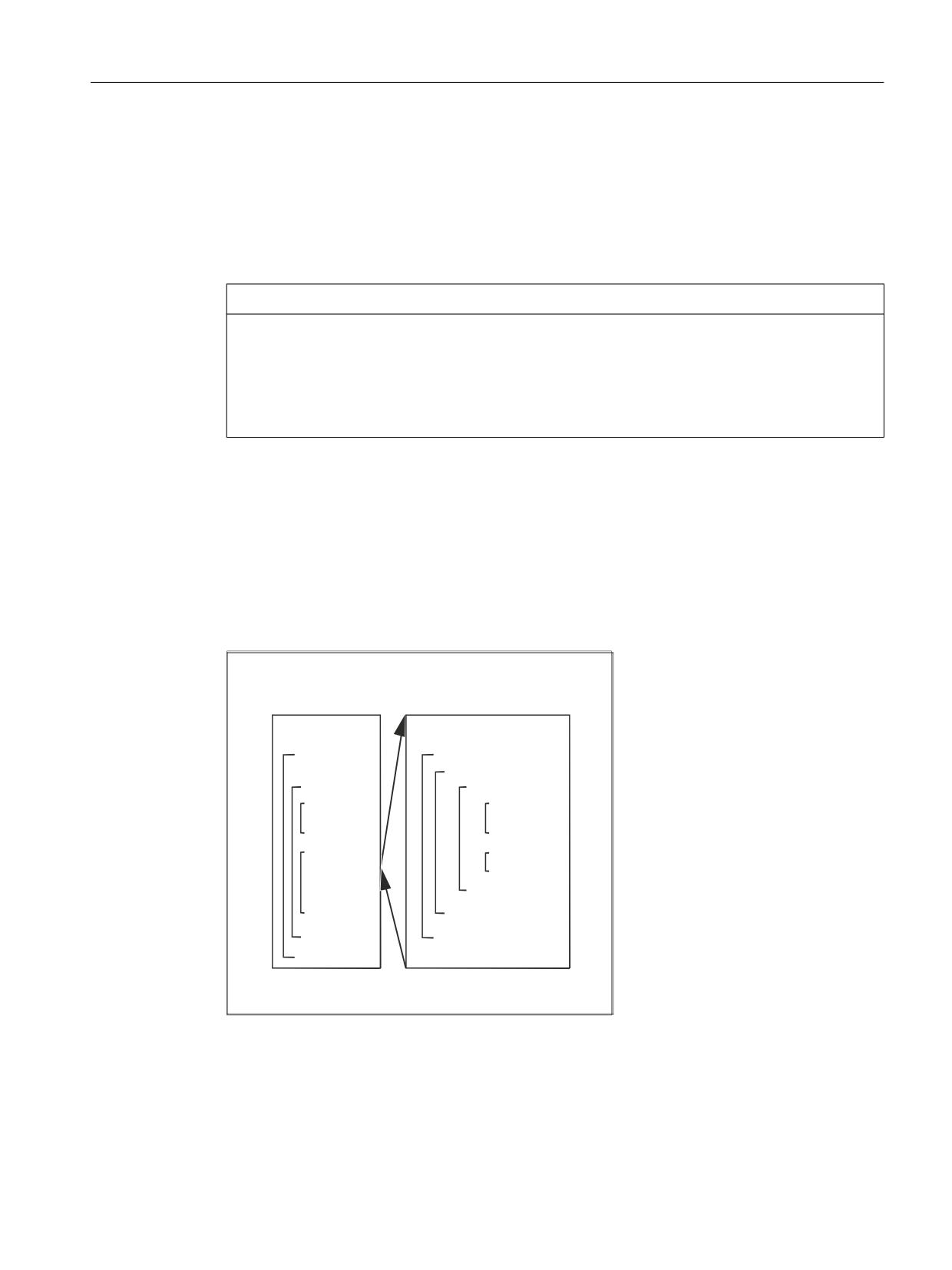
Flexible NC programming
2.12 Check structures
2.12
Check structures
The control processes the NC blocks as standard in the programmed sequence.
This sequence can be variable by programming alternative program blocks and program loops.
These check structures are programmed using the key words IF, ELSE, ENDIF, LOOP, FOR,
WHILE and REPEAT.
NOTICE
Programming error
Check structures may only be inserted in the statement section of a program. Definitions in
the program header may not be executed conditionally or repeatedly.
It is not permissible to superimpose macros on keywords for check structures or on jump
targets. No such check is made when the macro is defined.
Effectiveness
The check structure cannot be used program-wide.
Nesting depth
A nesting depth of up to 16 check structures can be set up on each subprogram level.
0DLQ SURJUDP
6XESURJUDP
352& 68%352*
/223
5(3($7
)25
:+,/(
)25
,)
:+,/(
(1',)
(1':+,/(
:+,/(
:+,/(
(1':+,/(
68%352*
(1')25
(1':+,/(
(1')25
(1':+,/(
817,/
(1'/223
Runtime response
In interpreter mode (active as standard), it is possible to shorten program processing times
more effectively by using program branches than can be obtained with check structures.
Job Planning
Programming Manual, 12/2018, A5E40869460B AB
113
Flexible NC programming
2.12 Check structures
There is no difference between program branches and check structures in precompiled cycles.
Current block display for program loops
If only selected blocks are executed within a program loop, the last main run block before the
program loop is shown in the current block display.
So that the processed selected blocks are also visible in the current block display, e.g. for
diagnostic purposes, the decoding single block SBL2 must be activated.
References
Function Manual, Basic Functions, Section: Mode group, channel, program operation, reset
response (K1) > Single block > Decoding single block SBL2 with implicit preprocessing stop
Grinding without main run block
If, within a program loop, no main run block has been programmed, then the loop is pre-
processed until the loop condition is satisfied.
As a consequence, a high level of utilization can occur and this can have a negative impact
on the display.
The STOPRE command or a dwell time G04 of 0 seconds can be inserted in the loop as
countermeasure.
Supplementary conditions
● Blocks with check structure elements cannot be suppressed.
● Jumper markers (labels) are not permitted in blocks with check structure elements.
● Check structures are processed interpretively. When a loop end is detected, a search is
made for the loop beginning, allowing for the check structures found in the process. For
this reason, the block structure of a program is not checked completely in interpreter mode.
● It is not generally advisable to use a mixture of check structures and program branches.
● A check can be made to ensure that check structures are nested correctly when cycles are
preprocessed.
2.12.1
Conditional statement and branch (IF, ELSE, ENDIF)
Conditional statement: IF - program block - ENDIF
With a conditional statement, the program block between IF and ENDIF is only executed when
the condition is satisfied.
Branch: IF - program block_1 - ELSE - program block_2 - ENDIF
With a branch, one of two program blocks is always executed.
If the condition is satisfied, program block_1 between IF and ELSE is executed.
If the condition is not satisfied, program block_2 between ELSE and ENDIF is executed.
Job Planning
114
Programming Manual, 12/2018, A5E40869460B AB
Flexible NC programming
2.12 Check structures
Syntax
Conditional statement
IF <condition>
Program block
; Execution when: <condition> == TRUE
ENDIF
Branch
IF <condition>
Program block_1
; Execution when: <condition> == TRUE
ELSE
Program block_2
; Execution when: <condition> == FALSE
ENDIF
Meaning
IF:
Introduces the conditional statement or branch.
ELSE:
Introduces the alternative program block.
ENDIF:
Marks the end of the conditional statement or branch.
<condition>:
Logical expression that is evaluated as TRUE or FALSE.
Example: Tool change subprogram
Program code
Comment
PROC L6
Tool change routine
N500 DEF INT TNR_AKTUELL
Variable for active T number
N510 DEF INT TNR_VORWAHL
Variable for preselected T number
Determine current tool
N520 STOPRE
N530 IF $P_ISTEST
In the program test mode ...
N540
TNR_AKTUELL = $P_TOOLNO
... The "current" tool is read
from the program context.
N550 ELSE
Otherwise ...
N560
TNR_AKTUELL = $TC_MPP6[9998,1]
... The tool of the spindle is
read-out.
N570 ENDIF
N580 GETSELT(TNR_VORWAHL)
Read the T number of the pre-se-
lected tool in the spindle.
N590 IF TNR_AKTUELL <> TNR_VORWAHL
If the pre-selected tool is
still not the current tool,
then ...
N600
G0 G40 G60 G90 SUPA X450 Y300 Z300 D0
... Approach tool change posi-
tion ...
N610 M206
... and execute a tool change.
N620 ENDIF
Job Planning
Programming Manual, 12/2018, A5E40869460B AB
115
Flexible NC programming
2.12 Check structures
Program code
Comment
N630 M17
2.12.2
Continuous program loop (LOOP, ENDLOOP)
Endless loops are used in endless programs. At the end of the loop, there is always a branch
back to the beginning.
Syntax
LOOP
ENDLOOP
Meaning
LOOP:
Initiates the endless loop.
ENDLOOP:
Marks the end of the loop and results in a return jump to the beginning of the loop.
Example
Program code
LOOP
MSG ("no tool cutting edge active")
M0
STOPRE
ENDLOOP
2.12.3
Count loop (FOR ... TO ..., ENDFOR)
The count loop is used if an operation must be repeated with a fixed number of runs.
Syntax
FOR <variable> = <initial value> TO <end value>
ENDFOR
Job Planning
116
Programming Manual, 12/2018, A5E40869460B AB
Flexible NC programming
2.12 Check structures
Meaning
FOR:
Initiates the count loop.
ENDFOR:
Marks the end of the loop and results in a return jump to the beginning of the
loop, as long as the end value of the count has still not been reached.
<variable>:
Count variable, which is incremented from the initial to the end value and is
increased by the value "1" at each run.
Type
INT or REAL
Note:
The REAL type is used if R parameters are programmed for a count
loop, for example. If the count variable is of the REAL type, its value
is rounded to an integer.
<initial value>:
Initial value of the count
Condition: The start value must be lower than the end value.
<full-scale
End value of the count
value>:
Examples
Example 1: INTEGER variable or R parameter as count variable
INTEGER variable as count variable:
Program code
Comment
DEF INT iVARIABLE1
R10=R12-R20*R1 R11=6
FOR iVARIABLE1 = R10 TO R11
; Count variable = INTEGER variable
R20=R21*R22+R33
ENDFOR
M30
R parameter as count variable:
Program code
Comment
R11=6
FOR R10=R12-R20*R1 TO R11
; Count variable = R parameter (real variable)
R20=R21*R22+R33
ENDFOR
M30
Example 2: Production of a fixed quantity of parts
Program code
Comment
DEF INT WKPCCOUNT
; Defines type INT variable with the name
"WKPCCOUNT".
Job Planning
Programming Manual, 12/2018, A5E40869460B AB
117
Flexible NC programming
2.12 Check structures
Program code
Comment
FOR WKPCCOUNT = 0 TO 100
; Initiates the count loop. The "WKPCCOUNT" vari-
able increments from the initial value "0" to the
end value "100".
G01 …
ENDFOR
; End of count loop
M30
2.12.4
Program loop with condition at start of loop (WHILE, ENDWHILE)
For a WHILE loop, the condition is at the beginning of the loop. The WHILE loop is executed
as long as the condition is fulfilled.
Syntax
WHILE <condition>
ENDWHILE
Meaning
WHILE:
Initiates the program loop.
ENDWHILE:
Marks the end of the loop and results in a return jump to the beginning of the
loop.
<condition>:
The condition must be fulfilled so that the WHILE loop is executed.
Example
Program code
Comment
WHILE $AA_IW[DRILL_AXIS] > -10
; Call the WHILE loop under the following
condition: The actual WCS setpoint for the
drilling axis must be greater than -10.
G1 G91 F250 AX[DRILL_AXIS] = -1
ENDWHILE
2.12.5
Program loop with condition at the end of the loop (REPEAT, UNTIL)
For a REPEAT loop, the condition is at the end of the loop. The REPEAT loop is executed
once and repeated continuously until the condition is fulfilled.
Job Planning
118
Programming Manual, 12/2018, A5E40869460B AB
Flexible NC programming
2.12 Check structures
Syntax
REPEAT
UNTIL <significance>
Meaning
REPEAT:
Initiates the program loop.
UNTIL:
Marks the end of the loop and results in a return jump to the beginning of the
loop.
<condition>:
The condition that must be fulfilled so that the REPEAT loop is no longer exe-
cuted.
Example
Program code
Comment
REPEAT
; Call the REPEAT loop.
UNTIL ...
; Check whether the condition is fulfilled.
2.12.6
Program example with nested check structures
Program code
Comment
LOOP
IF NOT $P_SEARCH
; IF no block search
G1 G90 X0 Z10 F1000
WHILE $AA_IM[X] <= 100
; WHILE (setpoint X axis <= 100)
G1 G91 X10 F500
; Drilling pattern
Z-5 F100
Z5
ENDWHILE
ELSE
; ELSE block search
MSG("No drilling during block search")
ENDIF
; ENDIF
$A_OUT[1] = 1
; Next drilling plate
G4 F2
ENDLOOP
M30
Job Planning
Programming Manual, 12/2018, A5E40869460B AB
119
Flexible NC programming
2.13 Coordination commands (INIT, START, WAITM, WAITMC, WAITE, SETM, CLEARM)
2.13
Coordination commands (INIT, START, WAITM, WAITMC, WAITE,
SETM, CLEARM)
In principle, a channel of the NC can execute the program started in it independently of other
channels in its mode group. If, however, several programs in several channels of the mode
group are involved in machining a workpiece, the program sequences in the various channels
must be coordinated with the following coordination commands.
Requirement
All the channels involved in the program coordination must belong to the same mode group:
MD10010 $MC_ASSIGN_CHAN_TO_MODE_GROUP[<Channel>] = <Mode group number>
Channel name instead of channel number
Instead of the channel numbers, the channel names entered in MD20000
$MC_CHAN_NAME[<Channel index>] can be used as parameters of the predefined
procedures for the program coordination. The use of the channel names in the NC programs
first has to be enabled:
MD10280 $MN_PROG_FUNCTION_MASK, bit 1 = TRUE
Note
Minimum distance between commands
At least two traversing block distances must be maintained between the commands INIT,
START, WAITE, WAITM, SETM, CLEARM and the command WAITMC. WAITMC is an executable
block, but is moved into the previous block for optimization, and then deleted as a block.
SETM for example is not an executable block, and is moved into the next block so that if there
were a distance of one block between two commands, both commands would be in the middle
block. As only one block is possible, optimization is not performed with a one block distance
for WAITMC.
This stops the program, and processing is briefly interrupted.
Syntax
INIT(<ChanNo>, <Prog>, <AckMode>)
START(<ChanNo>, <ChanNo>, ...)
WAITM(<MarkNo>, <ChanNo>, <ChanNo>, ...)
WAITE(<ChanNo>, <ChanNo>, ...)
WAITMC(<MarkNo>, <ChanNo>, <ChanNo>, ...)
SETM(<MarkNo>, <MarkNo>, ...)
CLEARM(<MarkNo>, <MarkNo>, ...)
Meaning
INIT():
Predefined procedure for selecting the NC program that is to be executed in the speci-
fied channel
START():
Predefined procedure for starting the selected program in the respective channel
Job Planning
120
Programming Manual, 12/2018, A5E40869460B AB

Flexible NC programming
2.13 Coordination commands (INIT, START, WAITM, WAITMC, WAITE, SETM, CLEARM)
WAITM():
Predefined procedure to wait for a wait marker to be reached in the specified channels
The specified wait marker is set by WAITM in the same channel. The previous block is
terminated with exact stop. The wait marker is deleted after synchronization.
A maximum of 10 markers can be set simultaneously in each channel.
WAITE():
Predefined procedure to wait for the end of program in one or more other channels
WAITMC(): 1)
Predefined procedure to wait for a wait marker to be reached in the specified channels
In contrast to WAITM, the braking of the axes to exact stop is only initiated if the other
channels have not yet reached the wait marker.
SETM(): 1)
Predefined procedure to set one or more wait markers for the channel coordination
The processing in the own channel is not affected by this.
SETM remains valid after a channel reset and NC start.
CLEARM(): 1)
Predefined procedure to delete one or more wait markers for the channel coordination
The processing in the own channel is not affected by this.
CLEARM() deletes all wait markers in the channel.
CLEARM(0) only deletes wait marker "0".
CLEARM remains valid after a channel reset and NC start.
<ChanNo>:
Channel number
The number of the own channel does not have to be specified.
Type:
INT
<Prog>:
Absolute or relative path specification (optional) + program name
Type:
STRING
For the path specification, see:
References
Programming Manual, Work Planning, "File and Program Administration" Chapter >
"Program memory" > "Addressing the files of the program memory" (Page 215)
<AckMode>:
Acknowledgment mode (optional)
Type:
CHAR
Val-
"N"
Without acknowledgment
ues:
The program execution is continued after the command has been sent.
The sender is not informed if the command cannot be executed suc-
cessfully.
"S"
Synchronous acknowledgment
The program execution is stopped until the receiving component has
acknowledged the command. If the acknowledgment is positive, the
next command is executed. If the acknowledgment is negative, an error
message is output.
<MarkNo>:
Number of the wait marker
Note
In a multi-channel system, a maximum of 100 wait markers are available (wait markers
0 ... 99).
Only wait marker 0 is available in a single-channel system.
1) For user-specific communication and/or coordination of channels, wait markers can be deployed
using SETM/CLEARM - and also without using the conditional wait command WAITMC. The wait markers
retain their values, even after a channel reset and NC start.
Job Planning
Programming Manual, 12/2018, A5E40869460B AB
121
Flexible NC programming
2.13 Coordination commands (INIT, START, WAITM, WAITMC, WAITE, SETM, CLEARM)
Examples
START using channel names from MD20000
● Parameter assignment
MD10280 $MN_PROG_FUNCTION_MASK, bit 1 = TRUE
$MC_CHAN_NAME[ 0 ] = "MACHINING"; Name of channel 1
$MC_CHAN_NAME[ 1 ] = "INFEED"; Name of channel 2
● Programming
Program code
Comment
START(MACHINING)
; Start of channel 1
START(INFEED)
; Start of channel 2
START using local "channel names" and user variables
Program code
Comment
DEF INT MACHINE = 1
; Definition of user variable for channel 1
DEF INT LOADER = 2
; Definition of user variable for channel 2
START(MACHINE)
; Start of channel 1
START(LOADER)
; Start of channel 2
START using local "channel names", user variables and parameterized channel names
Program code
Comment
DEF INT chanNo1
; Definition of user variable for channel 1
DEF INT chanNo2
; Definition of user variable for channel 2
chanNo1 = CHAN_1
; Assignment of parameterized channel name channel 1
chanNo2 = CHAN_2
; Assignment of parameterized channel name channel 2
START(ChanNo1)
; Start of channel 1
START(ChanNo2)
; Start of channel 2
INIT command with absolute path specification
Selection of program /_N_MPF_DIR/_N_ABSPAN1_MPF in channel 2.
Program code
INIT(2,"/_N_WCS_DIR/_N_SHAFT1_WPD/_N_CUT1_MPF")
INIT command with program name
Selection of the program with the name "MYPROG". The control searches for the program
using the search path.
Program code
INIT(2,"MYPROG")
Job Planning
122
Programming Manual, 12/2018, A5E40869460B AB

Flexible NC programming
2.13 Coordination commands (INIT, START, WAITM, WAITMC, WAITE, SETM, CLEARM)
Program coordination with WAITM
● Channel 1: The program /_N_MPF_DIR/_N_MPF100_MPF has already been selected and
started.
Program code
Comment
; Program MPF100
N10 INIT(2,"MPF200","N")
; Selection of program MPF200, channel 2
N11 START(2)
; Start of channel 2
N80 WAITM(1,1,2)
; Wait for WAIT marker 1 in channels 1 and
2
N81 ...
; Channel 1, N81 and channel 2, N71 are
; started synchronously
N180 WAITM(2,1,2)
; Wait for WAIT marker 2 in channels 1 and
2
N181 ...
; Channel 1, N181 and channel 2, N271 are
; started synchronously
N200 WAITE(2)
; Wait for end of program in channel 2
N201 ...
; N201 is not started until the end of
program
; MPF200 started in channel 2
N201 M30
; End of program channel 1
● Channel 2: In channel 1, the program MPF200_MPF is selected and started for channel 2
using blocks N10 and N20.
Program code
Comment
;$PATH=/_N_MPF_DIR
; Program MPF200
N70 WAITM(1,1,2)
Wait for WAIT marker 1 in channels 1 and 2
N71 ...
; Channel 1, N81 and channel 2, N71 are
; started synchronously
N270 WAITM(2,1,2)
Wait for WAIT marker 2 in channels 1 and 2
N271 ...
; Channel 1, N181 and channel 2, N271 are
; started synchronously
N400 M30
End of program channel 2
Job Planning
Programming Manual, 12/2018, A5E40869460B AB
123
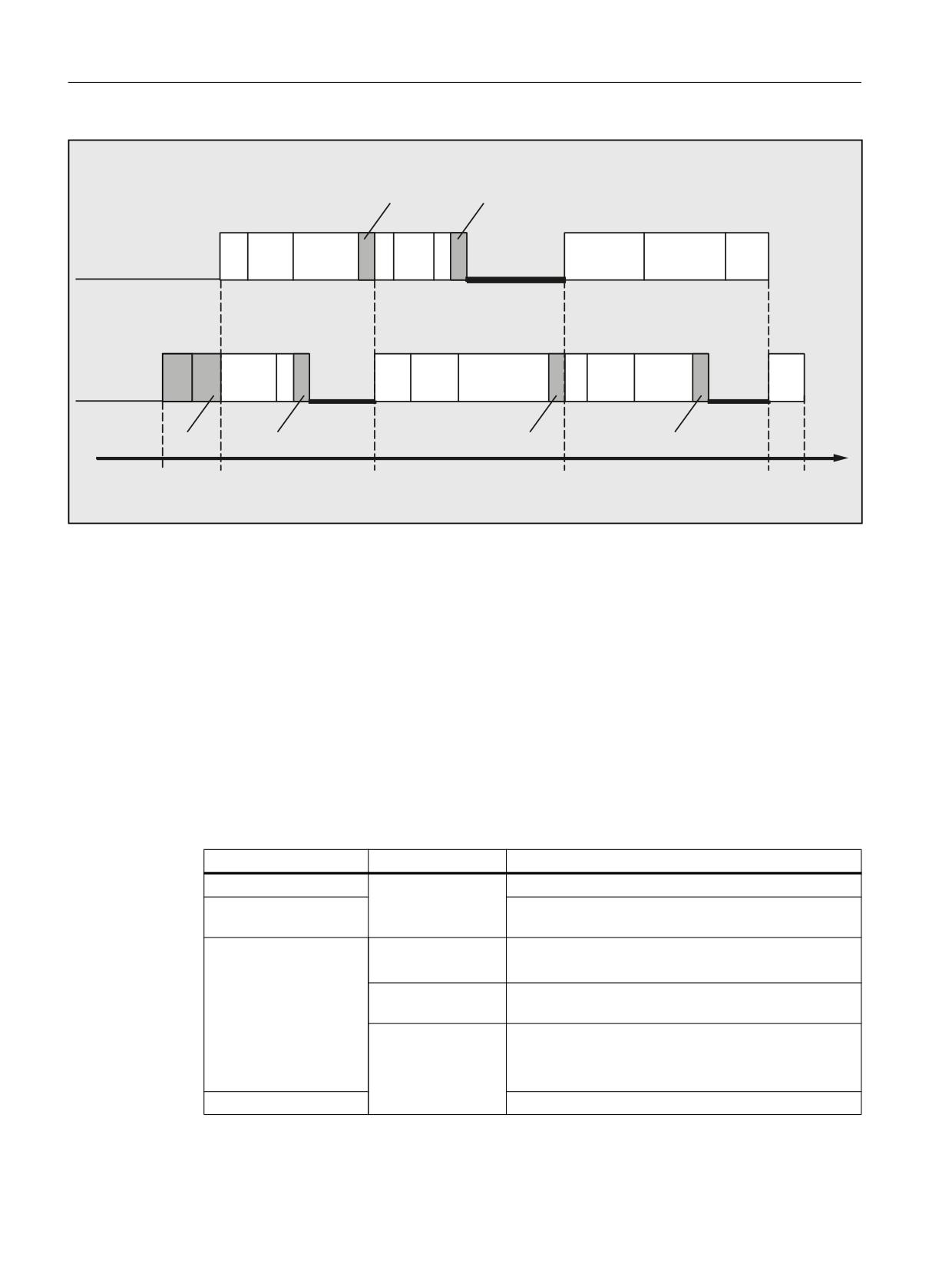
Flexible NC programming
2.13 Coordination commands (INIT, START, WAITM, WAITMC, WAITE, SETM, CLEARM)
1
1
:$,70
:$,70
&KDQQHO
1
03)
1
0
:DLWLQJ
&KDQQHO
1
1
1
03)
:DLWLQJ
:DLWLQJ
0
1
1
1
67$57
:$,70
:$,70
:$,7(
6WDUW
67$57
0
0
(QG RI WLPH
Supplementary conditions
Non-synchronous start of execution of following blocks after WAIT markers
In the case of channel coordination using WAIT markers, execution of the following blocks
may start non-synchronously. This behavior occurs if an action is triggered in one of the
channels to be synchronized immediately before reaching the common WAIT marker; the
consequence of which is implicit repositioning (REPOSA) in this delete distance-to-go.
Assumption: Current axis assignment in channels 1 and 2
● Channel 1: Axes X1 and U
● Channel 2: Axis X2
Table 2-2
Time sequence in channels 1 and 2
Channel 1
Channel 2
Description
Arbitrary processing in channels 1 and 2
N100
Channel 1: reaches the WAIT marker and waits for
WAITM(20,1,2)
synchronization with channel 2
Start of the GETD(U)
N200 GETD(U)
Channel 2: Requests axis U from channel 1
processing:
Channel 1: Processing of GET(U) in the backg2round
● Axis interchange
N210
Channel 2: reaches the WAIT marker. ⇒ This com-
● Delete distance-to-
WAITM(20,1,2)
pletes the synchronization of channels 1 and 2
go
N220 G0 X2=100
Channel 2: Start of processing of N220
● REPOSA
End
N110 G0 X1=100
Channel 1: Staggered start of processing of N110
Job Planning
124
Programming Manual, 12/2018, A5E40869460B AB
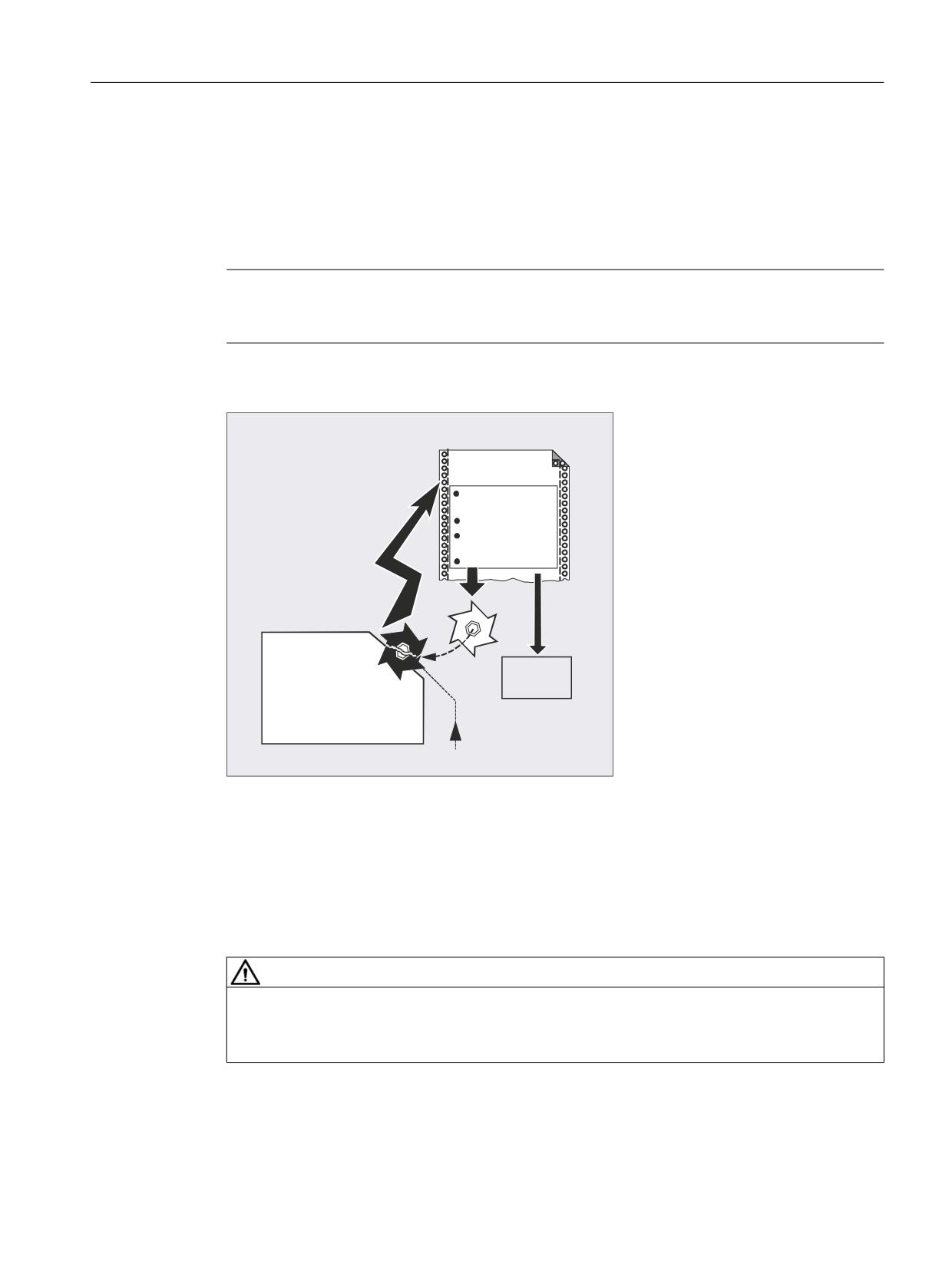
Flexible NC programming
2.14 Interrupt routine (ASUB)
2.14
Interrupt routine (ASUB)
2.14.1
Function of an interrupt routine
Note
The terms "asynchronous subprogram (ASUB)" and "interrupt routine" are used
interchangeably in the description below to refer to the same functionality.
A typical example should clarify the function of an interrupt routine:
LQWHUUXSW URXWLQH
5HWUDFWLRQ IURP WKH
FRQWRXU
7RRO FKDQJH
1HZ FRUUHFWLRQ
YDOXHV
5HSRVLWLRQLQJ
0DLQ
SURJUDP
The tool breaks during machining. This triggers a signal that stops the current machining
process and simultaneously starts a subprogram - the so-called interrupt routine. The interrupt
routine contains all the statements which are to be executed in this case.
When the interrupt routine execution has finished and the machine is ready to continue
operation, the control jumps back to the main program and continues machining at the point
of interruption - depending on the REPOS command (see " Repositioning at contour
(Page 523) ").
CAUTION
Risk of collision
If a REPOS command has not been programmed in the subprogram, then the control goes to
the end point of the block that follows the interrupted block.
Job Planning
Programming Manual, 12/2018, A5E40869460B AB
125
Flexible NC programming
2.14 Interrupt routine (ASUB)
References
Function Manual, Basic Functions; Mode Group, Channel, Program Operation, Reset
Response (K1), Section: "Asynchronous subprograms (ASUBs), interrupt routines"
2.14.2
Creating an interrupt routine
Create interrupt routine as subprogram
The interrupt routine is identified as a subprogram in the definition.
Example:
Program code
Comment
PROC LIFT_Z
; Program name "ABHEB_Z"
N10 ...
; The NC blocks then follow:
N50 M17
; Finally, end the program and return to the main program.
Saving modal G commands (SAVE)
The interrupt routine can be designated by defining with SAVE.
The SAVE attribute means that the active modal G commands are saved before calling the
interrupt routine and are reactivated after the end of the interrupt routine (see " Subprograms
with SAVE mechanism (SAVE) (Page 166) ").
This means that it is possible to resume processing at the interruption point after the interrupt
routine has been completed.
Example:
Program code
PROC LIFT_Z SAVE
N10 ...
N50 M17
Assign additional interrupt routines (SETINT)
SETINT statements can be programmed within the interrupt routine (see "Assign and start
interrupt routine (SETINT)" (Page 127)) therefore activating additional interrupt routines. They
are triggered via the input.
References
You will find more information on how to create subprograms in Section "Subprograms,
Macros".
Job Planning
126
Programming Manual, 12/2018, A5E40869460B AB

Flexible NC programming
2.14 Interrupt routine (ASUB)
2.14.3
Assign and start interrupt routine (SETINT, PRIO, BLSYNC)
The control has several fast inputs (inputs 1 ... 8), which initiate an interrupt (1 ... 8). Each
interrupt can be assigned a priority and an interrupt routine using the SETINT command. If the
interrupt is initiated by setting the fast input, then processing in the channel is interrupted and
the interrupt routine started.
Interrupt priority
If, in a part program, several inputs are assigned interrupts, then the interrupts must be
assigned different priorities.
An interrupt can be assigned a priority value from 1 ... 128. Priority value 1 corresponds to the
highest priority and 128 the lowest.
Syntax
SETINT(<n>) <NAME>
SETINT(<n>) PRIO=<value> <NAME>
SETINT(<n>) PRIO=<value> <NAME> BLSYNC
SETINT(<n>) PRIO=<value> <NAME> LIFTFAST
Meaning
SETINT(<n>):
Input <n> is assigned the interrupt routine <Name>. The assigned interrupt routine
is started as soon as input <n> == 1 is detected.
Note:
If an already programmed input <n> is assigned another interrupt routine, then the
previous assignment is no longer effective.
<n>:
Input number
Type:
INT
Range of values:
1 ... 8
PRIO= :
Priority of the interrupt
(optional)
<value>:
Priority value
(optional)
Type:
INT
Range of values:
1 ... 128 (1 ⇒ highest priority)
<NAME>:
Name of the interrupt routine (subprogram)
BLSYNC:
BLSYNC ensures that after initiating the interrupt, the system first waits until the
actual block has been completed. Only then is the interrupt routine executed.
(optional)
LIFTFAST:
LIFTFAST ensures that after initiating the interrupt, initially a fast retraction is
realized (see Chapter "Fast retraction from the contour (SETINT LIFTFAST,
ALF) (Page 130)"). Only then is the interrupt routine executed.
(optional)
Job Planning
Programming Manual, 12/2018, A5E40869460B AB
127
Flexible NC programming
2.14 Interrupt routine (ASUB)
Supplementary conditions
Interrupt rules
1. For every interrupt that cannot be immediately executed, or is presently already being
processed, an additional interrupt request is saved. All other interrupt requests for this
interrupt are lost.
2. If an interrupt is currently being processed and an additional interrupt with higher priority
initiated, then this interrupts the lower-priority interrupt. The lower priority interrupt is
continued after the higher priority interrupt has been completed. If, while the higher priority
interrupt is being processed, additional requests are received for the lower-priority interrupt,
then one request is saved. All others are lost.
3. If an interrupt is currently being processed and an additional interrupt with higher priority
initiated, then this interrupts the lower-priority interrupt. The higher priority interrupt is
processed. If a higher priority interrupt is initiated, the actual interrupt is interrupted and the
higher priority interrupt processed. A maximum of six active interrupt levels are possible.
One interrupt level presently being processed and five waiting interrupt levels. For each
active interrupt level, a maximum of one additional interrupt request is saved. All other
interrupt requests are lost. Interrupt requests are also lost if these are requested for
additional interrupt levels (interrupt level ≥ 7).
Examples
Example 1: Assign interrupt routines and define the priority
Program code
Comment
N20 SETINT(3) PRIO=1 ABHEB_Z
; IF input 3 == 1 THEN start interrupt routine
"ABHEB_Z"
N30 SETINT(2) PRIO=2 ABHEB_X
; IF input 2 == 1 THEN start interrupt routine
"ABHEB_X".
The interrupt routines are executed in the sequence of the priority values if the inputs become
available simultaneously (are energized simultaneously): First "ABHEB_Z", then "ABHEB_X".
Example 2: Newly assign an interrupt routine
Program code
Comment
N20 SETINT(3) PRIO=2 ABHEB_Z
; IF input 3 == 1 THEN start interrupt routine
"ABHEB_Z"
N80 SETINT(3) PRIO=1 ABHEB_X
; IF input 3 == 1 THEN start interrupt routine
"ABHEB_X"
Job Planning
128
Programming Manual, 12/2018, A5E40869460B AB
Flexible NC programming
2.14 Interrupt routine (ASUB)
2.14.4
Deactivating/reactivating the assignment of an interrupt routine (DISABLE,
ENABLE)
A SETINT statement can be deactivated with DISABLE and reactivated with ENABLE without
losing the input → interrupt routine assignment.
Syntax
DISABLE(<n>)
ENABLE(<n>)
Meaning
DISABLE(<n>):
Command: Deactivating the interrupt routine assignment of input <n>
ENABLE(<n>):
Command: Reactivating the interrupt routine assignment of input <n>
<n>:
Parameter: Number of the interrupt signal
Type:
INT
Range of values:
1 ... 32
Example
Program code
Comment
N20 SETINT(3) PRIO=1 ABHEB_Z
; If input 3 switches, then interrupt
; routine "ABHEB_Z" should start.
N90 DISABLE(3)
; The SETINT statement from N20 is deactivated.
N130 ENABLE(3)
; The SETINT statement from N20 is reactivated.
2.14.5
Delete assignment of interrupt routine (CLRINT)
An interrupt signal assignment defined with SETINT for an NC program (ASUP) can be deleted
with CLRINT.
Syntax
CLRINT(<n>)
Job Planning
Programming Manual, 12/2018, A5E40869460B AB
129
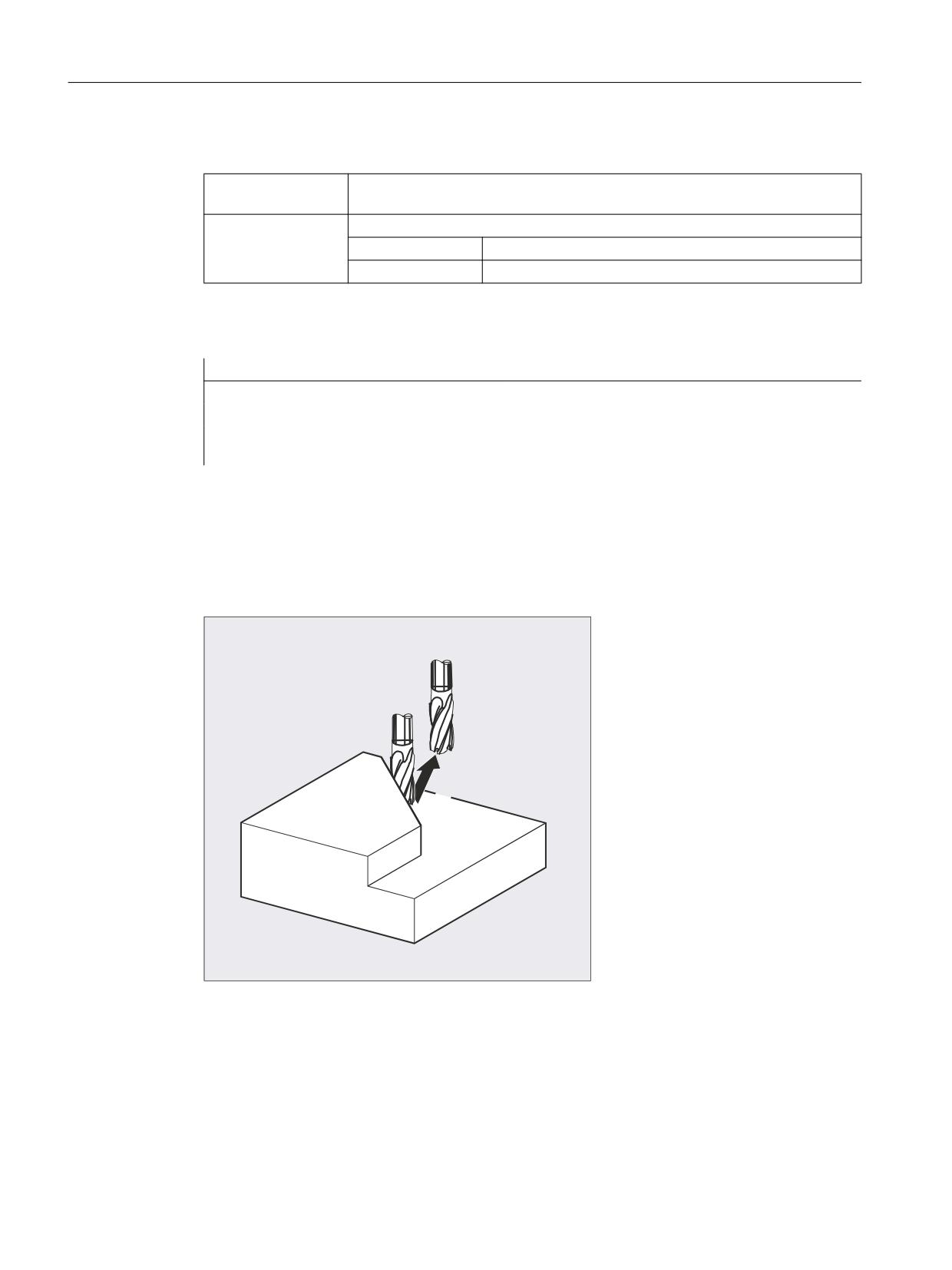
Flexible NC programming
2.14 Interrupt routine (ASUB)
Meaning
CLRINT(<n>):
Command: Delete assignment of the interrupt signal <n> to the NC program
(ASUP) defined with SETINT <n>
<n>:
Parameter: Number of the interrupt signal
Type:
INT
Range of values:
1 ... 32
Example
Program code
Comment
N20 SETINT(3) PRIO=2 ABHEB_Z
N50 CLRINT(3)
; The assignment between input "3" and inter-
rupt routine "ABHEB_Z" is deleted.
2.14.6
Fast retraction from the contour (SETINT LIFTFAST, ALF)
For a SETINT statement with LIFTFAST, when the input is switched, the tool is moved away
from the workpiece contour using fast retraction.
The further sequence is then dependent on whether the SETINT statement includes an
interrupt routine in addition to LIFTFAST:
With interrupt routine:
After the fast retraction, the interrupt routine is executed.
Without interrupt routine:
Machining is stopped after fast retraction and an alarm is output.
Job Planning
130
Programming Manual, 12/2018, A5E40869460B AB

Flexible NC programming
2.14 Interrupt routine (ASUB)
Syntax
SETINT(<n>) PRIO=1 LIFTFAST
SETINT(<n>) PRIO=1 <NAME> LIFTFAST
Meaning
SETINT(<n>):
Command: Assign input <n> to an interrupt routine. The assigned interrupt routine
starts when input <n> switches.
<n>:
Parameter: Input number
Type:
INT
Range of values:
1 ... 8
PRIO= :
Defining the priority
<value>:
Priority value
Range of values:
1 ... 128
Priority 1 corresponds to the highest priority.
<NAME>:
Name of the subprogram (interrupt routine) that is to be executed.
LIFTFAST:
Command: Fast retraction from the contour
ALF=… :
Command: Programmable traverse direction (in motion block)
Regarding the possibilities of programming with ALF, refer to the subject "Travers-
ing direction for fast retraction from the contour (Page 132)".
Supplementary conditions
Behavior for active frame with mirroring
When determining the retraction direction, a check is performed to see whether a frame with
mirror is active. In this case, for the retraction direction, right and left are interchanged referred
to the tangential direction. The direction components in tool direction are not mirrored. This
behavior is activated with the MD setting:
MD21202 $MC_LIFTFAST_WITH_MIRROR = TRUE
Example
A broken tool should be automatically replaced by a daughter tool. Machining is then continued
with the new tool.
Main program:
Main program
Comment
N10 SETINT(1) PRIO=1 W_WECHS LIFTFAST
; When input 1 is switched, the
tool is immediately retracted from
the contour with fast retraction
(code no. 7 for tool radius compen-
sation G41). Then interrupt rou-
tine "W_WECHS" is executed.
N20 G0 Z100 G17 T1 ALF=7 D1
N30 G0 X-5 Y-22 Z2 M3 S300
N40 Z-7
Job Planning
Programming Manual, 12/2018, A5E40869460B AB
131
Flexible NC programming
2.14 Interrupt routine (ASUB)
Main program
Comment
N50 G41 G1 X16 Y16 F200
N60 Y35
N70 X53 Y65
N90 X71.5 Y16
N100 X16
N110 G40 G0 Z100 M30
Subprogram:
Subprogram
Comment
PROC W_CHANGE SAVE
; Subprogram where the actual operat-
ing state is saved
N10 G0 Z100 M5
;Tool changing position, spindle stop
N20 T11 M6 D1 G41
;Change tool
N30 REPOSL RMBBL M3
; Reposition at the contour and return
jump into the main program (this is
programmed in a block)
2.14.7
Traversing direction for fast retraction from the contour
Retraction movement
The following G commands define the retraction movement plane:
● LFTXT
The retraction movement plane is defined by the path tangent and the tool direction (default
setting).
● LFWP
The plane of the retraction movement is the active working plane selected with G
commands G17, G18 or G19. The direction of the retraction movement is not dependent
on the path tangent. This allows a fast retraction to be programmed parallel to the axis.
● LFPOS
Retraction of the axis declared using POLFMASK/POLFMLIN to the absolute axis position
programmed with POLF.
ALF has no influence on the retraction direction for several axes and for several axes in a
linear system.
References:
Programming Manual, Fundamentals, Section: "Rapid retraction during thread cutting"
Programmable traversing direction (ALF=…)
The direction is programmed in discrete steps of 45 degrees with ALF in the plane of the
retraction movement.
Job Planning
132
Programming Manual, 12/2018, A5E40869460B AB
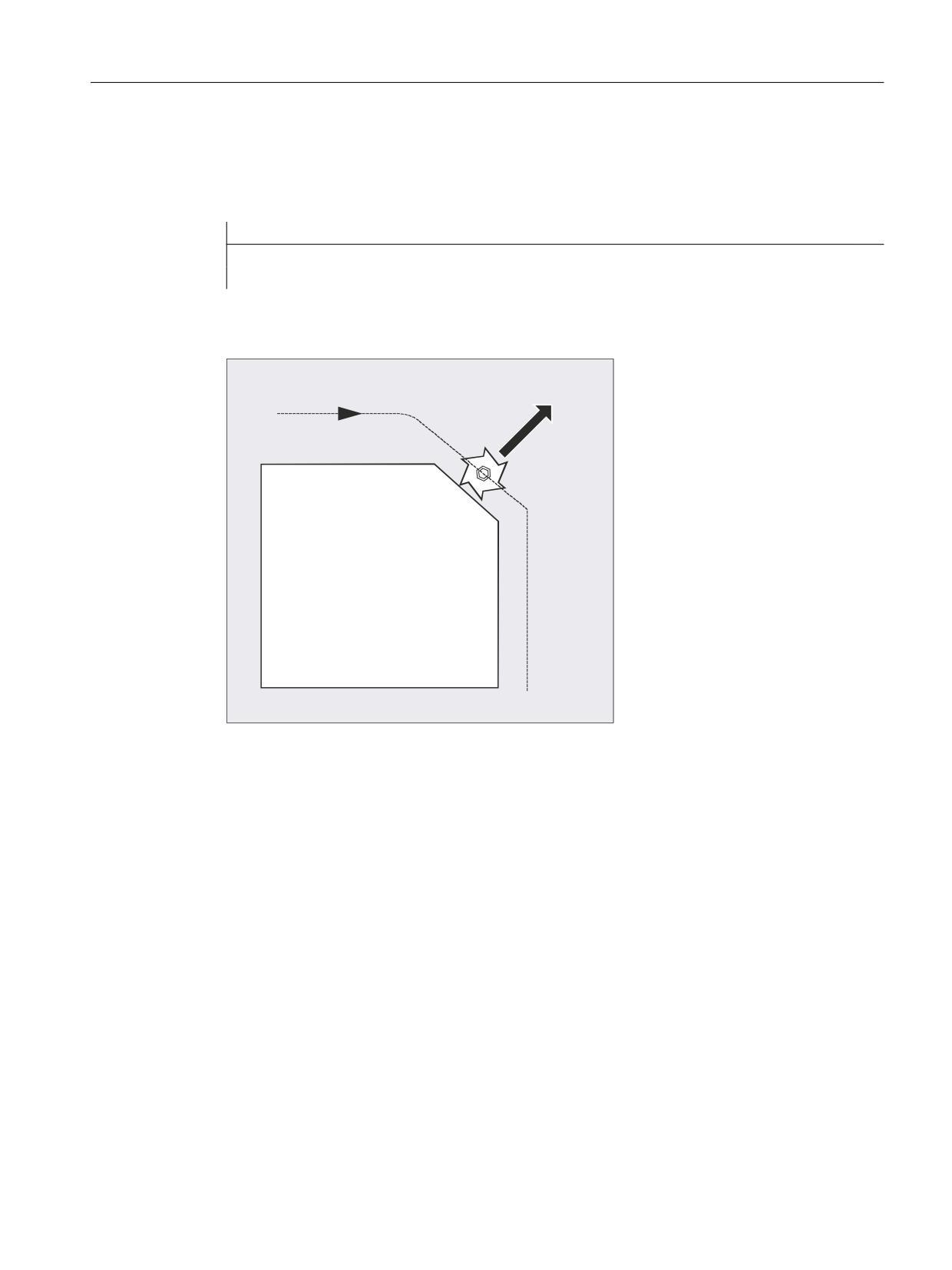
Flexible NC programming
2.14 Interrupt routine (ASUB)
The possible traversing directions are stored in special code numbers on the control and can
be called up using these numbers.
Example:
Program code
N10 SETINT(2) PRIO=1 ABHEB_Z LIFTFAST
ALF=7
With G41 activated (machining direction to the left of the contour) the tool vertically moves
away from the contour.
*
$/)
Reference plane for defining the traversing direction for LFTXT
At the point of application of the tool to the programmed contour, the tool is clamped at a plane
which is used as a reference for specifying the retraction movement with the corresponding
code number.
The reference plane is derived from the longitudinal tool axis (infeed direction) and a vector
positioned perpendicular to this axis and perpendicular to the tangent at the point of application
of the tool.
Job Planning
Programming Manual, 12/2018, A5E40869460B AB
133
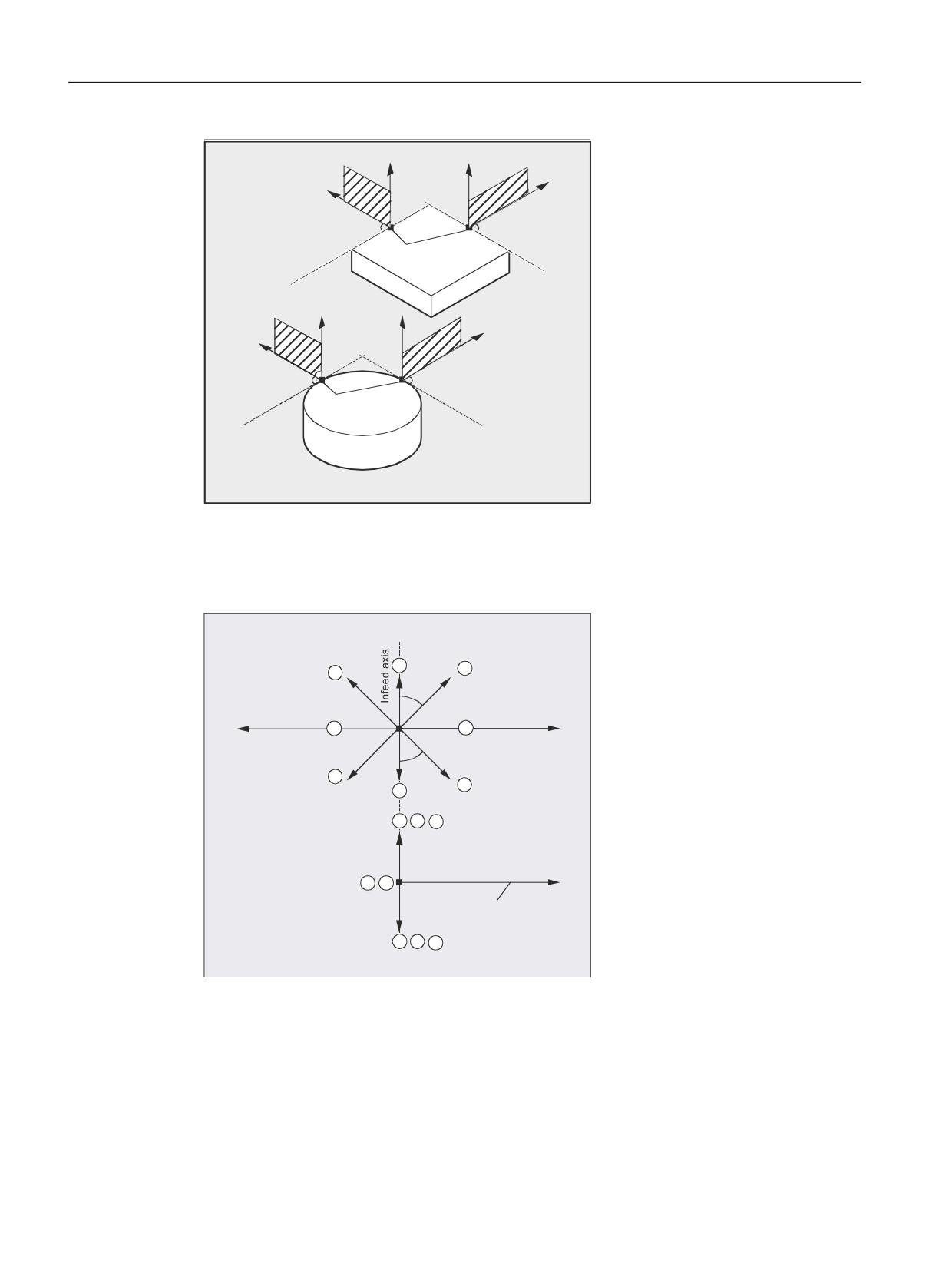
Flexible NC programming
2.14 Interrupt routine (ASUB)
7DQJHQW
7DQJHQW
,QWHUYHQWLRQ
SRLQW
7DQJHQW
7DQJHQW
,QWHUYHQWLRQ
SRLQW
Code numbers with traversing direction for LFTXT
Starting from the reference plane, you will find the code numbers with traversing directions in
the following diagram.
9LHZ LQ WKH
WUDYHUVLQJ GLUHFWLRQ
r
r
3ODQ YLHZ
*
*
7UDYHUVLQJ GLUHFWLRQ
The retraction in the tool direction is defined for ALF=1.
Job Planning
134
Programming Manual, 12/2018, A5E40869460B AB
Flexible NC programming
2.14 Interrupt routine (ASUB)
The "fast retraction" function is deactivated with ALF=0.
CAUTION
Risk of collision
When the tool radius compensation is activated, then:
● For G41 codes 2, 3, 4
● For G42 codes 6, 7, 8
should not be used, as in these cases, the tool would move to the contour and would collide
with the workpiece.
Code numbers with traversing directions for LFWP
With LFWP, the direction in the working plane is derived from the following assignment:
● G17: X/Y plane
ALF=1: Retraction in the X direction
ALF=3: Retraction in the Y direction
● G18: Z/X plane
ALF=1: Retraction in the Z direction
ALF=3: Retraction in the X direction
● G19: Y/Z plane
ALF=1: Retraction in the Y direction
ALF=3: Retraction in the Z direction
2.14.8
Motion sequence for interrupt routines
Interrupt routine without LIFTFAST
Axis motion is braked along the path down to standstill (zero speed). The interrupt routine then
starts.
The standstill position is saved as interrupt position and is approached at the end of the
interrupt routine for REPOS with RMIBL.
Interrupt routine with LIFTFAST
Axis motion is braked along the path. The LIFTFAST motion is simultaneously executed as
superimposed motion. If the path motion and LIFTFAST motion have come to a standstill (zero
speed), the interrupt routine is started.
The position on the contour is saved as interrupt position where the LIFTFAST motion is
started and therefore the path was left.
Job Planning
Programming Manual, 12/2018, A5E40869460B AB
135
Flexible NC programming
2.14 Interrupt routine (ASUB)
The interrupt routine with LIFTFAST and ALF=0 behaves in precisely the same way as the
interrupt routine without LIFTFAST.
Note
The absolute value through which the geometry axes move when quickly retracting from the
contour can be set using machine data.
Job Planning
136
Programming Manual, 12/2018, A5E40869460B AB
Flexible NC programming
2.15 Axis replacement, spindle replacement (RELEASE, GET, GETD)
2.15
Axis replacement, spindle replacement (RELEASE, GET, GETD)
One or more axes or spindles can only ever be interpolated in one channel. If an axis has to
alternate between two different channels (e.g. pallet changer) it must first be enabled in the
current channel and then transferred to the other channel. Axis replacement is effective
between channels.
Axis replacement extensions
An axis/spindle can be replaced either with a preprocessing stop and synchronization between
preprocessing and main run, or without a preprocessing stop. Axis replacement is also possible
via:
● Axis container rotation AXCTSWE or AXCTWED using implicit GET/GETD
● Frame with rotation if this process links the axis with other axes.
● Synchronized actions, see Motion-synchronous actions, "Axis replacement RELEASE,
GET".
Machine manufacturer
Please refer to the machine manufacturer's instructions. For the purpose of axis replacement,
one axis must be defined uniquely in all channels in the configurable machine data and the
axis replacement characteristics can also be set using machine data.
Syntax
RELEASE (axis name, axis name, ...) or RELEASE (S1)
GET (axis name, axis name, ...) or GET (S2)
GETD(axis name, axis name, ...) or GETD(S3)
With GETD (GET Directly), an axis is fetched directly from another channel. This means that
no suitable RELEASE must be programmed for this GETD in another channel. It also means
that other channel communication has to be established (e.g. wait markers).
Meaning
RELEASE (axis name, axis name, etc.):
Release the axis (axes)
GET (axis name, axis name, etc.):
Accept the axis (axes)
GETD (axis name, axis name, etc.):
Directly accept the axis (axes)
Axis name:
Axis assignment in the system: AX1, AX2, ... or
specify machine axis name
RELEASE(S1) :
Release spindles S1, S2, ...
GET(S2) :
Accept spindles S1, S2, ...
GETD(S3) :
Direct acceptance of spindles S1, S2, ...
GET request without preprocessing stop
Job Planning
Programming Manual, 12/2018, A5E40869460B AB
137

Flexible NC programming
2.15 Axis replacement, spindle replacement (RELEASE, GET, GETD)
If, following a GET request without preprocessing stop, the axis is enabled again with
RELEASE(axis) or WAITP(axis), a subsequent GET will induce a GET with preprocessing
stop.
CAUTION
Axis assignment changed
An axis or spindle accepted with GET remains assigned to this channel even after a key or
program RESET.
When a program is restarted the replaced axes or spindles must be reassigned in the program
if the axis is required in its original channel.
It is assigned to the channel defined in the machine data on POWER ON.
Examples
Example 1: Axis exchange between two channels
Of the six axes, the following are used for machining in channel 1: 1., 2., 3. 1st, 2nd, 3rd and
4th axis.
The 5th and 6th axes in channel 2 are used for the workpiece change.
Axis 2 should be exchanged between two channels and after POWER ON can be assigned
to channel 1.
Program "MAIN" in channel 1:
Program code
Comment
INIT (2,"TRANSFER2")
; Select program TRANSFER2 in channel 2.
N… START (2)
; Start the program in channel 2.
N… GET (AX2)
; Accept axis AX2.
N… RELEASE (AX2)
; Release axis AX2.
N… WAITM (1,1,2)
; Wait for WAIT marker in channel 1 and 2 for synchro-
nizing in both channels.
; Rest of program after axis replacement.
N… M30
Program "TRANSFER2" in channel 2:
Programming
Comment
N… RELEASE (AX2)
N160 WAITM(1,1,2)
; Wait for WAIT marker in channel 1 and 2 for synchro-
nizing in both channels.
N150 GET(AX2)
; Accept axis AX2.
; Rest of program after axis replacement.
N… M30
Job Planning
138
Programming Manual, 12/2018, A5E40869460B AB
Flexible NC programming
2.15 Axis replacement, spindle replacement (RELEASE, GET, GETD)
Example 2: Axis exchange without synchronization
If the axis does not have to be synchronized no preprocessing stop is generated by GET.
Programming
Comment
N01 G0 X0
N02 RELEASE(AX5)
N03 G64 X10
N04 X20
N05 GET(AX5)
; If synchronization is not required, then this is
not a block that can be executed.
N06 G01 F5000
; Block that cannot be executed.
N07 X20
; Block that cannot be executed, because X position
as in N04.
N08 X30
; First block that can be executed after N05.
Example 3: Activating an axis exchange without a preprocessing stop
Requirement: Axis replacement without a preprocessing stop must be configured via machine
data.
Programming
Comment
N010 M4 S100
N011 G4 F2
N020 M5
N021 SPOS=0
N022 POS[B]=1
N023 WAITP(B)
; Axis B becomes the neutral axis.
N030 X1 F10
N031 X100 F500
N032 X200
N040 M3 S500
; Axis does not trigger a preprocessing stop / REORG
N041 G4 F2
N050 M5
N099 M30
If the spindle or axis B is traversed, e.g. to 180 degrees and then back to 1 degree immediately
after block N023 as the PLC axis, this axis will revert to its neutral status and will not trigger a
preprocessing stop in block N40.
Further information
Requirements for axis replacement
● The axis must be defined in all channels that use the axis in the machine data.
● It is necessary to define to which channel the axis will be assigned after POWER ON in the
axis-specific machine data.
Job Planning
Programming Manual, 12/2018, A5E40869460B AB
139
Flexible NC programming
2.15 Axis replacement, spindle replacement (RELEASE, GET, GETD)
Description
Release axis: RELEASE
When enabling the axis please note:
1. The axis must not be involved in a transformation.
2. All the axes involved in an axis link (tangential control) must be enabled.
3. A concurrent positioning axis cannot be replaced in this situation.
4. All the following axes of a gantry master axis are transferred with the master.
5. With coupled axes (coupled motion, master value coupling, electronic gear) only the leading
axis of the group can be enabled.
Accept axis: GET
The actual axis replacement is performed with this command. The channel for which the
command is programmed takes full responsibility for the axis.
Effects of GET:
Axis replacement with synchronization:
An axis always has to be synchronized if it has been assigned to another channel or the PLC
in the meantime and has not been resynchronized with "WAITP", G74 or delete distance-to-
go before GET.
● A preprocessing stop follows (as for STOPRE).
● Execution is interrupted until the replacement has been completed.
Automatic "GET"
If an axis is in principle available in a channel but is not currently defined as a "channel axis",
GET is executed automatically. If the axis/axes is/are already synchronized no preprocessing
stop is generated.
Varying the axis replacement behavior
The transfer point of axes can be set as follows using machine data:
● Automatic axis replacement between two channels then also takes place when the axis
has been brought to a neutral state by WAITP (response as before)
● When requesting an axis container rotation, all axes of the axis container which can be
assigned to the executing channel are brought into the channel using implicit GET or GETD.
A subsequent axle replacement is only permitted again once the axis container rotation
has been completed.
Job Planning
140
Programming Manual, 12/2018, A5E40869460B AB
Flexible NC programming
2.15 Axis replacement, spindle replacement (RELEASE, GET, GETD)
● When an intermediate block is inserted in the main run, a check will be made to determine
whether or not reorganization is required. Reorganization is only necessary if the axis states
of this block do not match the current axis states.
● Instead of a GET block with preprocessing stop and synchronization between
preprocessing and main run, axes can be replaced without a preprocessing stop. In this
case, an intermediate block is simply generated with the GET request. In the main run,
when this block is executed, the system checks whether the states of the axes in the block
match the current axis states.
For more information about how axis or spindle replacement works, see
Function Manual, Extended Functions, Mode Groups, Channels, Axis Replacement (K5).
Job Planning
Programming Manual, 12/2018, A5E40869460B AB
141

Flexible NC programming
2.16 Transfer axis to another channel (AXTOCHAN)
2.16
Transfer axis to another channel (AXTOCHAN)
The AXTOCHAN language command can be used to request an axis in order to move it to a
different channel. The axis can be moved to the corresponding channel both from the NC part
program and from a synchronized action.
Syntax
AXTOCHAN(axis name,channel number[,axis name,channel number[,...]])
Meaning
Element
Description
AXTOCHAN:
Request axis for a specific channel
Axis name:
Axis assignment in the system: X, Y, … or entry of machine axis names con-
cerned. The executing channel does not have to be the same channel or even
the channel currently in possession of the interpolation right for the axis.
Channel number:
Name of the channel to which the axis is to be assigned
Note
Competing positioning axis and PLC controlled axis exclusively
A PLC axis cannot replace the channel as a competing positioning axis. An axis controlled
exclusively by the PLC cannot be assigned to the NC program.
References:
Function Manual, Extended Functions; Positioning Axes (P2)
Example
AXTOCHAN in the NC program
Axes X and Y have been declared in the first and second channels. Currently, channel 1 has
the interpolation right and the following program is started in that channel.
Program code
Comment
N110 AXTOCHAN(Y,2)
;Move Y axis to the second channel
N111 M0
N120 AXTOCHAN(Y,1)
; Retrieve Y axis (neutral).
N121 M0
N130 AXTOCHAN(Y,2,X,2)
;Move Y axis and X axis to the second channel (axes
are neutral).
N131 M0
N140 AXTOCHAN(Y,2)
; Move Y axis to the second channel (NC program).
N141 M0
Job Planning
142
Programming Manual, 12/2018, A5E40869460B AB
Flexible NC programming
2.16 Transfer axis to another channel (AXTOCHAN)
Further information
AXTOCHAN in the NC program
A GET is only executed in the event of the axis being requested for the NC program in the
same channel (this means that the system waits for the state to actually change). If the axis
is requested for another channel or is to become the neutral axis in the same channel, the
request is sent accordingly.
AXTOCHAN from a synchronized action
In the event of an axis being requested for the same channel, AXTOCHAN from a synchronized
action is mapped to a GET from a synchronized action. In this case, the axis becomes the
neutral axis on the first request for the same channel. On the second request, the axis is
assigned to the NC program in the same way as the GET request in the NC program. For more
information about GET requests from a synchronized action, see "Motion-synchronous
actions".
Job Planning
Programming Manual, 12/2018, A5E40869460B AB
143